Week- 5 - Solid meshing
AIM: To study and learn Tetra meshing/Unstructured meshing in ANSA.
OBJECTIVE:
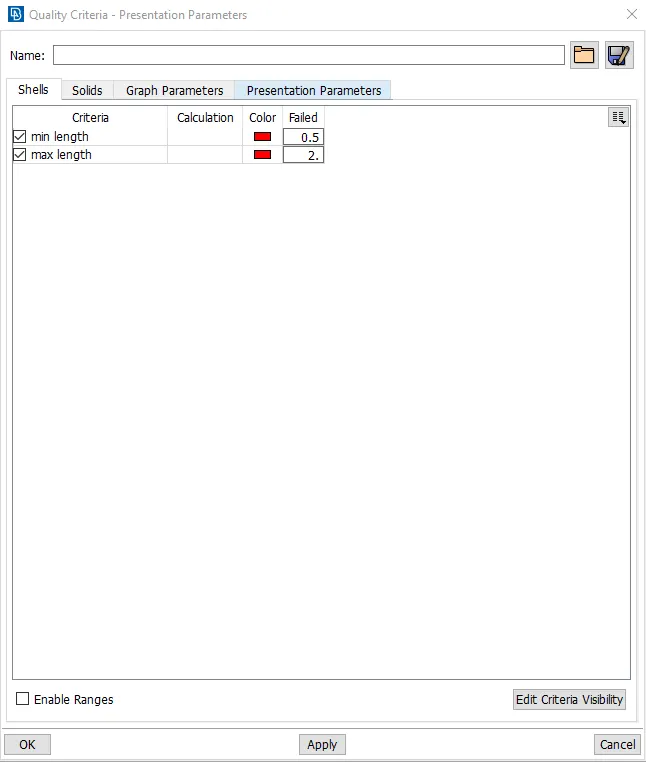
For the given Rear view mirror component, check for the geometrical errors and mesh the Surfaces with the given 2D element Quality criterias given below.
|
S.No |
Quality Criteria |
Value |
|
1 |
Target/Average length |
1 |
|
2 |
Minimum Length |
0.5 |
|
3 |
Maximum Length |
2 |
Use tetra elements to mesh the Volumes defined in the model and check for the below quality after Volume meshing.
|
S.No |
Quality Criteria |
Value |
|
1 |
Tet collapse |
0.2 |
PROCEDURE:
- Import the geometry into ANSA and make the necessary geometry cleanups required.
- To check whether the geometry is closed and proper go to checks>geometry> check all required errors to be shown>execute. It will displays the errors and we need to fix the errors.
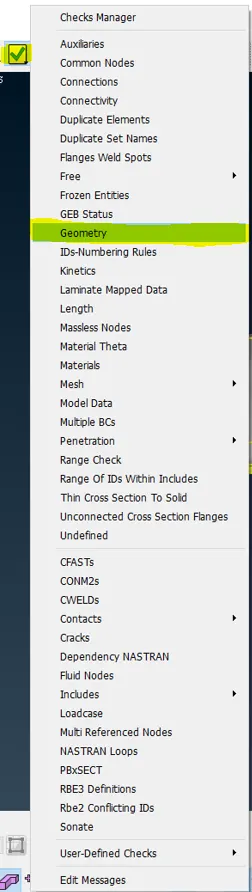
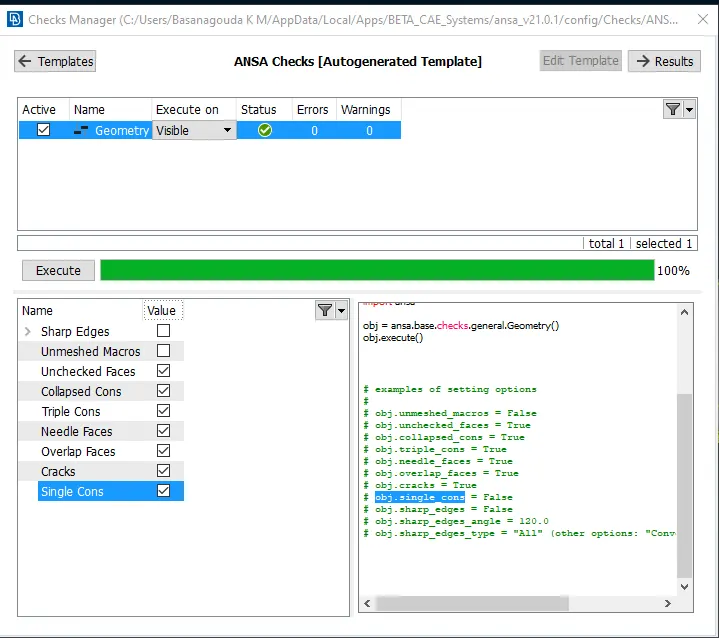
- Set the quality criteria, To set criteria press f11 and there set criteria required in shells.
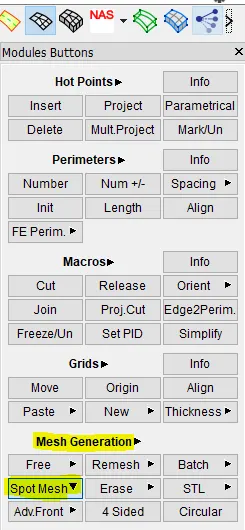
- Here we are going to perform volume meshing, so there no need to extract the mid surface we can create 2D mesh on the surfaces of the geometry. Go to Mesh panel>Mesh generations>spot mesh> select the surfaces and mesh.
- After creating 2D mesh on the surface to perform volume mesh go to Volume deck > Volumes > Define > Manual> select the surfaces
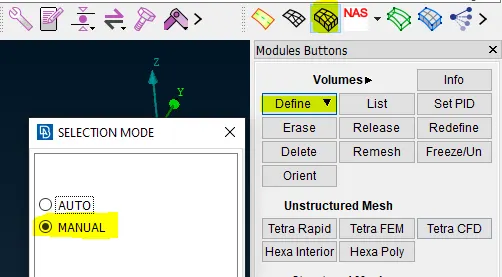
- On a middle click confirmation you will see a Property help window popping up.
- Then follow these steps to create new PID for Volume : Right click > New > PSOLID
- You can see a window popping up which asks to enter the details of the PSOLID.
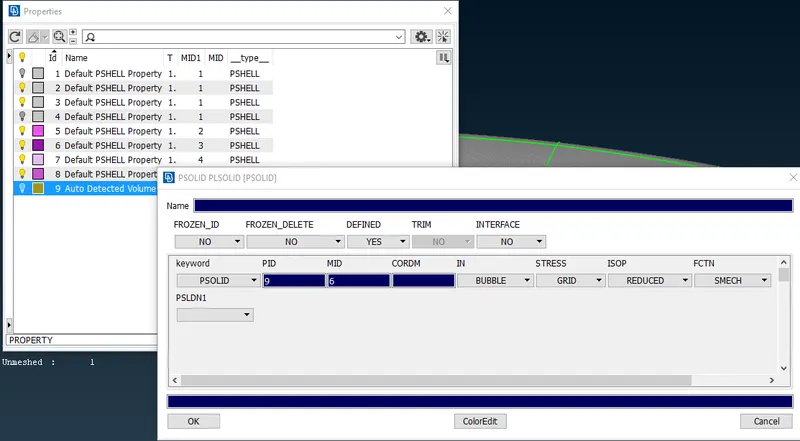
- Rename it and click Ok.
- Now you can see that a PSOLID Id is created on the Property help window.
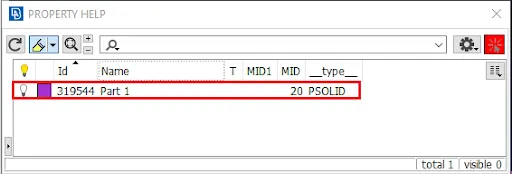
- Double click on the Id and the property will be assigned to that newly created PID.
- Now open the Volumes > List tab from the volume deck, you can see the following pop-up window.
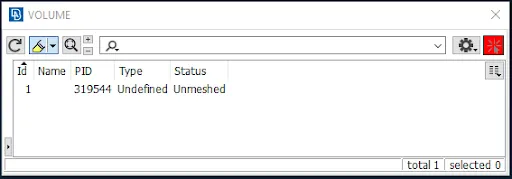
- Right click on the Id and select Remesh
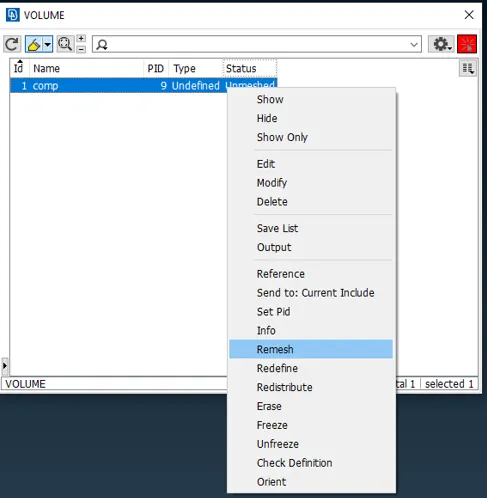
- You can see another window popping up where you can select the type of mesh generation algorithm.
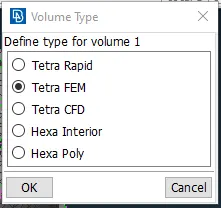
- Select Tetra FEM and select Ok.
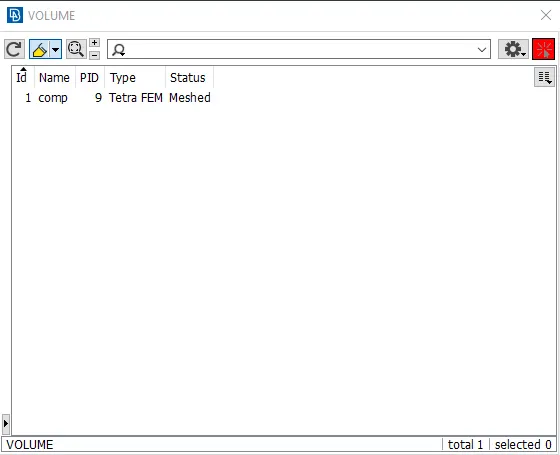
- Now if we check the Volumes > List, it shows the status as Meshed.
- GIVEN GEOMETRY
REARVIEW MIRROR.
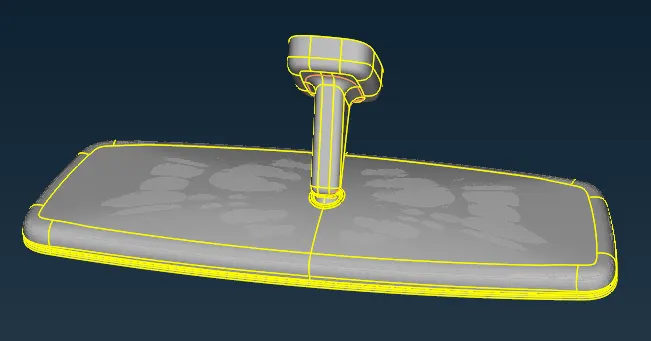
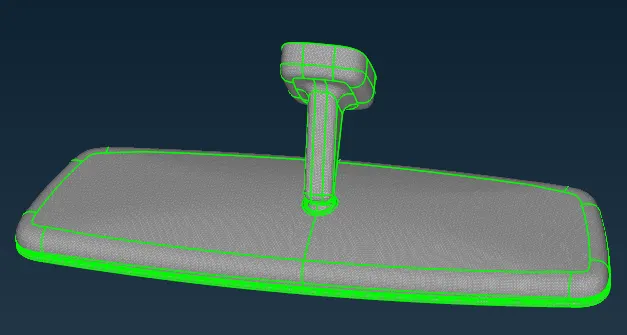
- MESHED WITH 2D ELEMENTS.
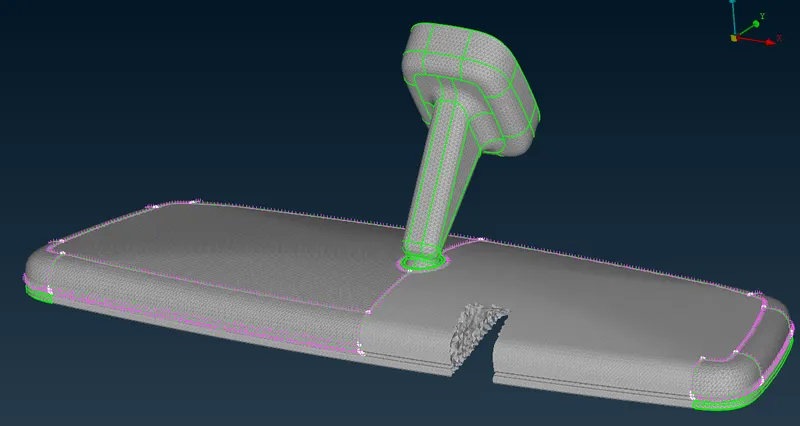
- AFTER VOLUME MESH.
CONCLUSION:
Through this challenge I have learnt to perform Volume mesh in ANSA. And also learnt how to solve tet collapse error in ANSA.