Week- 5 - Solid meshing
solid un structural meshing of Rear view mirror by using ANSA
Aim: To perform the unstructural solid mesh on the Rear view mirror using ANSA software.
Methodology:
- opening the CAD model in ANSA .
- cleaning the geometry.
- setting the quality criteria and mesh criteria before meshing.
- generating the surface mesh.
- generating the volume mesh.
- checking the model to reach the quality criteria.
- work on error and get the model to reach its quality criteria.
Theory:
ANSA is developed by BETA CAE systems. ANSA stands for ' automatic net generation for structural analysis but the software has gone beyond that very quickly.It is tool for FEM and CFD analysis widely used in automotive industry. It carries several proprietry algorithms for meshing suitable for both CFD and structural models.
Rear view mirror:
A rear-view mirror (or rearview mirror) is a flat mirror in automobiles and other vehicles, designed to allow the driver to see rearward through the vehicle's rear windshield.
In cars, the rear-view mirror is usually affixed to the top of the windsheild on a double-swivel mount allowing it to be adjusted to suit the height and viewing angle of any driver and to swing harmlessly out of the way if impacted by a vehicle occupant in a collision.
The rear-view mirror is augmented by one or more side view mirrors, which serve as the only rear-vision mirrors on trucks, motorcycles and bicycles.
Procedure:
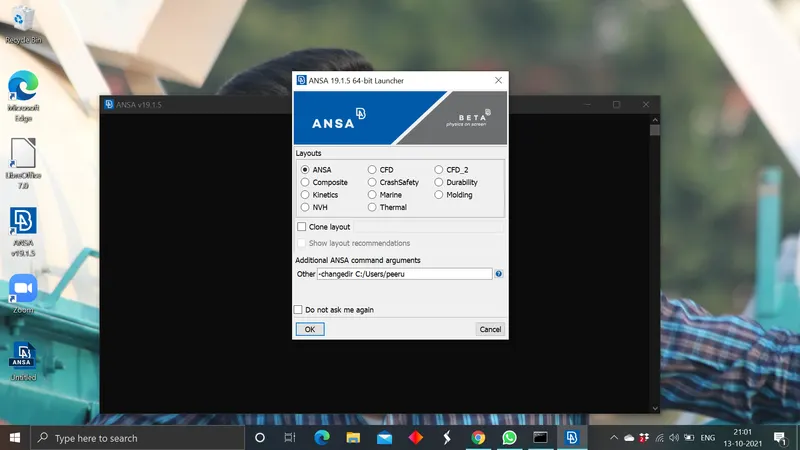
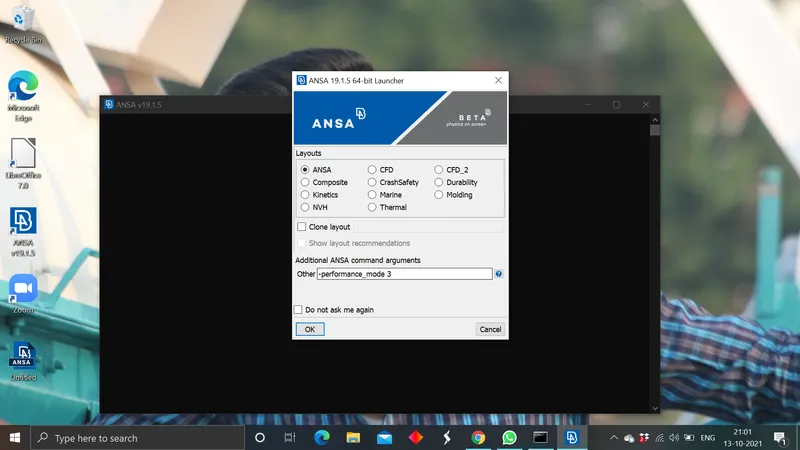
- opening the CAD model in ANSA: set the ANSA in the performance_mode 3 and open the software and import the rear view mirror CAD model into ANSA.
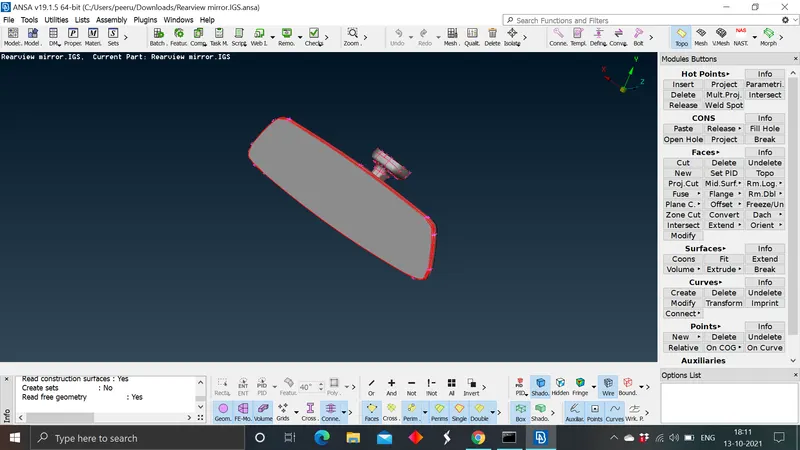
- Cleaning the Geometry: In every CAD model while imported into the ANSA there wil be no connections between the faces cons. so, after importing the CAD model initial step will be performing the the TOPOLOGY to make the connections between the con. To perform this in TOPO>>in FACES>select >TOPO after selecting topo on the work screen in ANSA by left click and selecting whole component and giving mouse middle click all he single cons will turn to double cons.
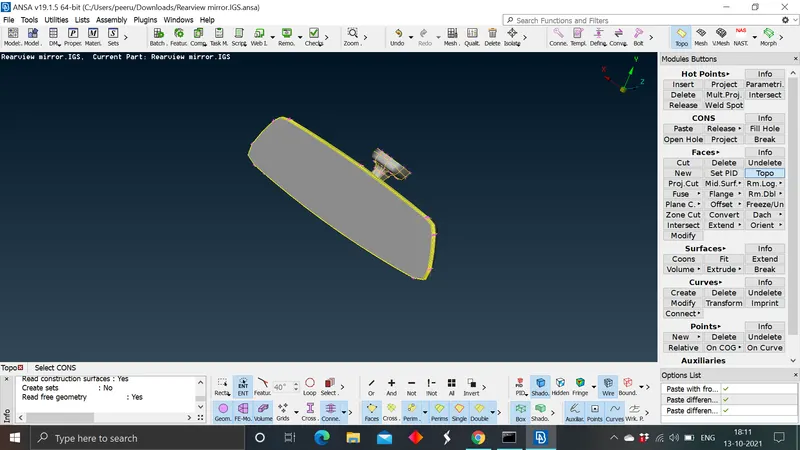
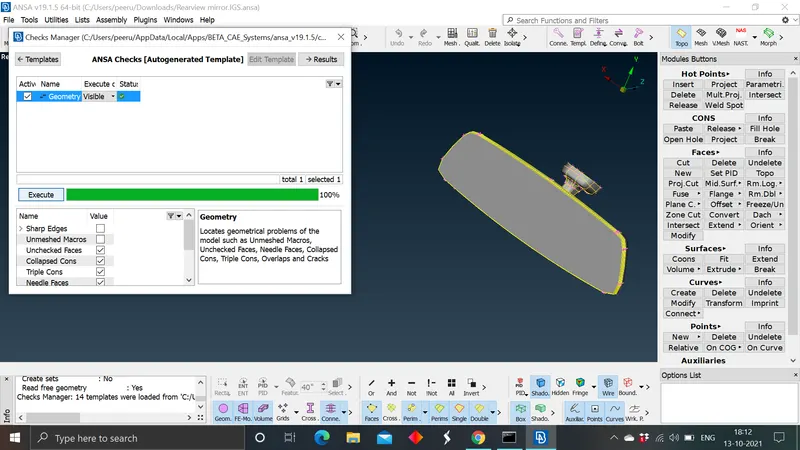
A fter performing the topo check for the geometry errors in the component for checking the errors open the checkes manager and select the geometry and perform the error check. If the CAD model having any errors in geometry those errors will be displayed in the errors list. gve the auto fix comand to fix the errors by automatically by ANSA. ANSA will try to fix the errors and some errors wont get fixed by this comand then manual intervention is required to resolve these eroors.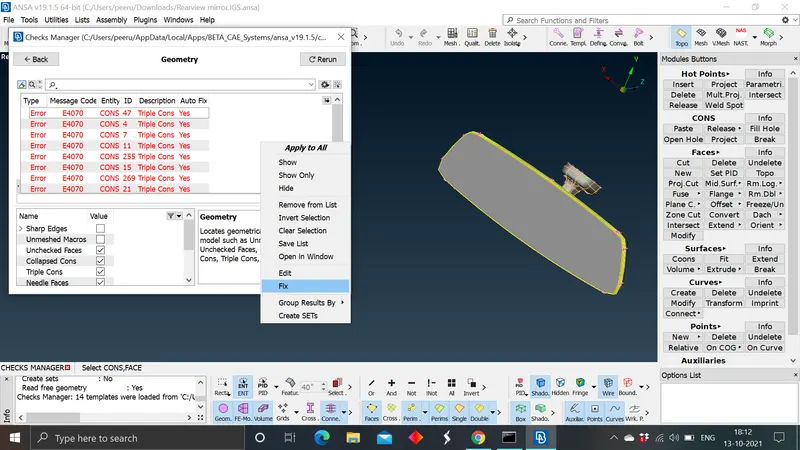
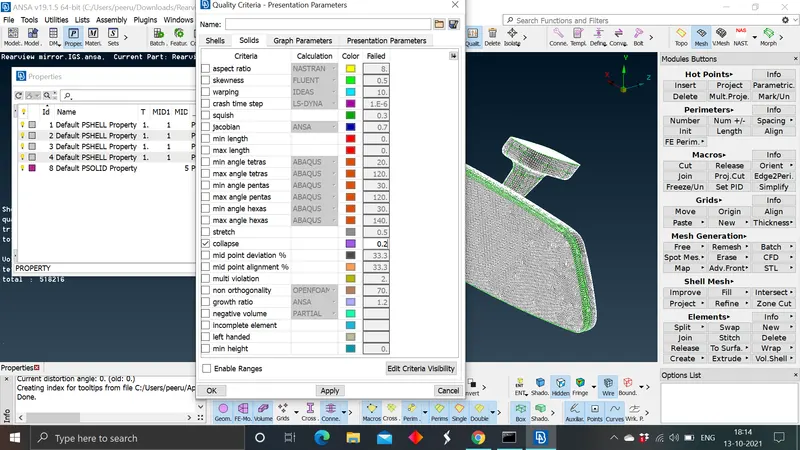
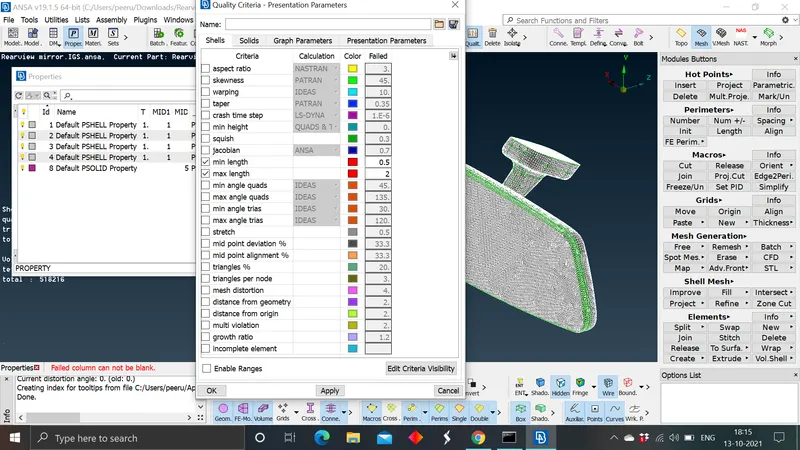
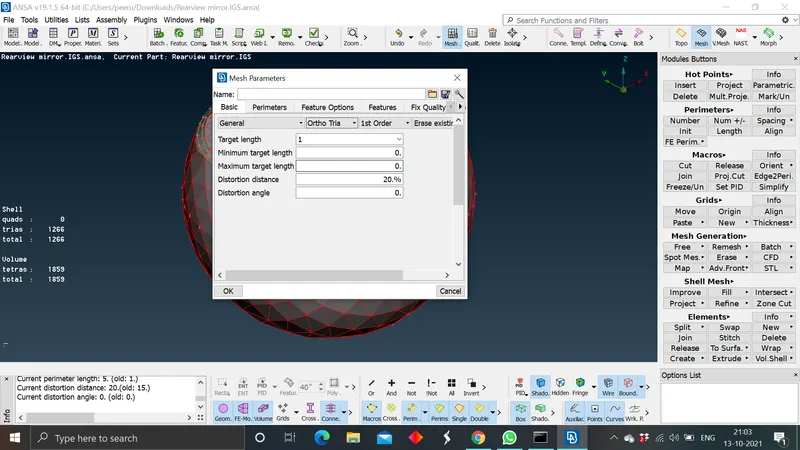
- set the quality and mesh criteria for meshing: After resolving the geometry errors to perform the meshing we ned to set the quality criteria for the mesh, and the target lenght/average length for the mesh nodes should be specified.
| Quality criteria | value | |
| min length | 0.5 | |
| ma length | 2 | |
| target length | 1 | |
| tet collapse | 0.2 |
- Generating the surface mesh:
Meshing: A mesh is anetwork that is formed of cells and points it can have almost any shape and any size, it is mainly used to solve partial differencial equations. Each cell of the mesh represents an individual solution of the equation which then combined for the whole network results in a solution for the entire mesh.
- In meshing there two kinds of meh are available;
- Two dimensional meshing: It is also called as shelll mesh these kind of mesh is deployed on a mid surface generated from the parent component. And we can generate the mid surface only if we can define the thickness and it is easy to define the components thickness.
- Three dimensional meshing: It is also called as solid mesh/volume mesh, when the CAD model didnt have a defined shape to define its thickness and a large component whose thickness is more than the 5mm as per CAE standards we will go for solid meshing. In solid meshing therre are two type of meshing processes are there;
unstructured mesh: In unstructured mesh ANSA tries to fill the volume of the model with an non defined mesh where ANSA didnt consider the shape , size or any other dimensions of the mesh cell, the main goal is to fill the volume. In this mesh we opt for orthogonal trias as the mesh elements to catch a defined mesh on the surface with curvature, fillet regions and for uneven shaped faces. For plane defined shapes and elements without any curves and fillets we will go with tria mesh elemnts. In unstructured mesh we use both tria and ortho tria mesh elements to get better mesh, to reach the quality criteria and also gemnerating the ortho trias takes little more time than the tria mesh. The unstructured mesh is also called as tetra mesh or ortho tria mesh.
structured mesh: Also called as hexa mesh, it is a defined mesh the volume is filled with the structured or defined quad elements.
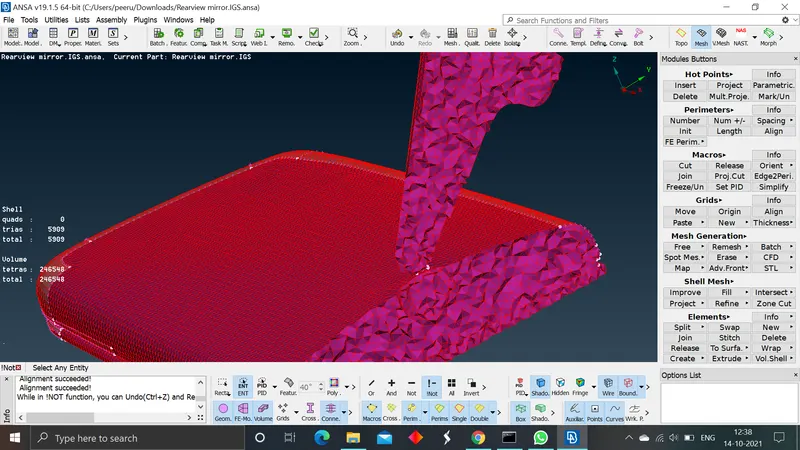
For this rear view mirror model we perform the unstructured solid meshing, after giving the quality and mesh criteria based on the shape of the face we choose the type of mesh from both tria and ortho tria mesh. Initially we perform shell mesh on the surface of the rear view mirror for that in mesh section >meshgeneration>spot mesh>>select type of mesh in the sub section.
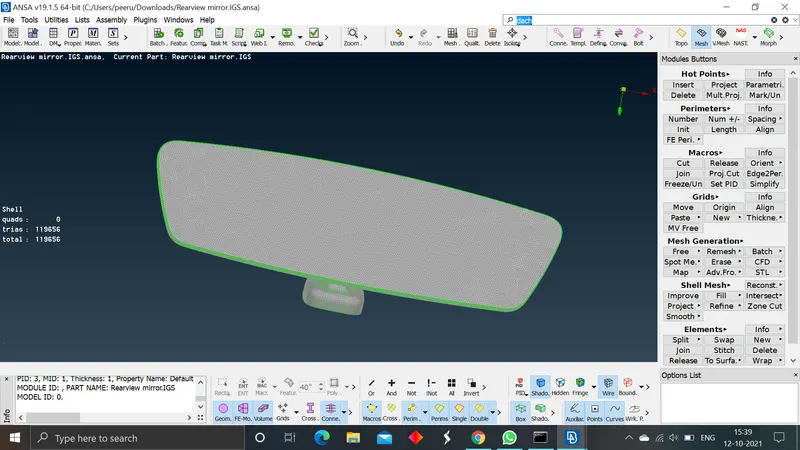
perform the surface shell mesh by inndividual PIDs to avoid the unmeshed regions and for ease of doing the mesh
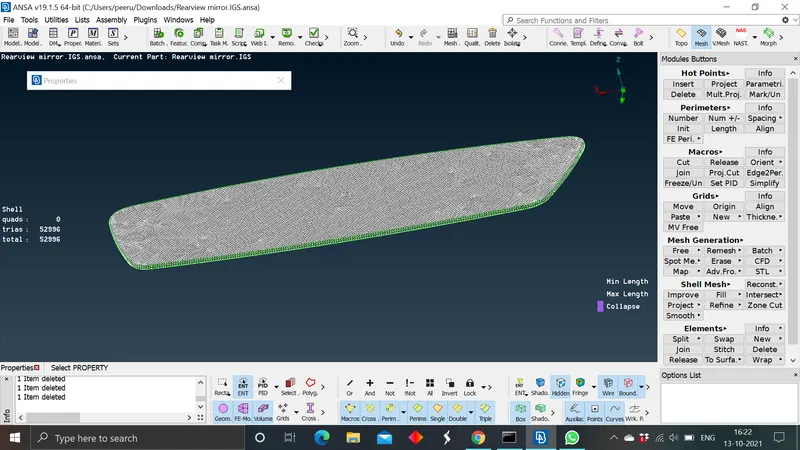
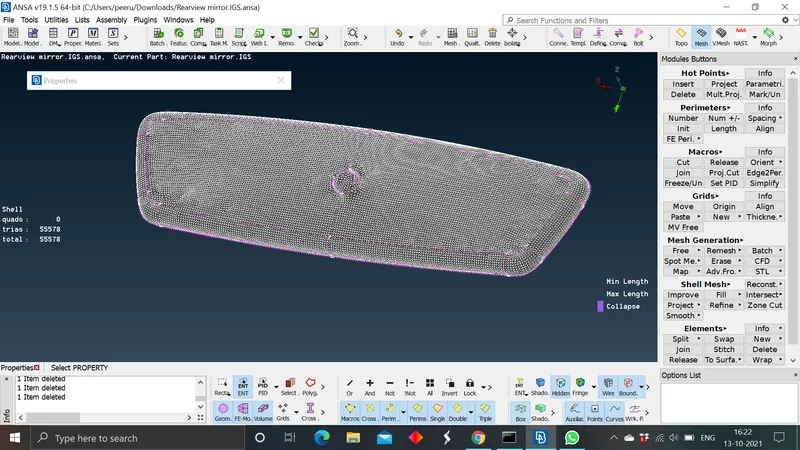
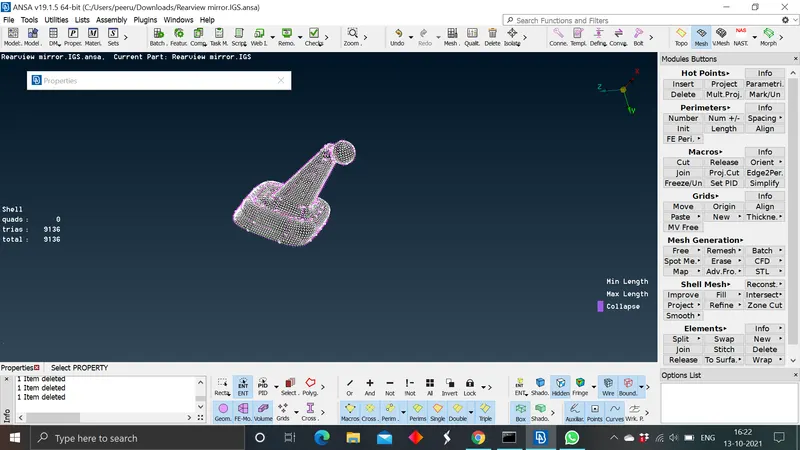
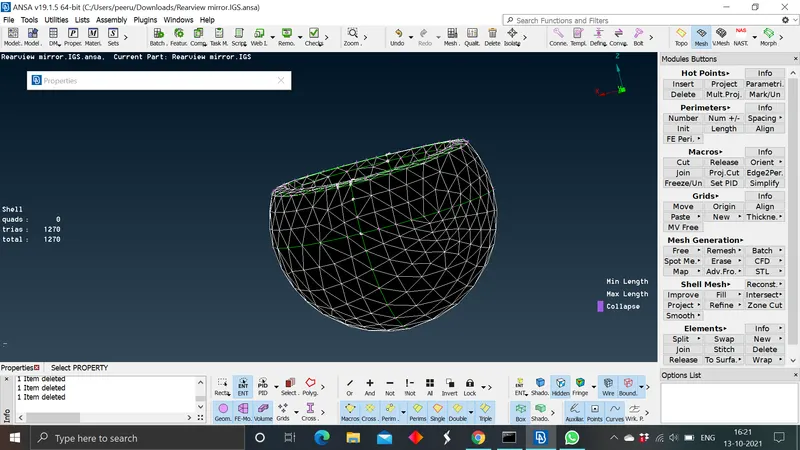
After completing the surface mesh check the off elements in mesh and try to improve the mesh. In surface mesh we only check for minimum length and maximum length failure and these failures can be fixed by giving the improve quality comand automatically or by using the reconstruct, smooth options in the shell mesh section. By giving the improve quality comand there are more chances to generate the issues like make the nodes move away from the cons so these off elments should be adressed before moving to perform the volume mesh.
- generating the volume mesh:
For performing the volume mesh the model surface mesh should reach the quality criteria of minimum and maximum lengths, after we need to define the pshell CAD model as a psolid inorder to perform the volume mesh for that in v mesh> vollumes> select define manual and select the whole model and define the PID in psolid. After defining the model perorm the volume mesh on individual components to avoid the intersection error which occur due to the PID 2 and PID 3 were in close proximity. For unstrucured mesh we can opt for different methods, in which one of the method is go to unstructured mesh> select tetra rapid or tetra FEM and box selecting the component and by clicking middle mouse click we can generate the volume mesh inside the comonent.
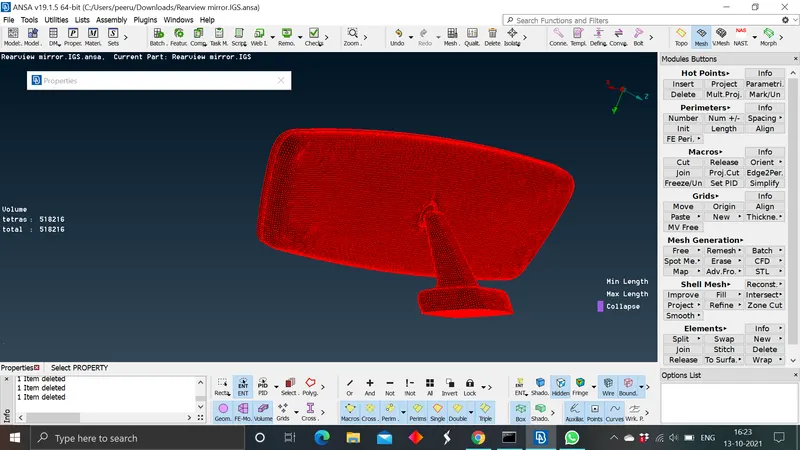
- check the model to reach the quality criteria: In volume mesh we only check for the tet collapse. before performing the volume mesh the shell mesh criteria of minimum and maximum length must be achieved.if there are any defects they were shown as off elements under the shell and volume secions list on the ANSA work screen.
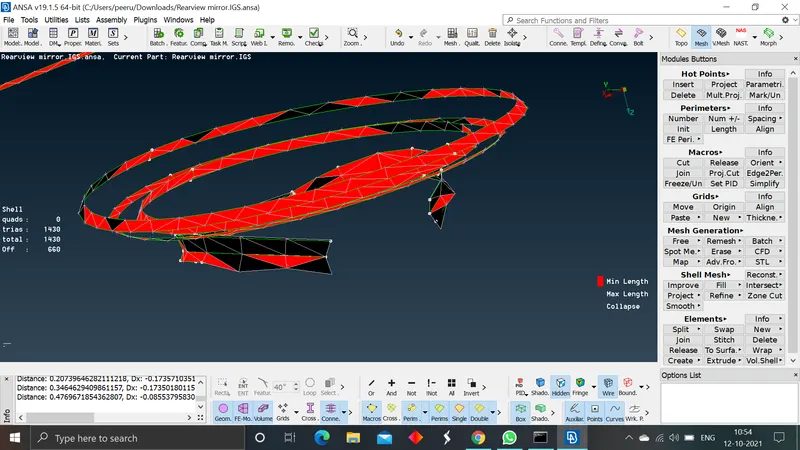
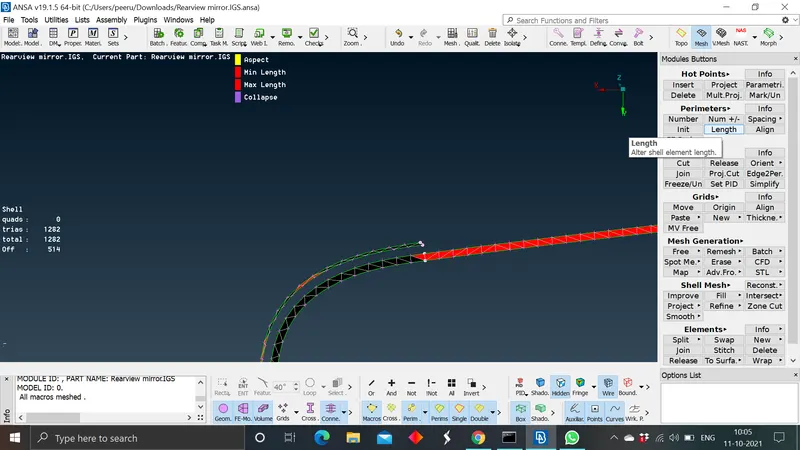
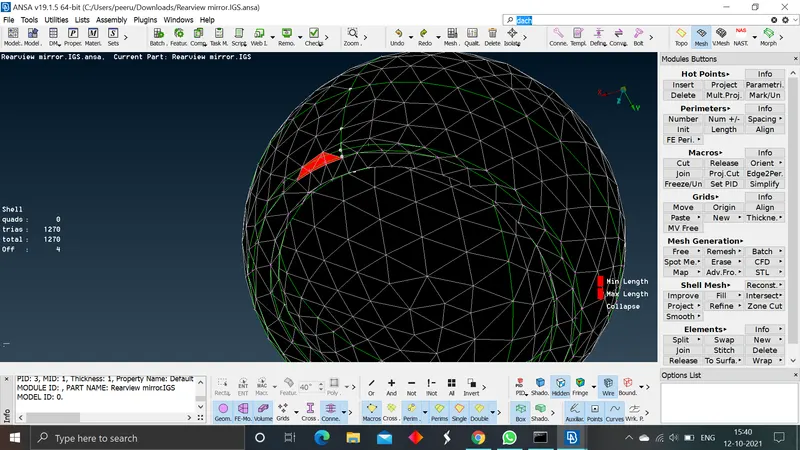
- work on errors and get the model to reach its quality criteria: To eliminate these errors we will use the reconstruct and smooth option to re arrange the mesh pattern manually. To avoid the raised edges and kinks on the surface we restrict our usage to minimum to auto fix or improve quality options.
Before addressing the tet collapse issue we need to know about the error briefly
Tet collapse:
It can be calculated by measuring the distance of a node from the opposite face, then each of the four values will be divided by the Square root of the opposite face's area. The minimum of four resulting values is then normalized by dividing it by 1.24.
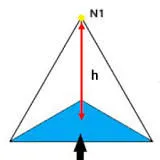
so, to resolve the error we need to select the least height node and by using the move free option in grids we can move the node so that elementheight gets incresed and which results in reaching the quality criteria of ccollapse of 0.2.
Learning outcomes:
- Geometry cleanup.
- surface meshing.
- using the combination of tria and ortho tria mesh in combiation.
- defing the PID of psolid.
- performing the unstructured tetra meshing in volume mesh.
- knowing about tet colllapse and resolving the issue.
Conclusion: The rear view mirror model is surface meshed and volumetric unstructured mesh is performed on the model. The fineshed mesh is an error free mesh.