Week - 5 - Modelling Spotwelds
Aim: To create a simulation of spotweld undergoing impact test.
Objective: To create a simulation of the spotweld joining two metal sheets, the simulation of two metal sheets hitting the rigid wall and how it spotweld acts. The simulation helps understand the complex simulation by testing spotweld with beam 1D element and with 3D solid element with initial velocity option applied.
Procedure:
- The given model is downloaded and open in the Ls-dyna software by Ls-prepost.
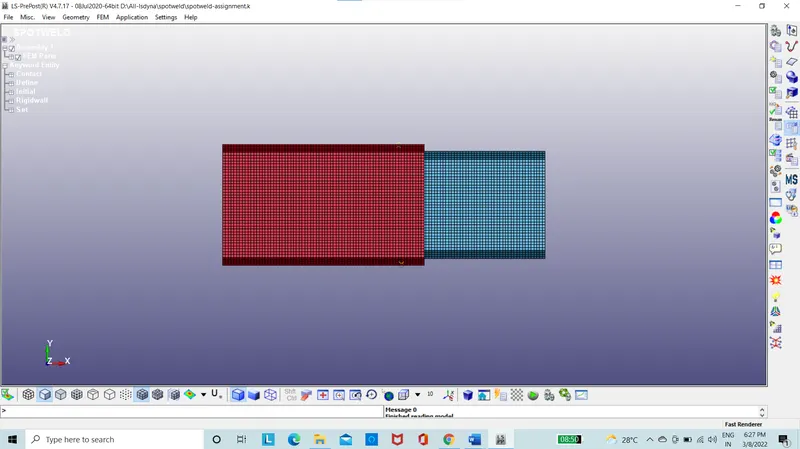
Figure 1: Sheet metals
- The model is given with “gm,mm,ms” dimensions, accordingly the values of the velocity, length etc are given.
- The section is taken as 1.2mm.
- The material is taken as steel in elastic limit input of density as 0.0078 gm/mm3 youngs modulus as 210000 g/mm.ms2 and possions ratio as 0.3.
- The part is input with material id and the section id.
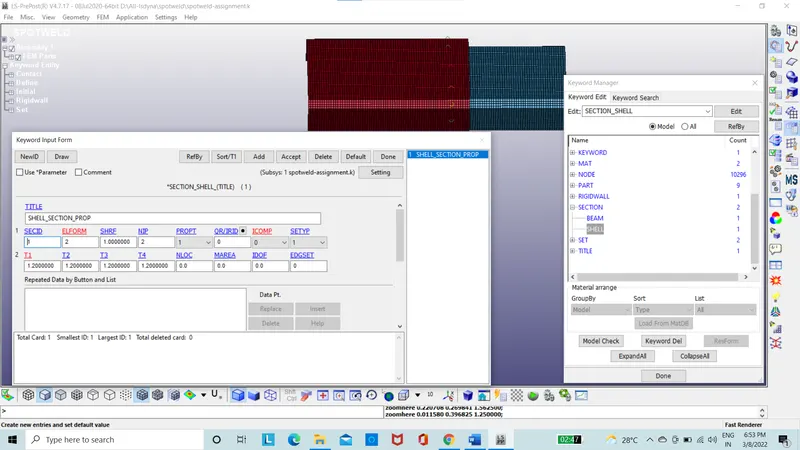
Figure 2: Section Id
- The rigid wall was created at a distance of 15mm from the edge of the wall.
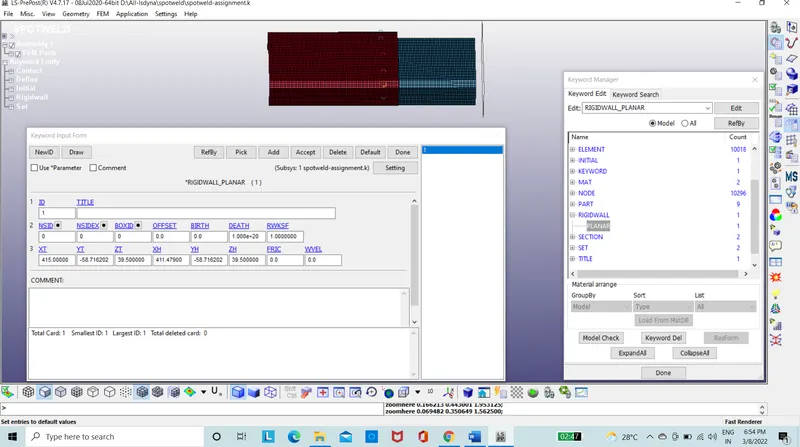
Figure 3: Rigid wall
- The initial velocity is input into the node set which is created on the box.
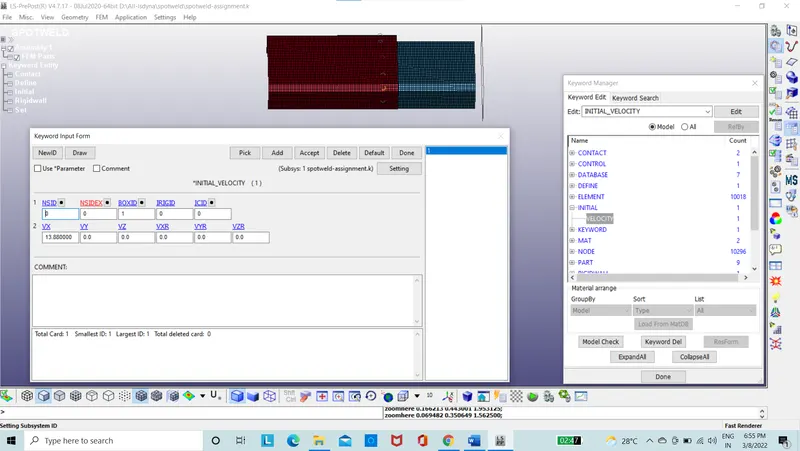
Figure 4: Initial velocity Input
- Beam 1D element is created on the section as mentioned between sheet metals.
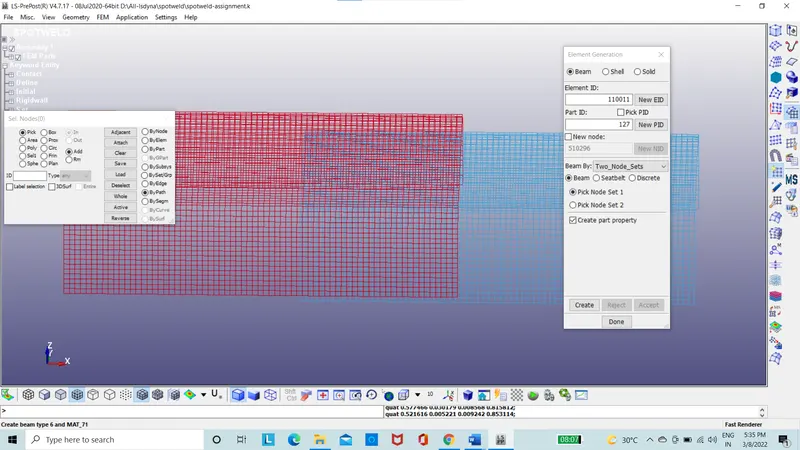
Figure 5: 1D Beam Between sheet metals
- The beam 1 D elements assigned with beam sectional properties as case 1.
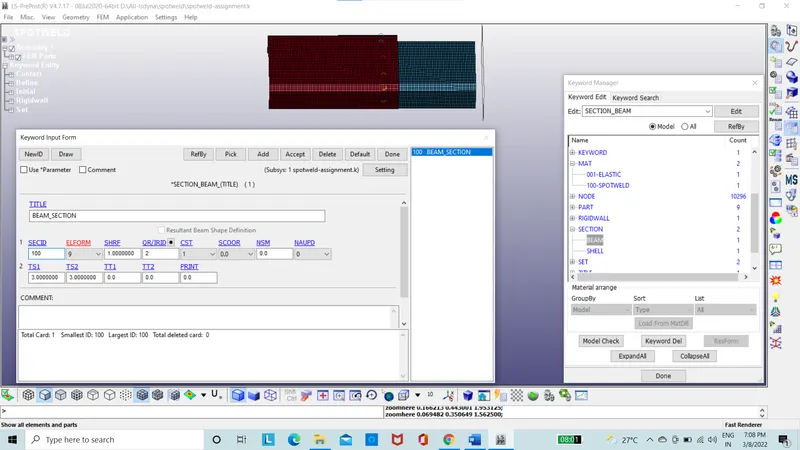
Figure 6: 1D beam sectional Properties
- Beam material properties are assigned to the spotweld using the Mat 100 spotweld property card.
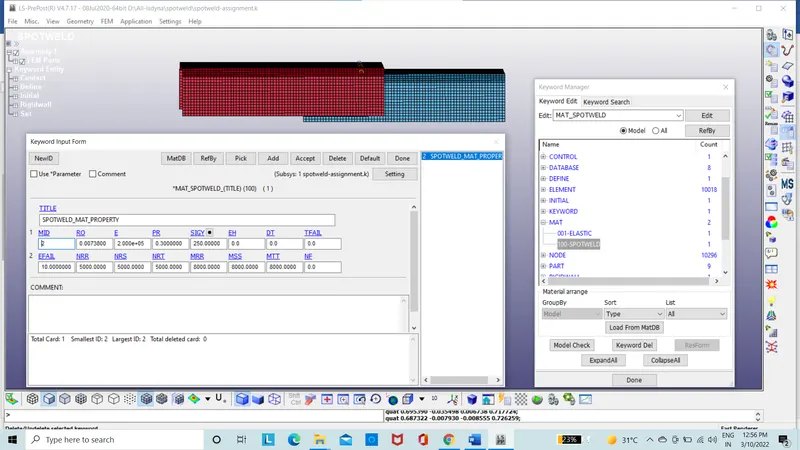
Figure 7: Material property for Spotweld
- The contact of Automatic single surface is given.
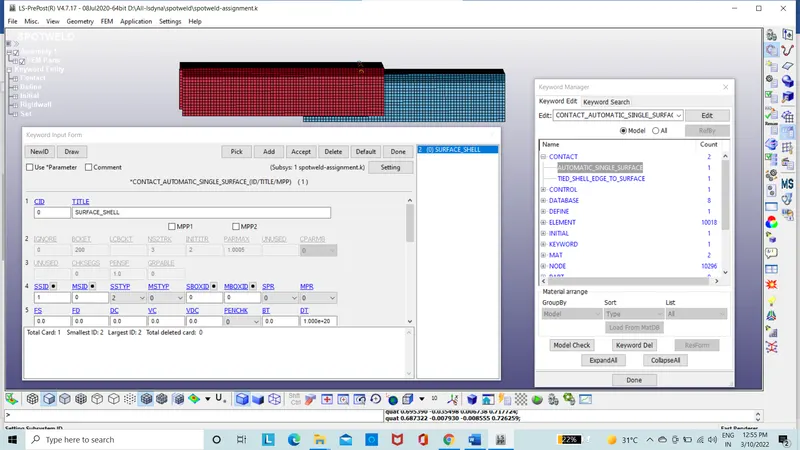
Figure 8: Contact Automatic single surface
- The contact of Tied edge to surface is also given between the beam element and surface
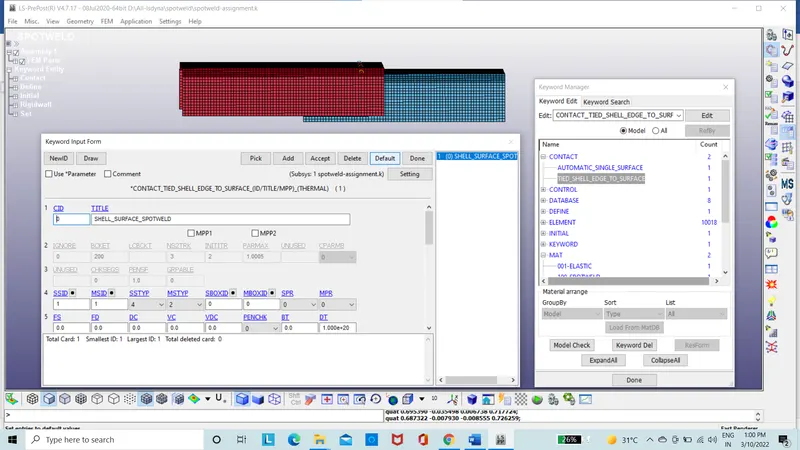
Figure 9: Contact Tied edge to surface
- The database is set for ASCII with GLSTAT,MATSUM,GLEOUT,RCFORC,SWFORC.
- Binary database as D3 plot.
- The termination time is set as 10.
- The input file is run on Ls-run.
- The command file is run.
- The result file is obtained.
- The result of stress, energies etc are taken into consideration.
- The same file is used to create another simulation with solid 3D elements instead of beams as case 2.
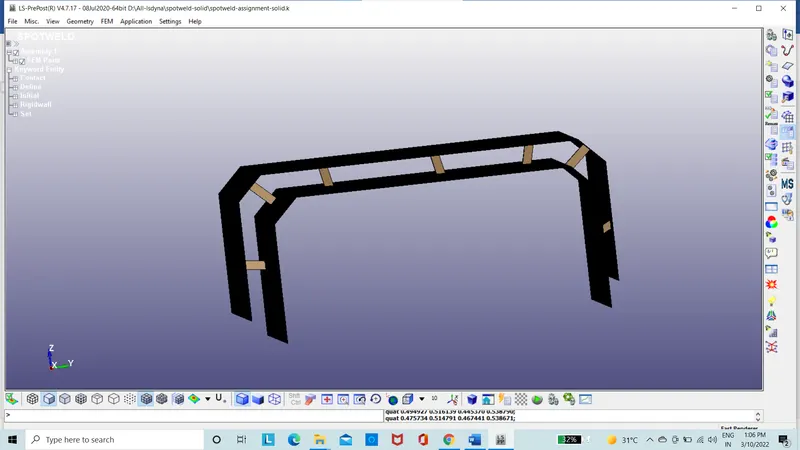
Figure 10: Model with 3D elements
- The contact of automatic single surface is given.
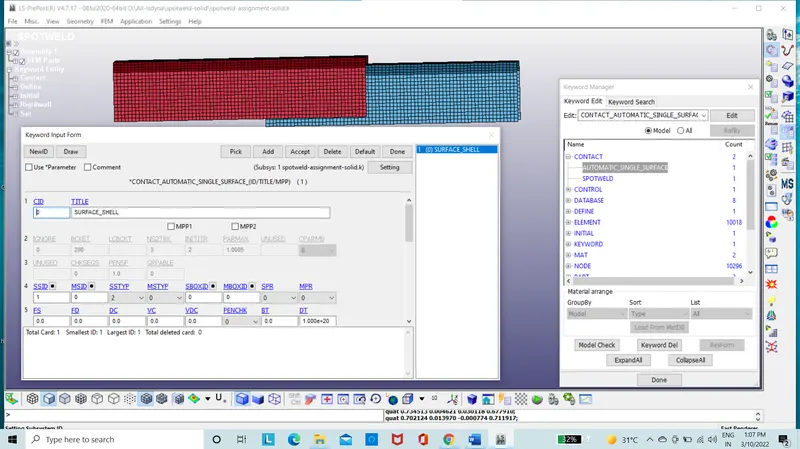
Figure 11: Contact Automatic single surface
- The contact of spotweld is given between the solid element and surface of sheet metal
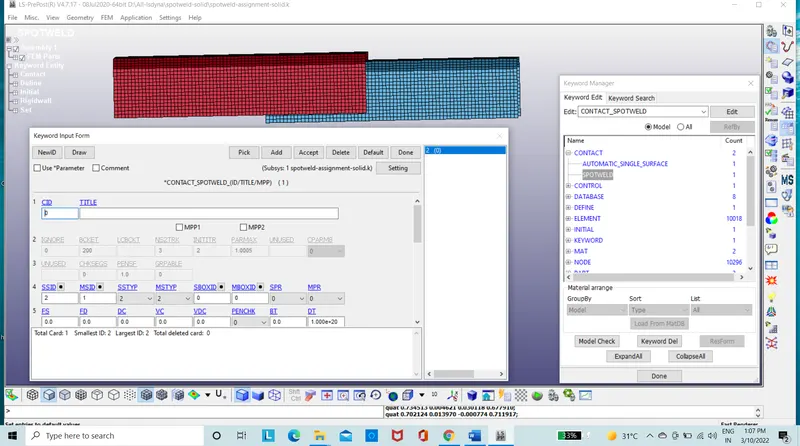
Figure 12: Contact Spotweld
- boundary condition of the system is taken to be the same as for the previous case.
- The database is set for ASCII with GLSTAT,MATSUM,GLEOUT,RCFORC,SWFORC.
- Binary database as D3 plot.
- The termination time is set as 10mm.
- The input file is run on Ls-run.
- The command file is run.
- The result file is obtained.
Results:
The stress on the sheet metal with the beam element for Von-misses is taken into consideration
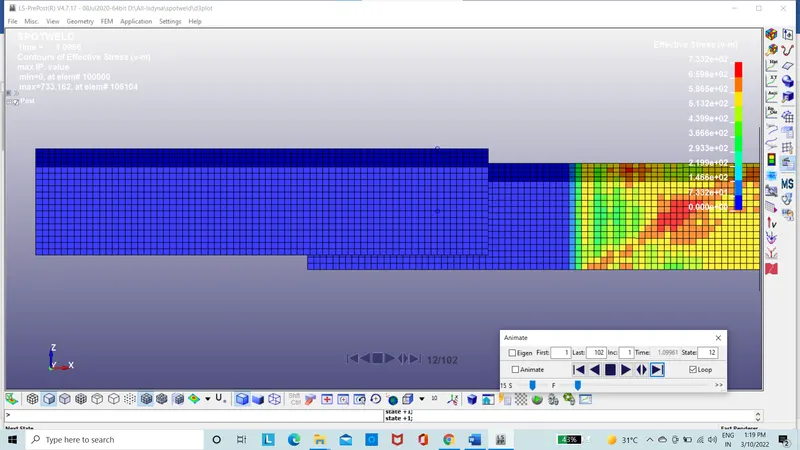
Figure 13: Von-misses Stress for case 1
The stress on the sheet metal with the solid element for Von-misses is taken into consideration
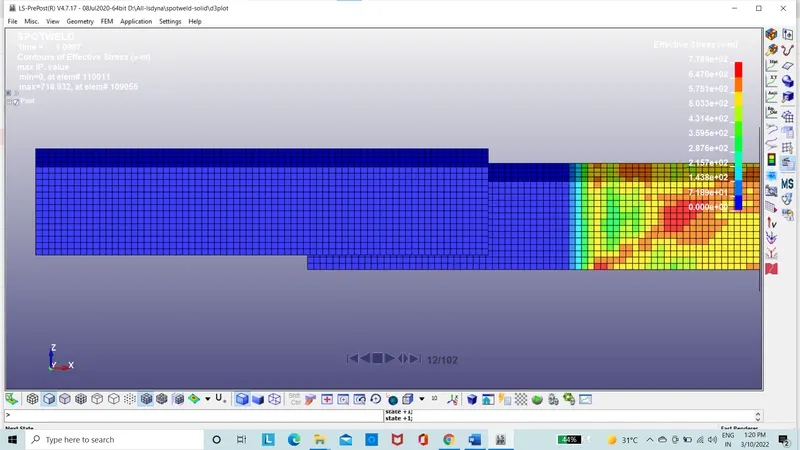
Figure 14: Von-misses Stress as for case 2
The spot weld forces on the beam element in axial force
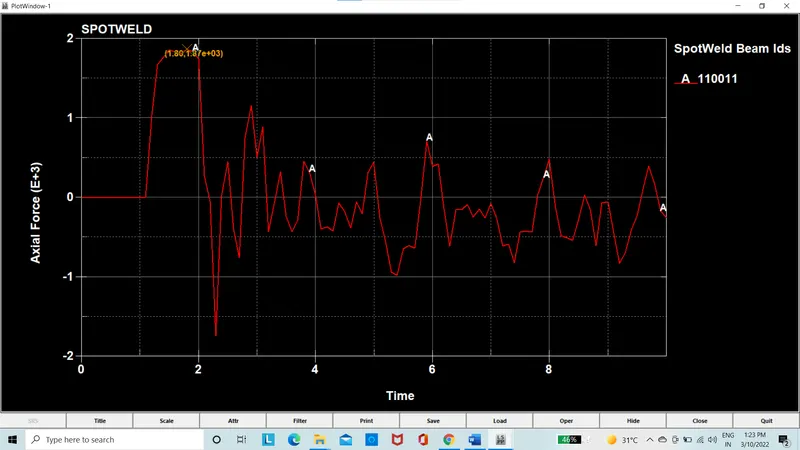
Figure 15: Axial force on the spotweld beam case 1
The spot weld forces on the solid element in axial force
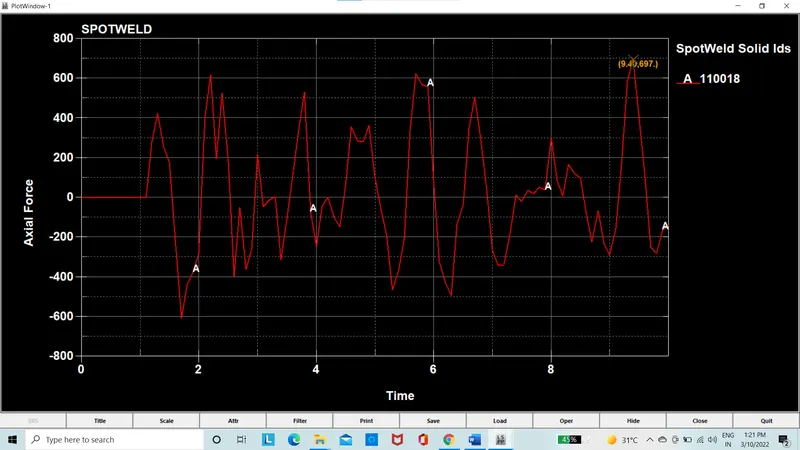
Figure 16: Axial force on the solid element spotweld case 2
Conclusion:
The spot weld is having the force on the beam to be 1370 (g*mm)/ms^2 for each is diveded by seven beams is 195 (g*mm)/ms^2 its divided by the area of cross section of the beam which the stress is 28 (g*mm)/ms^2 which is less than yield stress 250 (g*mm)/ms^2.
The spot weld is having the force on the solid to be 697 (g*mm)/ms^2 for each is diveded by seven beams is 99 (g*mm)/ms^2 and its divided by the area of cross section of the beam which the stress is 14 (g*mm)/ms^2 which is less than yield stress 250 (g*mm)/ms^2.