Checking and correcting the Normals using Tcl/tk
AIM:
To create a widget containing buttons for toggling normals display and for reversing the normals in Hypermesh using tcl/tk.
THEORY:
We need a proper orietation of normals because when load is applied, the load travels in some path. If in that path the normals are not oriented properly the calculations related to stress and strains will be abnormal. The principle stresses will be calculated based on the normals of that element. If the normals of some elements are not correct it will lead to abnormalities. The second importantance of adjusting normals is to detect contact in solvers like ls-dyna. The normals should be pointing towards the load application for proper detection of contact.
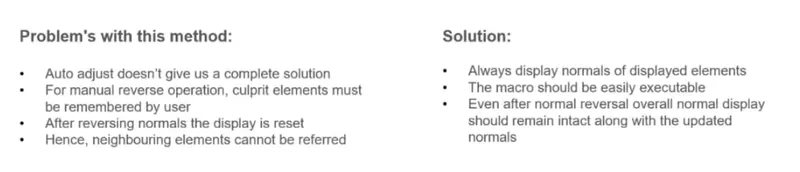
We need automation in correcting the normal rather than the manual auto correction options in hypermesh due to the following issues as stated below
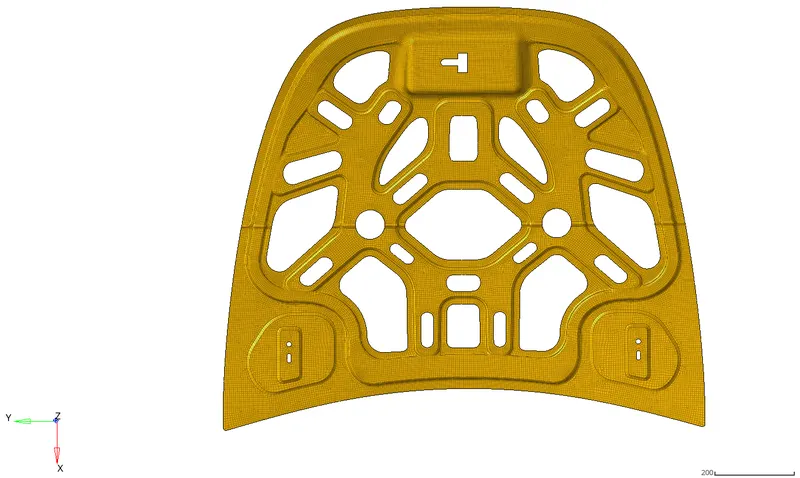
GEOMETRY ON WHICH THE CHECKS ARE PERFORMED
PROCEDURE:
The code prepared in tcl/tk for creating the required widget is given below:
#Setting normal display type as coloured /setnormalsdisplaytype 0 set the display type as vectors
*setnormalsdisplaytype 1
*setsurfacenormalsdisplaytype 1
*createmark elems 1 "displayed"
proc error_box {} {tk_messageBox -message "No elements were selected" -icon warning -type ok}
set a .window
catch {destroy $a}
toplevel $a -class TopClass
#WINDOW CREATION
wm title $a "Normals"
wm geometry $a 400x150+400+400
wm resizable $a 0 0
wm deiconify $a
#Button Creations
button $a.01 -text "Normals on" -font {times 20 bold} -justify center -command {*createmark elems 1 "displayed"; *normalsdisplay elems 1 1}
place $a.01 -x 10 -y 10 -height 35 -width 350
button $a.02 -text "Normals off" -font {times 20 bold} -justify center -command {*createmark elems 1 "displayed"; *normalsoff}
place $a.02 -x 10 -y 50 -height 35 -width 350
button $a.03 -text "Reverse normals" -font {times 20 bold} -justify center -command {
*createmarkpanel elems 2 "Select elements for reversing normal"; set nul [hm_marklength elems 2]
if {$nul!=0} {*normalsreverse elems 2} else {puts [set prompt [error_box]]}
*normalsoff}
place $a.03 -x 10 -y 90 -height 35 -width 350
The line by line explanation of the code is given below:
*setnormalsdisplaytype 1
*setsurfacenormalsdisplaytype 1
*createmark elems 1 "displayed"
The first line sets the display type of normals to "colour" mode. The second line sets the surface normals display type to "color" mode. The third line creates a mark containing the list of all displayed elements.
proc box {} {tk_messageBox -message "No elements were selected" -icon warning -type ok}
set a .window
catch {destroy $a}
toplevel $a -class TopClass
#WINDOW CREATION
wm title $a "Normals"
wm geometry $a 380x130+400+400
wm resizable $a 0 0
wm deiconify $a
The first line creates a procedure named "error_box" which creates a message displaying "No elements were selected" with the icon "warning" and type "ok". This will, later on, be used in the code where its is called inside the if loop to display a prompt if no elements are selected for reversal by the user. The next few lines create a window with the variable name "a" and dimensions 380x130 which is non-resizable and titled "Normals".
button $a.01 -text "Normals on" -font {times 20 bold} -justify center -command {*createmark elems 1 "displayed"; *normalsdisplay elems 1 1}
place $a.01 -x 10 -y 10 -height 35 -width 350
button $a.02 -text "Normals off" -font {times 20 bold} -justify center -command {*createmark elems 1 "displayed"; *normalsoff}
place $a.02 -x 10 -y 50 -height 35 -width 350
These lines create two buttons named "Normals on" and "Normals off" with variable names "a.01" and "a.02" respectively. The "Normals on" button has a command which creates a mark number 1 with all displayed elements. Then these elements have their normals displayed. The "Normals off" button also creates mark number 1 with all displayed elements but turns off all the normals.
button $a.03 -text "Reverse normals" -font {times 20 bold} -justify center -command {
*createmarkpanel elems 2 "Select elements for reversing normal"; set nul [hm_marklength elems 2]
if {$nul!=0} {*normalsreverse elems 2} else {puts [set prompt [box]]}
*normalsoff}
place $a.03 -x 10 -y 90 -height 35 -width 350
The final button is named "Reverse normals" which creates up a panel for selecting elements to be reversed. The user is given a panel and has to select elements that they want to reverse the normals for. These elements are then stored in mark number 2. Next, the length of these elements is stored in a variable "z". If the user does not select any elements, then z becomes 0. If z is 0, then the prompt is shown displaying that "No elements were selected" which was coded in the procedure named "Box" earlier. If z is not zero, then the selected elements in mark 2 have their normals reversed.
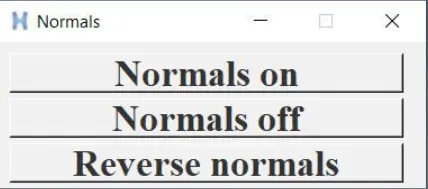
The widget created using the tcl commands is as shown below, This can be invoked by clicking up the shortcut key t which the tcl file is set
To create keyboard shortcuts, create new procedures in the file as shown below:
proc normon {} {*createmark elems 1 "displayed";*normalsdisplay elems 1 1}

proc normoff {} {*createmark elems 1 "displayed"; *normalsoff}

proc revnorm {} {*createmarkpanel elems 2 "Select elements for reversing normal"

    set z [hm_marklength elems 2]

    if {$z!=0} {*normals elems 2} else {puts [set prompt [box]]}; *normalsoff}
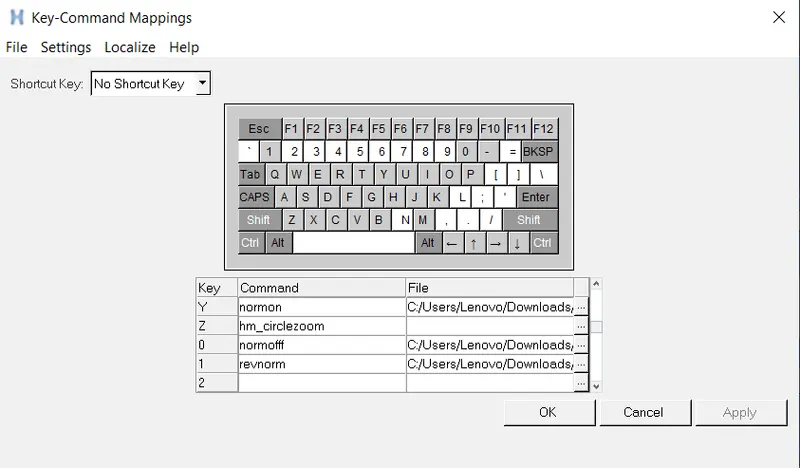
Then include them in Hypermesh by going to Tools --> Keyboard settings and assigning keys to each procedure as shown below:
RESULTS:
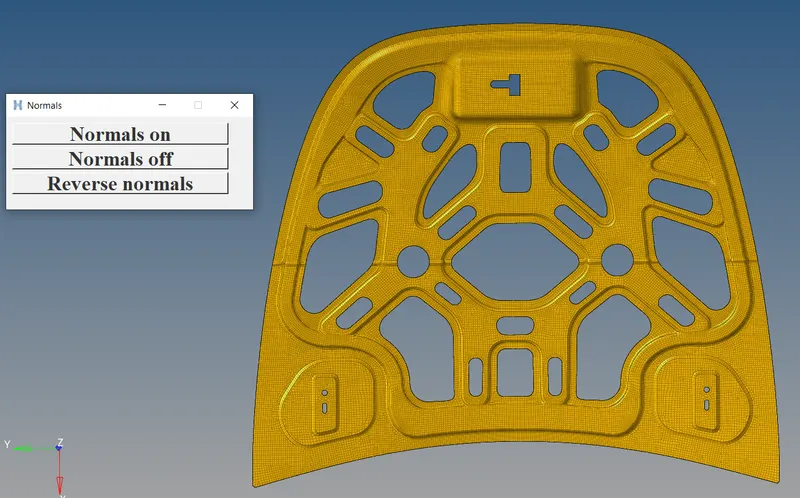
Normals widget are invoked for toggling the normal options
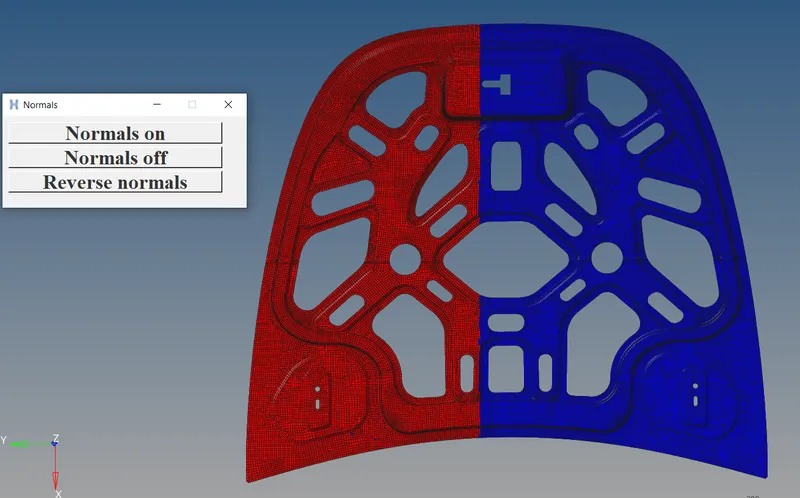
When normals are turned on clciking the Normals on button:
When the normals are turned off
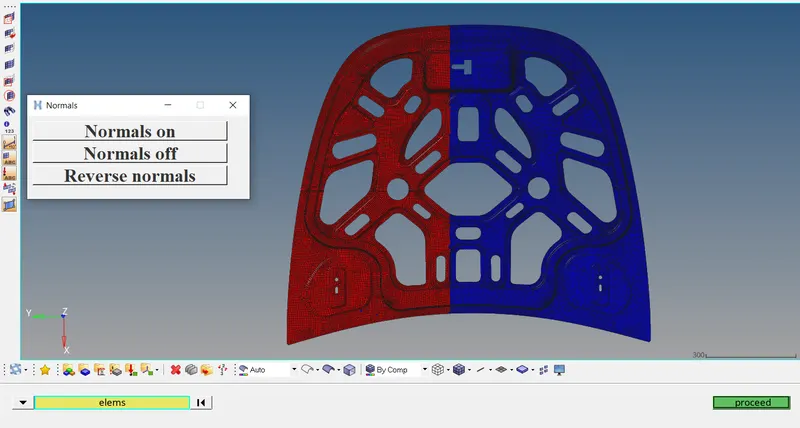
When we click on "Reverse normals", the panel shows up as shown above
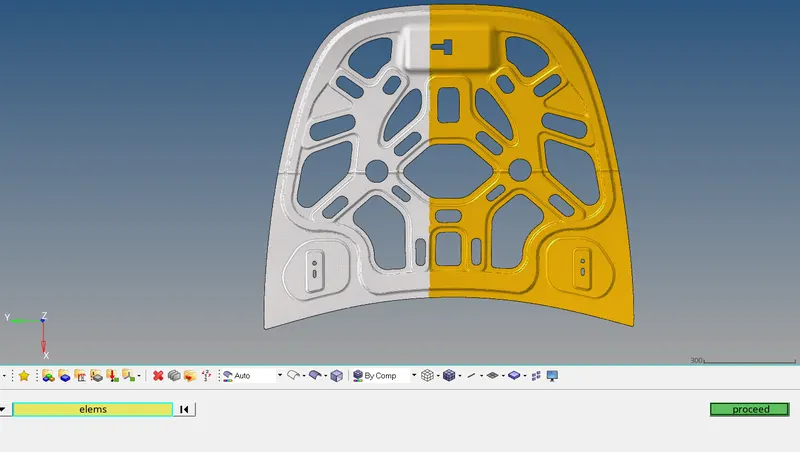
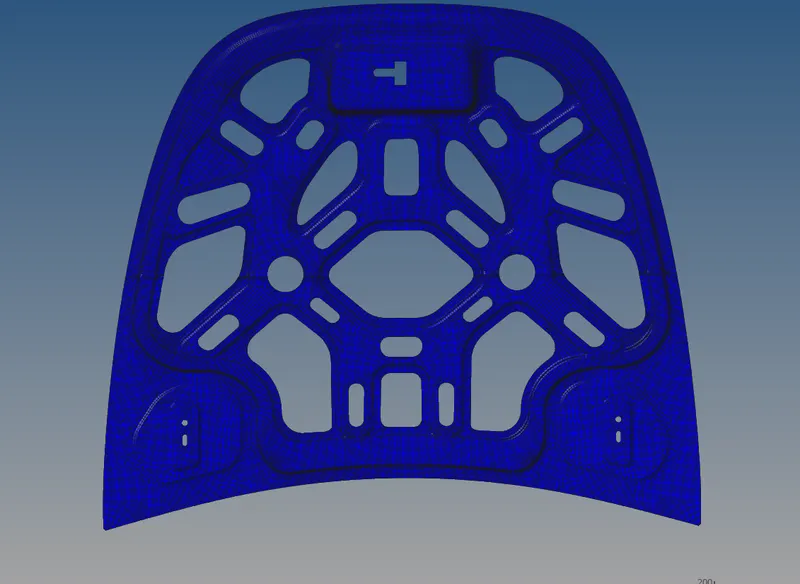
When the required elements are selected for reversal and "proceed" is clicked, the following change occurs to the normals:
The elements selected went from red to blue, i.e reversing their normals
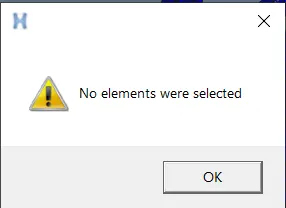
If no element is chosen by the user, the following prompt is shown:
CONCLUSION: The required widget for showing/hiding normals and reversing normals for selected elements was successfully coded and run using tcl/tk and Hypermesh.