Week 5 Challenge : Surface wrap on Automotive Assembly
Aim: For the given models, check for the geometrical errors and delete surfaces which are unwanted for Surface wrap as shown in the videos. After clearing geometry, Merge all 3 models and perform surface wrap.
Target length for Wrap = 3 mm
Setup:
- Import the each geometry individually
- Do the topo clean up for each geometry
- Merge all the three cleared geometry
- Process the surface wrap
Procedure:
Import the geometry of engine.
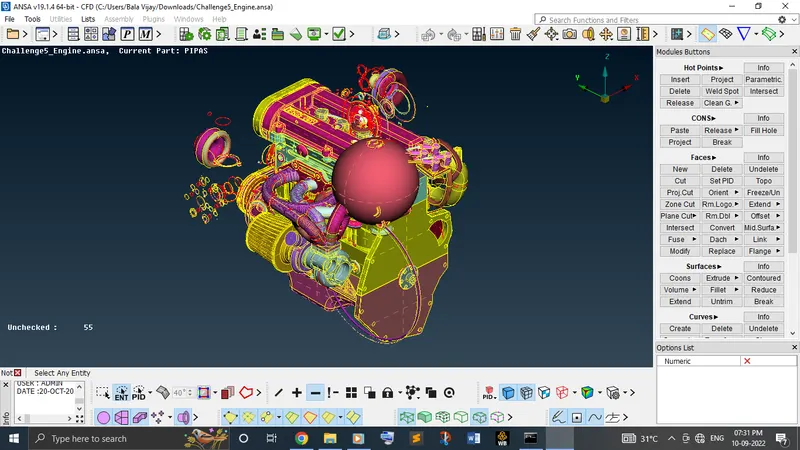
Isolate the unwanted surfaces like rings and sphere by hiding the necessary surfaces with Not option with PID selection.
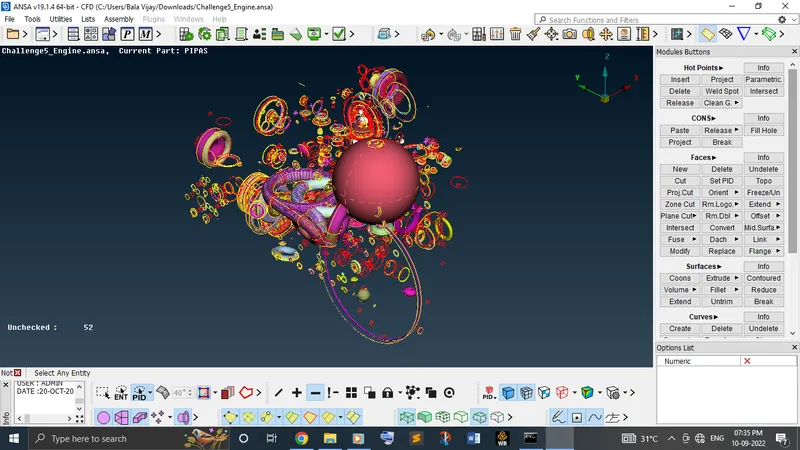
Delete all the unwanted surface by selecting once and check before deleting it.
Once you deleted the unwanted surfaces, keep check throughout the model whether there is any surface is overlapping with any PIDs and delete those surfaces too.
Once you have completed till this, then look for the surfaces where there is open in the model and cover it by using new option under faces in topo module and create the surface before proceeding to do the surface wrap.
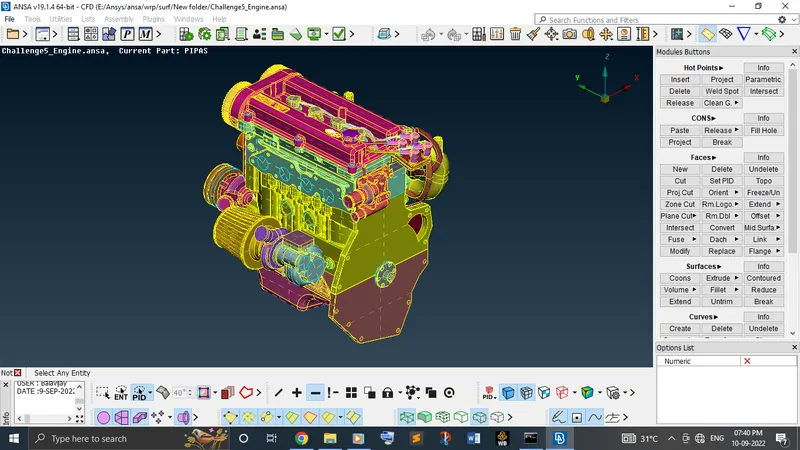
Why we are doing all this process before the surface wrap is because we need the model to be a single volume which helps to analyse the outer flow in later stage of problem.
Now, open the geometry of gear box.
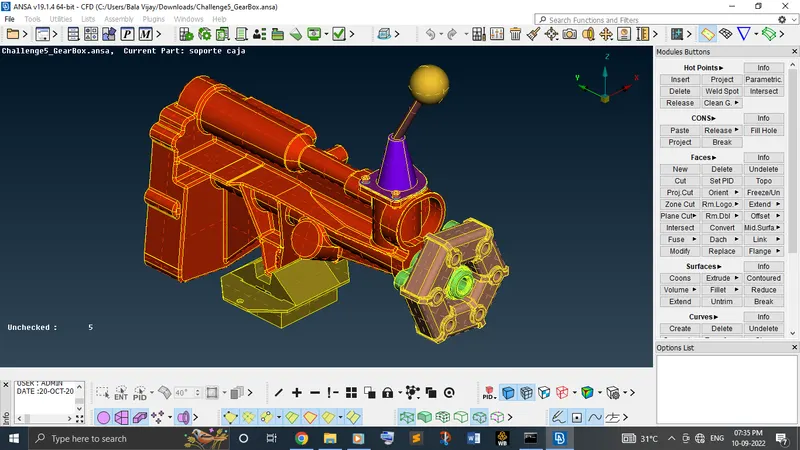
Again, repeat the procedure of what we did in the engine model.
Clear the geometry and cover it as a single volume.
Repeat the same procedure for the transmission model geometry clean up.
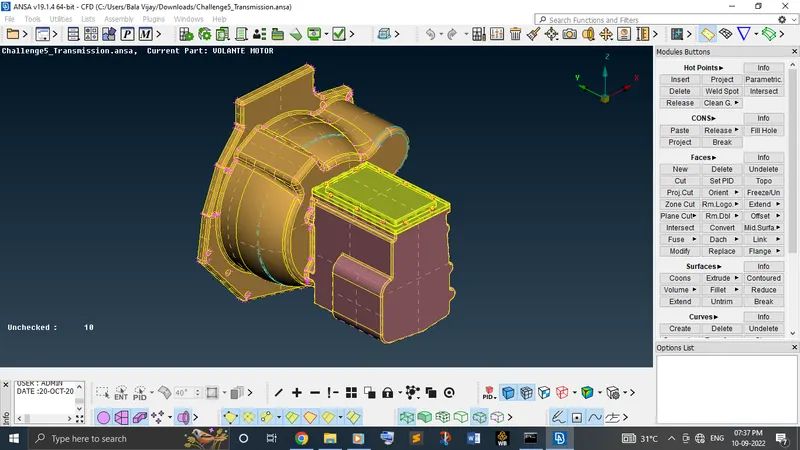
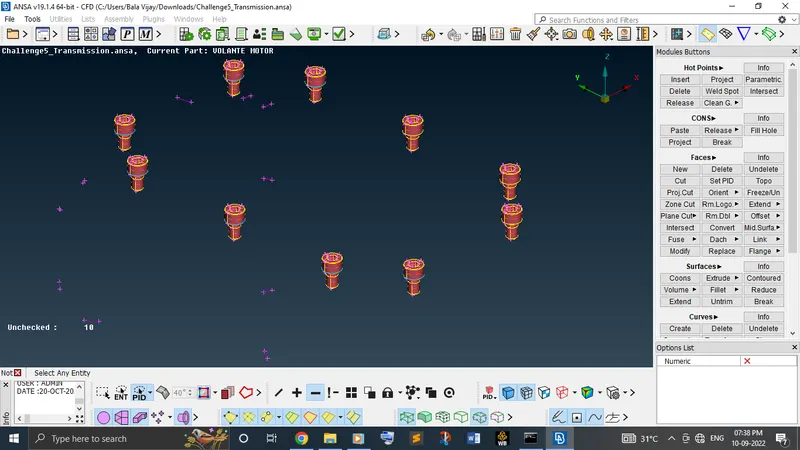
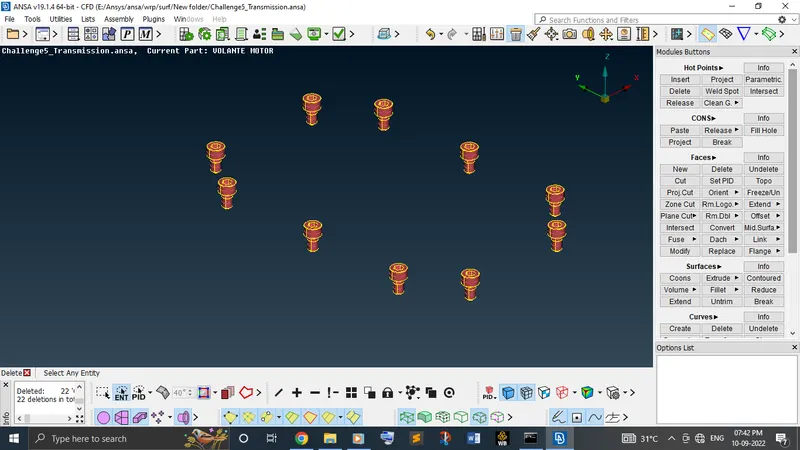
Finally, merge all the three models together by keep opening a engine model and open the other two models with merge option in the file.
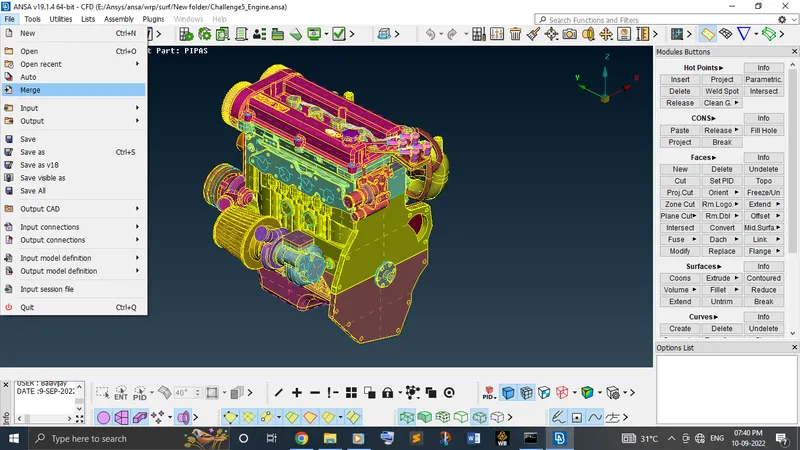
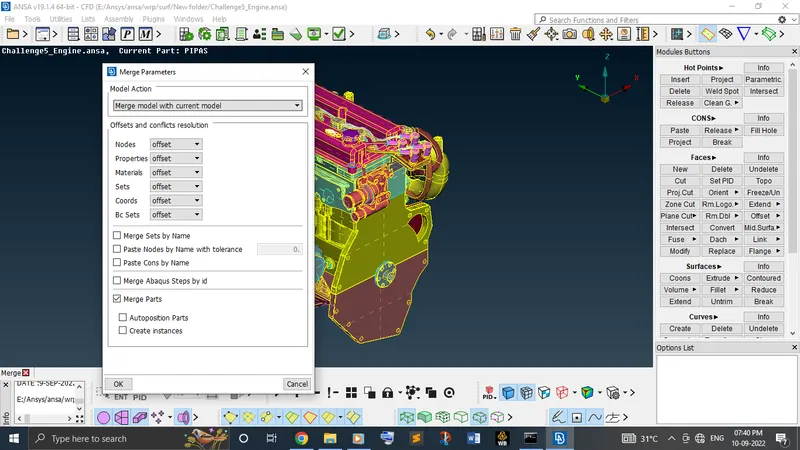
Once merged all those three models together, check again for any surfaces is in open manner. Once cleared it, proceed further.
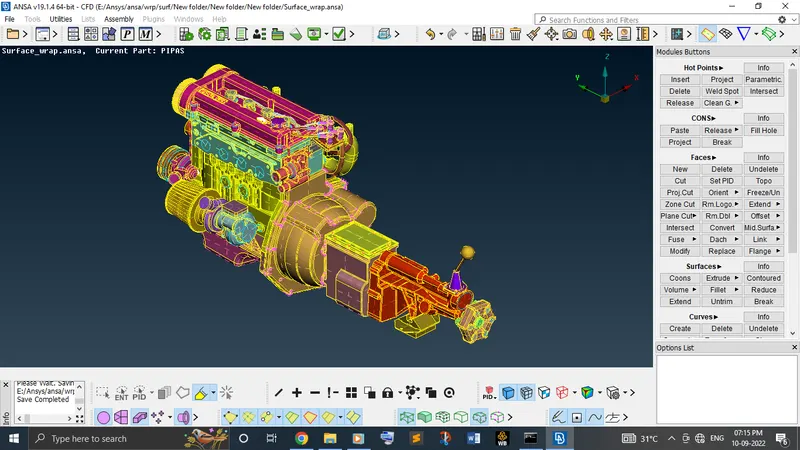
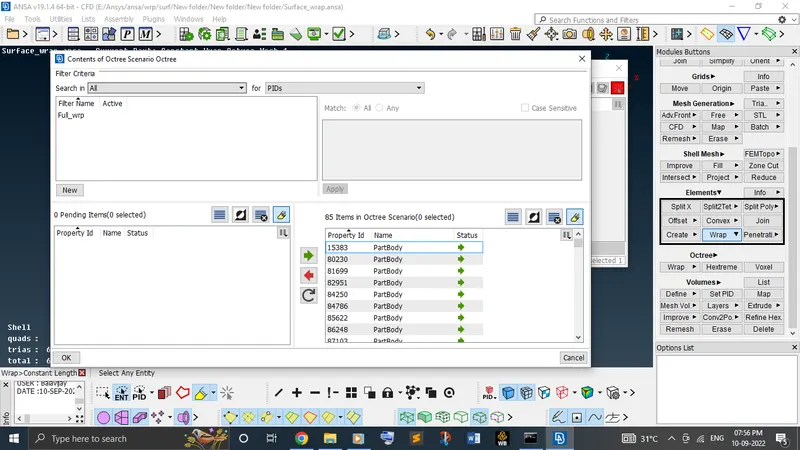
Finally, go to the mesh module to do the surface wrap. In mesh module, under elements there is an option called wrap. It has two options. They are constant and variable length. Here, used the constant length.
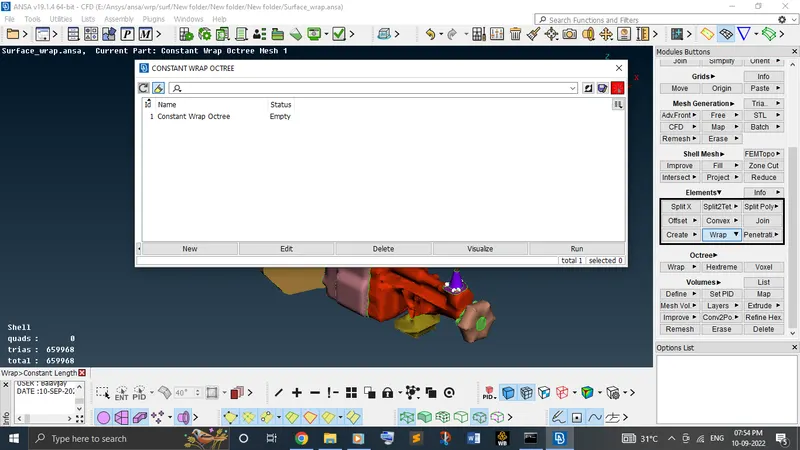
Clicked on the status of the model, give the target length to mesh throughout all the PIDs for a single given length i.e., 3 mm.
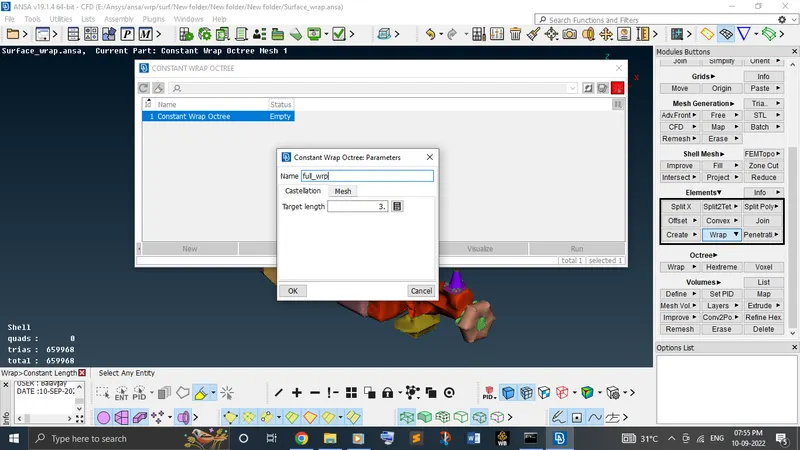
Before set the content, compress all the unwanted PIDs.
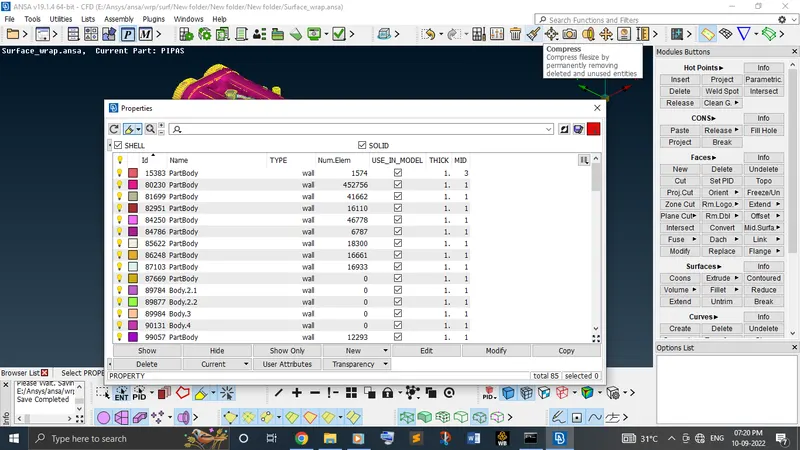
And then set the octree by moving all the available PIDs to the octree scenario from pending items and click ok.
Once completed all these things, run the model to complete the surface wrap.
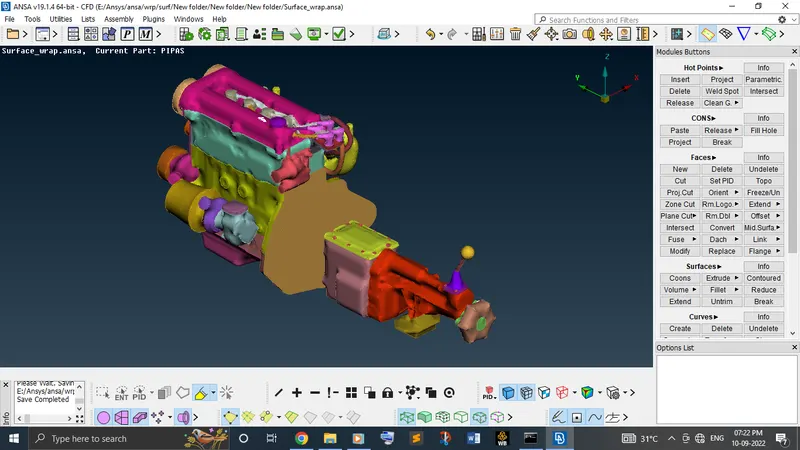
Once completed it, please make sure that whether the model is like a single volume or not.
Learning outcomes:
In this week, learnt about how to clear the unwanted surfaces in a complex geometry in a simple manner and how to merge those models together and how to do the surface wrap.
Result:
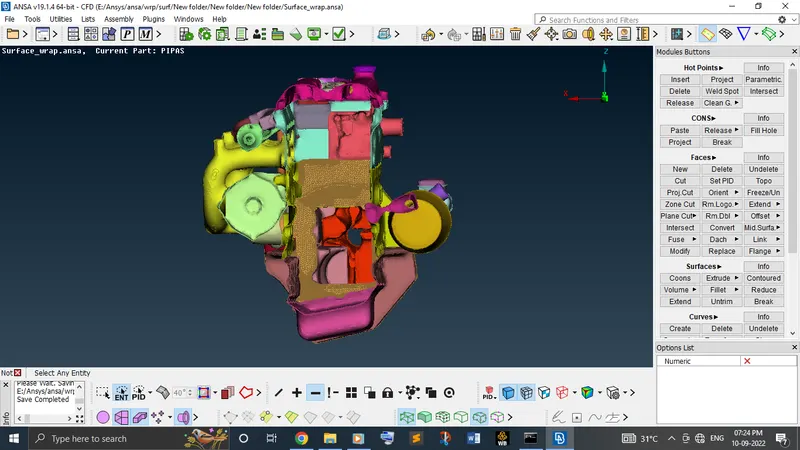
We can clearly sees that the wrap is as a single volume.
Conclusion:
From the result obtained, can conclude that the merged surface wraped model is in single volume which is helpful to solve the post processing outer flow analysis problem.
Drive link:
https://drive.google.com/file/d/1qqFROFHiWZjwni9h7h4MyWyj5YGXrtRM/view?usp=sharing