Week 5 Challenge : Surface wrap on Automotive Assembly
AIM:
For the given models, check for the geometrical errors and delete surfaces which are unwanted for Surface wrap as shown in the videos. After clearing geometry, Merge all 3 models and perform surface wrap.
PROCUDURE:
STEP 1: Checked the errors of each model and solved the single cons out side of the surface by using new, fill hole, delete, project insert, cut, paste, multi project and etc in the topo tool .
STEP 2: Closed the open area of the out side surface for each model.
STEP 3: After topo clean compressed the unwanted list in the property List by using compress tool.
sTEP 4: After the cleaning process assembled the Model by using merge tool. In merging process the parts are automatically placed in the area.
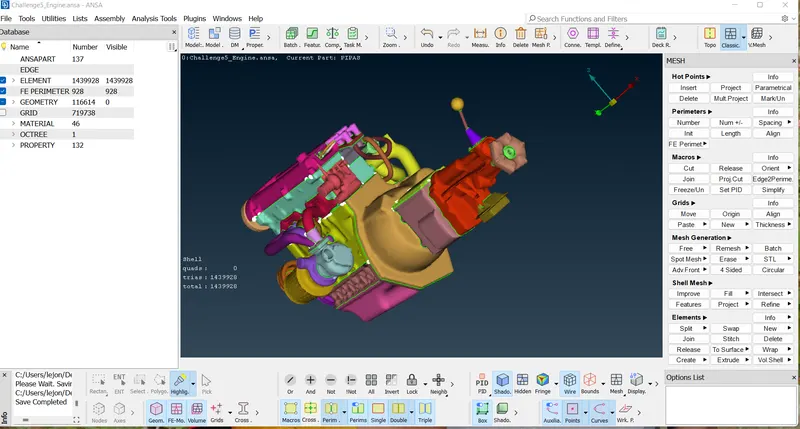
STEP 5: After above mentioned process then i did wrap mesh by using wrap tool.In wrap process i given parameter(3mm target), content. After given parameter and content ensured the given data and gave run. finally got the wraped model as shown in screenshot.
OUTPUT:
After wraping process i got 3mm length wraped meshed surface.
RESULT:
I checked the geometrical errors and delete surface which are unwanted for surface wrap as shown in the video. after cleaning geometry, merged all 3 models and performed surface wrap.
then i got wraped mesh surface as shown in screen shot.With the use of this wraped surface we can find volume and We can check flow related analysis.
https://drive.google.com/file/d/1KV9Z5qVc0Me7g-S9SBndbY5u1fKUhQkX/view?usp=share_link