Week 5 Challenge : Surface wrap on Automotive Assembly
Surface wrap on Automotive
Assembly
Aim : For the given models, check for the geometrical errors and delete surfaces which are unwanted for Surface wrap as shown in the videos. After clearing geometry, Merge all 3 models and perform surface wrap.
Objective: Target length for Wrap = 3 mm
Procedure: First we will have to clean all the 3 models geometry so that we will perform surface wrap
Surface wrap used for meshing the component from outside and used to analysis of outside flow simulation on outer side of the components so our task is to remove unwanted surfaces from outside of the component then we will merge all three components and then will wrap all the components with target length which is given for wrap
We have three components Engine, Transmission and gear box
Engine :
Before deleting unwanted surfaces
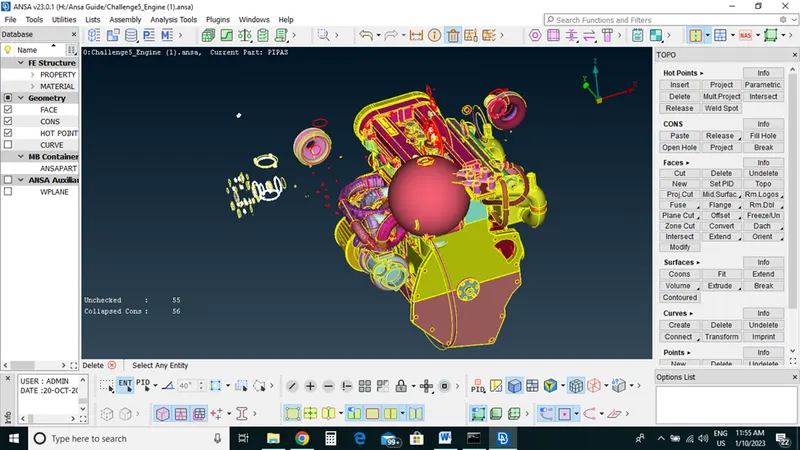
After isolating all the wanted surfaces we have any unwanted surface now we will delete all this
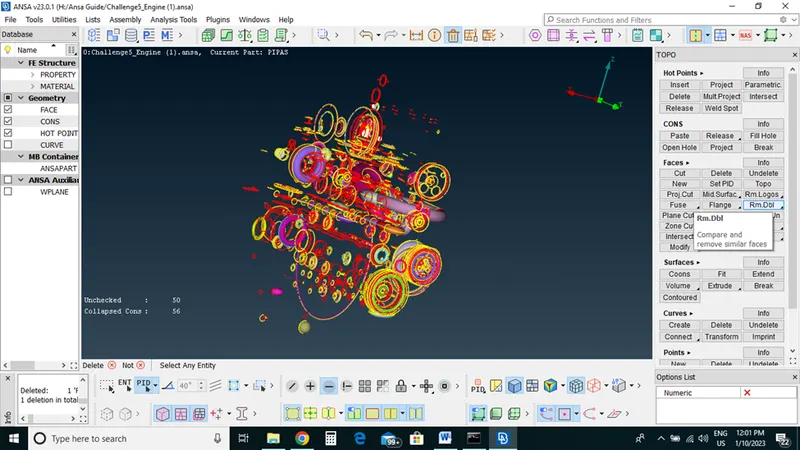
After deleting all the unwanted surface and close holes.
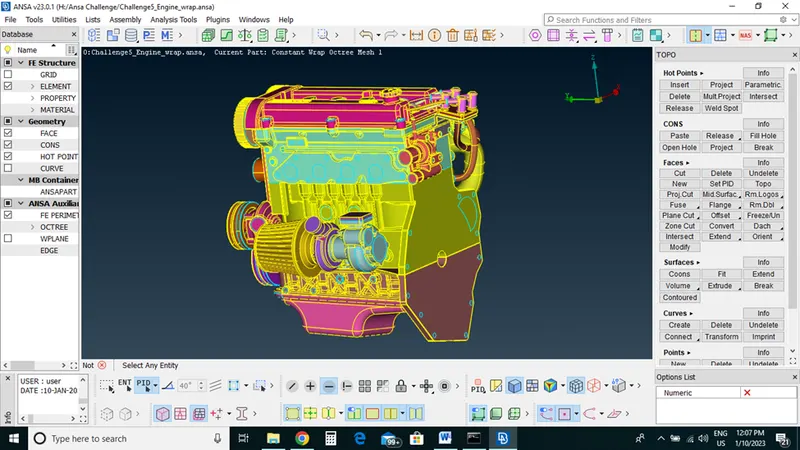
Transmission:
After clean up geometry
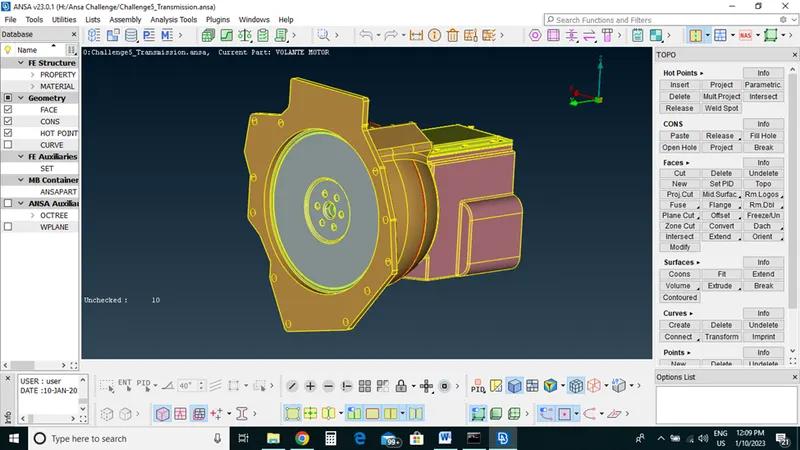
Gearbox:
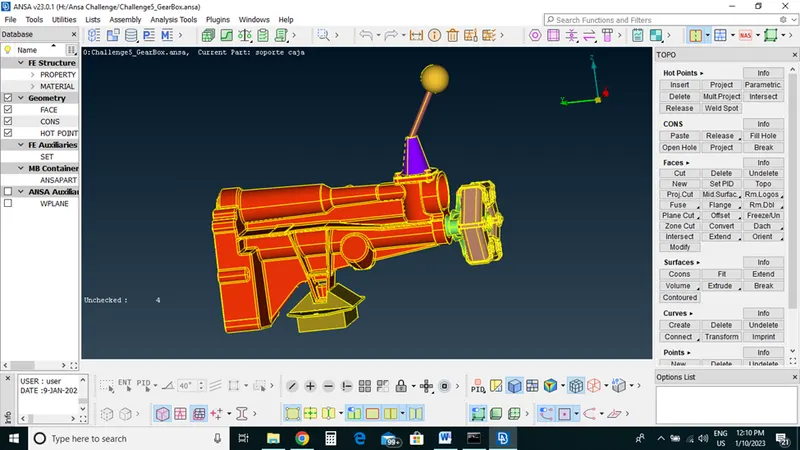
After finishing geometry cleanup of all the three components we will merge all the components
Click on File->Merge->select components
Closed each and every holes
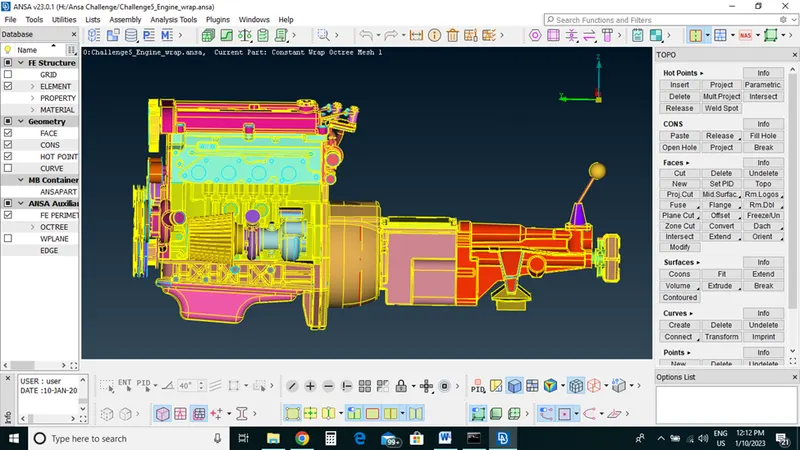
For surface wrap we have more than one component so we will choose watertight surface mesh
Click on V.Mesh deck->Element option->wrap->constant length 3mm
Removed all the unwanted pid with compress option
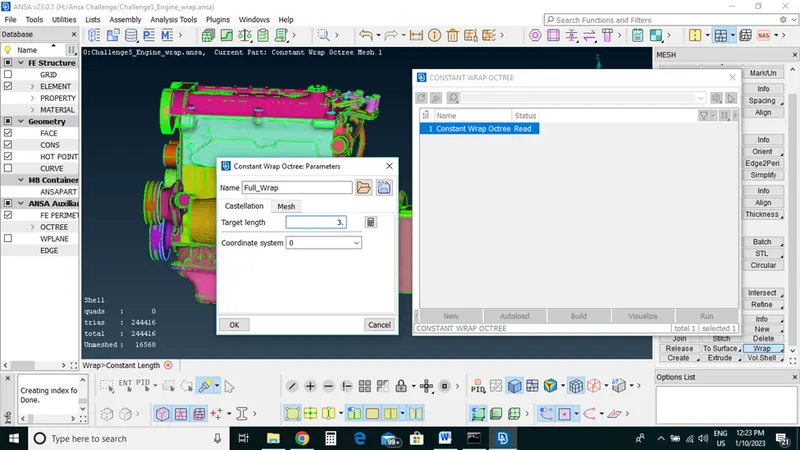
Now we done with all three component wrap with 3MM target length
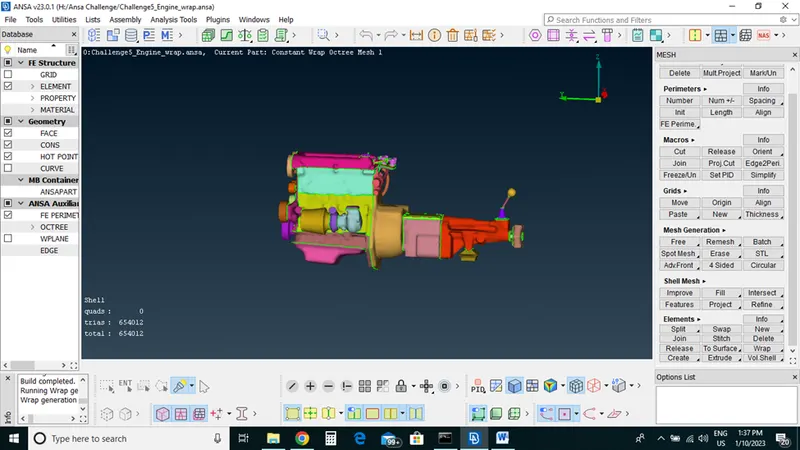
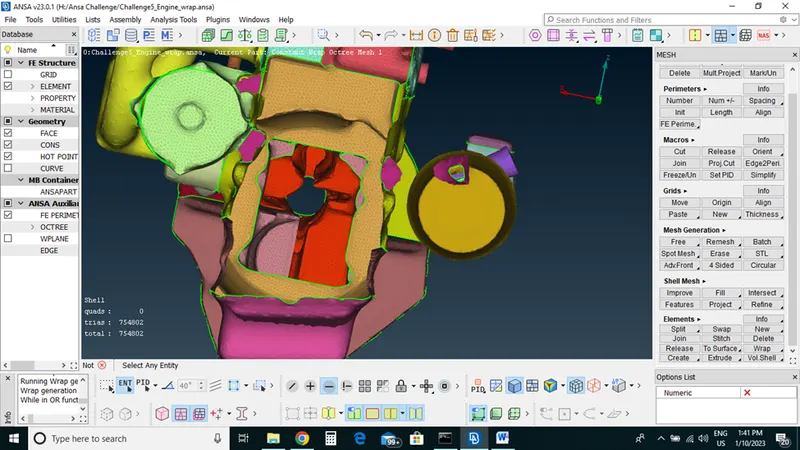
Learning Outcomes: With Ansa we can Surface wrap of the different CAD models from outside now our model is ready for simulation and we can do flow analysis.
Conclusion: For the given models, checked for the geometrical errors and deleted surfaces which are unwanted for Surface wrap as shown in the videos. After clearing geometry, we have Merged all 3 models and perform surface wrap.