Week 5 Challenge : Surface wrap on Automotive Assembly
Aim : For the given models, check for the geometrical errors and delete surfaces which are unwanted for Surface wrap as shown in the videos. After clearing geometry, Merge all 3 models and perform surface wrap.
Target length for Wrap = 3 mm
Write a detailed report on steps followed to finish this challenge.
Procedure:
steps to create surface wrap on the given model is shown below
- Geometry import and check.
- Geometric clean up.
- merging the given geometry.
- Doing the surface wrap on the model.
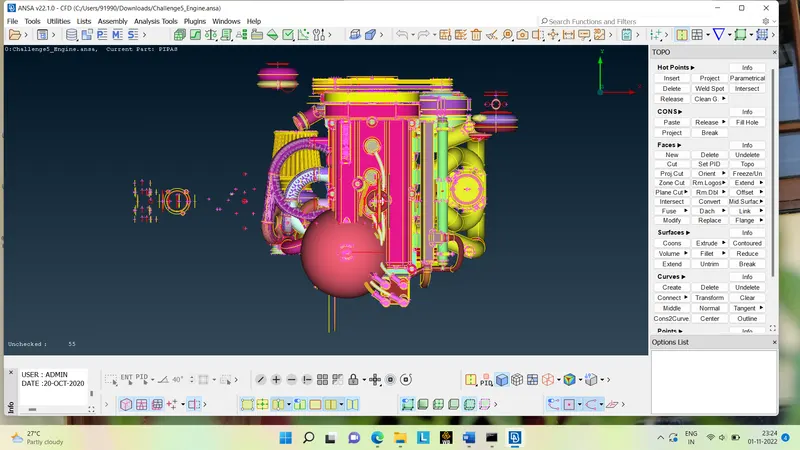
Geometry import and check: First step is to import the geometry into the ANSA by going to FILE>OPEN>IMPORT as shown below.
Geometric clean up:Here we have to clean the geometry by removing the any extra cons,face and hot-points
1)Engine clean up.
- As we can see, there are many rings like a surface that looks useless because this ring is used by the designer sometimes to create a round in the model, so we need to remove all those surfaces that have no meaning.
- when warping the mesh the inner part is not that important so we don't need to worry about all the individual cons or all the overlapping surfaces, but it is a good practice to remove all unwanted surfaces to keep the geometry as smooth as possible
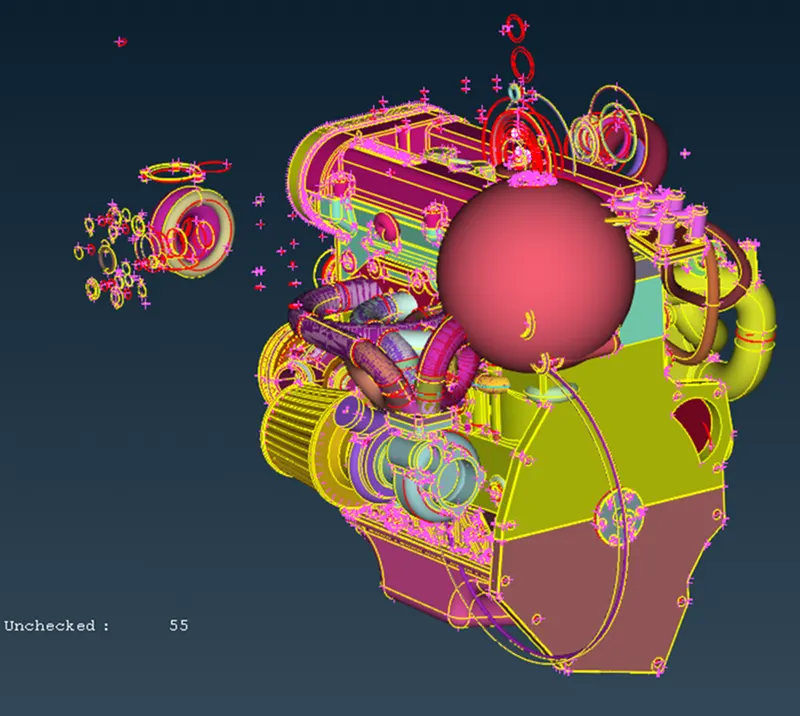
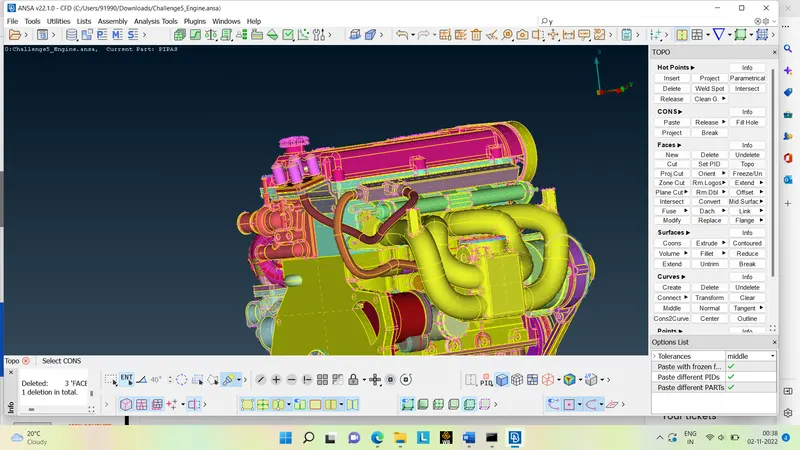
- we have to do topo cleanup for the given model and have to remove the un wanted rings which are present in the given model which are not connected to the given surface and are of no use.
- we have to do the geometric clean up from the different different surfaces ..
- There are so many over lapped surface present in the model and as well as in the pipes which we have to clean it up.
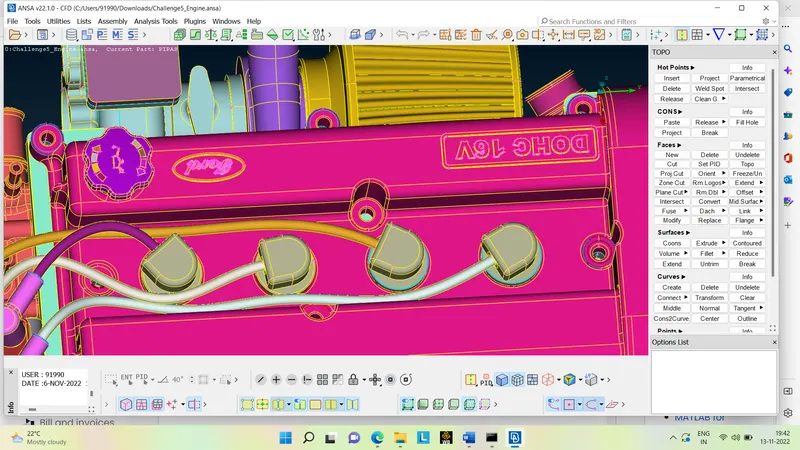
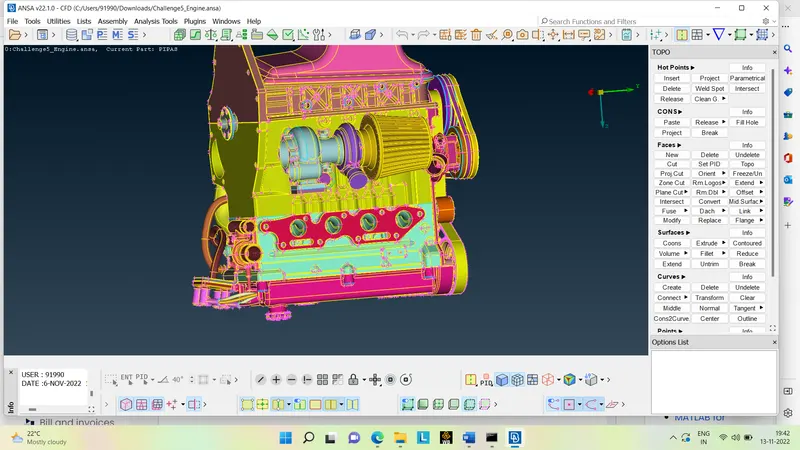
2)Transmission :Here also we have to do some clean up ans to remov some cons and to fill up the opened surface for the surface-wrap.
Below figure shows the cleaned transmission.
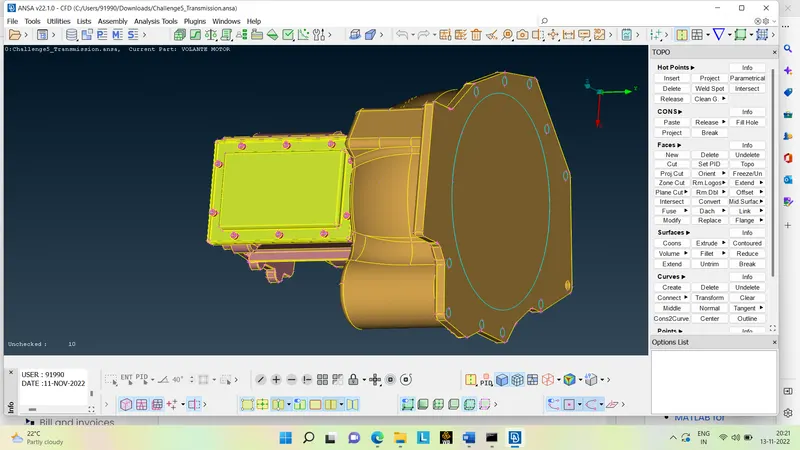
3)Gearbox :Here also we have to do the same as that of the transmission as shown below .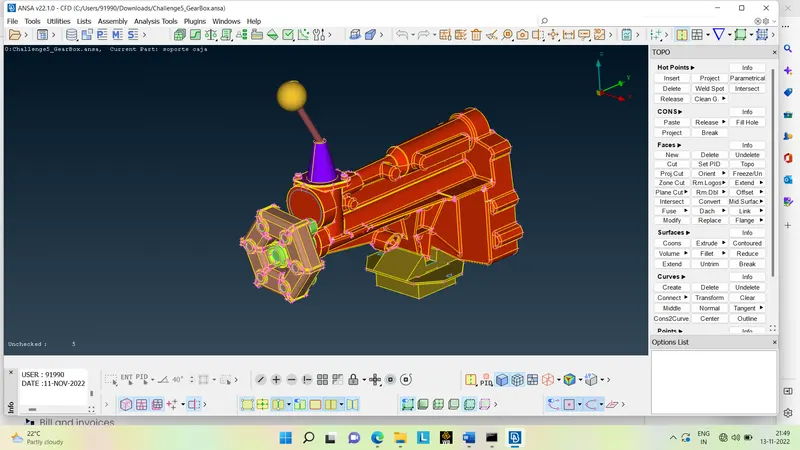
Merging the given geometry : the given geometry can be merge as shown below or to go to FILE>MERGE>SELECT THE REQUIRED FILE>OK .
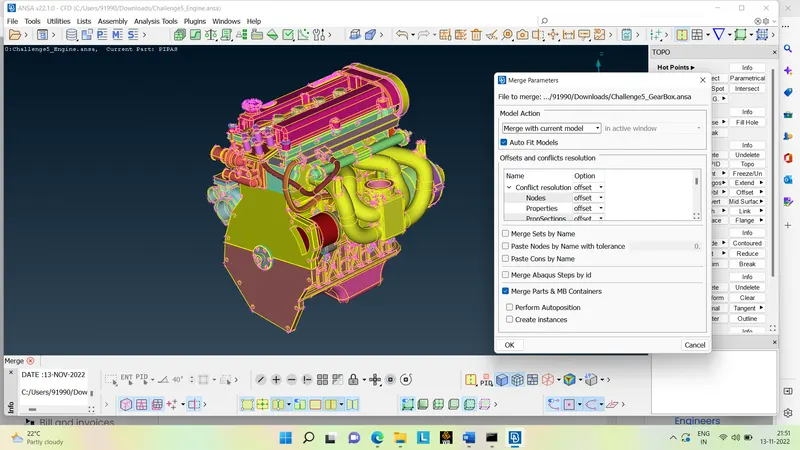
The model shown below is the complete merging of the Engine, Gearbox and Transmission.
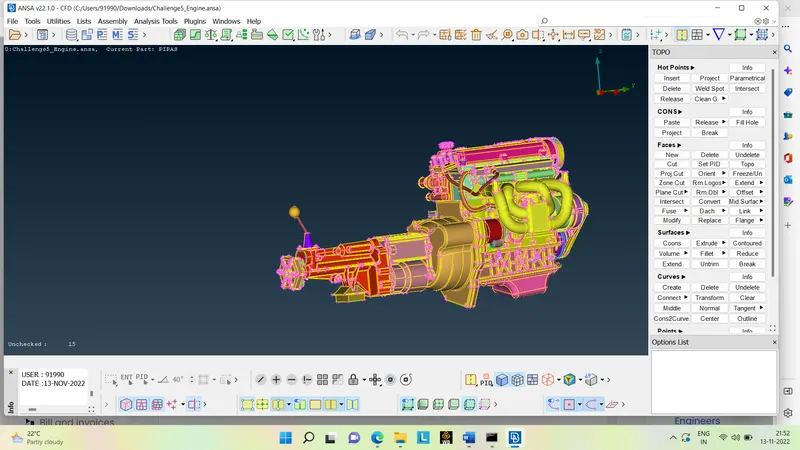
Surface-wrapping on the given model : surface wrapping can be done by the following steps
MESH>ELEMENTS>WRAP>CONSTANT LENGTH.
We have to give the name for the file of wrapping as well assign the mesh length as 3mm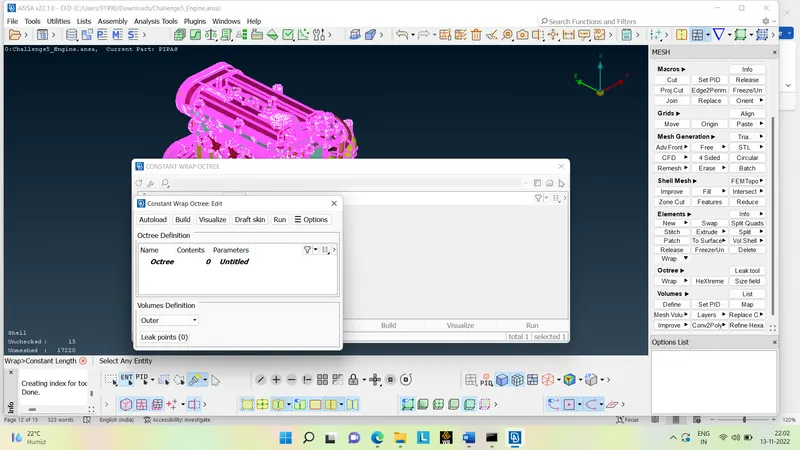
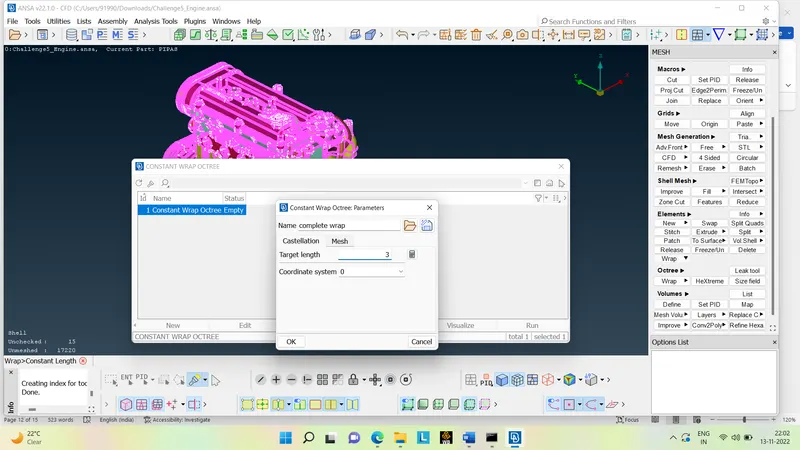
After that remove all the unwanted PID by compressing it and select all the required PID and press the RUN button and wait for some time like almost for 10 to 15 min until the surface-wrap will complete 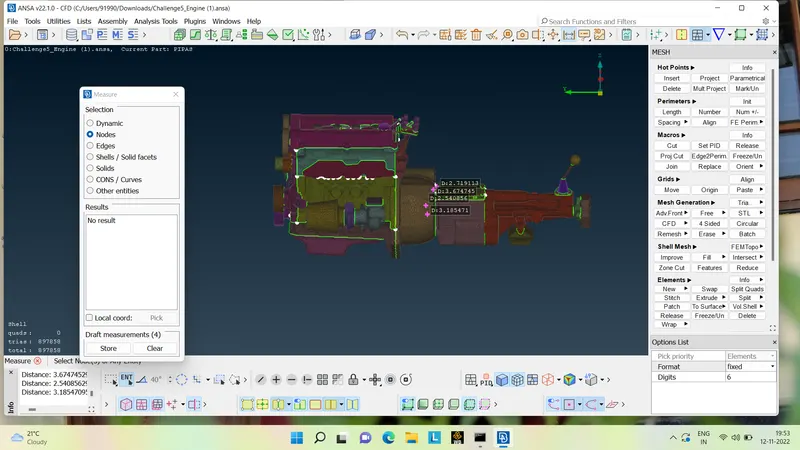
Conclusion :
- Surface wrapping is achieved for the given powertrain components.
- The surface envelope is effective for external flow simulations where a volume between the body and the wind tunnel is required for flow simulations over the body.
- The surface is easier to implement because it doesn't depend on the quality of the wrap on each material because we don't care about the physics in the body.
- Effective surface wrapping is achieved on a given body at a given mesh length of 3 mm.
Link :https://drive.google.com/file/d/1FSmHd-7G_1wGoXw7HS8Rahiw9bimNzMJ/view?usp=share_link