Week 5 Challenge : Surface wrap on Automotive Assembly
Aim:
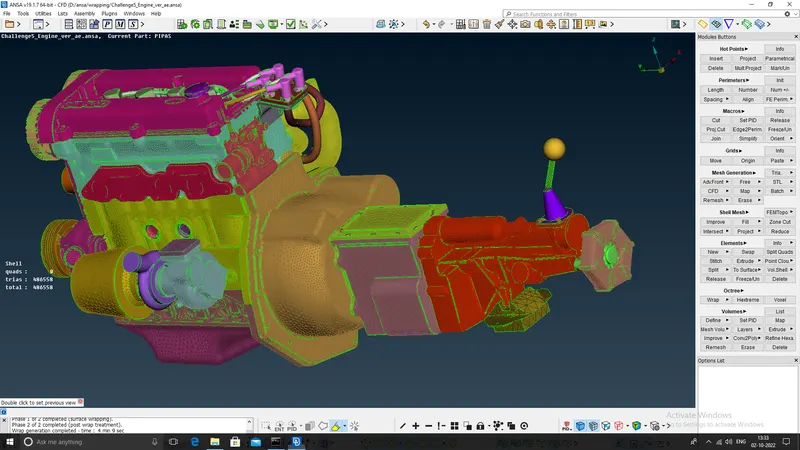
To combine the give models into a single file and perform a surface wrap of the assembled models.
Procedure:
1. Select File->Open to open the Engine model and check for single CONS openings. After finding the openings close them so that the wrapped mesh does not go inside the model.
2. Then remove the O ring features in the Engine model and close the openings that result after deleting the O rings.
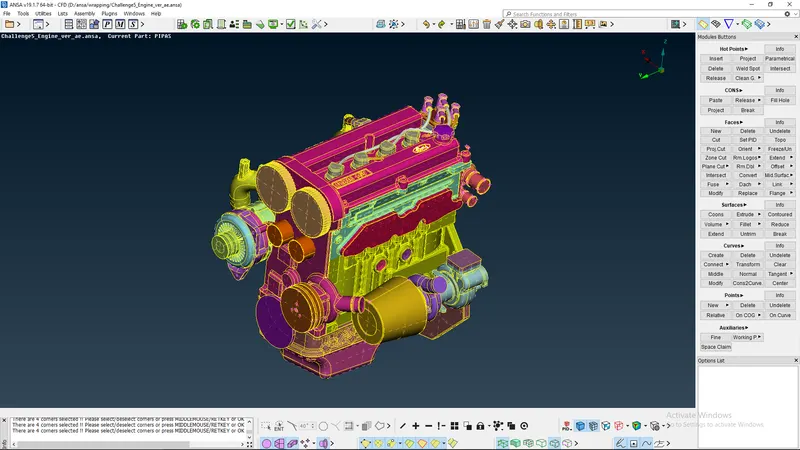
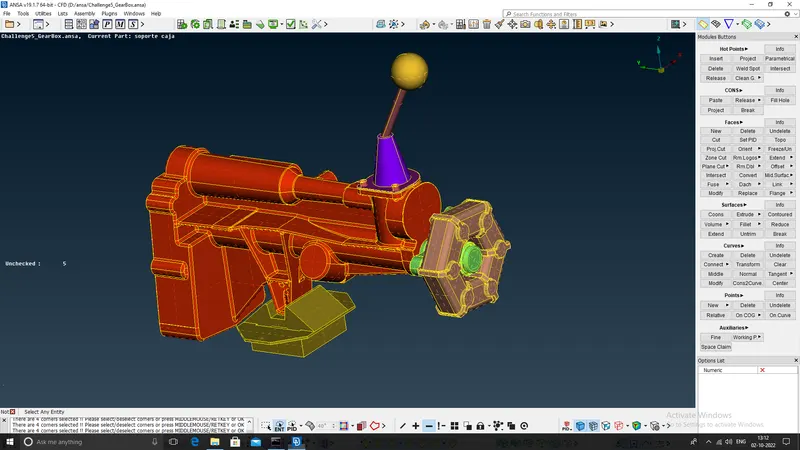
3. After saving the engine model open the gearbox model and close the openings after identifying manually in the model. Here the user has to make the judgement which holes to keep and which to close.
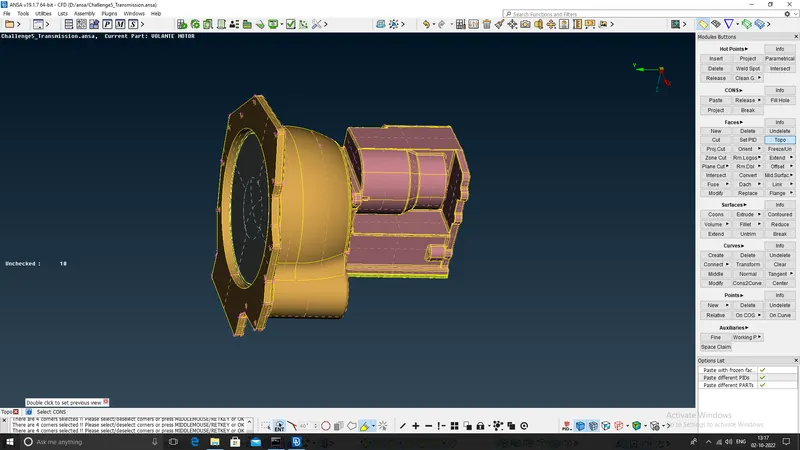
4. Then open the transmission box model and repeat the same procedure followed in the previous models and save all the files seperately. Even the screw holes should be closed as to not interfere with the wrapped mesh.
5. Now choose File->Merge option to merge the Engine, gearbox and tramission models together.
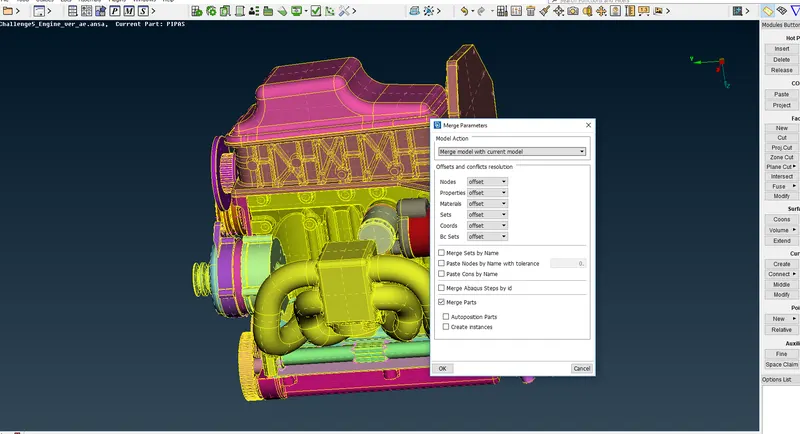
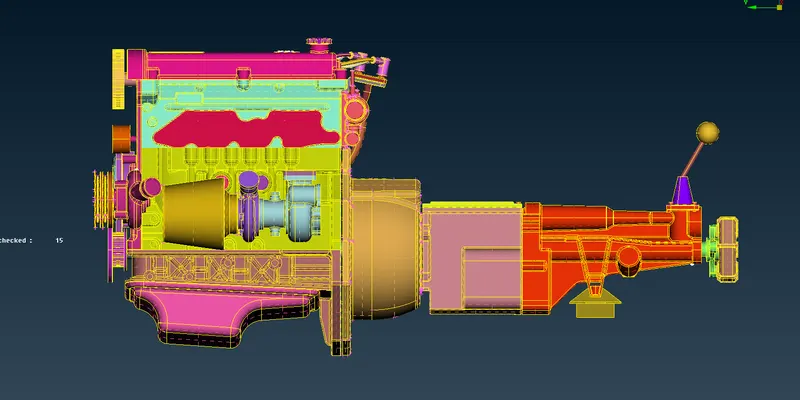
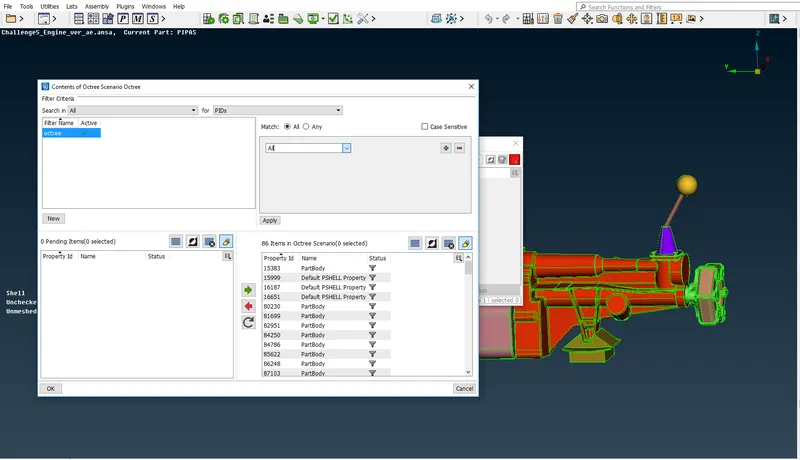
6. After merging the models together, once again check for any openings and proceed to surface wrap the model. Select Variable length Octree mesh in the Mesh deck. Then click on New to select PIDs on which the wrapping should be done. Before selecting PIDs use compress to delete any unwanted PIDs. Then select all the PIDs in the Octree mesh contents.
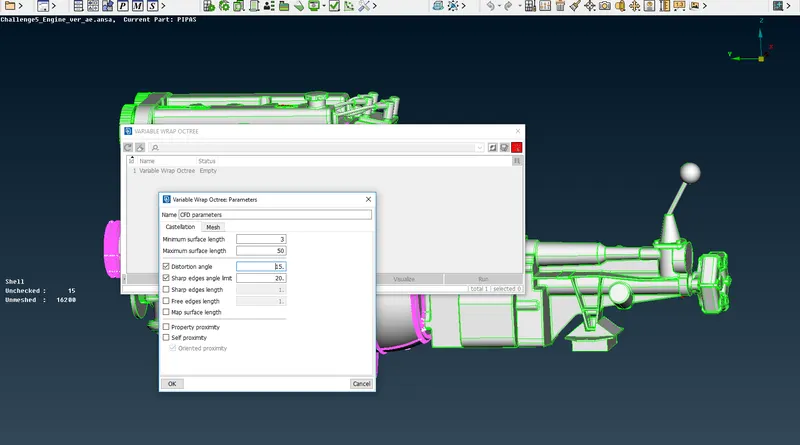
7. After selecting the PIDs for wrapping, click on the mesh parameters to define the minimum and maximum surface length of the mesh. Here mention the minimum surface length as 3mm target length given.
8. After giving the mesh parameters, use leak points option to set leak points and detect any leakage into the assembly. Here no leakages are found. But in case of finding any leakages the user should proceed to close them as required and recheck for leaks.
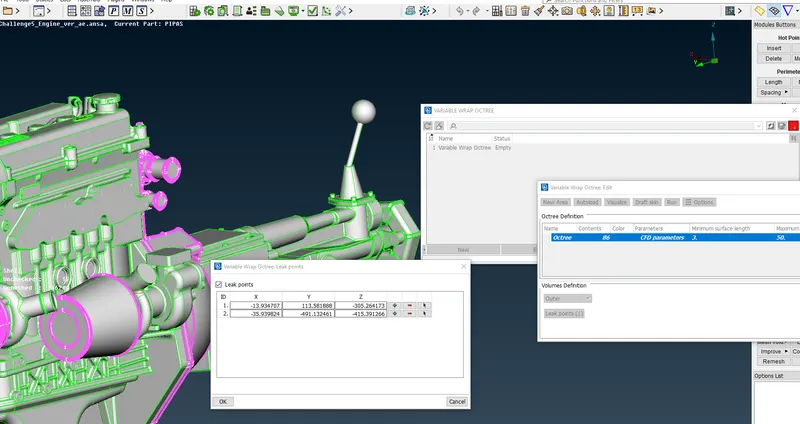
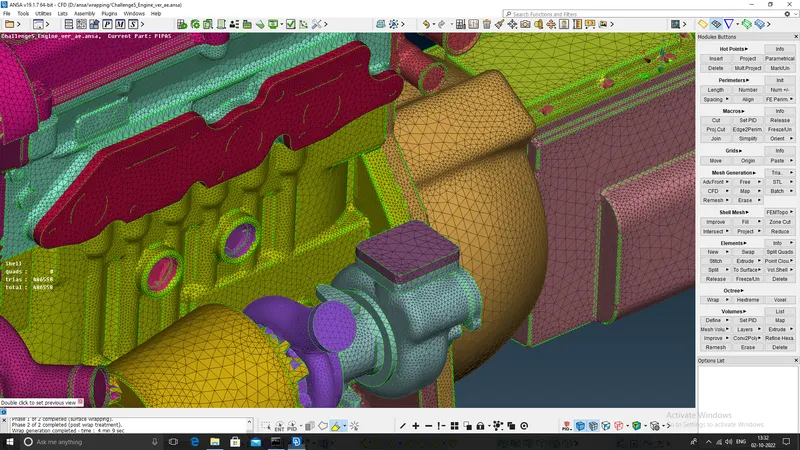
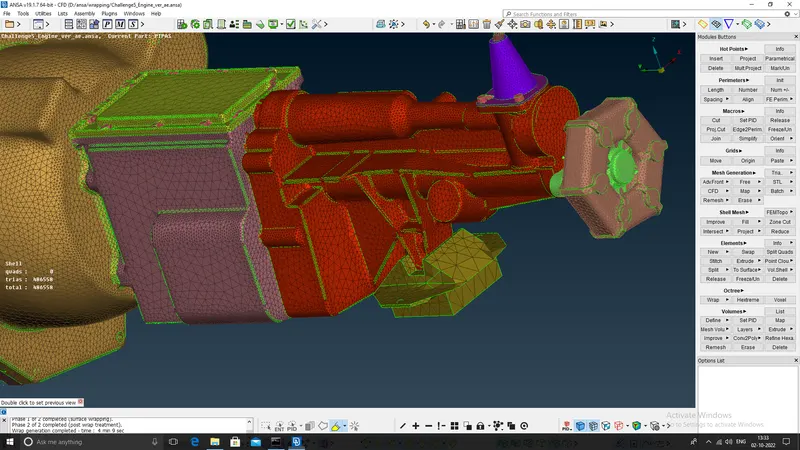
9. After ensuring that there is no leakage, proceed to click Run inorder to surface wrap the assembled model. This process is intensive and the user should wait for sometime in order to get a surface wrapped model.
Learning outcomes:
The knowledge to combine different models into a single file and make a wrapped mesh to conduct external CFD flow analysis.
Result:
The wrapping method ensures to capture the geometry features and is less intensive than the traditional meshing practice. Therefore for complicated automotive models wrapping can significantly reduce the meshing time.
Conclusion:
When an external mesh is required for the analysis the user can do surface wrapping to reduce the mesh time significantly. The file attached to this report only contains the mesh and the geometry is removed to reduce the file size.