Week 5 Challenge : Surface wrap on Automotive Assembly
AIM :
ERASING all the geometrical errors and delete surfaces which are unwanted for Surface wrap. After clearing geometry,
Merge all the components [Engine, Gearbox and Transmission] and perform surface wrap.
- Target length for Wrap = 3 mm
REQUIRED CASE FOR THE GIVEN MODELS :
- Cleaning up the geometry.
- Using tool - MERGE.
- MESH - SURFACE WRAP.
GEOMETRY CLEAN UP:
1.ENGINE :
- First we have to load the geometry.
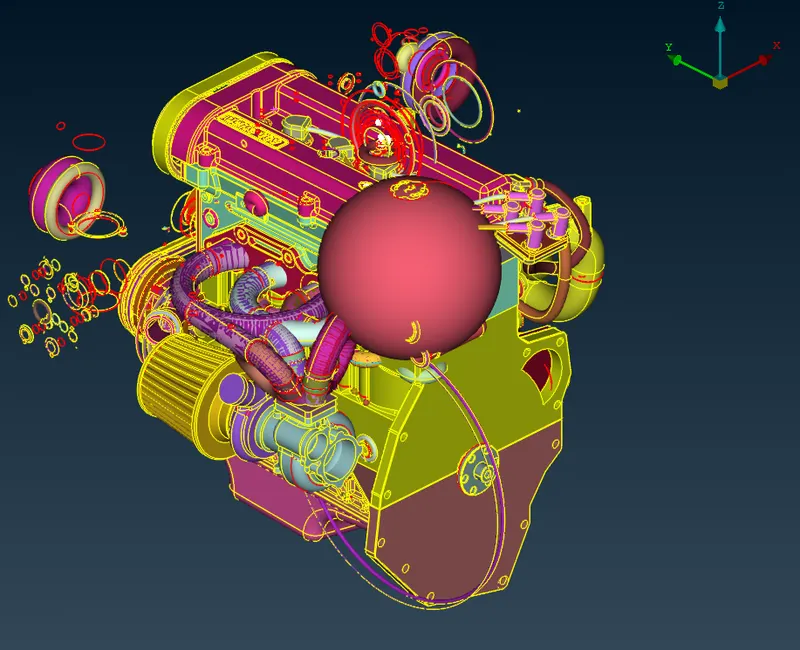
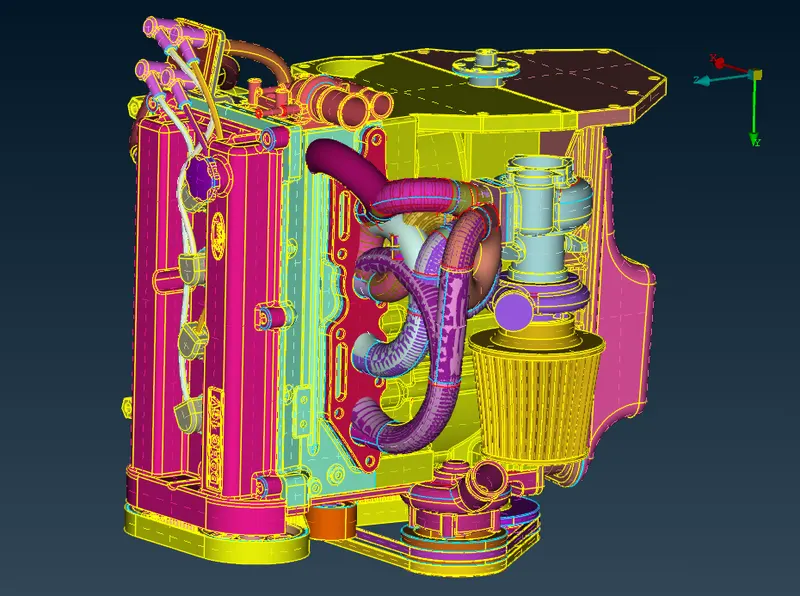
- As seen from the above figure (engine), there are lot of unwanted regions of leat interest.
- This unwanted regions must be removed.This can be solved by setting proper view and deleting the unwanted regions by using UNIVERSAL DELETE option.
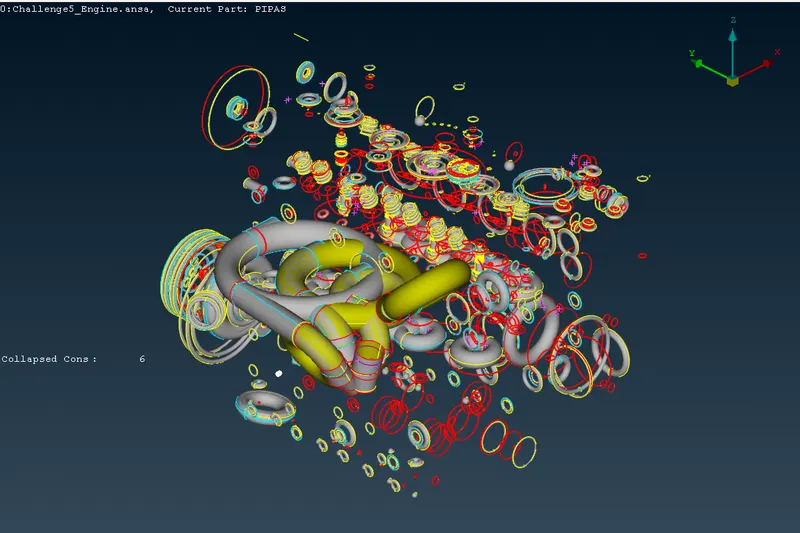
- These errors can be eliminated by setting a view and then delete.Best practice is to hide the needed PIDs and then select the unnecessary features.
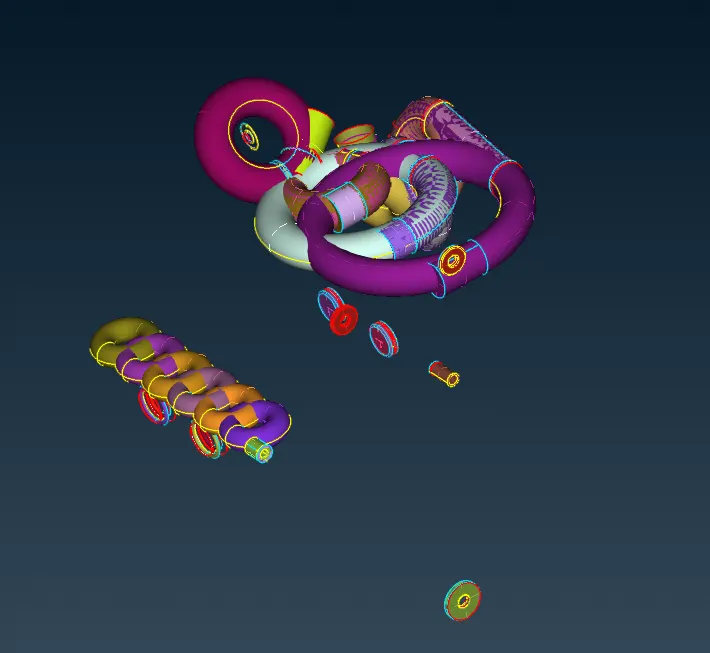
- In this case, triple cons are not considered as an error.After removing all the unwanted materials we can display the full geometry.
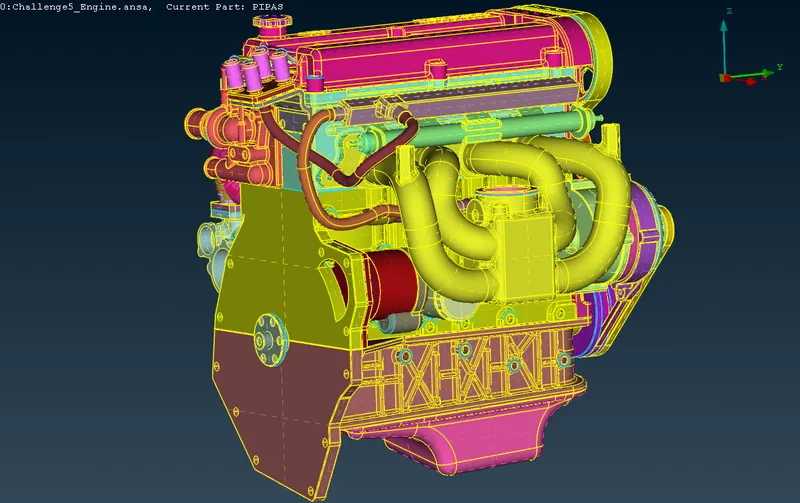
- This looks much more cleaner than before.Still got some single cons to remove near the pipe regions.
- We need to delete the all the unwanted surfaces of pipes in the geometry.These kind of overlapped surfaces must be removed.Care muct be taken while deleting those features.
- Once the clean up is done, try to run a geometry check. You might find few warning or penetration errors. Finally the engine geometry looks like as shown below.
2. GEAR BOX :
- After the completion engine geometry next step is to reine the gear box model.First we have to load the geometry.
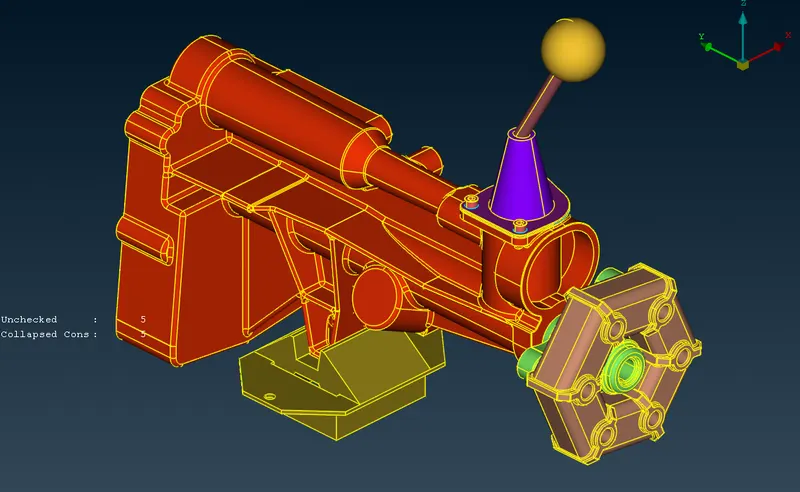
- Compared to Engine it has lot less errors in the geometry.Initially, run a topo check.Start with hiding necessary PIDs.
- This model does not have many errors.Any way we have to clean up the geometry.
3. TRANSMISSION :
- After the completion of the gear box ,refining of the transmission taken place.First we have to load the geometry.
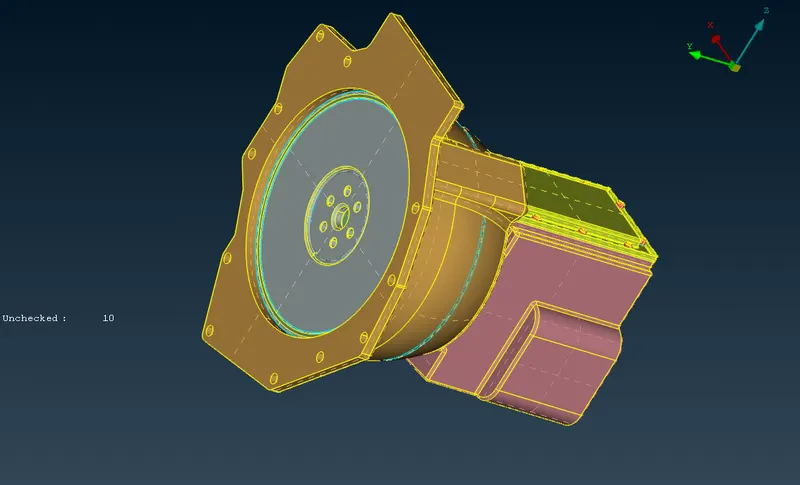
- At the end we will clean up the transmission.Run a topo check.
- Start by hiding the required components by PIDs.Delete unnecessary features.
MERGING ALL THE THREE COMPONENTS:
- Before performing surface wrap, we need to merge all the three components.
- Navigate to FILE and select MERGE option - select components one by one.
- After merging the geometry looks like.
- Then we need to close all the holes of the whole geometry, to perform the surface wrap perfectly.
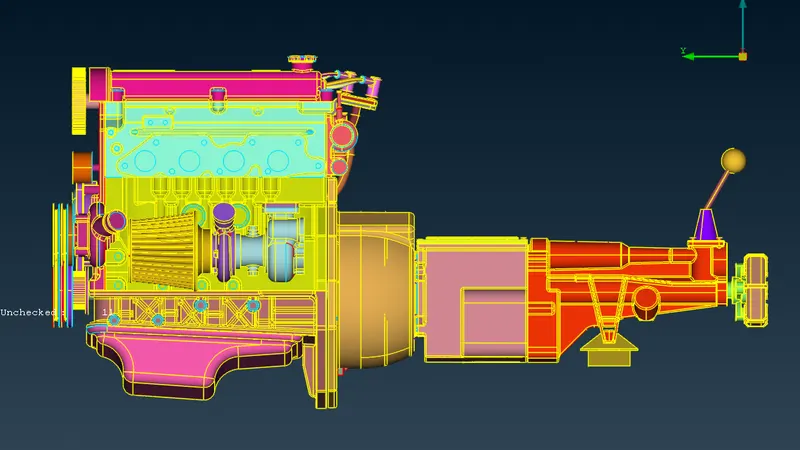
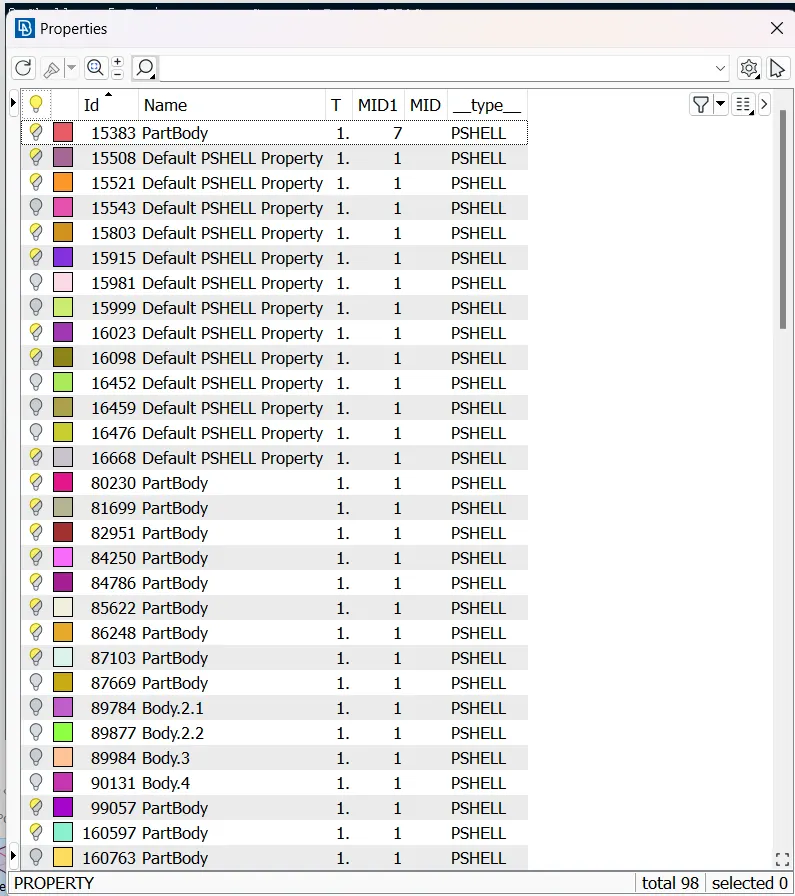
- Go to the properties and delete the unwanted PID'S.And we get upto 98 PID's.
SURFACE WRAP:
Surface Wrap :
- Go to mesh deck.
- Navigate to ELEMENTS.Select WRAP and select CONSTANT LENGHT.
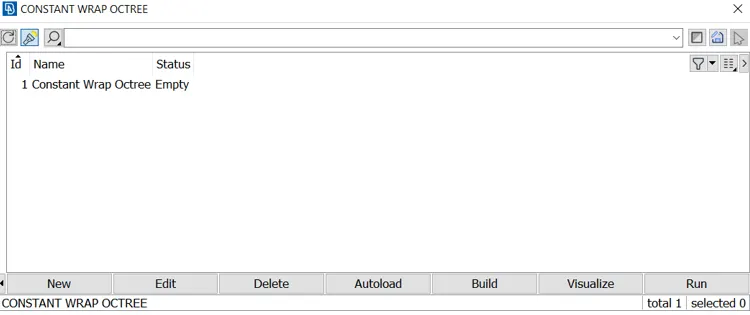
- Double click on empty.
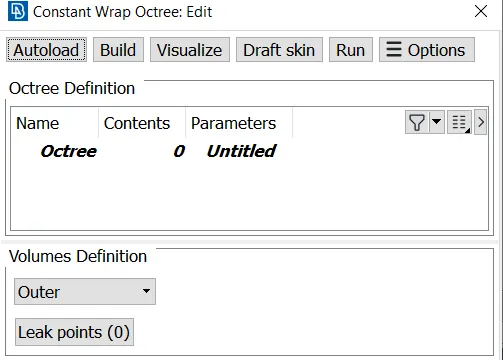
- Click on Untitled.
- Target Length = 3 mm.
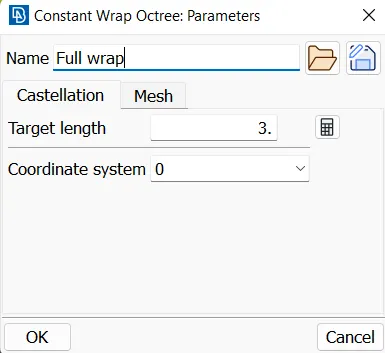
- Select Mesh in the same dialogue box,set the shell elements as trai, wrap mode as node out of structure and proprtiy assignment as Assign properties from structure.
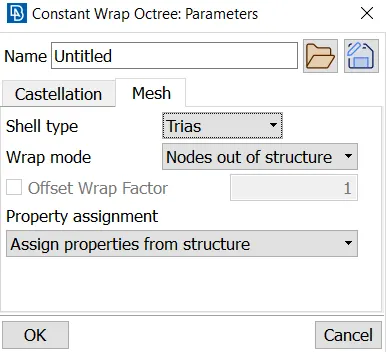
- After clicking on OK, another box will pop up.
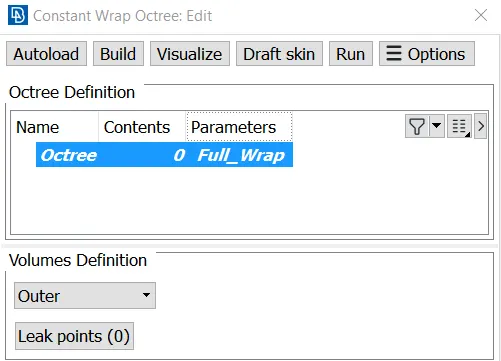
- Double click on CONTENTS 0.
- Select all the PID's.
- After selecting the PID's click on the right arrow, so that all the PID's moves to the right side.
- Then click on ok.Finally click on the RUN, so that surface will gets started.
RESULTS:
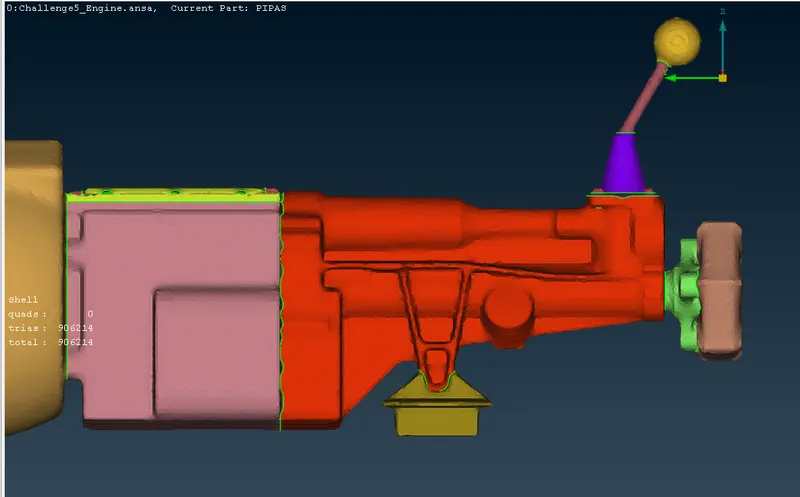
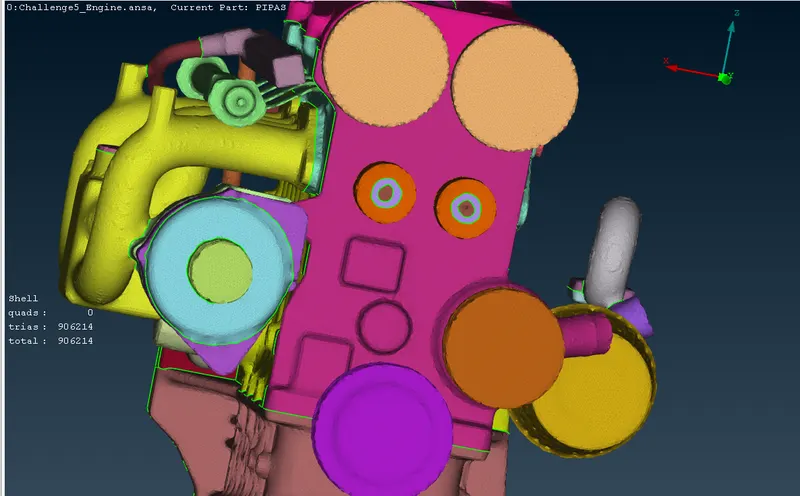
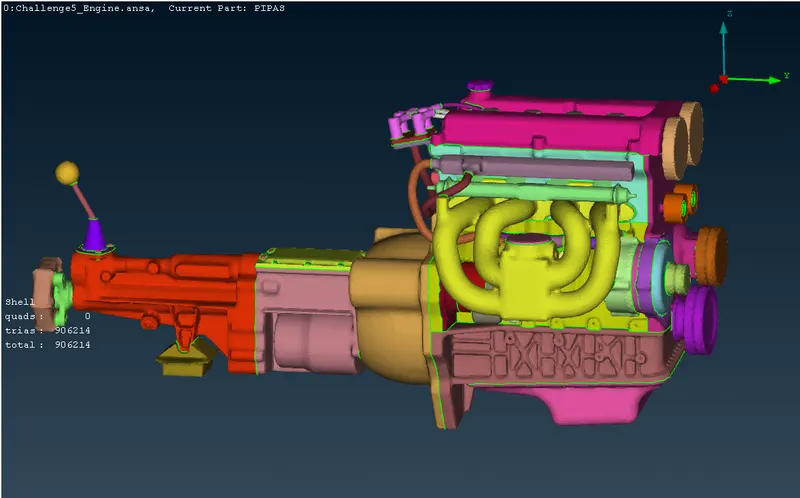
After wrapping the surface ,geometry look likes as follows.
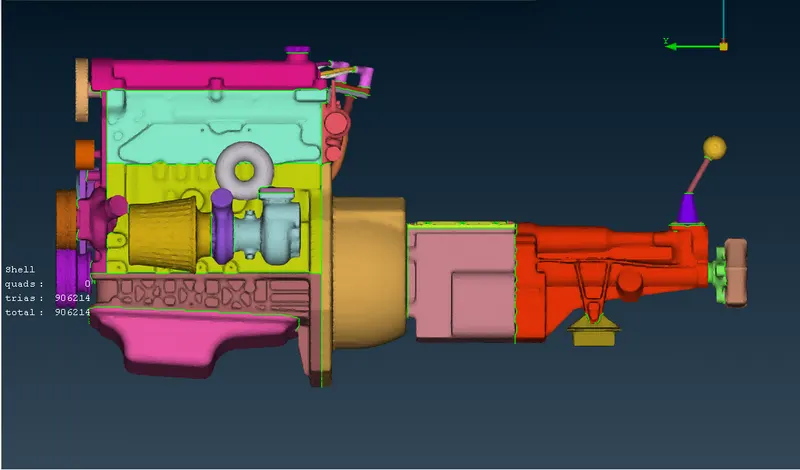
- ENGINE wrap surface
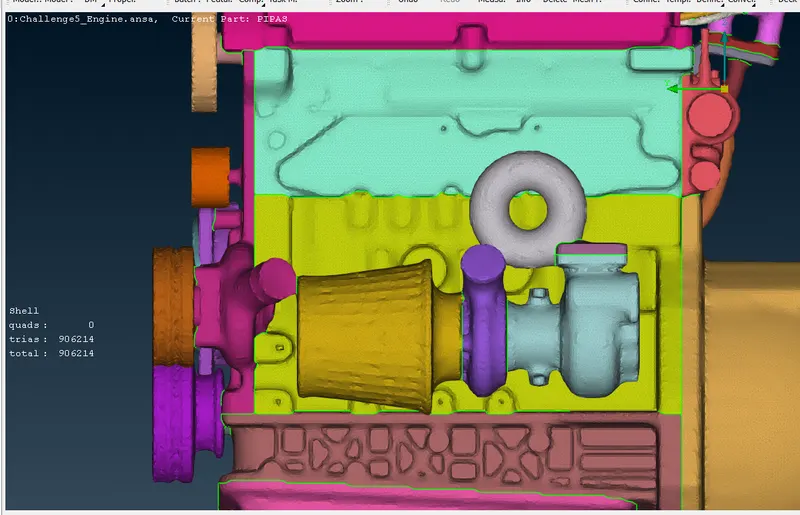
- Transmission wrap surface :
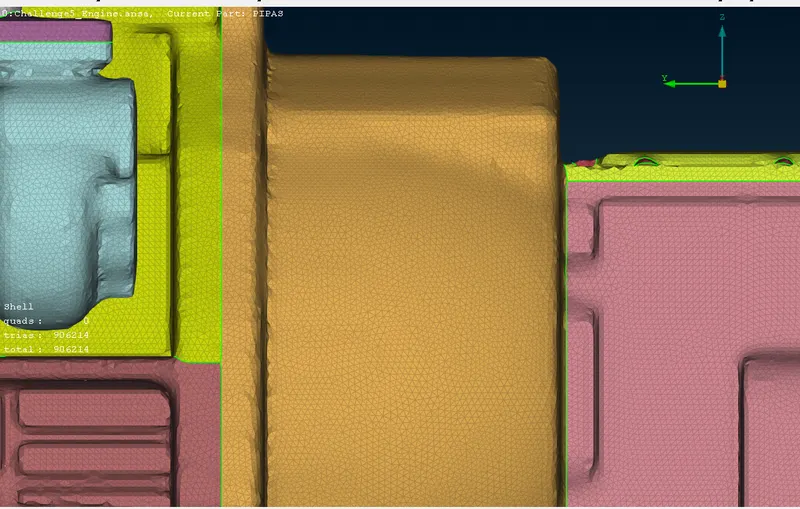
Gear Box wrap surface :
CONCLUSION:
- Applied tools to remove unnecessary features, surfaces.Explored MERGE tool option.
- Performed surface wrap on the entire assembly.
- And wrap surface for number of PID's are known ,how to perfom them.
GOOGLE DRIVE LINK FOR ZIP FILE :
https://drive.google.com/file/d/1icsx1jAahcnrAWu9Df5PIEpMAR6WnTrS/view?usp=sharing
*_______________________________________*__________________________________*___________________________________*_______________________________*