Week 3 - Solving second order ODEs
STIMULATING THE MOTION OF A SIMPLE PENDULUM.
PROGRAM - 1.
% simple pendulum
clear all
close all
clc

% inputs
b = 0.05;
g = 9.81;
l = 1;
m = 1;

% initial conditions
theta_0 = [0;3];

% time span
t_span = linspace(0,20,100);

% solve ode
[t results] = ode45(@(t,theta) ode_func(t,theta,b,g,l,m),t_span,theta_0);

% plotting
plot(t,results(:,1),'linewidth',3);
hold on
plot(t,results(:,2),'linewidth',2);
xlabel('time in t sec');
ylabel('angular displacement/angular velocity');


% Animation

x0 = 0;
y0 = 0;

ct = 1;
for i = 1:length(theta_0);
    x1 = l*sind(theta_0(i,1));
    y1 = -l*cosd(theta_0(i,1));

    figure(2)

    plot([-1 1],[0 0],'linewidth',6,'color','r');
    axis([-2 2 -2 2]);
    line([x0 x1],[y0 y1],'linewidth',3,'color','b');
    hold on;
    plot(x0,y0,'O','markersize',6,'markerfacecolor','y');
    plot(x1,y1,'O','markersize',20,'markerfacecolor','g');
    title('Damping of simple pendulum');
    legend('support rod','length of the  function','fixed point','Bod of pendulum');
    grid on;
    hold off
    M(ct) = getframe(gcf);
    ct = ct+1;
end

movie(M);
videofile = VideoWriter('simple_pendulum.avi','Uncompressed AVI');
open(videofile);
writeVideo(videofile,M);
close(videofile);
The above program is for second ordes of a simple pendulum.
By using the above program the outputs of the programming are obtained'
ODE45 is the inbuilt function of the second odes in matlab.
ode(@(t,theta) are constant in the function.
second odes = second order differential equations.
Inputs to the programming are provided they are,
damp = b,
mass = m,
gravity = g,
length = l.
Initial conditions are 0 -3, it is presented by theta_0.
Time span is between 0-20 seconds, it is denoted by t_span.
ERROR -1

The above error is occured due to the unrecognised function of 'xo'.
The error can be eliminated by using zero in 'x0'.
ERROR - 2
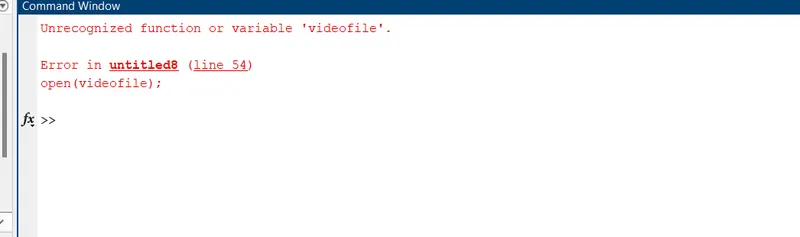
The above error is occured due to the varabile 'videofile'.
The above error can deleted by providing
videofile = Videowriter(' ',' ')'
ERROR - 3
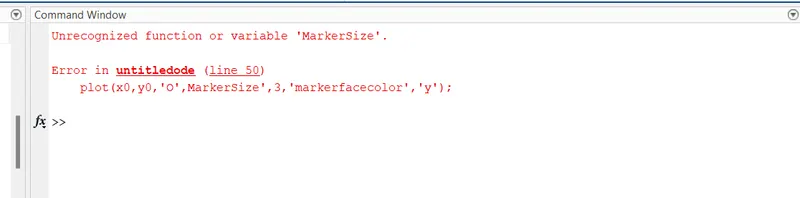
The above error occured due unrecognised function of markersize'.
The errror can be eliminated by providing 'markersize'.
ERROR - 4.
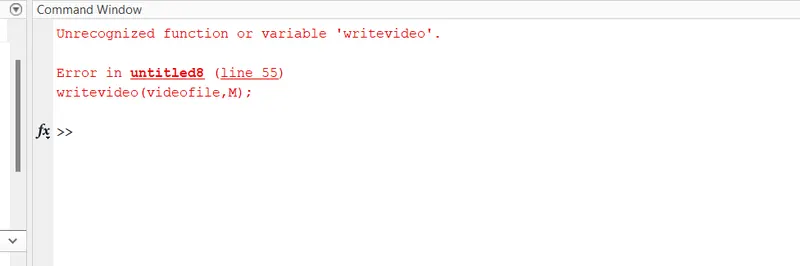
The above error occured due to the use small cap v in writevideo.
The error can be deleted by using capital V in writeVideo.
WORKSPACE - 1.
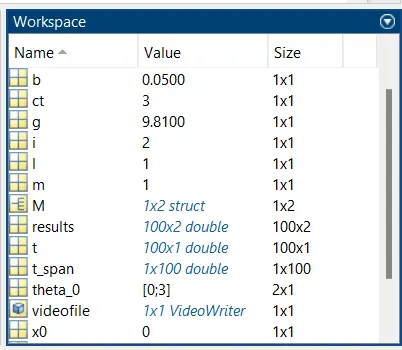
In the workspace obtained output values in command window during programming are stored.
WORKSPACE - 2.
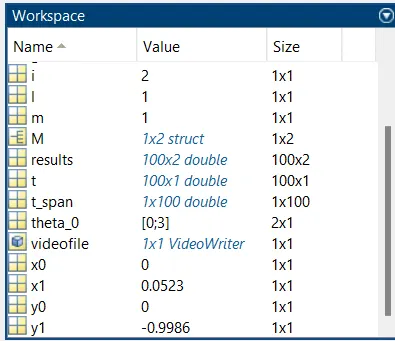
The remaining output values are shown in the workspace-2'.
PLOTTING.
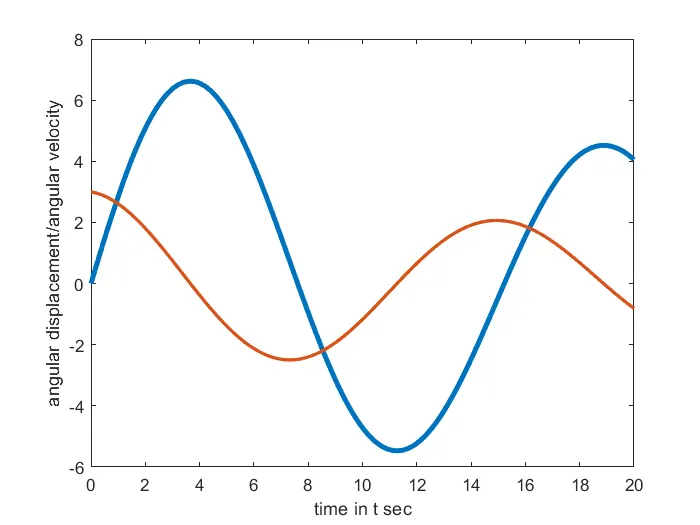
The above plot shows the angular displacement/angular velocity in ylabel.
And time in t seconds represents in xlabel.
Time interval is given between 0-20 seconds.
PROGRAM - 2.
function [dtheta_dt] = ode_func(t,theta,b,g,l,m)
         theta1 = theta(1);
         theta2 = theta(2);
         dtheta1_dt = theta(2);
         dtheta2_dt = -(b/m)*theta(2)-(g/l)*sind(theta(1));
         dtheta_dt = [dtheta1_dt;dtheta2_dt];
end
In the above program second odes is converted in first odes.
In the above dtheta_dt is output.
ode_func is the function name.
The values in the parentheses () are inputs to the function.
The animation of simple pendulum is uploaded with labeled parts.