Week - 5 - 2D meshing for Plastic components
AIM:
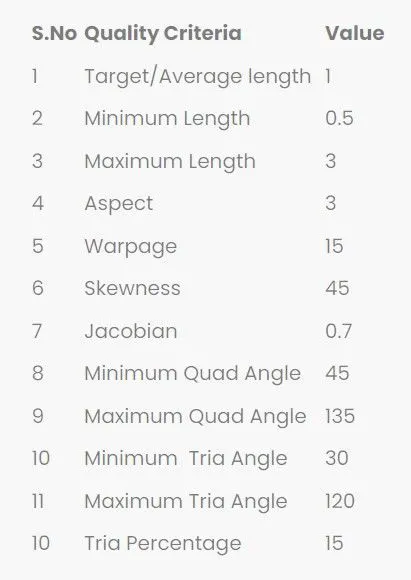
For the given Plastic Bottle Cap model, check the geometrical errors and take the mid surface by using suitable mid surfacing techniques. PID and Thickness assignment has to be done for all the mid surfaces. Mesh the same with the given element Quality criteria.
Note:
There might be some Failed elements near Triple CONS or at smaller regions that are bounded by two Triple CONS. Keep those OFF elements as it is if not possible to solve.
GIVEN DATA:
Steps involved in the procedure:
- To check all the geometry error and to fix them.
- Mid surface to be made for all the geometrys.
- To generate mesh with good flow in the given quality criteria.
PROCEDURE:
- Open the Ansa work bench ANSA v22.1.0.
- Import the given model from the downloads
- In ANSA we can import all the CAD Software file formats like IGES,STEP,etc.
- And we have to define the material and to orient the components.
- The model consists of the component listed below.
Given model:
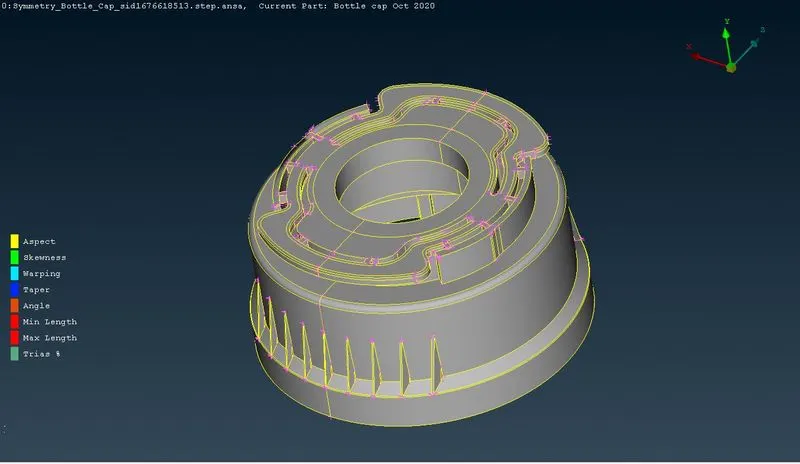
The given cad model consists of 1 component.
STEP 1:
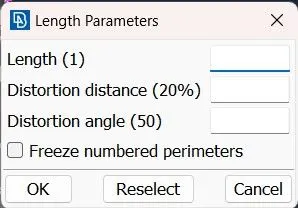
- Before doing the geometry checkup we have give the length for every component to mesh properly.
- Mesh Module >> Perimeters >> Length.
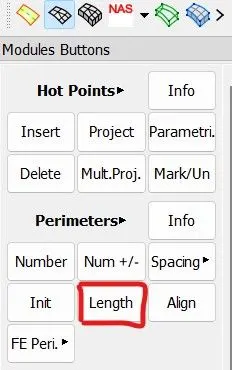
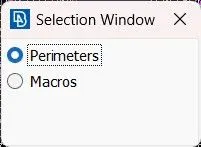
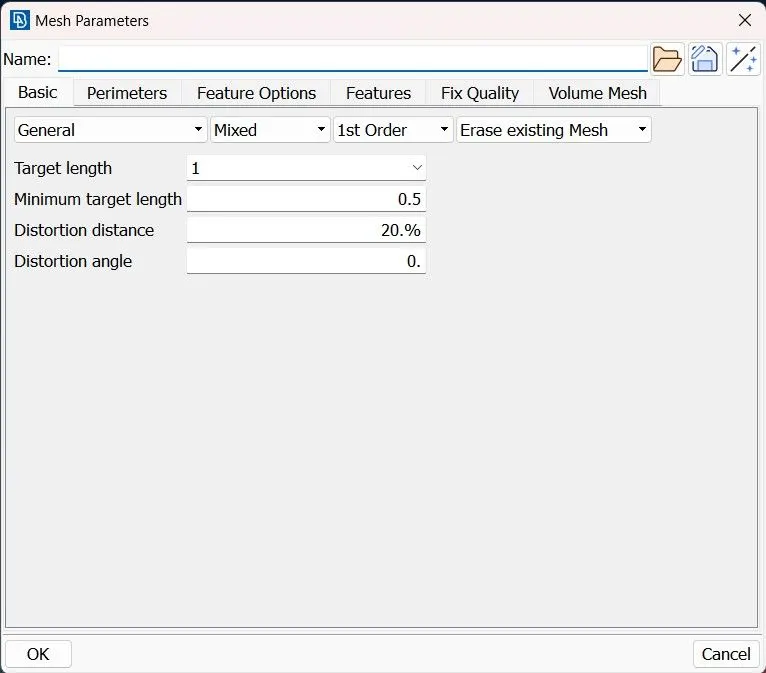
- Then the length of the perimeters and macros should be given 1.
STEP 2:
- We have to fix the geometrical errors in the parent component,Then only we will be able to do midsurface using skin and offset.
- Tool Bar >> Checks >> Geometry.
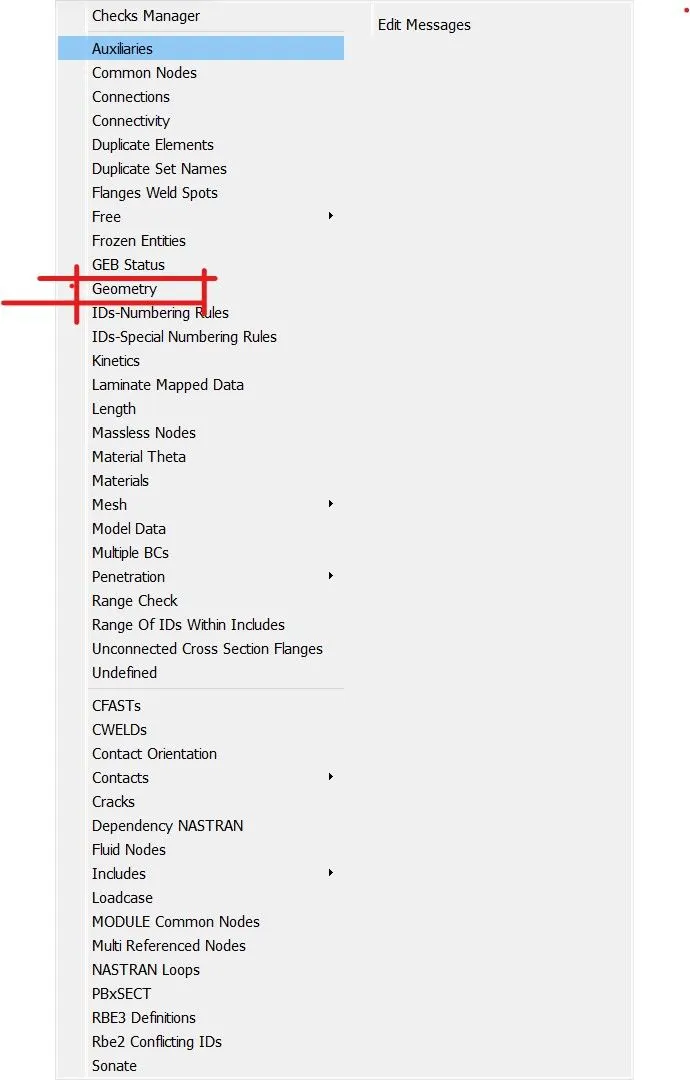
- After clicking on the check geometry and executing it,The geometric errors will be displayed.
- there were only very few errors.
- We can fix that geometric errors by manually or automatically by using the auto fix option.
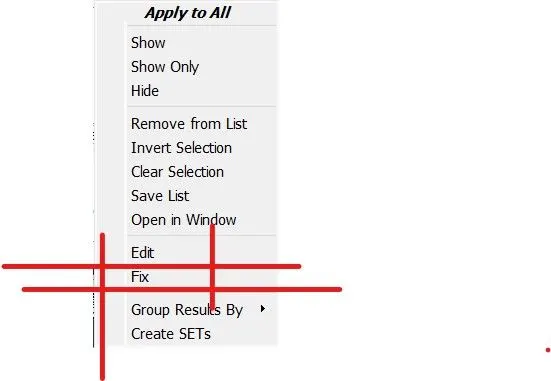
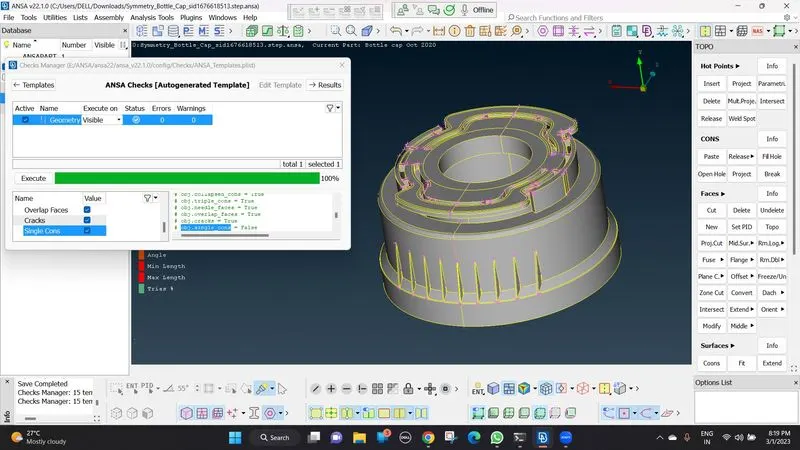
- after fixing the errors, we have to run another check then it will show no errors .
STEP 3:
- Again before doing mid surface we have give the length for every component to mesh properly.Since the length changes after we fix the errors
- Mesh Module >> Perimeters >> Length.
- Then the length of the perimeters and macros should be given 1.
- After giving the length mid sufacing is done
STEP 4:
MID SURFACING:
- mid suface can be done by 2 methods by automatic method and manual method.
- auto method Topo Module >> Faces >> Mid Surface >> Skin >> Select the Face.
- manual method Topo Module >> Faces >> Offset .
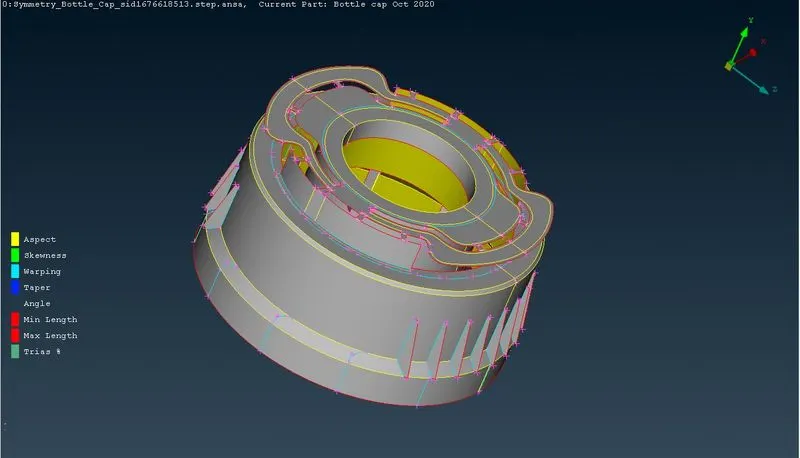
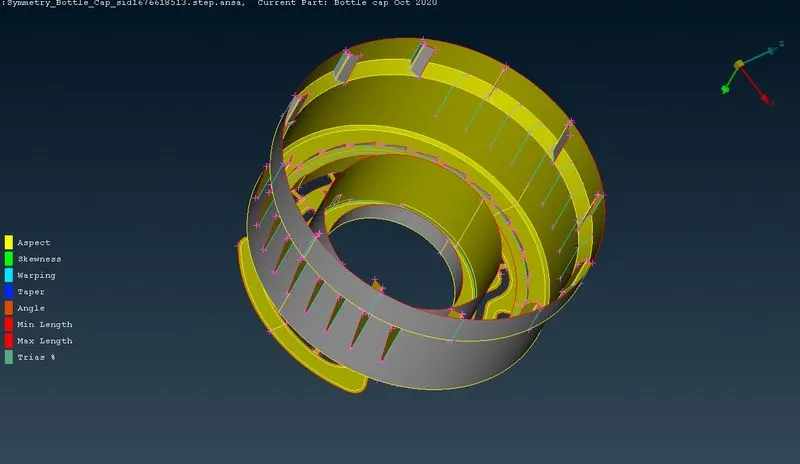
- the midsurface of the part is done using Offset and middle , middle multi option. and completed the midsurface using Extend option and the Faces > New options ro get the midsurface of some parts.
- Performed the Transform copy option for the inner ribs with rotate using the COG points to get the midsurface.
- the below image is the mid surface of the component.
STEP 5:
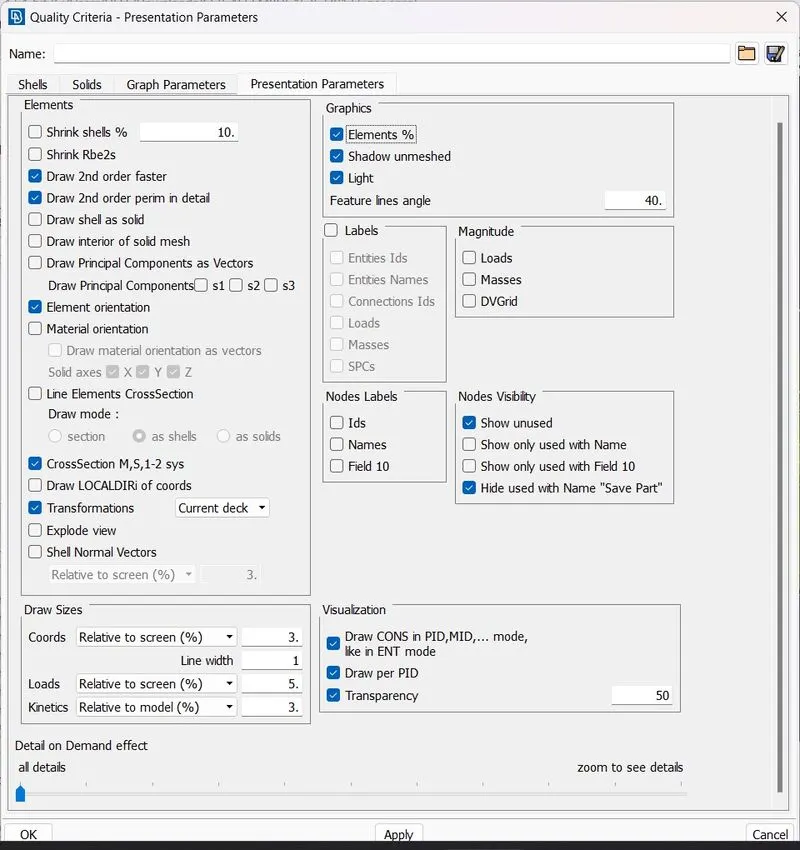
- Before meshing the given data is added to the quality criteria of the components and the target length
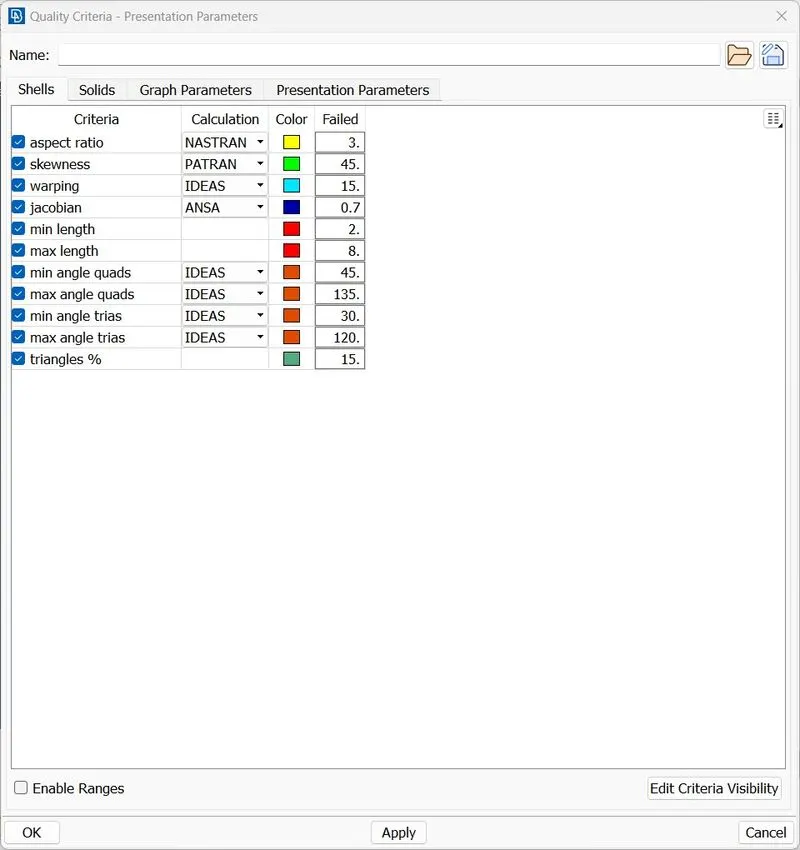
- And in presentation parameters element percentage and all details are turned on for better visibility.
STEP 6:
MESHING:
- To apply mesh use << BEST MESH < MESH GENERATION>> and to remove the mesh use<< ERASE < MESH GENERATION >>.
- To increase the quality of the mesh use <>RECONSTRUCT,<>SMOOTH options.
- To increase the qual;ity manually <> SPLIT /SWAP / JOIN
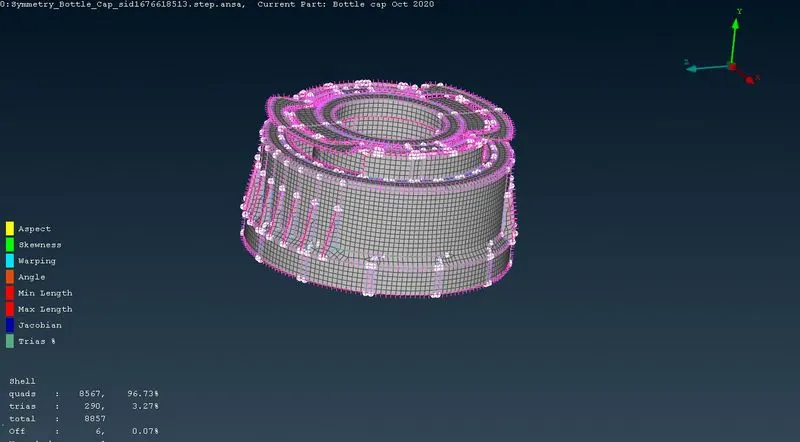
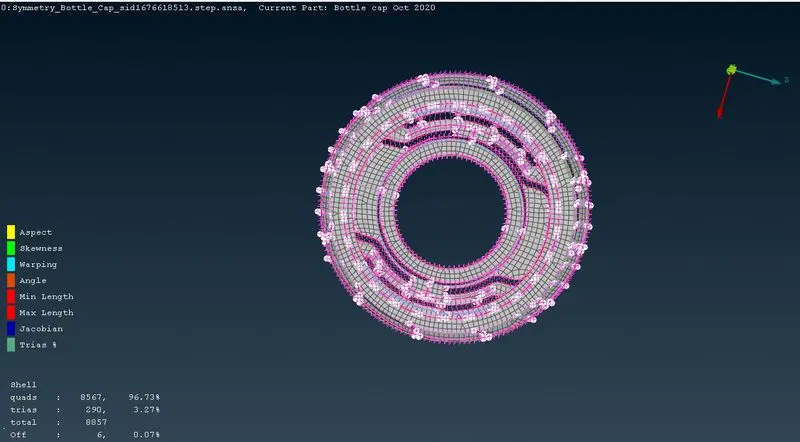
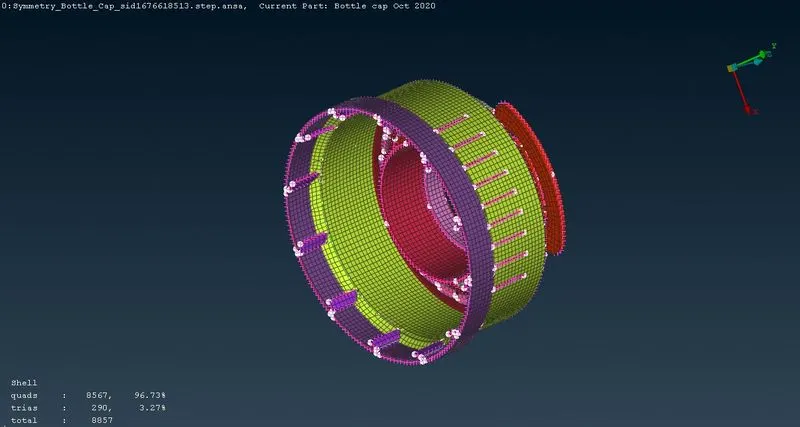
- the below images are the meshed images of the main component, the component file is shared.
- tria percentage is achieved at 3.27%.
Note:
There might be some Failed elements near Triple CONS or at smaller regions that are bounded by two Triple CONS. Keep those OFF elements as it is if not possible to solve.
STEP 7:
Assign PID and THICKNESS:
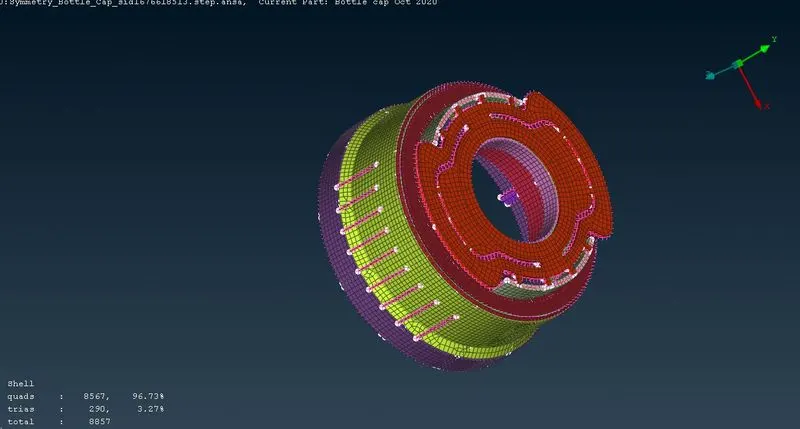
- For manual mid generation PID has to assign manually. For auto mid generation (Skin/cast) PID & thickness will be assigned automatically.
- Go to topo module --> Faces --> Set PID --> Faces/shells (In selection window) ---> select the mid surface geometry --> Now property window will open & the PID will be created for the mid surface.
- Assign thickness in thickness tab (T)
- Since it is a plastic part there will be a varrying thickness. For parts having varying thickness the average thickness can be given or multiple thickness can be given for a part by assigning seperate PID to the same parts.
- I have taken average thickness for the ribs since they are having varrying thickness.
- Avg thickness = (Max. thickness + Min. thickness) / 2
LEARNING OUTCOMES:
- I can now able to generate geometry clean up and property Ids
- I was able to learn new tools and their functions
- can do mid surface for any component
- understood how to do mesh for complex geometry
CONCLUSION :
Hence, the geometrical errors and mesh, with the given element Quality criteria has been performed successfully for the given plastic component. Also after meshing the component thickness has been assigned.