Volume Meshing for a Rear View Mirror using Ansa
Volume Meshing for a Rear View Mirror
Aim: The aim of this challenge is to remove any geometrical errors in the given parts and Mesh the parts with Tetra elements and create a volume while making sure there are no Kinks and Dips.
Procedure:
Step 1: Import the Model and check for geometrical errors and once the geometrical errors like triple cones, Single cones, and cracks. Make sure there are no geometrical errors so that you can move to the next step.
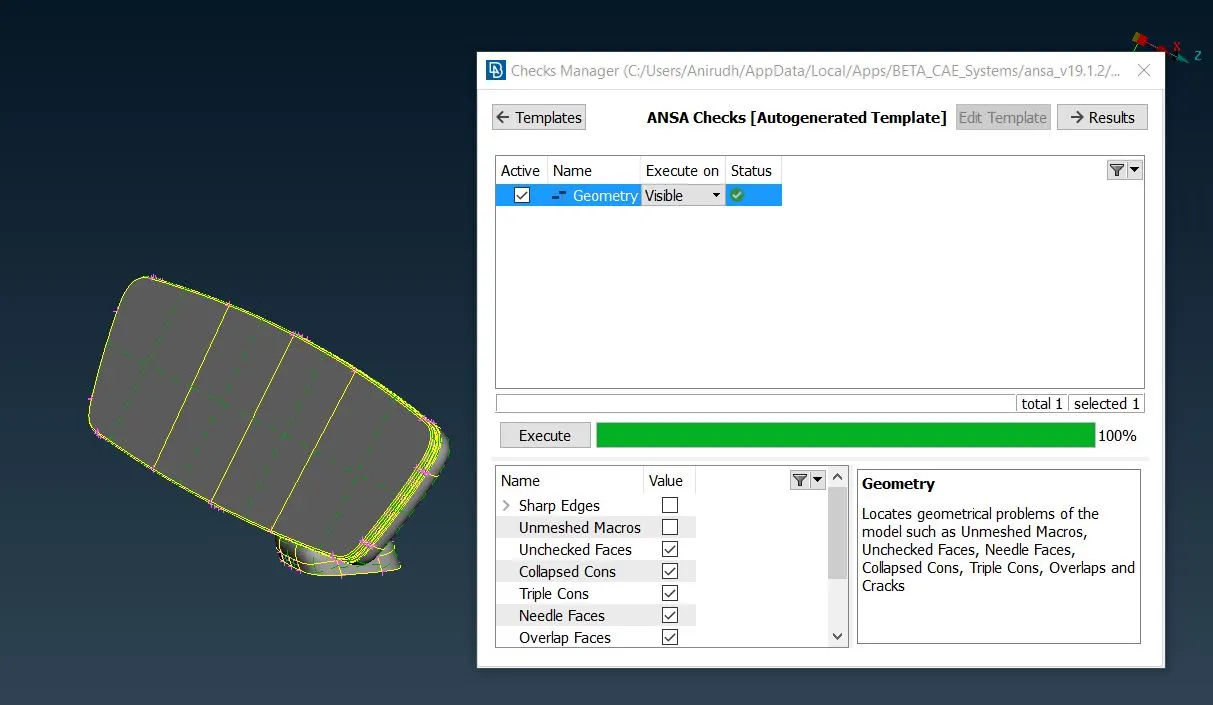
Step 2: Remove the unwanted construction lines and form new lines so that we can provide a better flow of mesh in those regions. You can also divide the surface to small regions so that we can provide a better mesh in those areas.
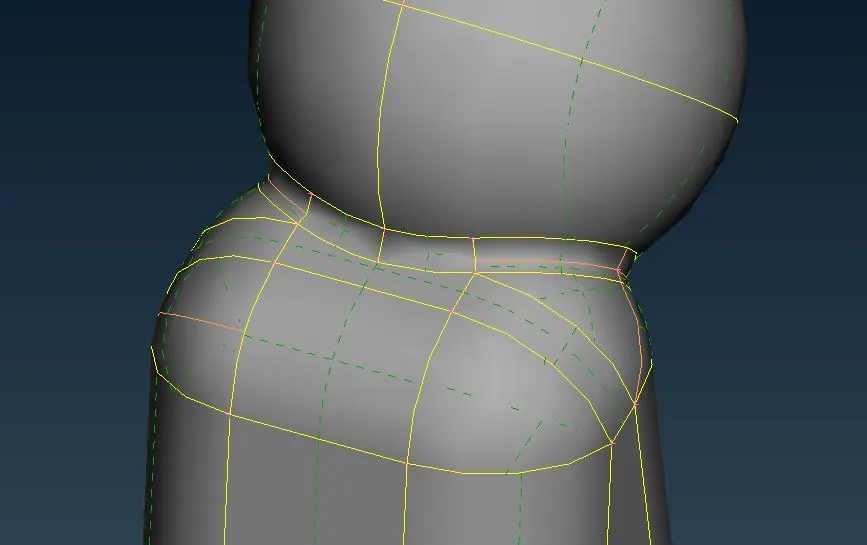
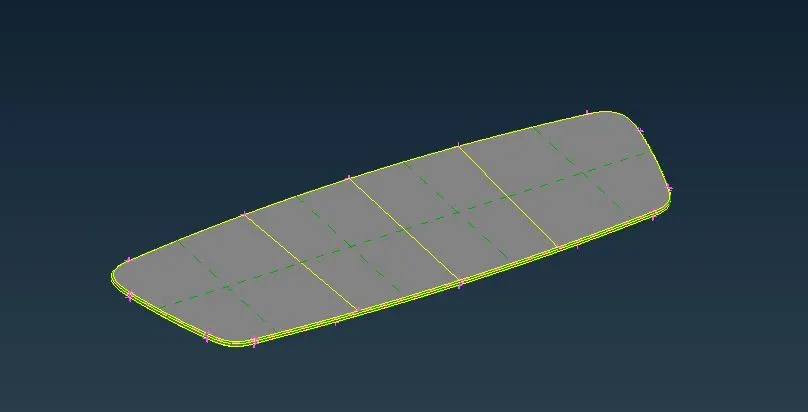
In the Left image, you can see the Orange lines which are the ones that have been removed to avoid errors and in the right image, you can see that part is divided to get a better Mesh flow.
Step 3: Once all the above steps are done we can start meshing the part with the given parameters. Make sure you use the Ortho Trias in curved regions and Normal Tria in Flat regions. We must alternate between them and apply the best Mesh possible for the region.
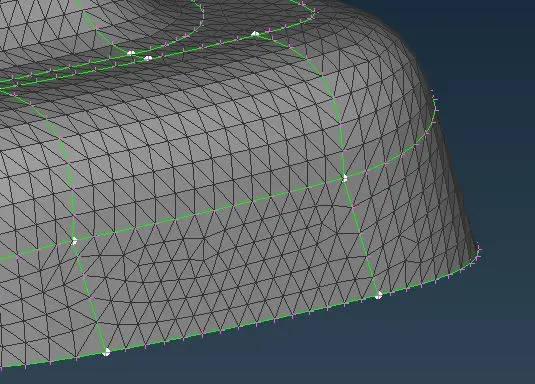
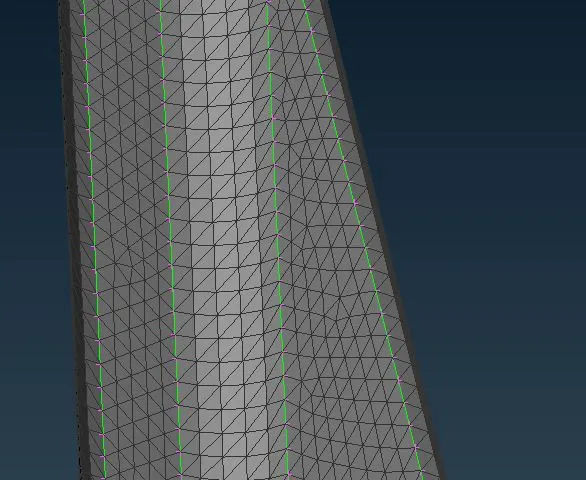
You can see from the above image that the ortho tries are able to capture the geometry better in the curved surface than regular tries and Normal tries are used in flat regions.
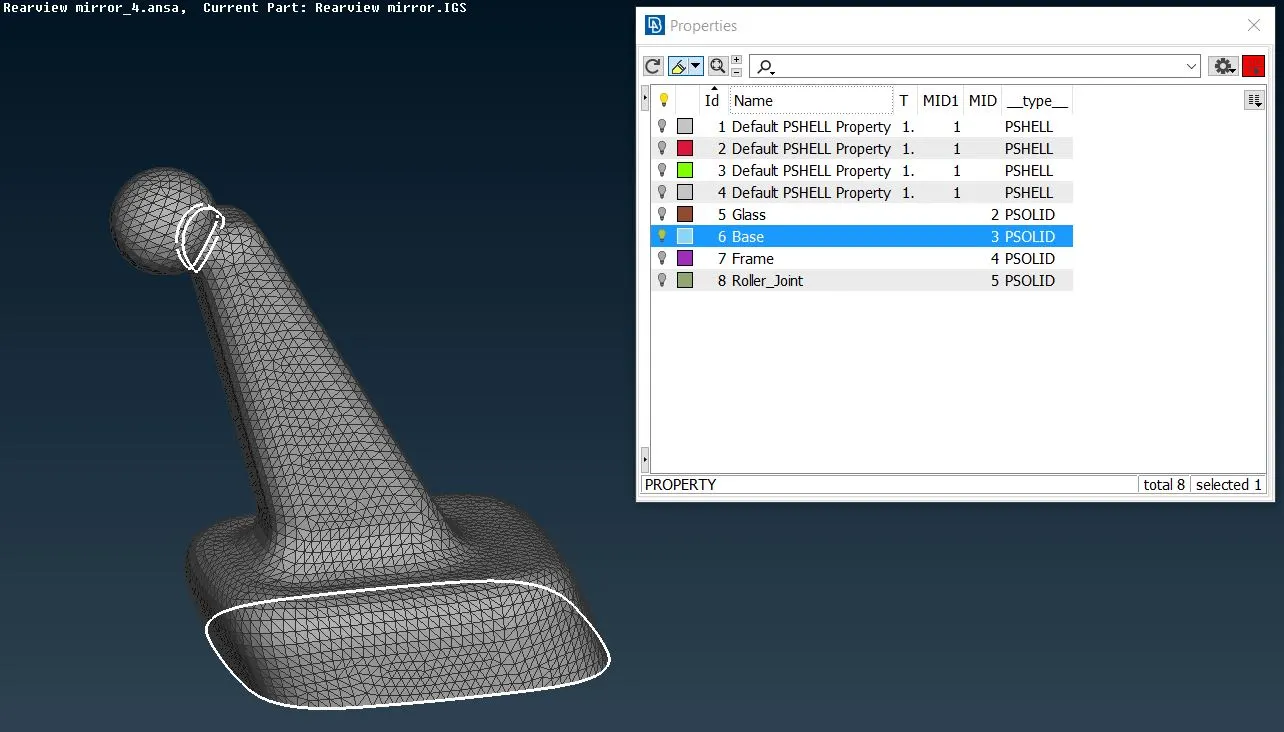
Step 4: Once all the surfaces have meshed we will have to check for geometry again so as to avoid any cracks. So that we can generate volume. First, we will have to Define a Solid Pid Using the command Volumes-Define and once the PID has been created you can generate a Volume mesh using the command in Unstructured Mesh-Tetra Rapid. Please note as there are 4 parts each part should be allotted a separate PID as in the below Image.
Step 5: Once the volume as been Created you will have to check for any Collapse in the Mesh and clear the collapse individually and make sure you do not create any dents or peaks while clearing them.
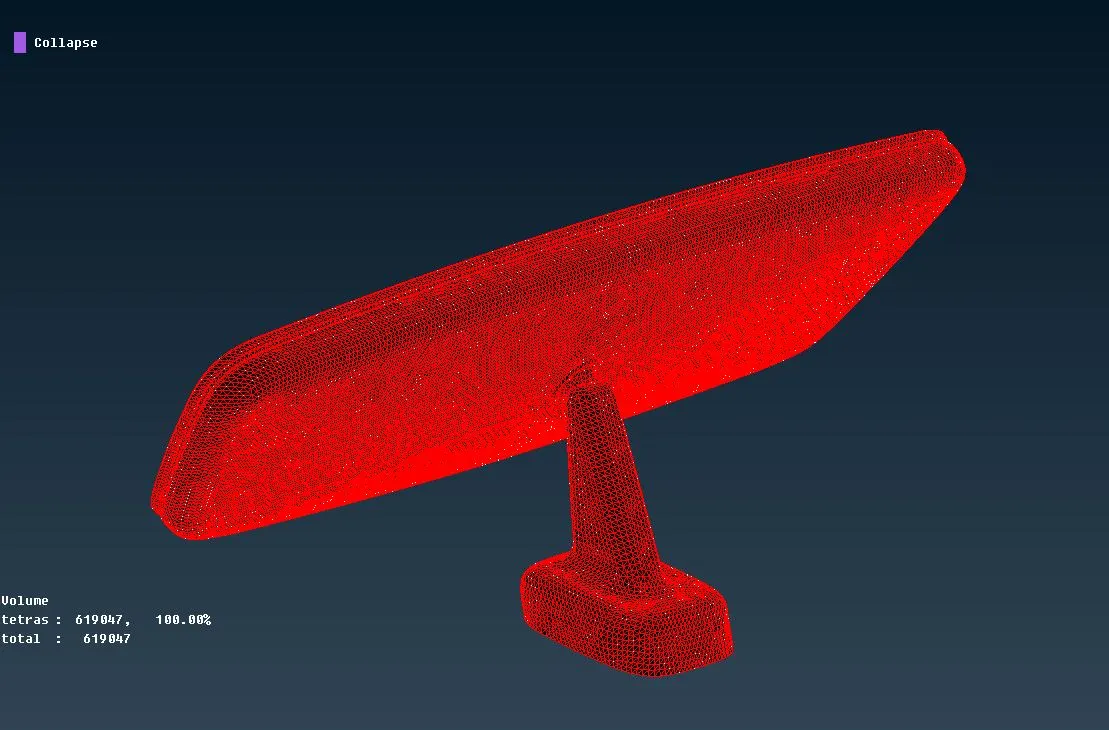
In this Model, as the geometry was good and the clean up was done well there was no collapse in the mesh.
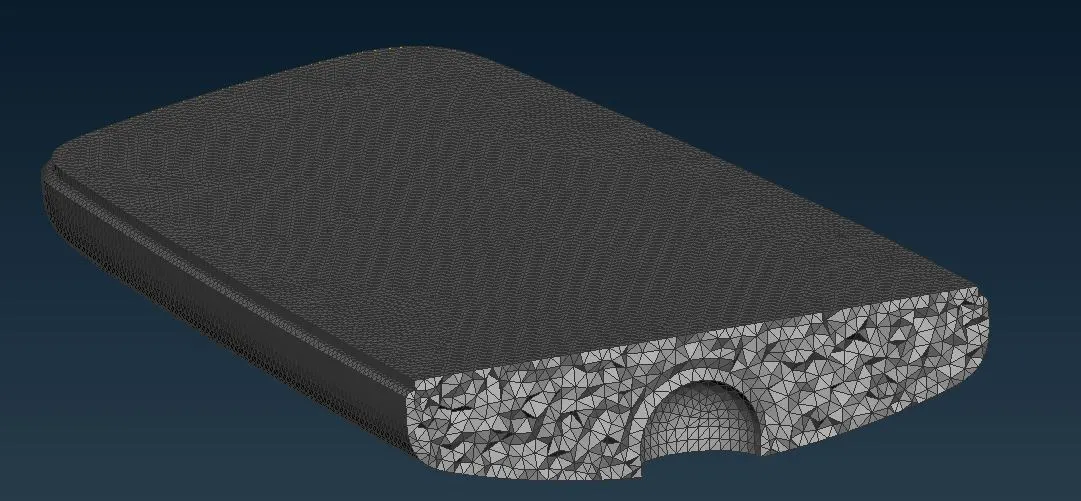
From the above image, you can see how an Unstructured volume mesh is generated.
Learning Outcome:
- Clearing the geometry so that we can get a good tetra mesh flow.
- When to apply Ortho and when to apply normal trias mesh.
- Clearing the Errors due to mesh collapse without forming any peaks or dents.
- Meshing the parts without any peaks or dents.
- Generating the volume to form an unstructured mesh.
- Providing Solid Pids for different parts.
Conclusion:
The given part was cleared and meshed with tetra elements without any kinks or dips on its surface.