Week 4 -Wire Bending Challenge
Aim - To simulate wire bending process
Procedure
1. Open ANSYS and drop static structural in analysis environment.
2. Select the required materials.
3. Import the geometry.
4. Open the modelling section.
5. Assign required material to the geometry.
6. Select proper Contacts and connenctions. Follow the image
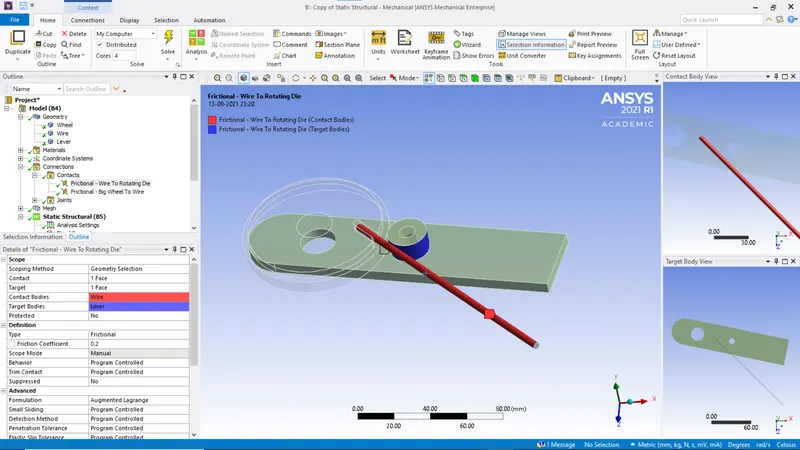
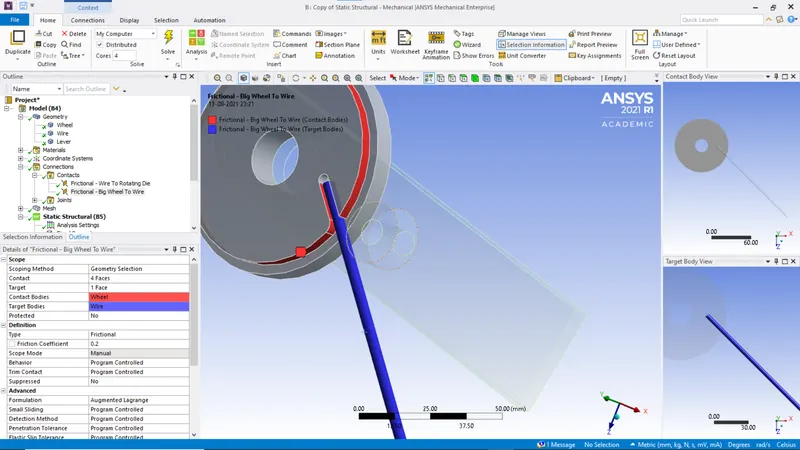
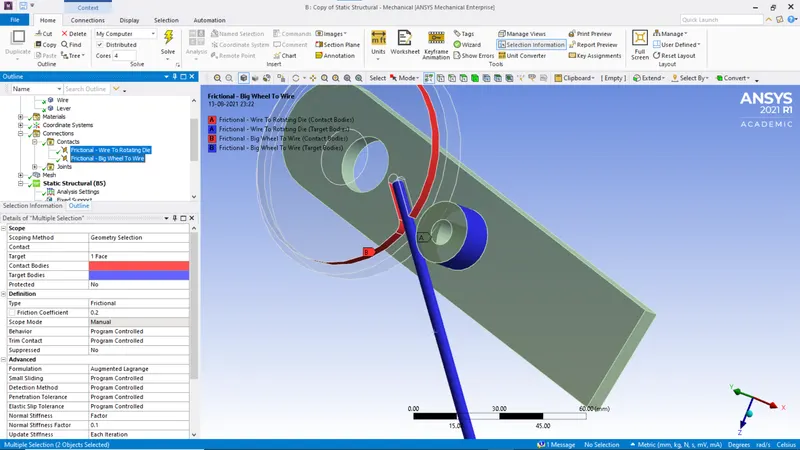
7. Select both contacts and give the proper values and details.
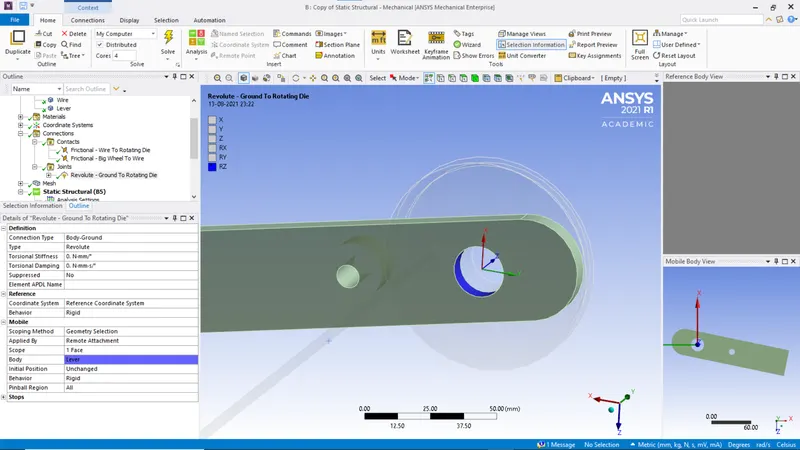
8. Assign revolute joint to the geometry
9. Assign a new co-ordinate system according to the follwing image.
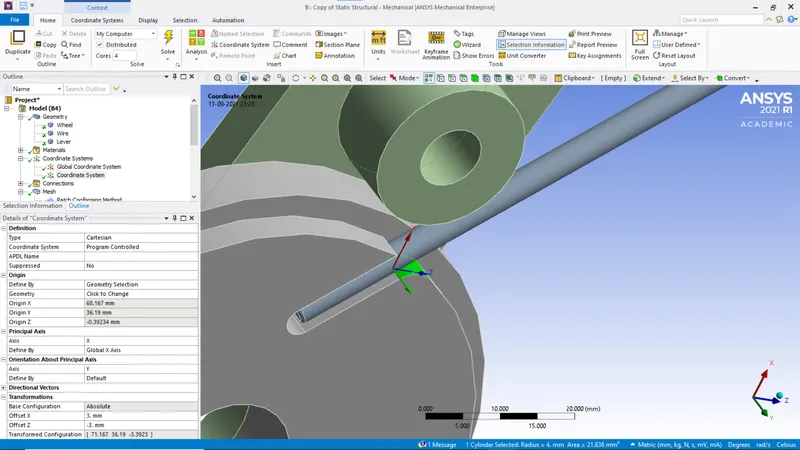
10. Mesh the geometry. Add tetrahedron mesh method to all the bodies.
11. Assign following mesh to the following components.
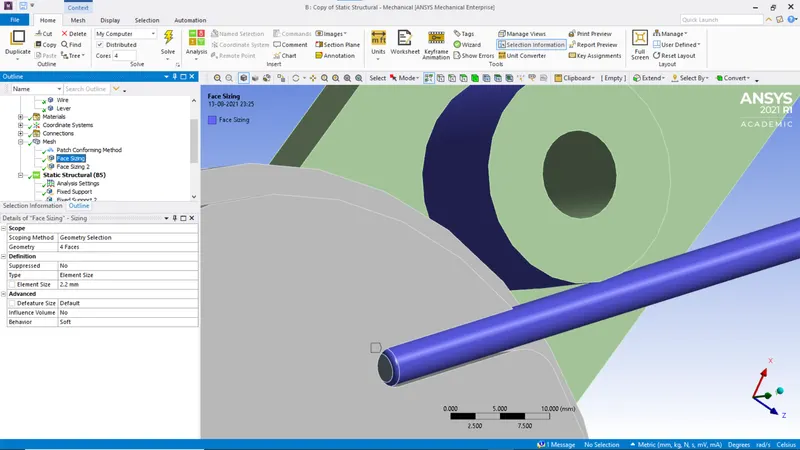
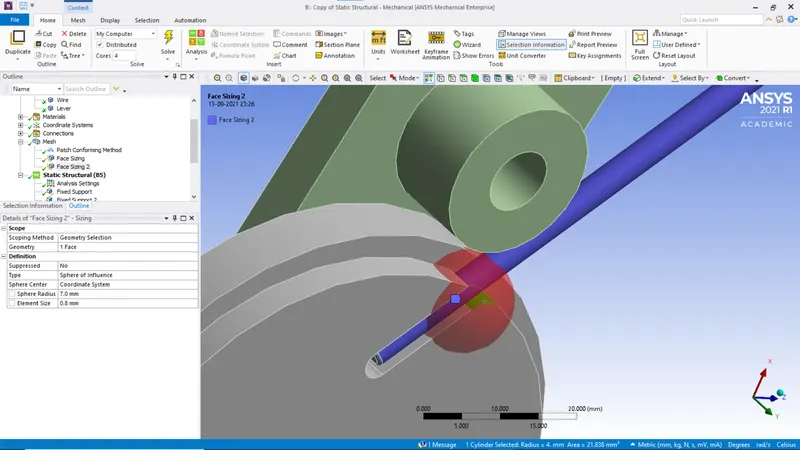
Create a mesh type sphere of influence around the new coordinate system.
12. Select the settings for Analysis settings. Assign the value 8 to the number of setps.
Select the first step and enter the following details
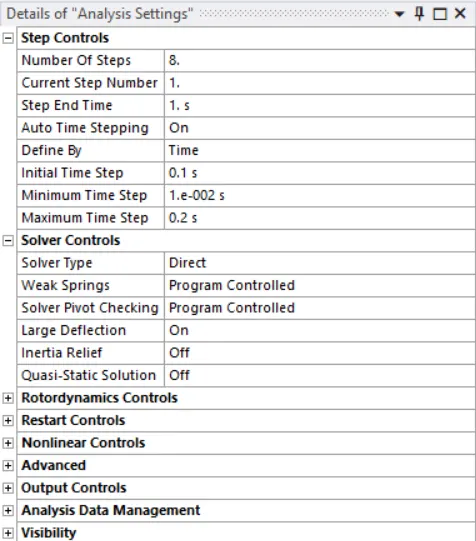
Select steps 2 to 8 and enter the following details
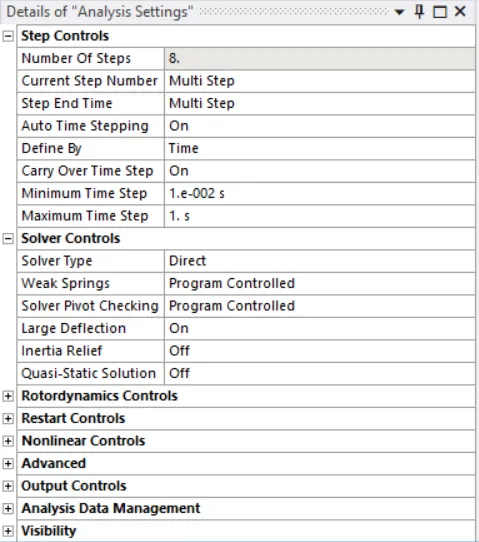
13. Follow the steps in the image.
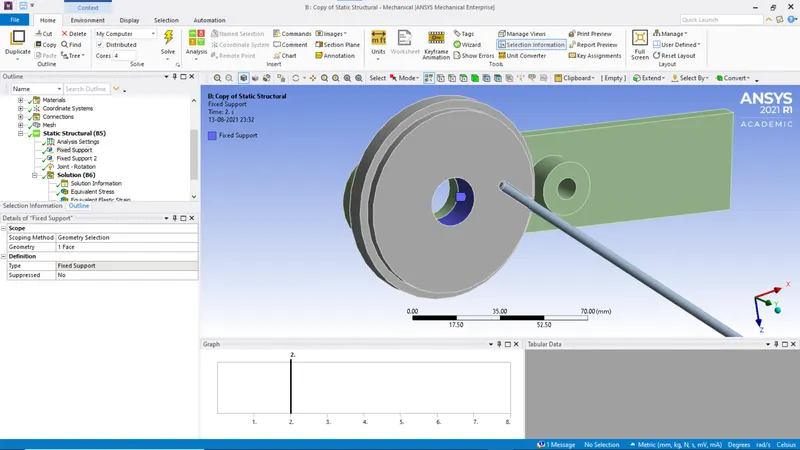
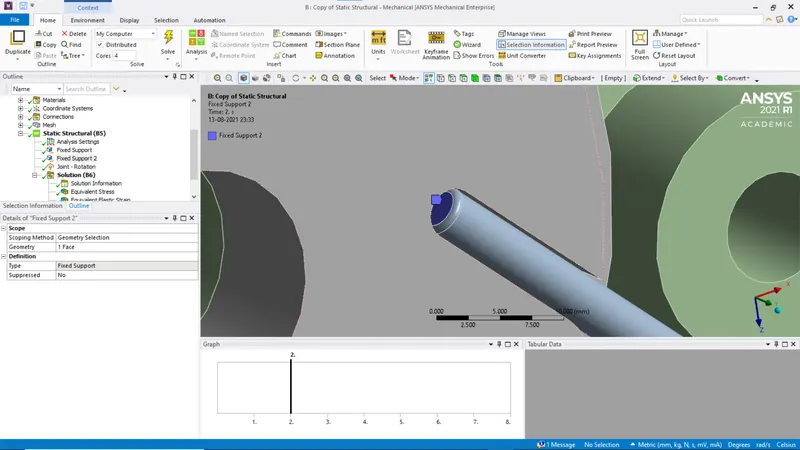
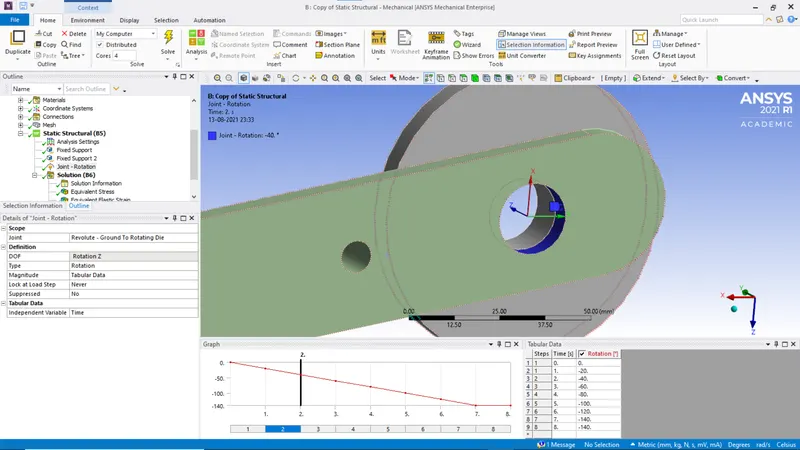
14. Select the required results in solutions.
15. Run the simulation.
Results
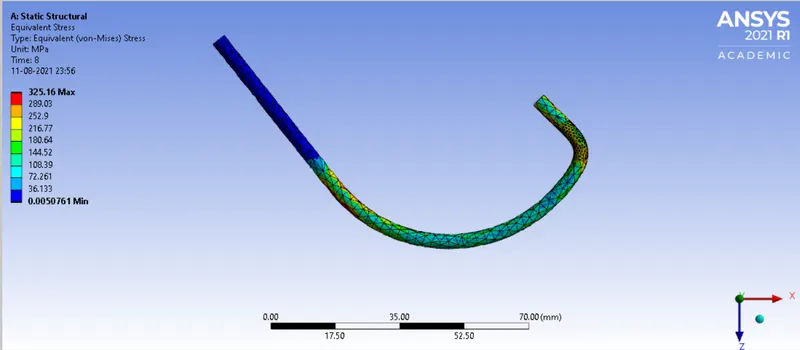
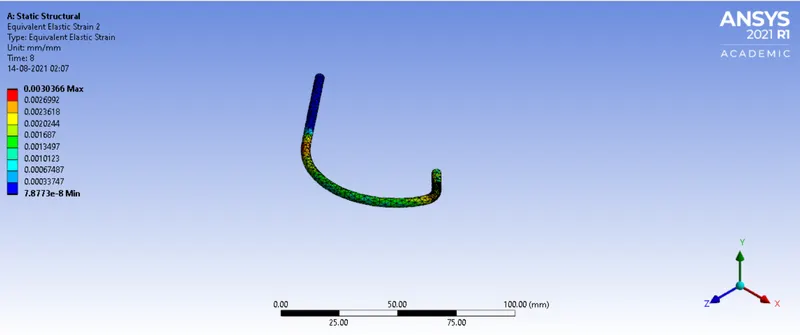
(a) Copper Alloy
Stress
Strain
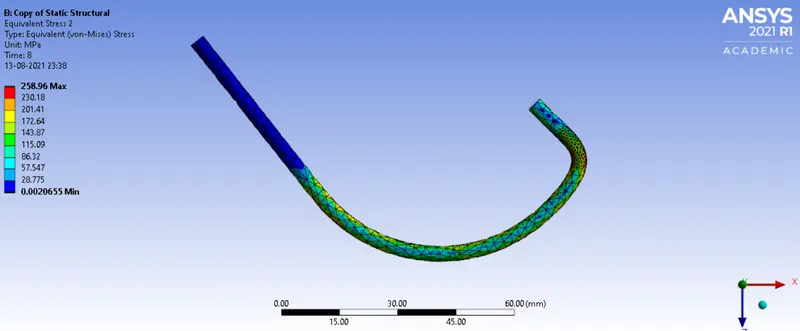
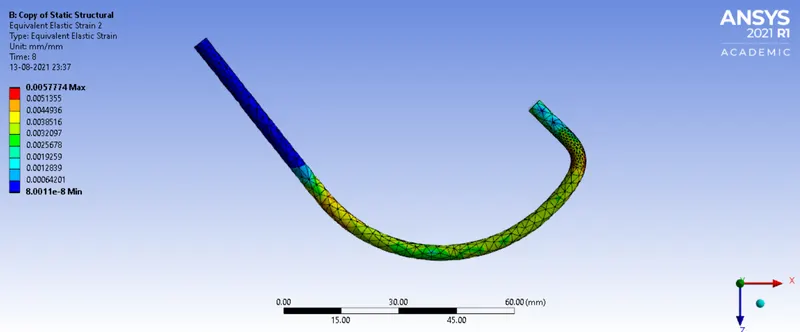
(b) Magnesium Alloy
Stress
Strain
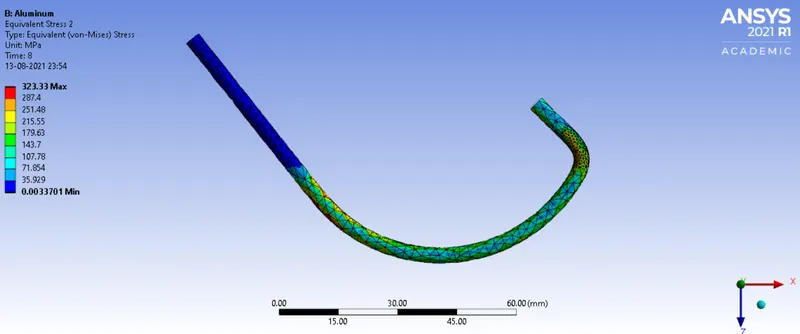
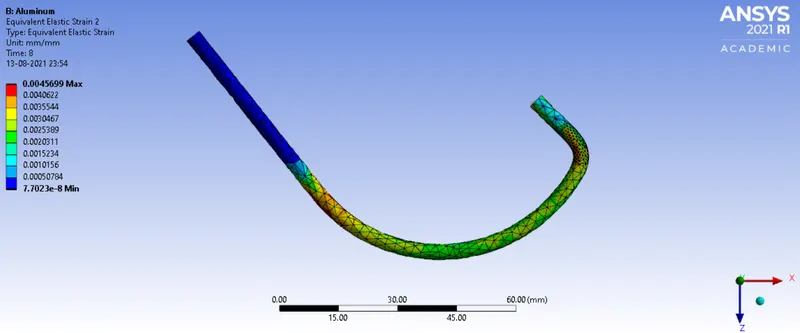
(c) Aluminum
Stress
Strain
Observation
|
Stress (min/max) MPa |
Strain (min/max) |
|
| Copper | 0.0056761/325.16 | 7.8733e-8/0.0030366 |
| Magnesium | 0.0020655/258.96 | 8.0011e-8/0.0057774 |
| Aluminum | 0.0033701/323.33 | 7.7023e-8/0.0045699 |