Week 4- Rolling operation
AIM: The aim of this week challenge is to perform a rolling operation of copper bar between two rolling wheels. This analysis is performed and their stress and strain plots are explained based on the result.
PROCEDURE:
step 1: Open the ansys workbench module and select the static structural analysis.
step 2: right click the geomentry tab and select import geomentry --> browse --> select the file --> open.
step 3: Now open the geomentry in spaceclaim module.Using the pull option increase the length of the workpiece by 60mm and decrease its size on both sides by 8mm.
step 4: After doing the changes to the geomentry, open the geomentry in mechanical modeller.
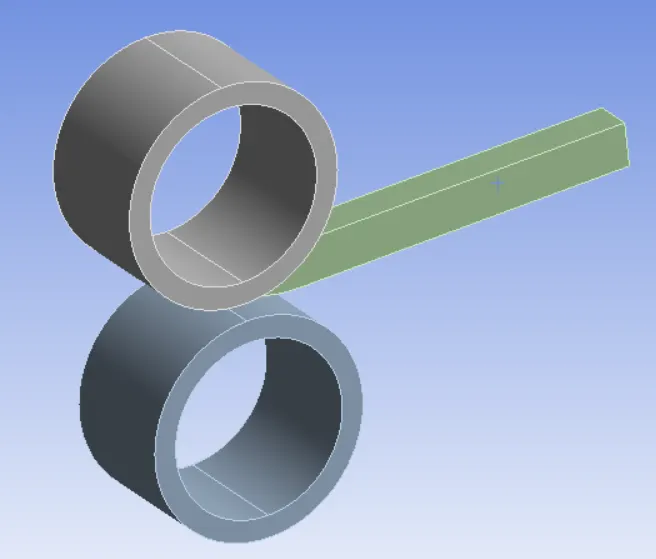
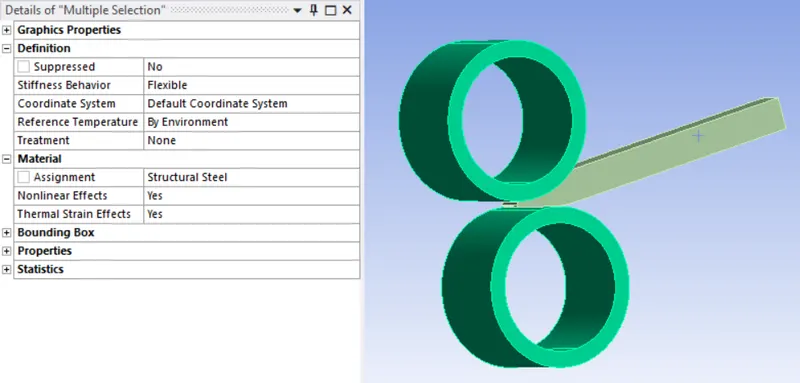
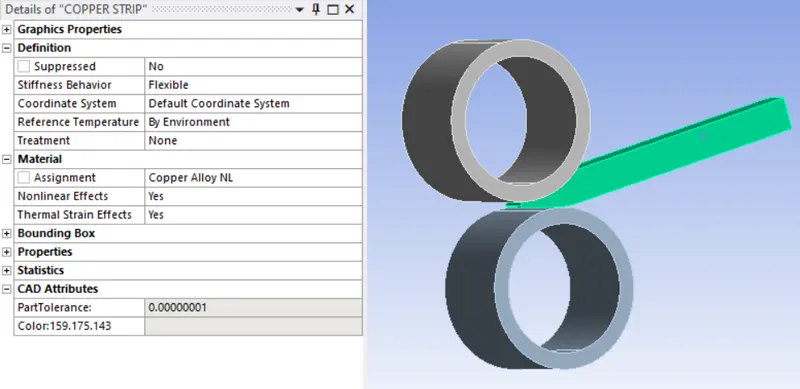
step 5: Now assign the material structural steel for both the wheels and copper alloy for the bar.
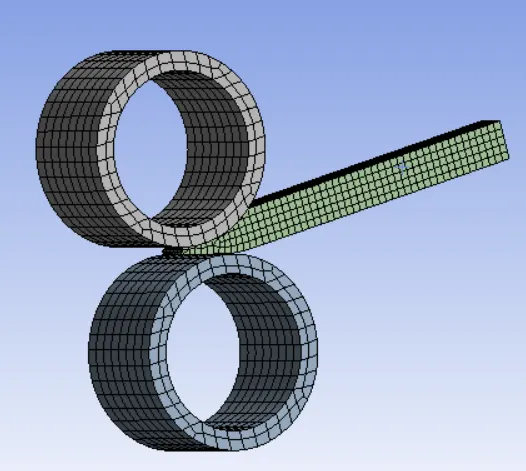
step 6: Now include a body sizing for the wheel with 4mm and a body sizing for the bar with 2mm.
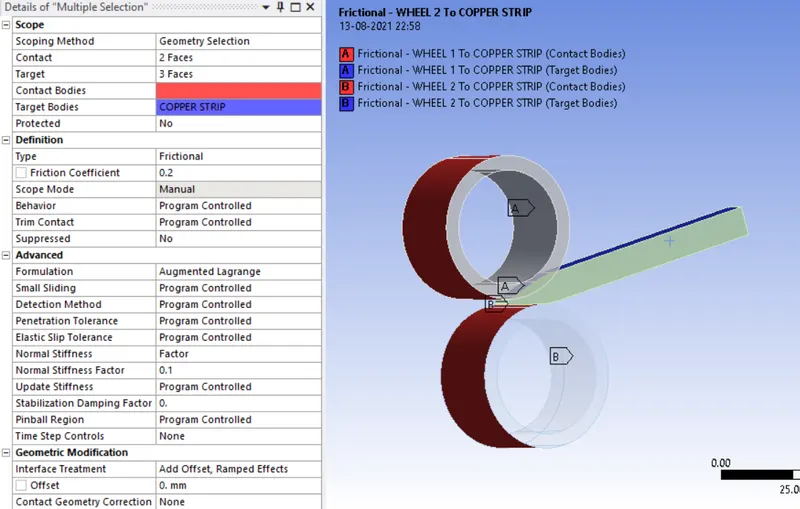
step 7: Now create the contact between the roller wheel and the copper bar.
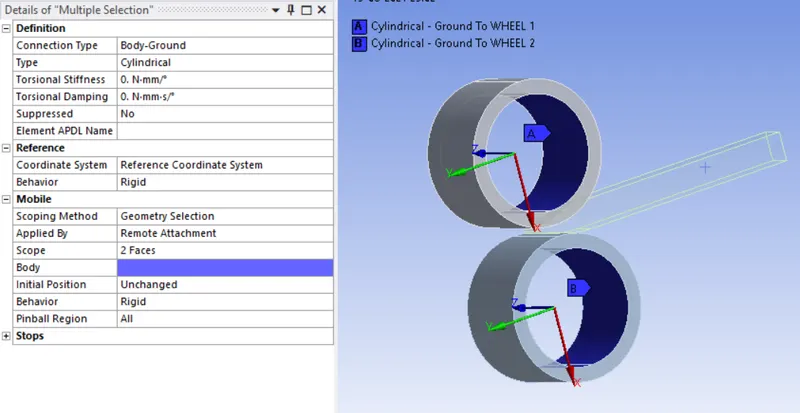
step 8: Now create a cylindrical joint for both the wheel.
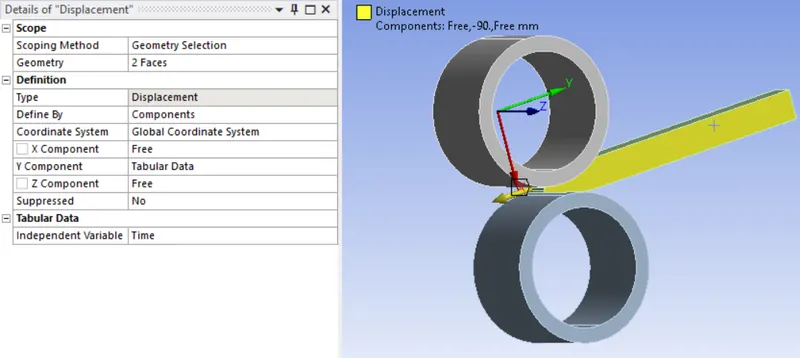
step 9:Now apply the boundary condition for the parts.Apply the displacement of about 90mm for the copper bay
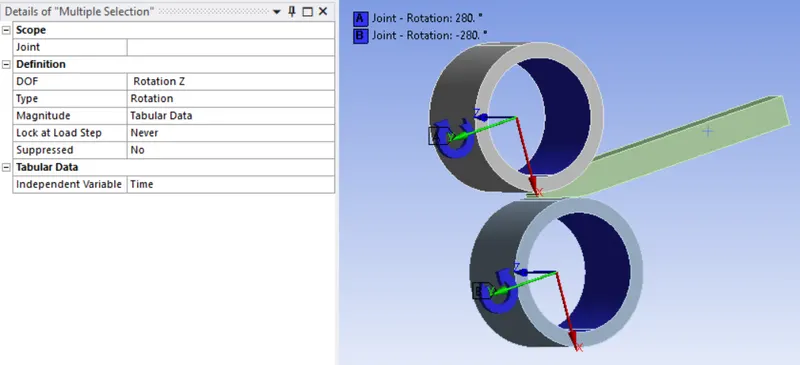
apply the joint loads on both the rotating wheels.
step 10: Now change the required analysis settings
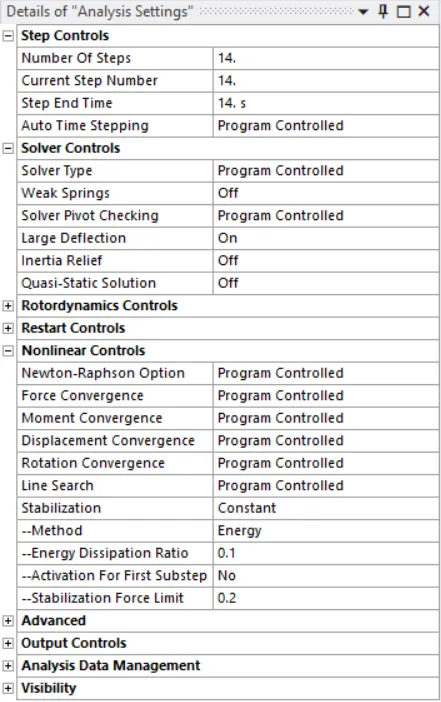
step 11: Now run the simulation.
step 12: Now include the total deformation,Equivalent stress and strain in output files.
step 13: Now change the material of the sheet and run the simulation
Step 14: Compare the result plot and give a detailed explanation.
OUTPUT REQUEST:
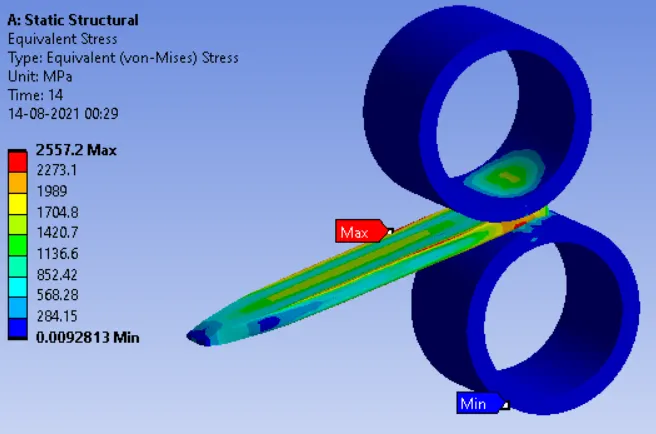
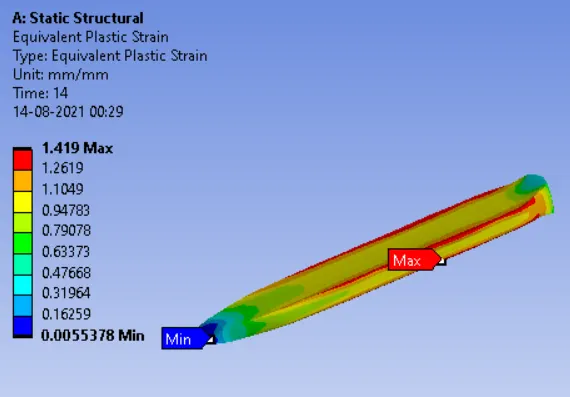
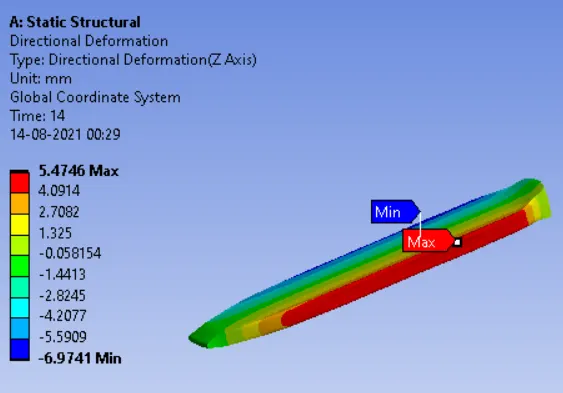
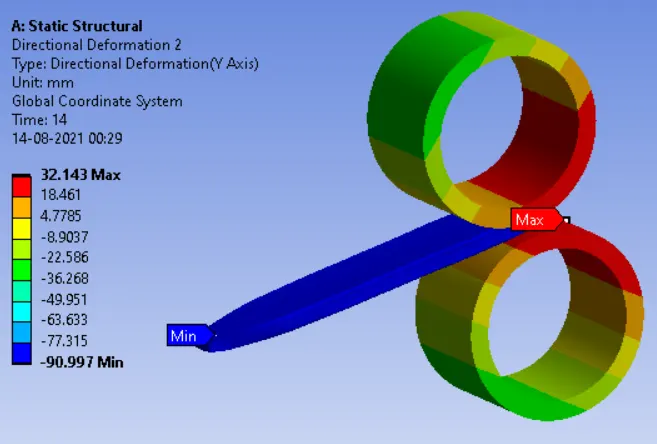
CONCLUSION:
Based on the result, on seeing the deformation plots in y-direction you can see that the plate is moved about 90mm in y-axis.The lateral strain plots show that the plat has deformed in lateral direction to about 12mm on both sides.The maximum stress on the plate is 2557.2 Mpa