Week 4- Rolling operation
Aim:
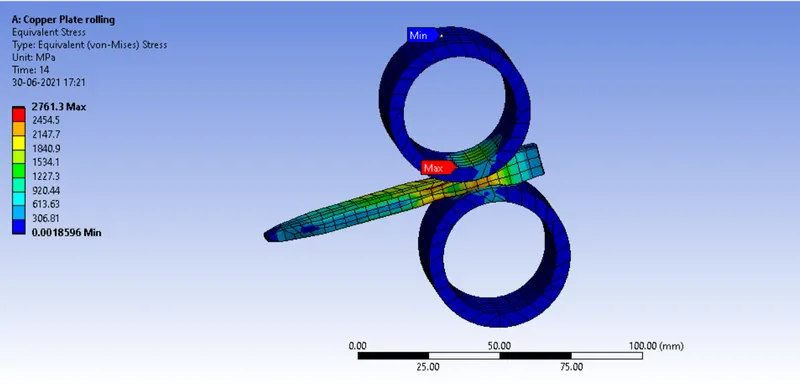
- Equivalent stress for the whole setup
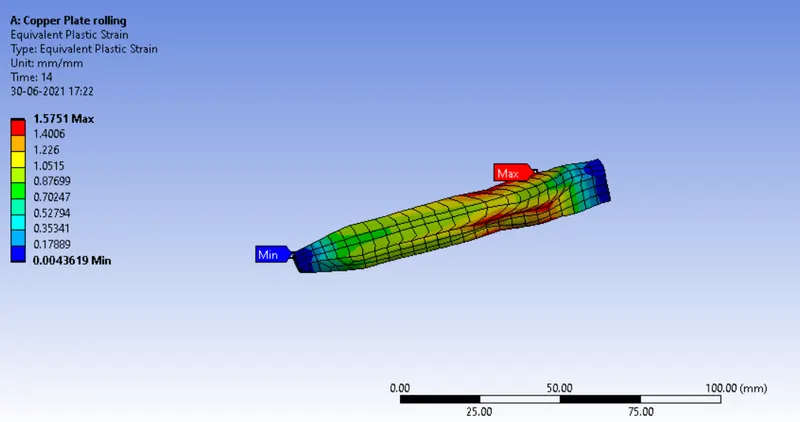
- Equivalent Plastic strain for the workpiece
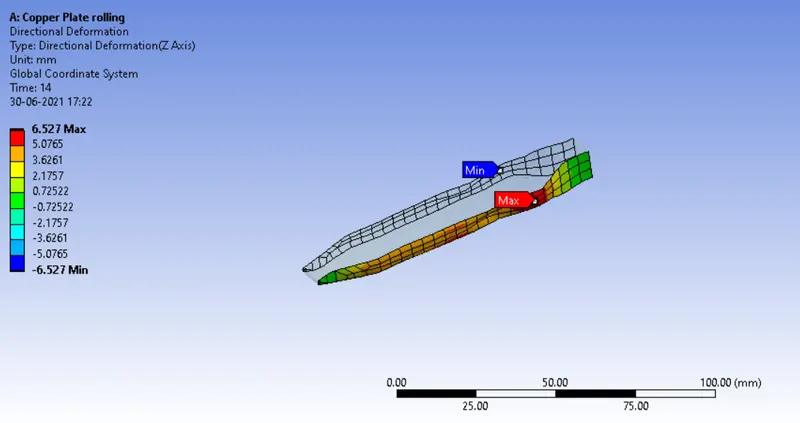
- Directional Deformation in the Z axis for the workpiece
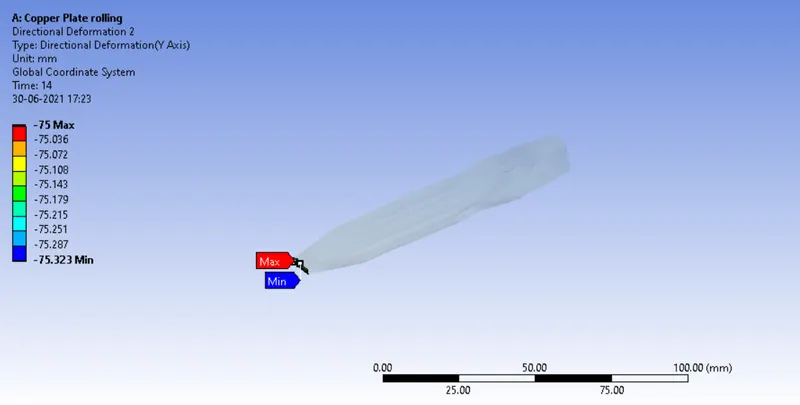
- Prove that the workpiece has displaced by 90mm
Procedure :
- In material library select the material from General Nonlinear material list Copper Alloy NL. This material will be used for Workpiece.
- Now Import the model in Mechanical module and open it in Space Claim module for modification.
- Use pull command to increase the length of workpiece by 60mm and decrease the width by 8 mm from both sides.
- For model setup Rename all the parts and assign Structural steel material to rollers and Copper Alloy NL to workpiece.
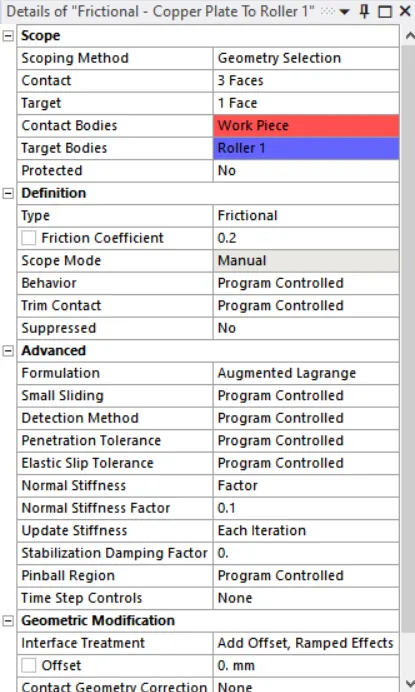
- Go to the connections after selection rename it based on Definitions. Assign the contact type to be frictional with coefficient 0.2. Use below shown settings.
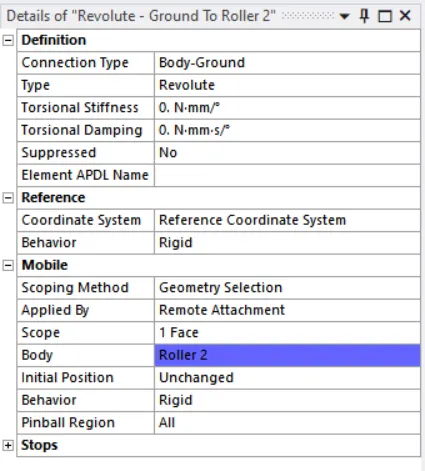
- Now form joints with revolute type. Use below settings.
- Do normal mesh for entire assembly instead of workpiece. Here we will refine the mesh on workpiece using body sizing option with 4mm element size for mesh.
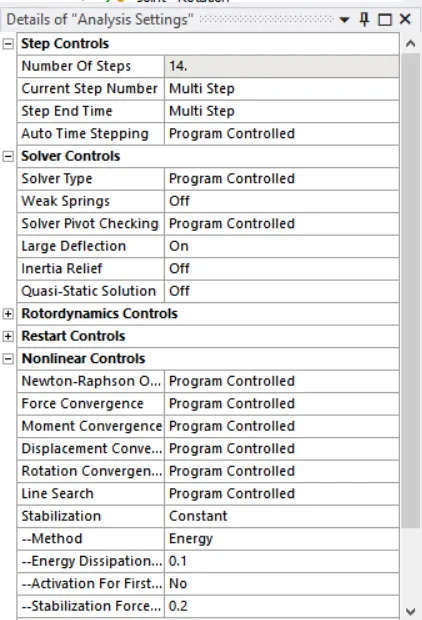
- Now we are using 14 steps in analysis settings.
- Now insert Displacement for the workpiece with tabular components upto 90mm displacement. Increase the values gradually in small values.
- Insert joint rotation for both rollers in opposite direction of rotation with reference to the axis. Increase the angle of rotation gradually and keep same angles in opposite directions.
Results:
- Equivalent Stress on Model:
- Equivalent Strain on workpiece:
- Directional Deformation of workpiece:
- Displacement of workpiece from start point :