Week 4- Rolling operation
Aim-
For this project, we will have to simulate the rolling operation on a workpiece made of copper using static structural.
Objective-
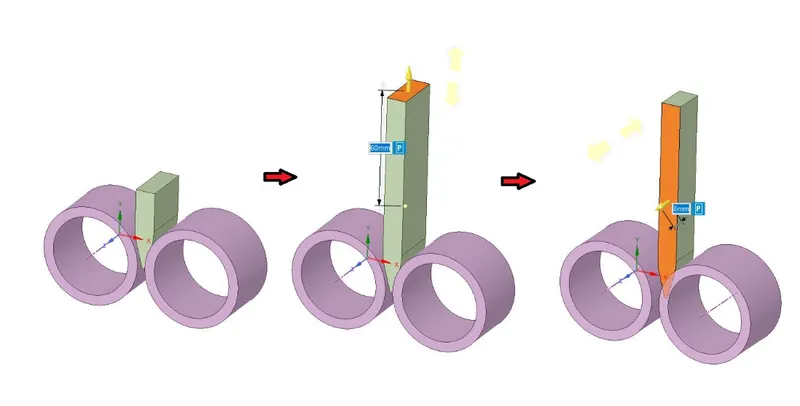
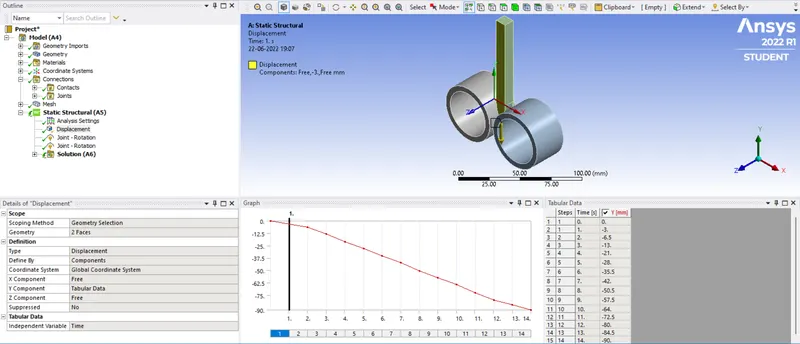
For the given model. We have to increase the length of the workpiece by 60mm and decrease its size on both sides by 8mm. We have to Run the simulation for 14 steps and you can give small but random values for the displacement. Ensure that the edge of the workpiece is displaced by 90mm.
To find out the,
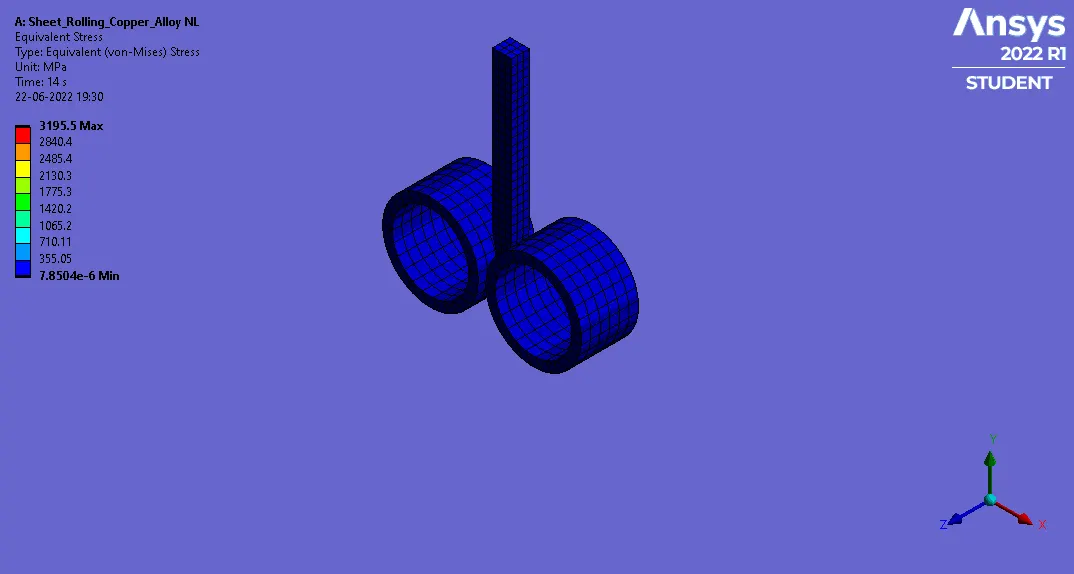
- Equivalent stress for the whole setup.
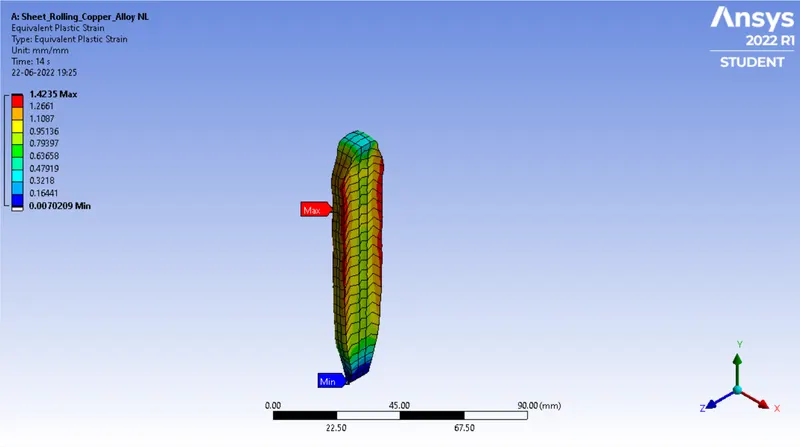
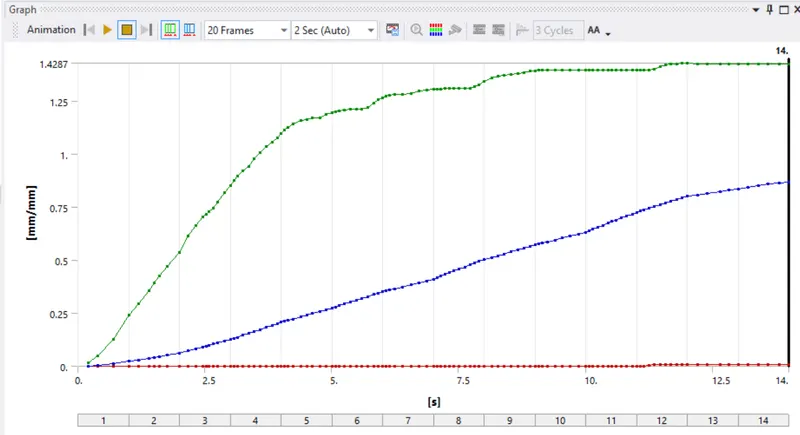
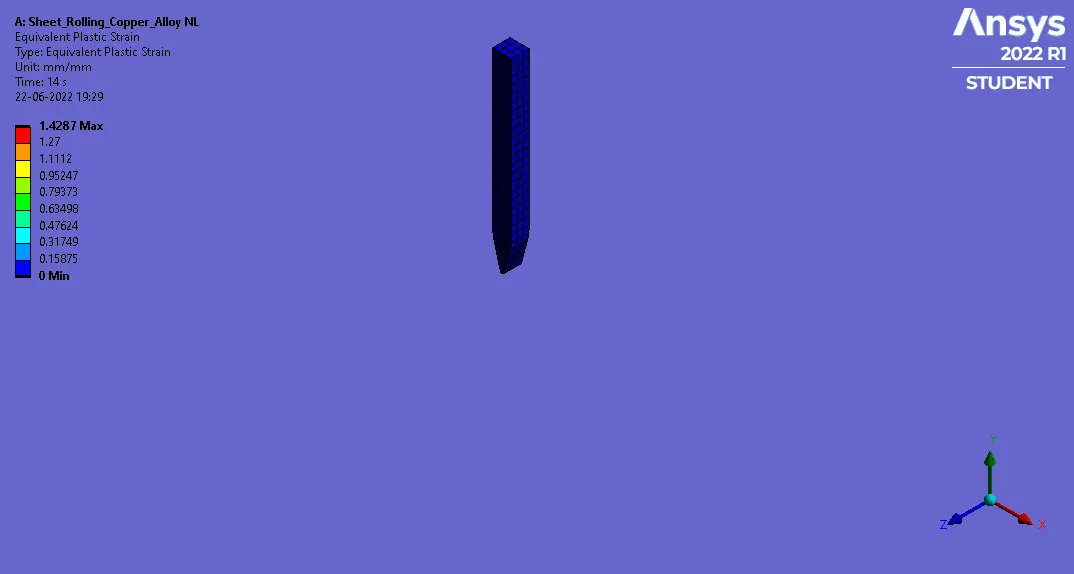
- Equivalent Plastic strain for the workpiece.
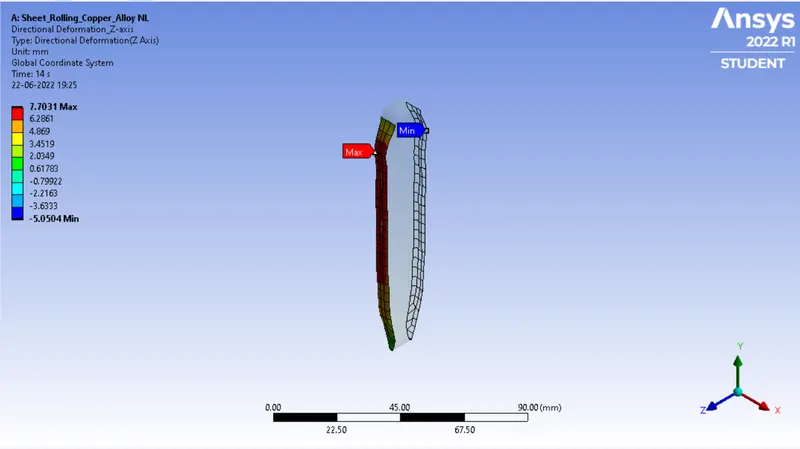
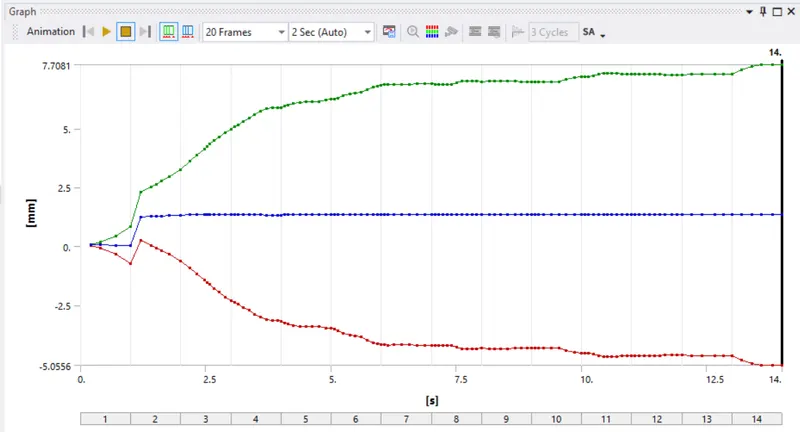
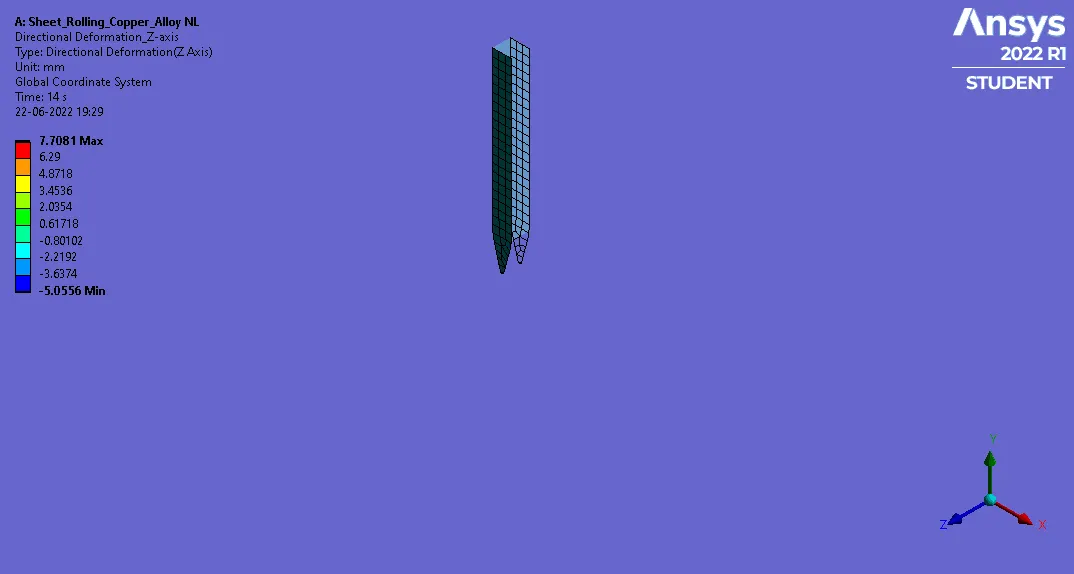
- Directional Deformation in the Z axis for the workpiece.
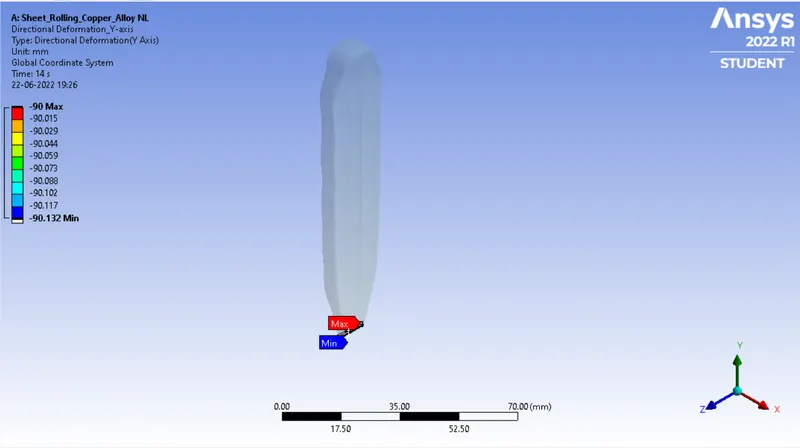
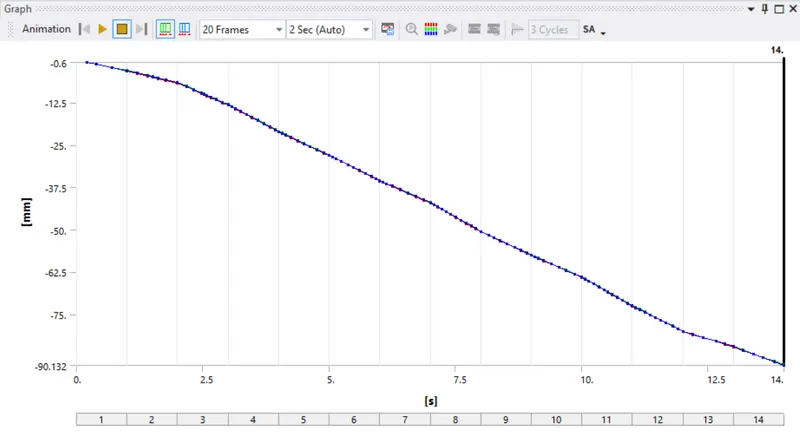
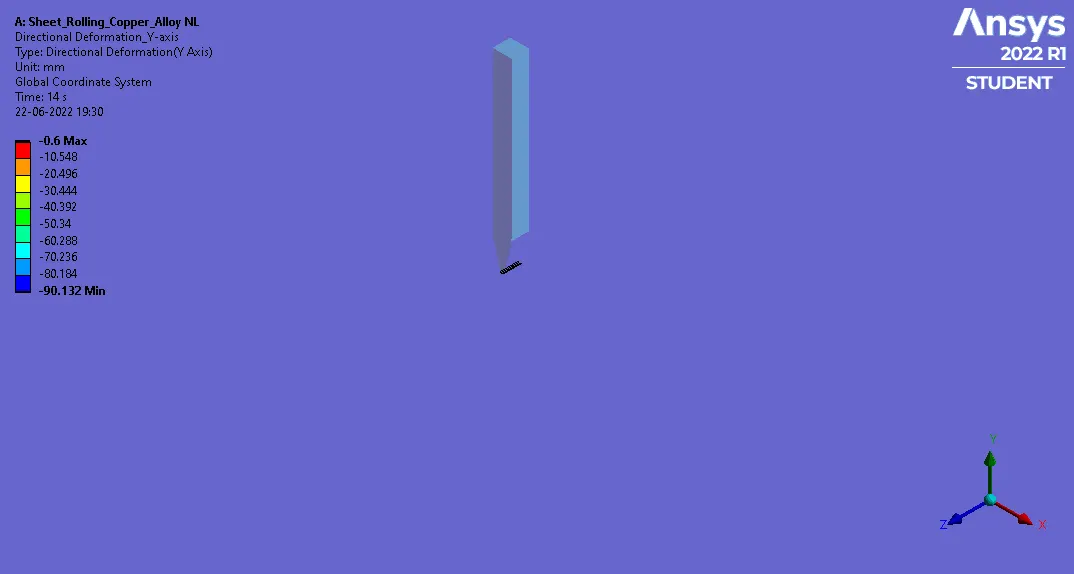
- Prove that the workpiece has displaced by 90mm in Y axis.
Procedure-
- We have to first start as new project in the ansys workbench and select the proper material for the weld joint plate.
- Here material has been specified in the project so we will select materials as per case.
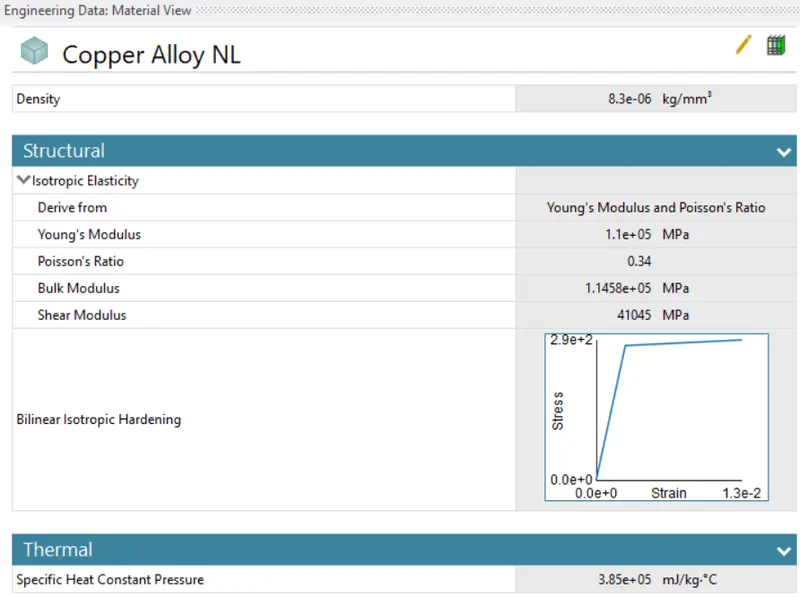
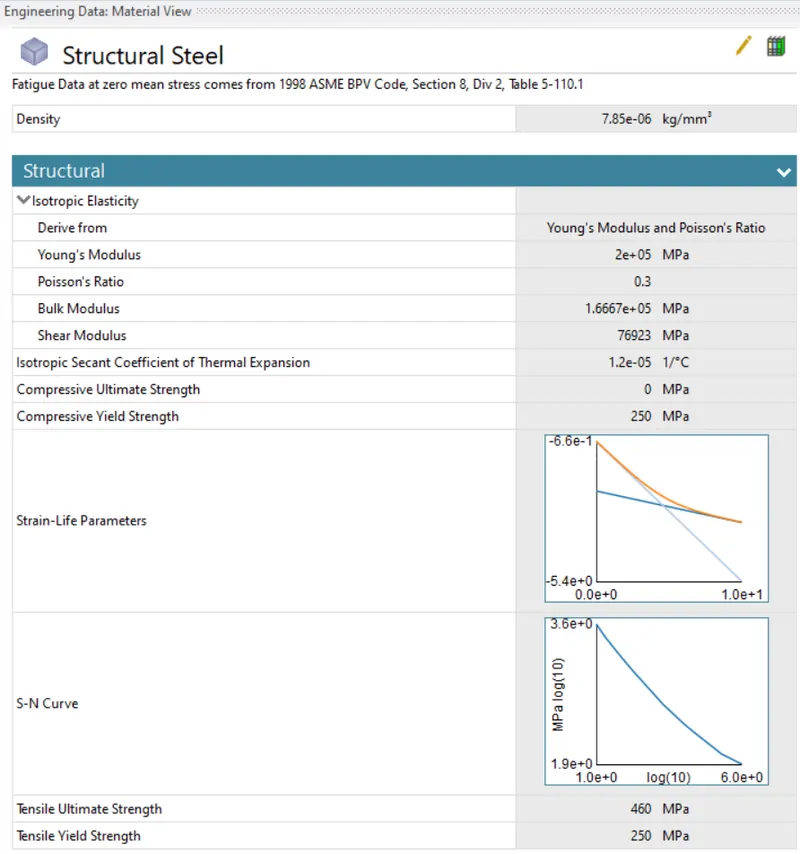
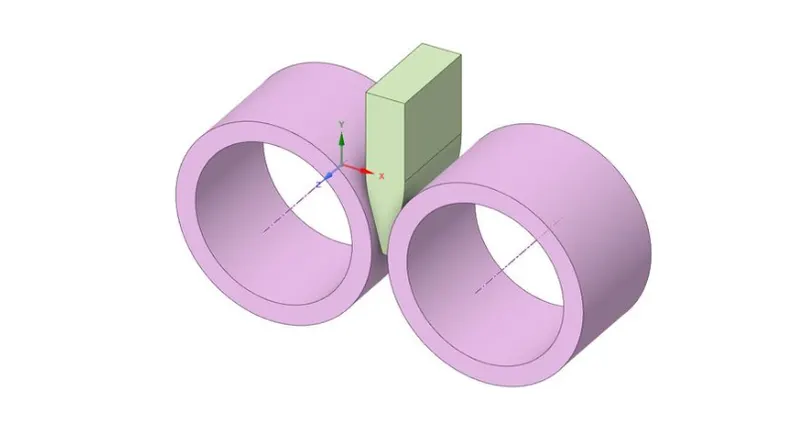
- Now we have to import the model for that right click on the geometry tab and hit import>>then select the file from saved location and hit ok.
- Now we have to increase length by 60mm and to decrease thickness by 8mm.
- Now we have to open mechanical Model and wait for a while till our model loads.
- For wire select material as copper alloy NL.
- We have to now remane the parts name and the proceed further for connections.
Connections-
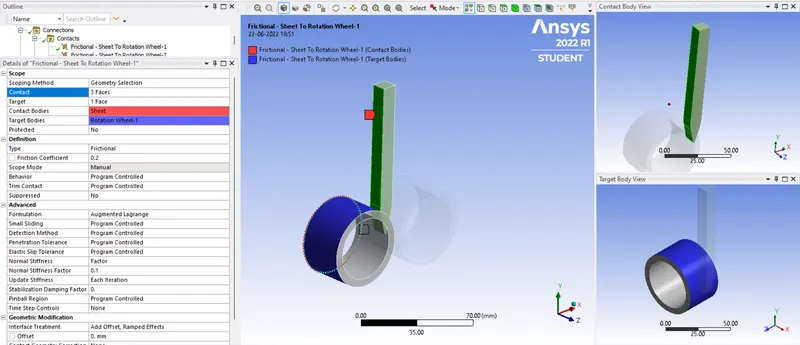
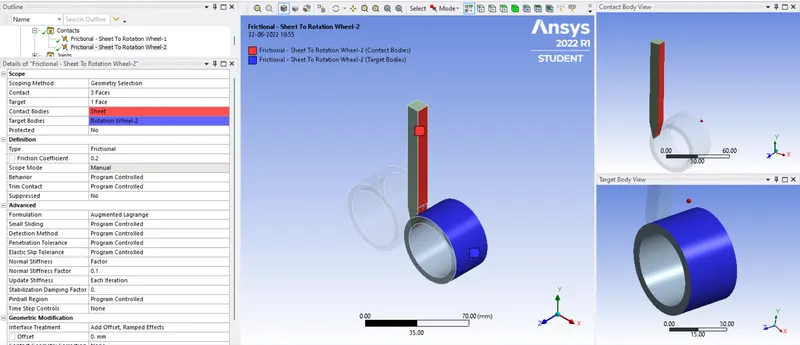
- We have to first flip the connections and then right click on connection and select rename based on connection.
- Now for first pair refer the below snap.
- For Second pair select the second roller and refer below snap.
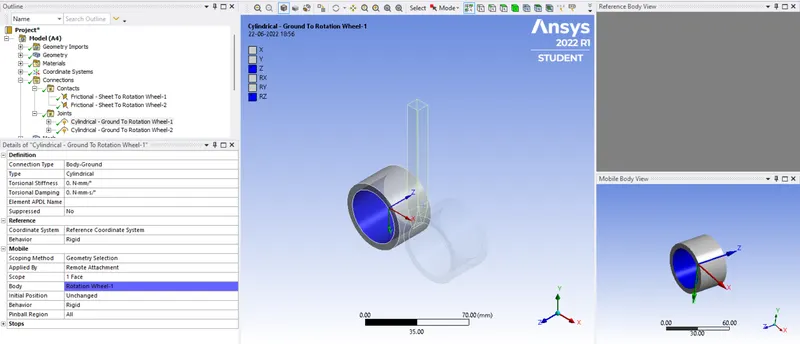
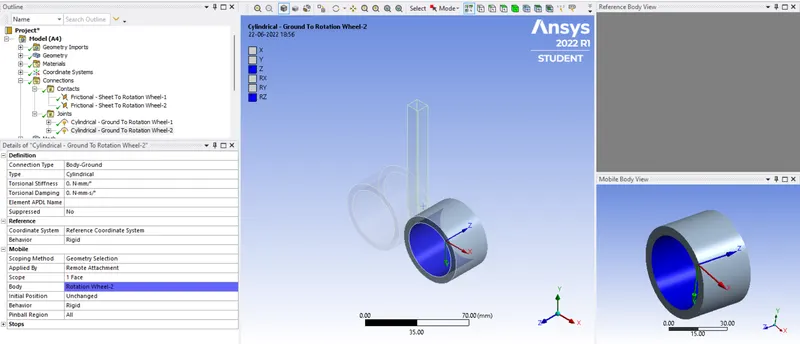
- Now for rollers we have to define the cylindrical joint to both of them.
Mesh-
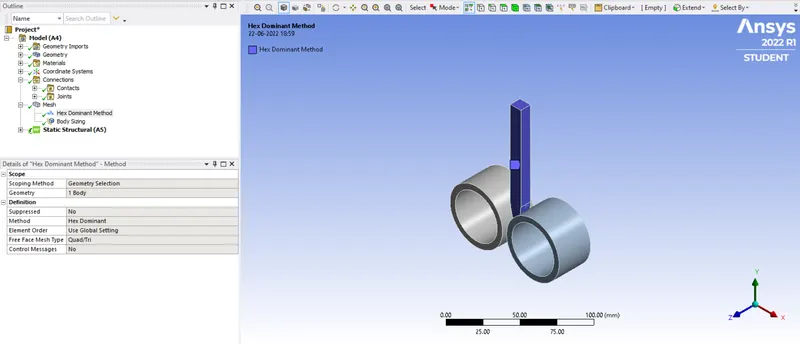
- For meshing first we create the patch method to it, to do so right click on mesh>>insert>>method>>select all components and in type select hex dominent, select sheet.
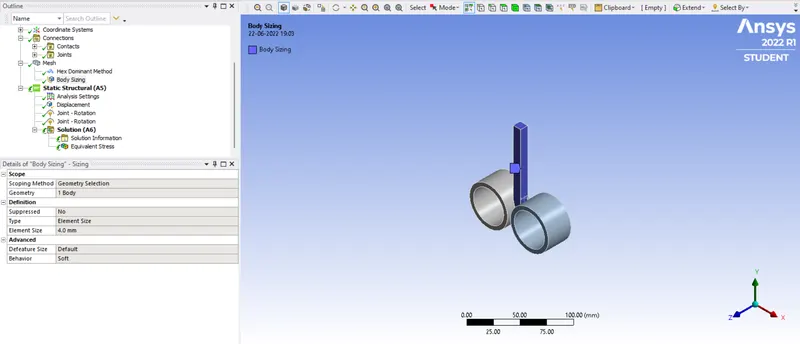
- For sheet we have to Define the size meshing, right click on mesh>>insert>>sizing, refer below snap for reference.
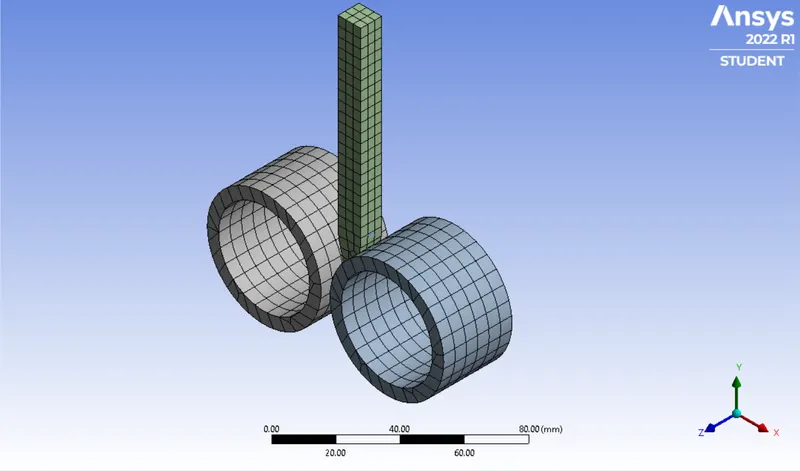
- Final Mesh we be,
Analysis setting-
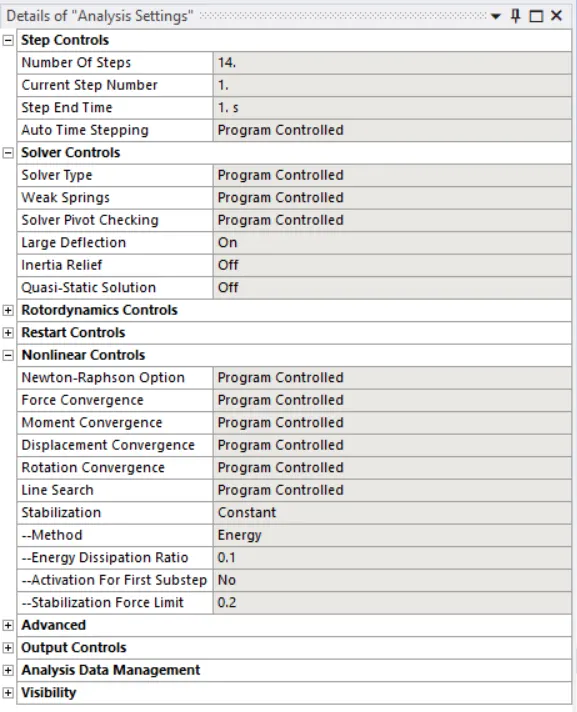
- Go to analysis setting and set number of set as 14 and refer below setting.
- For Sheet we have to provide dispacement for the sheet in negative Y-direction, refer below snap.
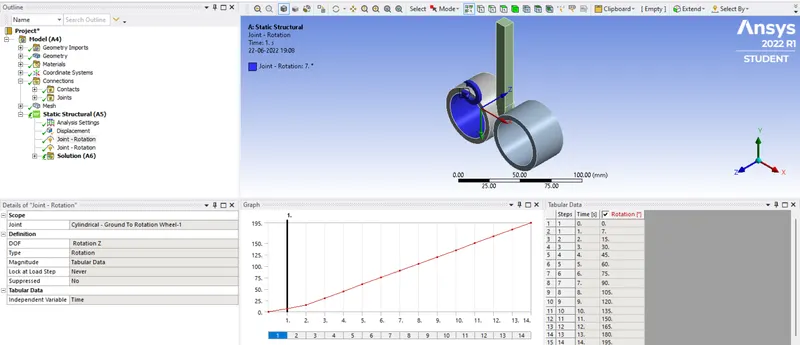
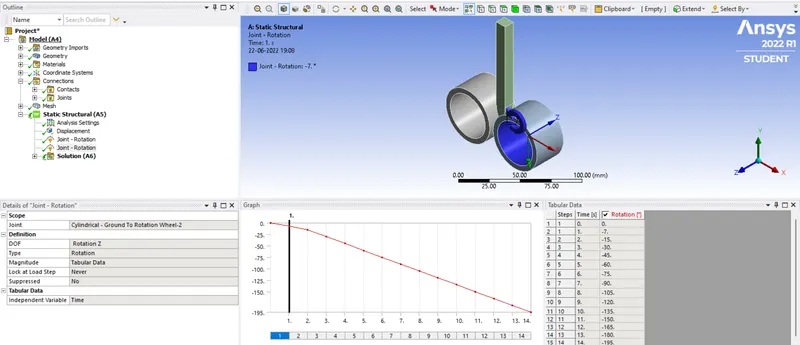
- For rollers we have to give joint loads in rotational in Z-axis. both rollers should rotate in opposite direction.
Solution-
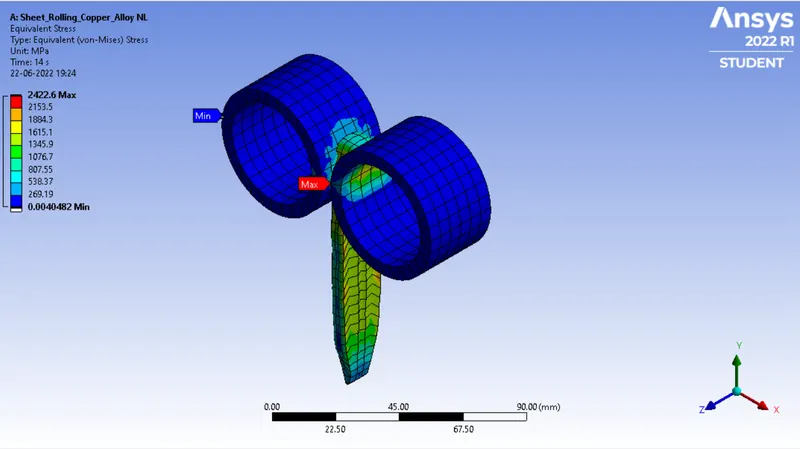
- Now for stress right click on the solution>>insert>>stresses>>equivalent (von-Mises).
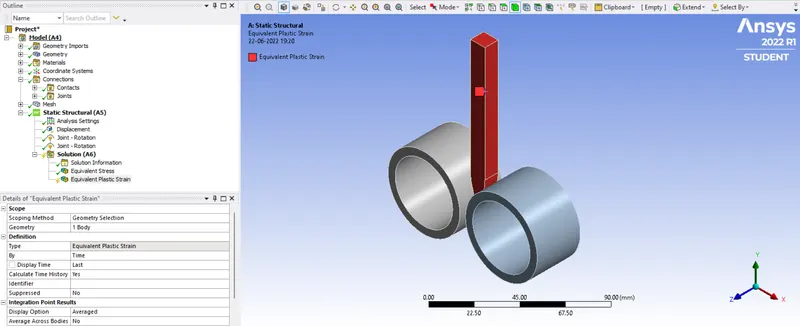
- Now for strain right click on the solution>>insert>>strains>>equivalent plastic strain(for sheet alone).
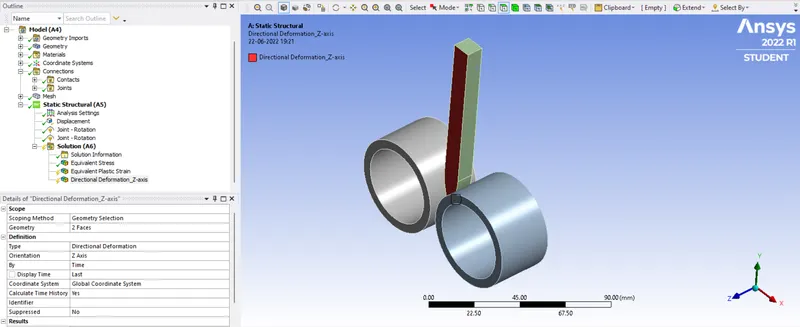
- Now for deformation right click on the solution>>insert>>deformation>>directional (in Z-axis) (for sheet alone).
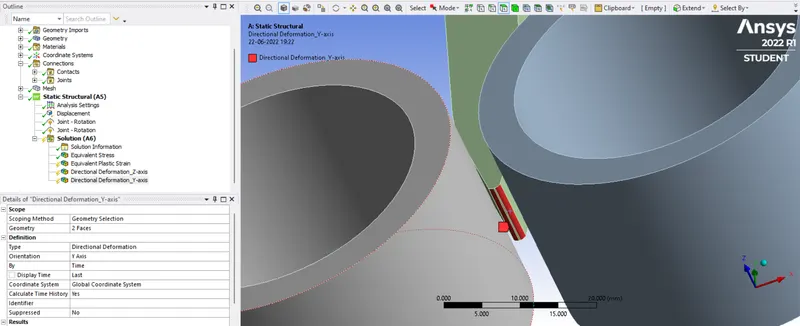
- Now for deformation right click on the solution>>insert>>deformation>>directional (in Y-axis) (for sheet alone).
Result-
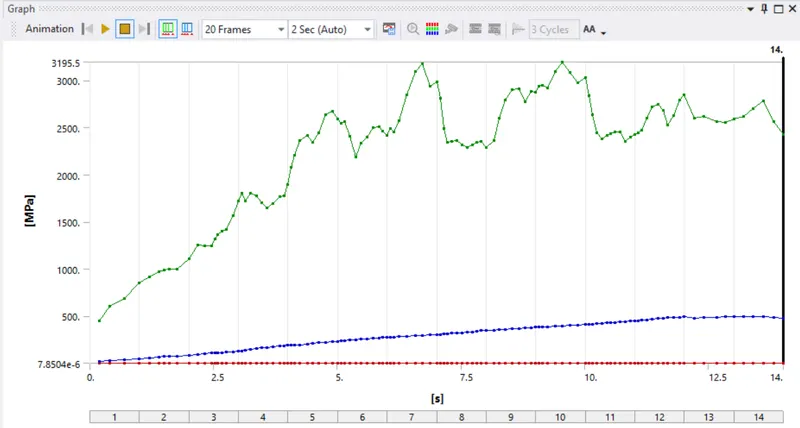
1. Equivalent Stress-
2. Equivalent Plastic Strain (For sheet only)-
3. Directional Deformation Along Z-Axis-
4. Directional Deformation Along Y-Axis-
Result Animations-
1. Equivalent Stress-
2. Equivalent Plastic Strain (For sheet only)-
3. Directional Deformation Along Z-Axis-
4. Directional Deformation Along Y-Axis-
Conclusion-
- We have successfully completed the structural analysis for copper sheet rolling and evaluated the required results.
- From this simulation we got to know about the importance of sheet rolling in metal forming and stresses and deforamtion study will help reduce defects in rolling machine design.