Week 4- Rolling operation
AIM:
To simulate the Rolling Operation for their total deformation,stress and strain using ansys workbench.
OBJECTIVES:
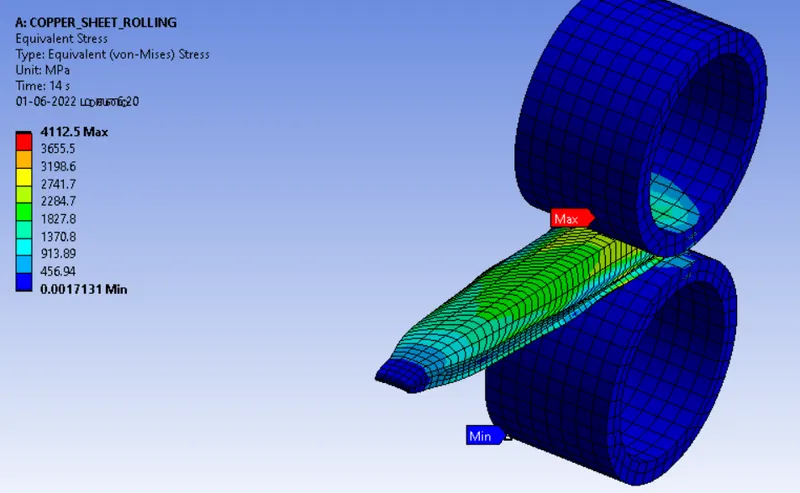
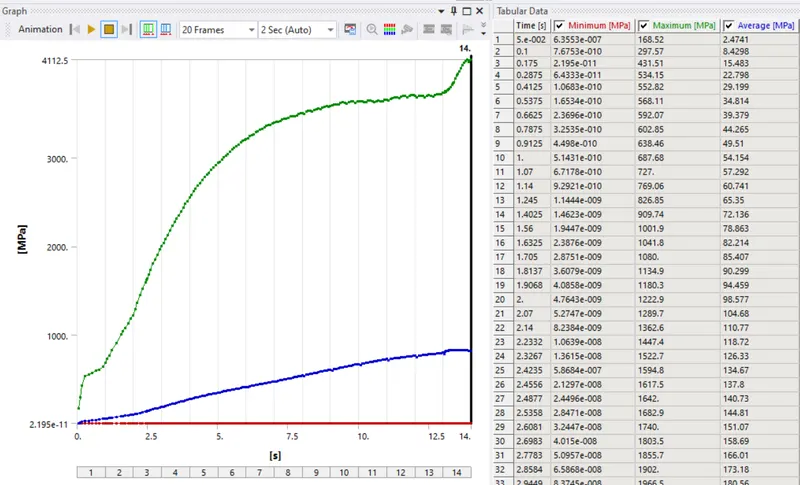
- Equivalent stress for the whole setup
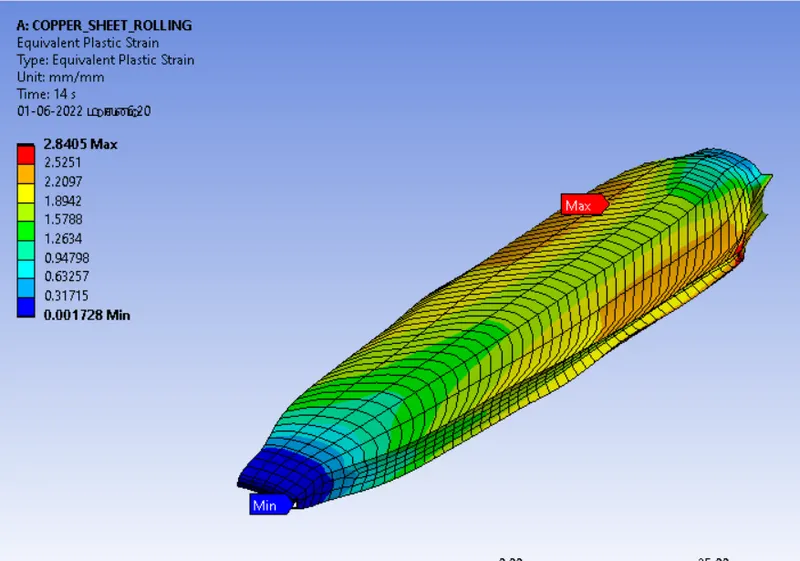
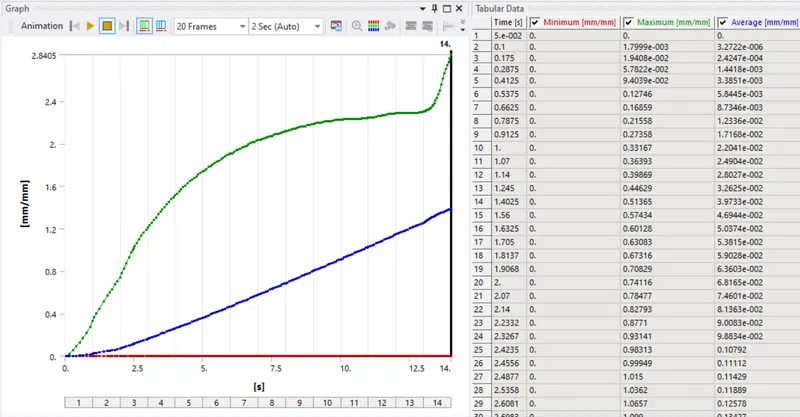
- Equivalent Plastic strain for the workpiece
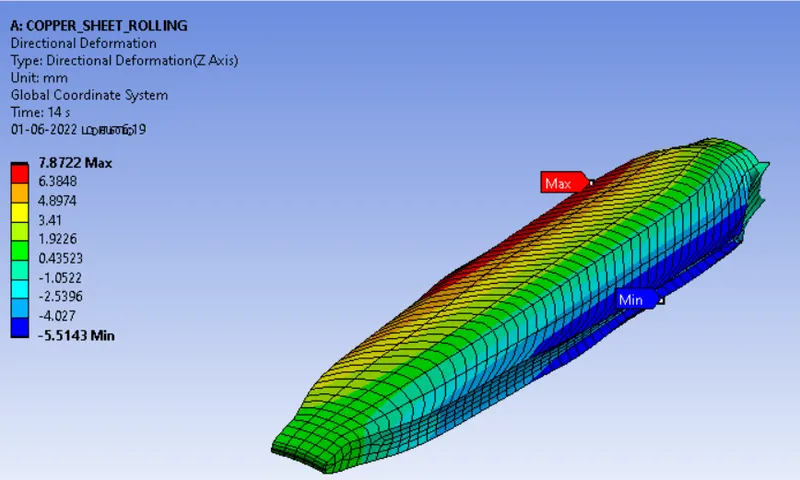
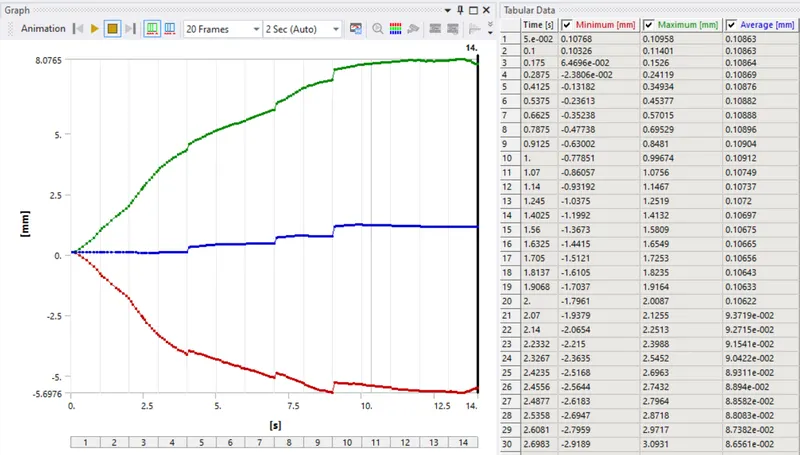
- Directional Deformation in the Z axis for the workpiece
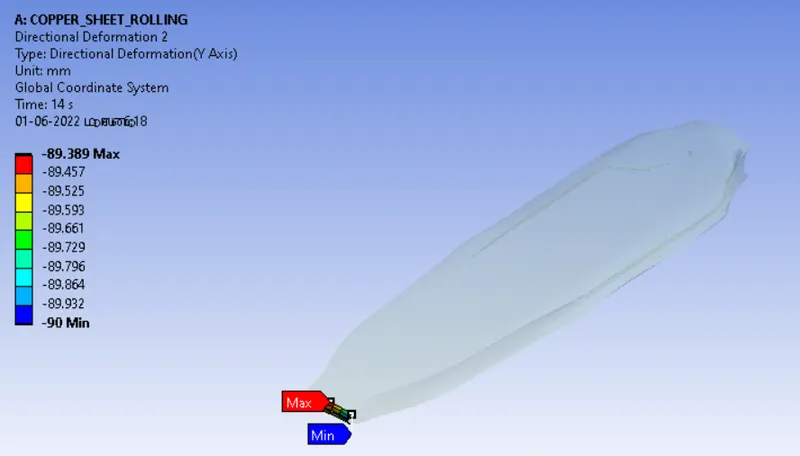
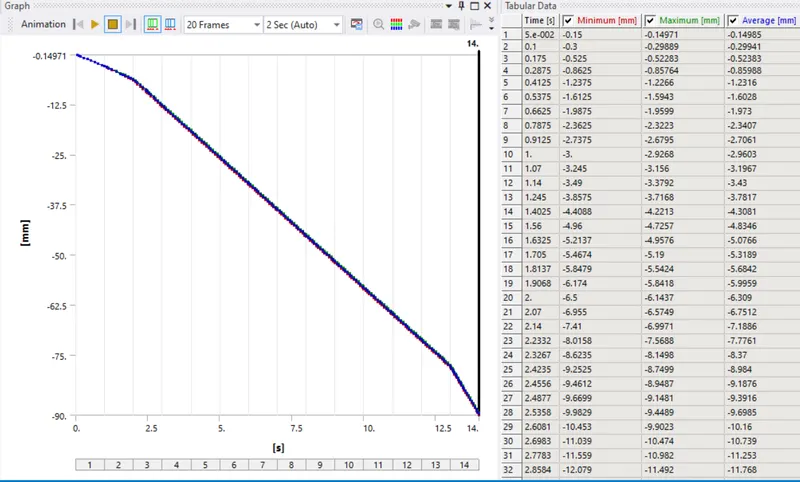
- Prove that the workpiece has displaced by 90mm
ROLLING OPERATION:
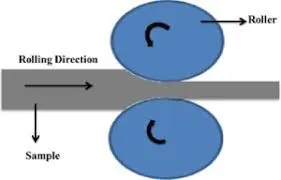
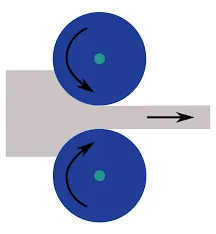
Rolling is the most widely used deformation process. It consists of passing metal between two rollers, which exert compressive stresses, reducing the metal thickness. Where simple shapes are to be made in large quantity, rolling is the most economical process.Rolling is a process used to shape metal into a thin long layer by passing it through a gap of two rollers rotating in different directions (clockwise and anti-clockwise). The gap between the two rollers is supposed to be smaller than the thickness of the working piece of material to be formed.By rolling, uniform dimensions of the components can be obtained. It uses the same tool in the sense, the same rollers are responsible for the production of various components. Close tolerance is possible for the components in the rolling. high-speed production takes place in the rolling.
PROCEDURES:
- Drop the static structural from the analysis settings.
- Allocate the required material from the engineering data.
- Then import the geometry, make some edit for the geometry, increase the length for workpiece is 60mm and reduce the thickness is 8mm. Then open the model.
Materials:
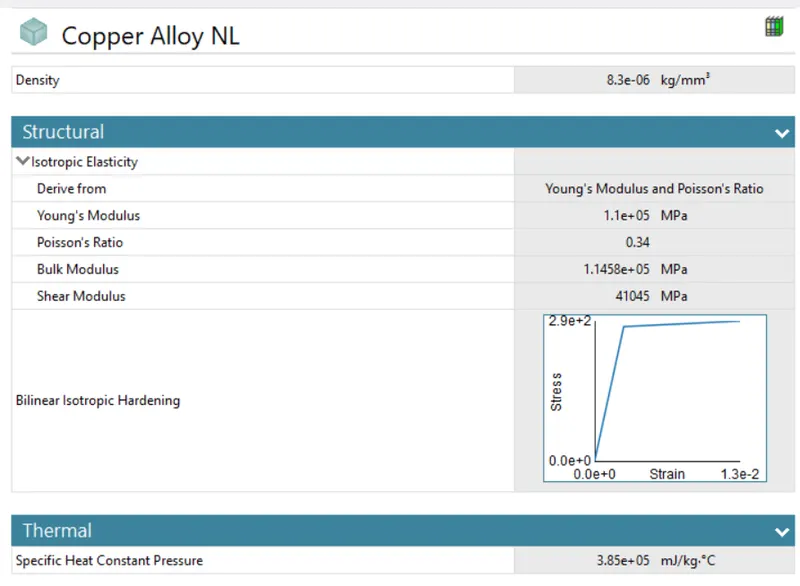
Copper alloy
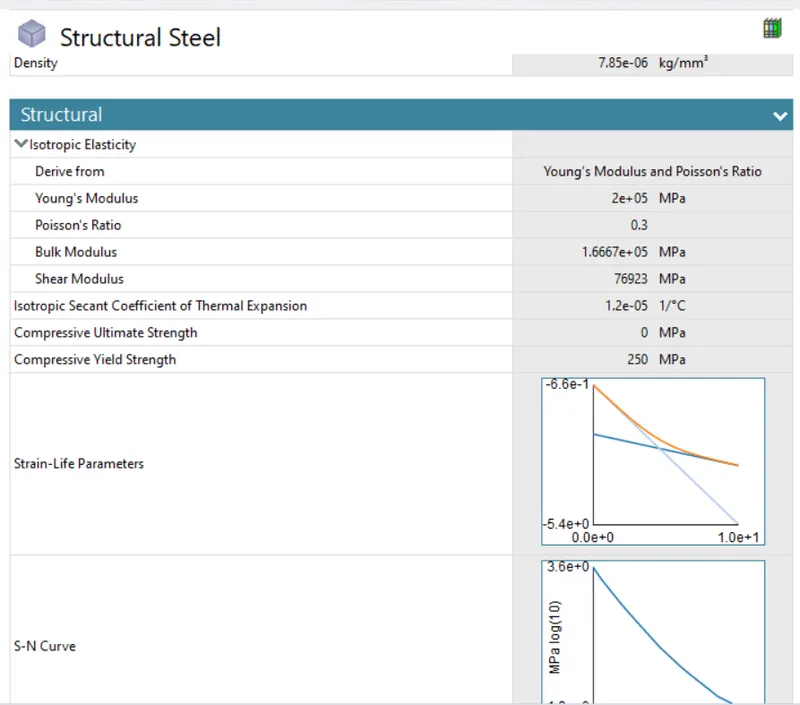
Structural steel
Geometry:
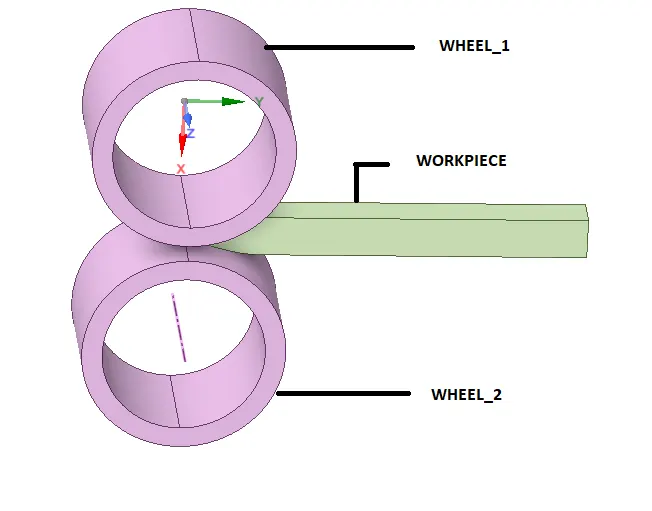
- First change the default name to WHEEL_1,WHEEL_2,WORKPIECE.
- Assign the selected material for WORKPIECE is - copper alloy NL ,WHEEL_1 and WHEEL_2 - structural steel.
Connections
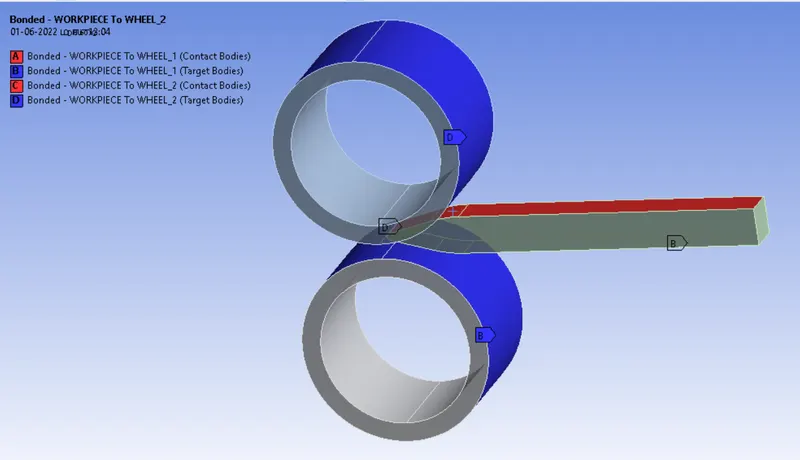
- In the contact, right click and choose the Flip Contact/target, again right click choose Rename based on definition.
- Now select a WORKPIECE to WHEEL_1 from contact, select a target and choose the remaning part of the WHEE_1 and apply. Select a contact, choose the WORKPIECE to contact with WHEEL_1.
- Simillarly same procetures for the WORKPIECE to WHEEL_2
- Now select the both contact
Type = frictional
Frictioal coefficent = 0.2
Formulation = Augmented Legrange
Normal stiffness = Factor
Normal stiffness factor = 0.1
Update stiffness = Each iteration
interface treatment = Add offset Rambed effects
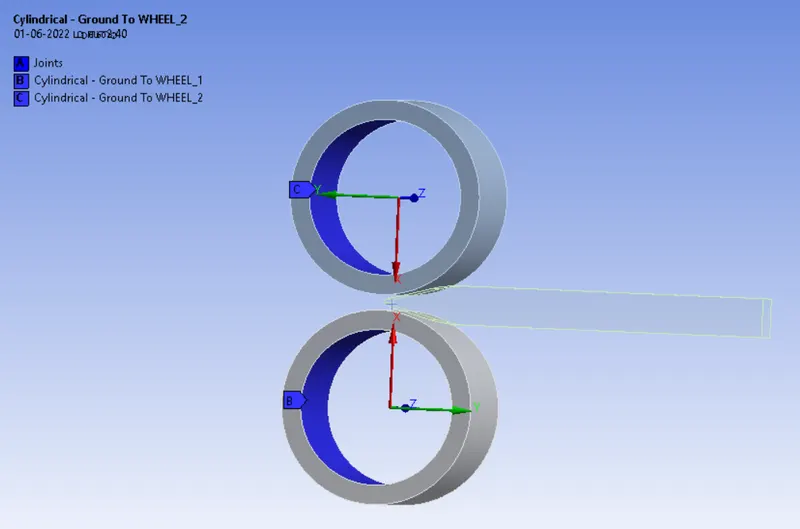
- Insert the cylindrical joint for WORKPIECE to WHEEL_1, connection type is Body to Ground select the inside circule of the WHEEL_1 and chang the coordinte system.
- Again insert the cylindrical joint for WORKPIECE to WHEEL_2, connection type is Body to Ground select the inside circule of the WHEEL_2 and chang the coordinte system.
Mesh:
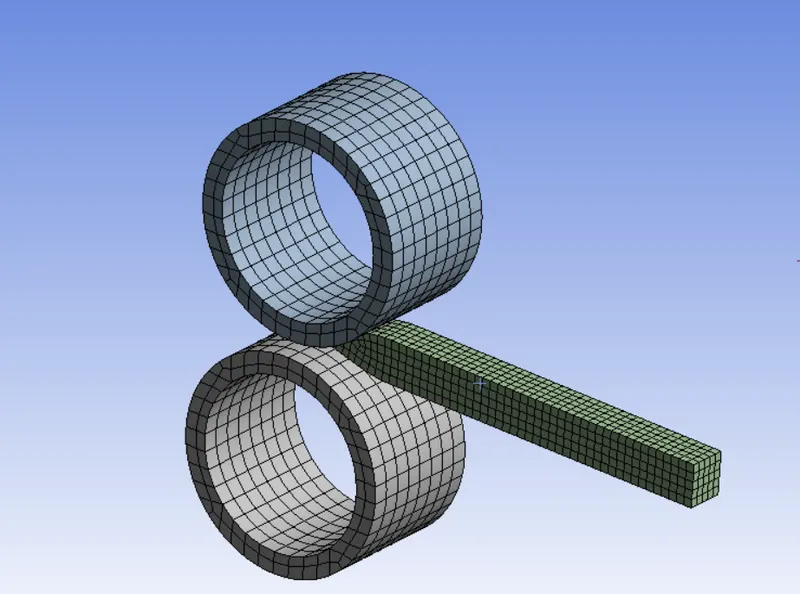
- Now open the Mesh, insert the sizing select the WORKPIECE use solid filter. Mesh size is 2mm
- WHEEL_1 and WHEEL_2 mesh size is default.
Boundary conditions:
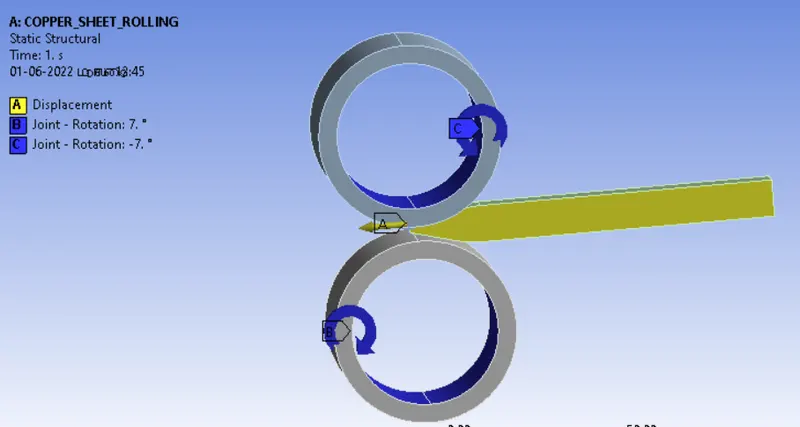
No of step = 14
Slover type = Direct
Large deflection = ON
Auto time steeping = ON
Defined by = Time
Initial time = 5e-2
Minimum time = 5e-3
Maximum time = 0.1
Stabilization = constant
Energy dissipation ratio = 0.1
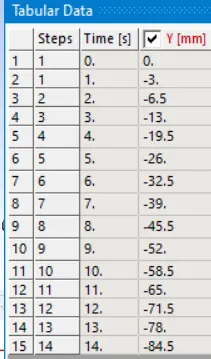
- Now insert the displacement,use face filters to select the WORKPIECE side rectangles.
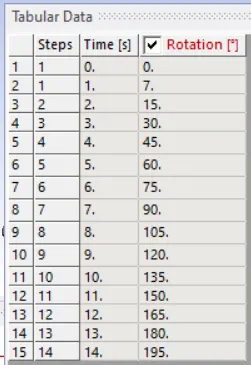
- Insert cylindrical joint for WORKPIECE to WHEEL_1, select the rotation for type, DOF is rotation z, magnitute is tabular data
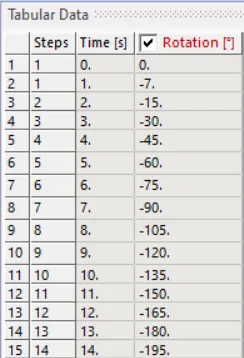
- Again insert cylindrical joint for WORKPIECE to WHEEL_2, select the rotation for type, DOF is rotation z, magnitute is tabular data
Displacement
joint1
joint2
Soluitions:
- After giving proper boundary conditions,create desired solutions for output results,create solutions for Directional deformation, stress and strain. slove evaluate for solutions.
RESULTS:
Directional Deformation And Graph
Equivalent Platic Strain And Graph
Equivalent Stress And Graph
Directional Deformation 2 And Graph
Result
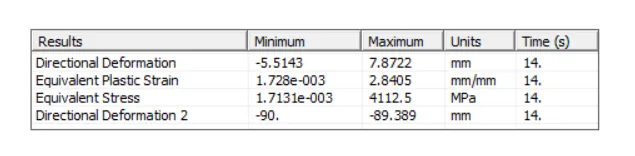
- The copper rolling simulation running successfully.
- Finally Equivalent plastic strain and Equivalent stress is find out
- The deformation z axis observed 7.8722 on the workpeice
- The deformation y axis observed -89.389 on the workpeice
- Wokpeice has been displaced nearly by 90mm during the simulation.