Week - 4 - Crash Box Simulation
AIM: The main aim of this week challenge is to perform a crash box simulation of different thickness and understand the logic between the two cases and plot the required outputs.
PROCEDURE:
STEP 1: Open the LS-DYNA pre post and import the basic file containing the nodes and element.
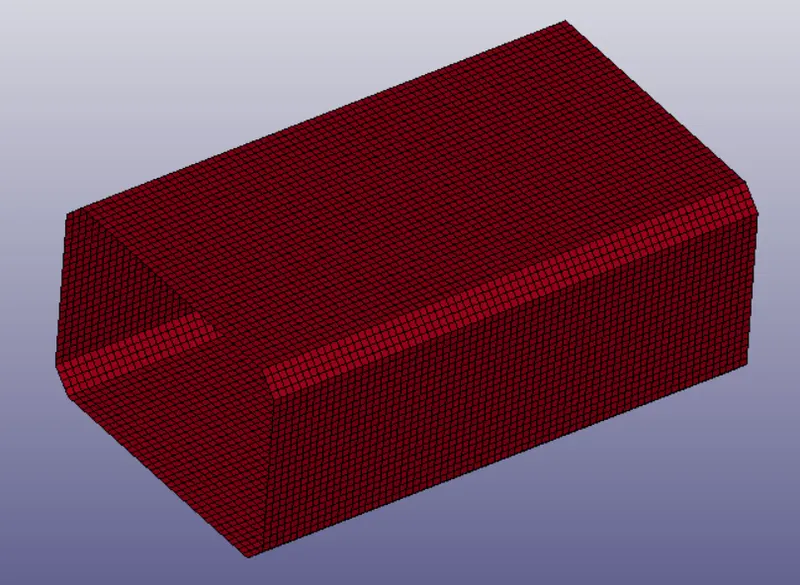
STEP 2:Now create material and section cards for the part.
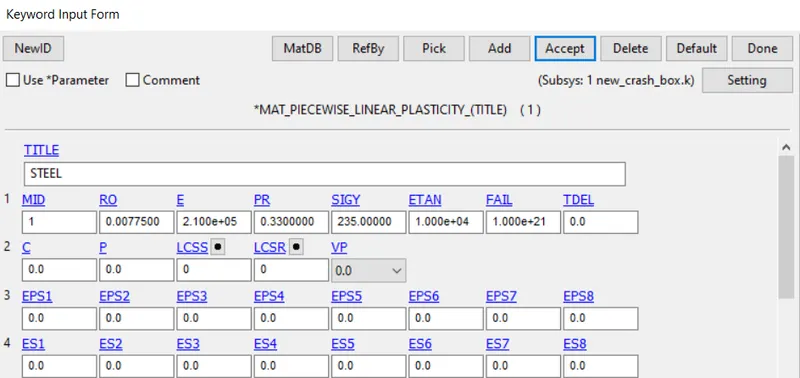
STEP 3:Open the keyword manager and check the all button.Under the MAT keyword select the MAT 24 PIECEWISE_LINEAR_PLASTICITY.
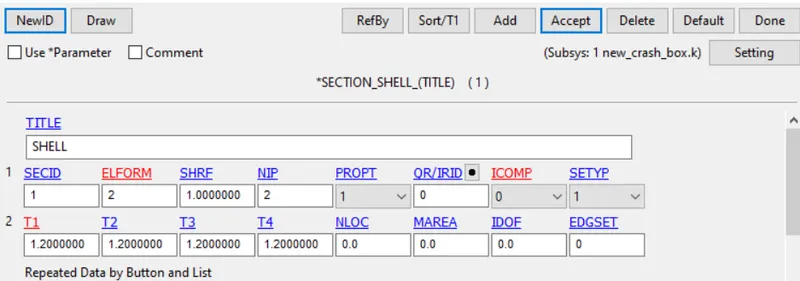
STEP 4:Open the keyword manager and check the all button.Under the SECTION keyword select the SHELL card for wall.Now give the properties of shell as desired.
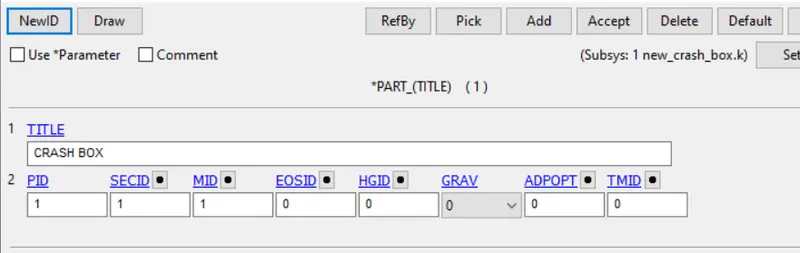
STEP 5: Now go to PART keyword and assign the part with the desired material and section cards.
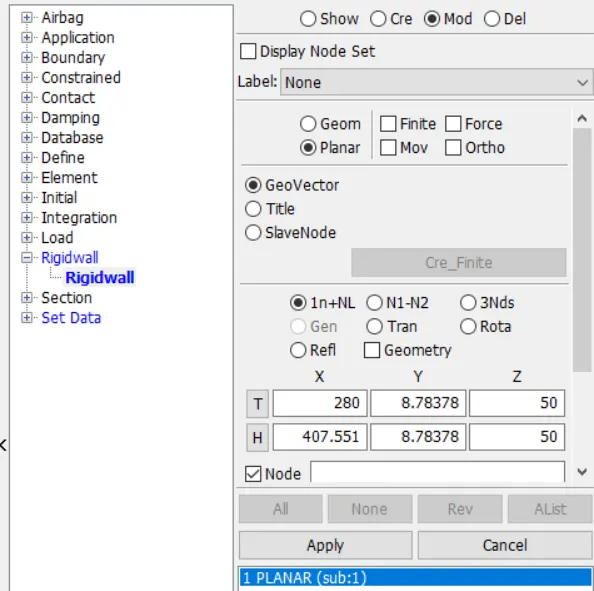
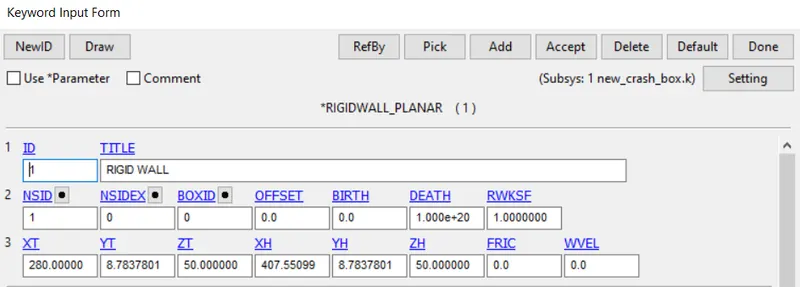
STEP 6:Open the keyword manager and check the all button.Under the RIGIDWALL keyword select the SHELL card for wall.Now give the properties of shell as desired.
STEP 7: To give the initial velocity first create a node set. Go to create section and select the node set. click the create button and select the nodes to which you need to create the set.
STEP 8: Open the keyword manager and check the all button.Under the INITIAL keyword select the VELOCITY card and give the initial velocity in Z-direction.
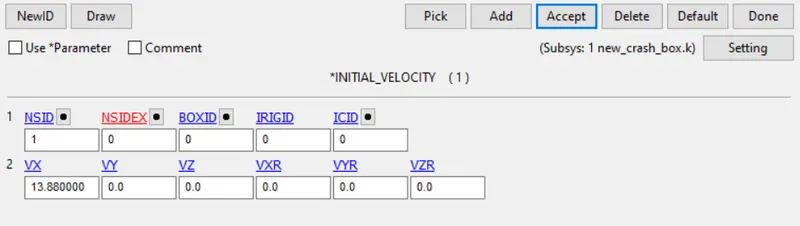
STEP 9: Model tools and in that we have to go to Create Entity tool to create the Rigid wall. select the type of wall and the start point of the wall.Now go to the keyword manager and select RIGIDWALL keyword and select the node set.
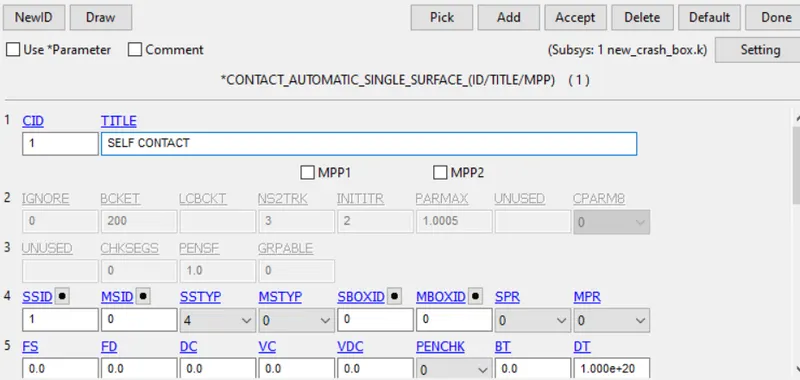
STEP 10:Open the keyword manager and check the all button.Under the CONTACT keyword and select AUTOMATIC_SINGLE_SURFACE.
STEP 11: Open the keyword manager and check the all button.Under the CONTROL keyword and select TERMINATION.Now give the total time of the simulation.

STEP 12: Now under the DATABASE card and select the appropriate output cards and give the time step to write the output files.
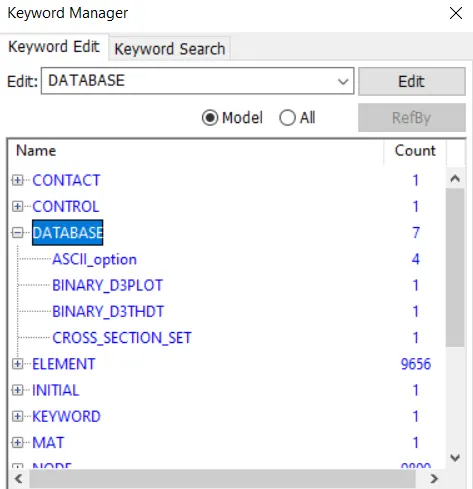
STEP 13: Now save the file in the keyword format and run the simulation.
OUTPUT REQUEST:
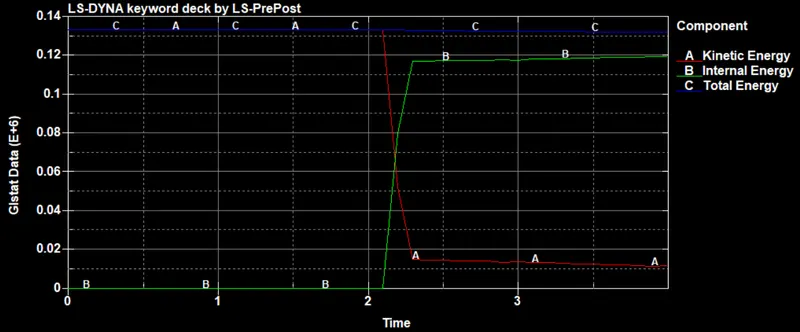
ENERGY PLOTS:
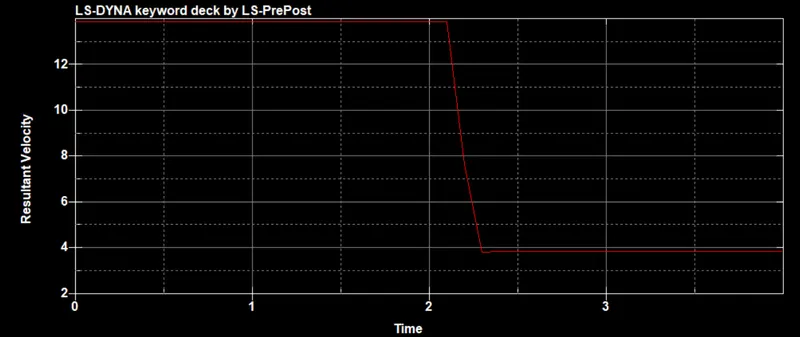
VELOCITY:
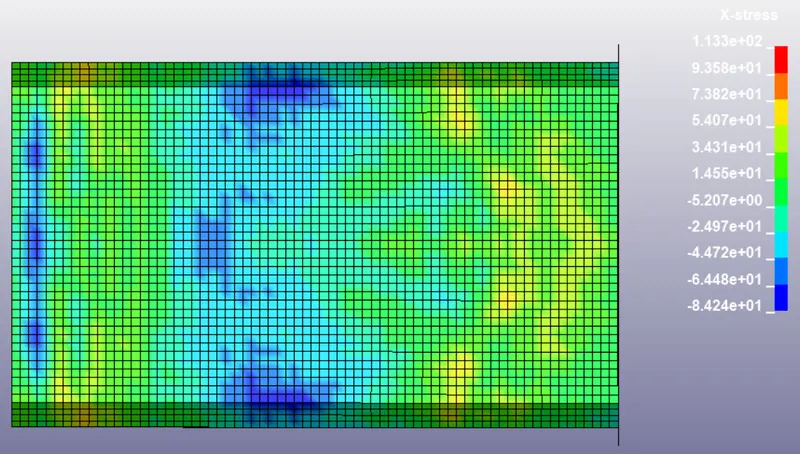
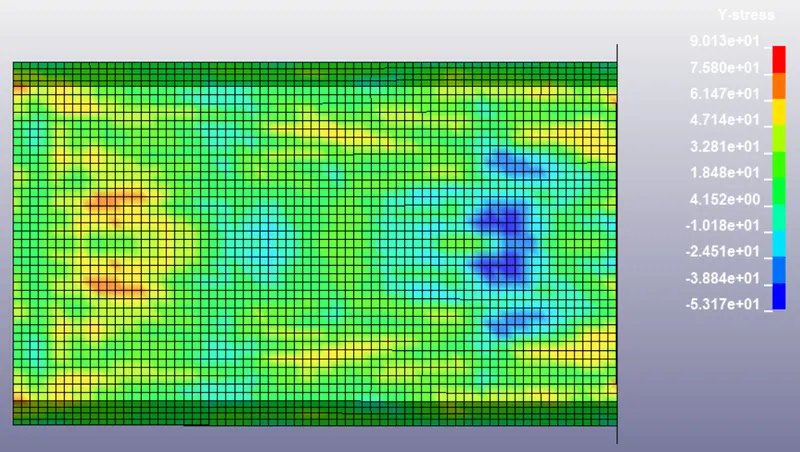
STRESS:
X-DIRECTION
Y-DIRECTION
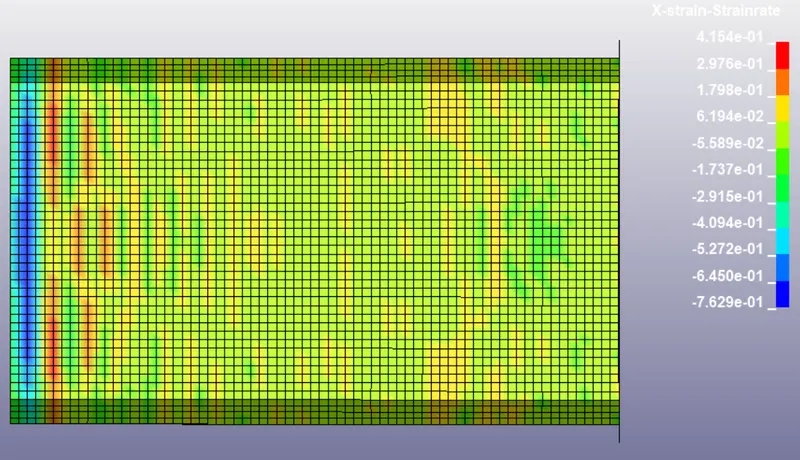
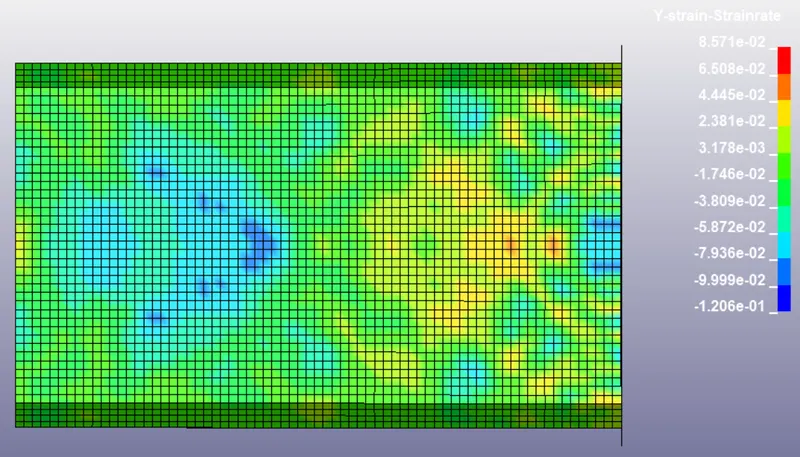
STRAIN:
X-DIRECTION
Y-DIRECTION
Conclusion:
Thus the simulation of crash box has been performed and the difference between the two cases has been studies.