Week - 4 - Crash Box Simulation
AIM: To simulate a crash test simulation of crash box impacting a rigid wall in LS-Dyna.
OBJECTIVES:
- To create a rigid wall in LS-Dyna
- Apply initial velocity of 50 kmph to the crash box.
- Run the simulation and compare results of crash box having thickness 1.2 mm and 1.5 mm respectively.
- The unit system followed is gm-mm-ms
- Plot the cross-sectional force generated in the middle of the crash box.
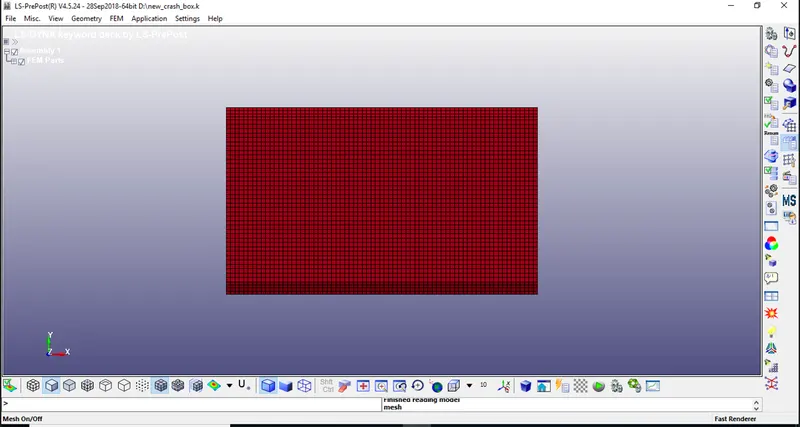
Step 1. Import:
Step 2:- Modelling rigid wall:
- Rigid walls mimic surfaces or volumes that are frequently used to represent stiffer structures that are either stationary or in motion.
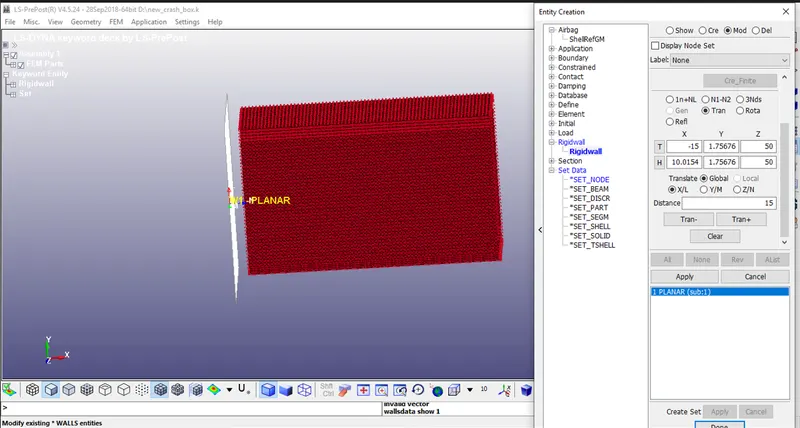
- A stationary planar rigid wall is created ahead of the frontal portion of the crash box by selecting a node on the edge, Select planar option and Geo-Vector >> 1n+NL
- Now translate the rigid wall to some distance in the direction of the velocity of crash box.
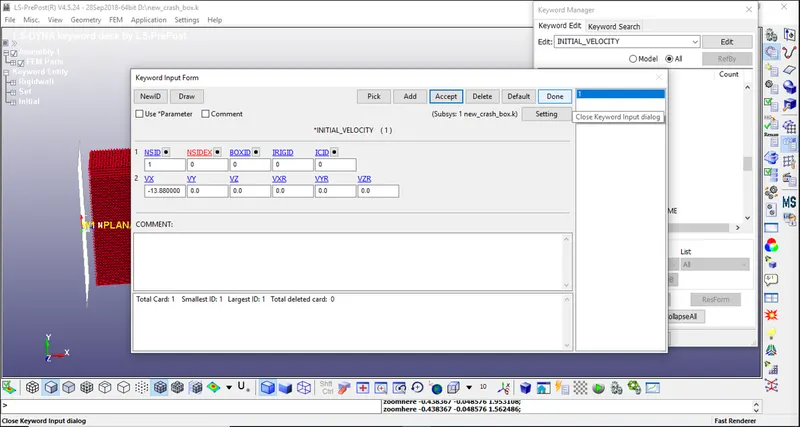
- The crash box is made to hit the stiffer rigid wall at an impact velocity of 13.88 mm/ms.
Step 3:-creat Node Set and Assign Initial Velocity:
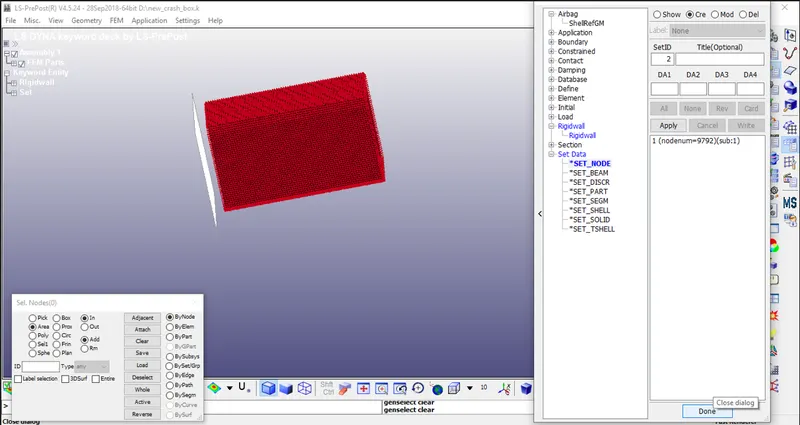
- Before creating the initial velocity keyword, we must create node set (NSID) for all the shell elements of the crash box.
- Go to Create Entity >> Under Set Data >> create a new SET_NODEby selecting all the elements of the box.
- Now assign that NSID in the initial velocity as shown below
- 50 kmph = 13.89 mm/ms
Step 4:- Material Card:
- For crash box, we will assign the material as steel which is a non-linear characteristic material.
- Go to Keyword Manager
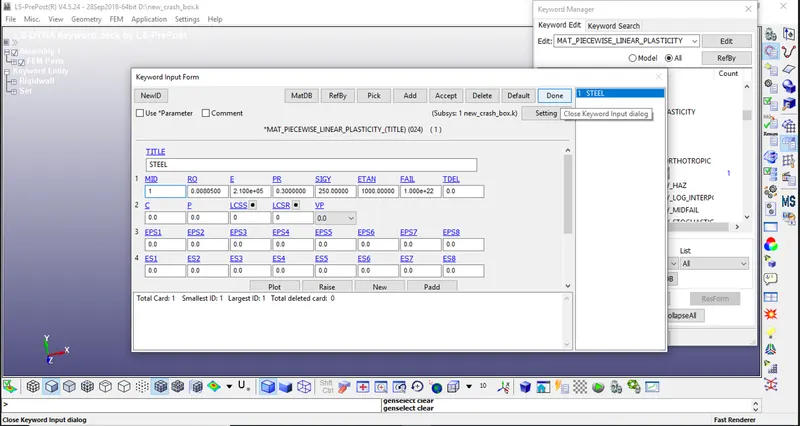
- Select MAT >> 024-PIECEWISE_LINEAR_PLASTICITY material card. Give it a material ID and title.
- As we are using gm-mm-ms unit system, we will provide the characteristic values of steel as follows:
- Density of Steel (RO) – 8.05 x 10⁻³ gm/mm3
- Young’s Modulus (E) – 210 x 103 MPa
- Poisson’s Ratio (PR) – 0.3
- Yield Stress (SIGY) – 250 MPa
- Tangent Modulus (ETAN) – 1000 MPa
Step 5:- Shell Card selection:
- Shell section card is required to define section properties for shell elements.
- Go to Keyword Manager
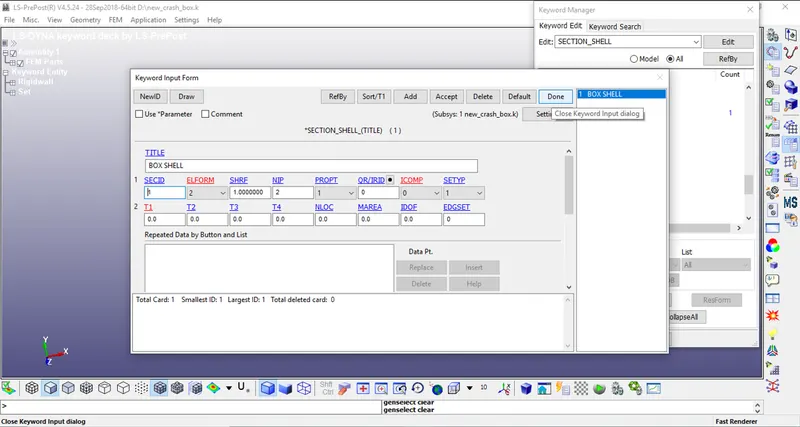
- Select section >> shell >> section ID and title.
- Choose Element Formulation value in ELFORM as 2 (Belytschko-Tsay type elements).
- Mention the thickness of the shell elements as 1.2 mm for one simulation and then 1.5 mm for the other simulation.
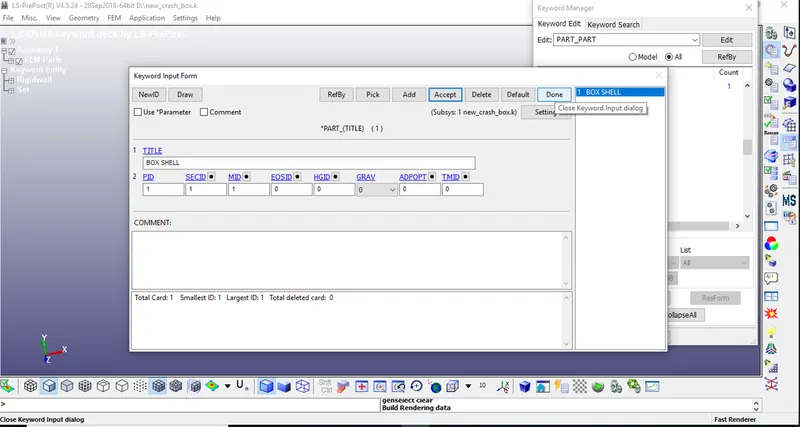
Step 6:- Now assign all these characteristics to the crash box part in PART keyword as shown below.
Step 7:- Hourglass:
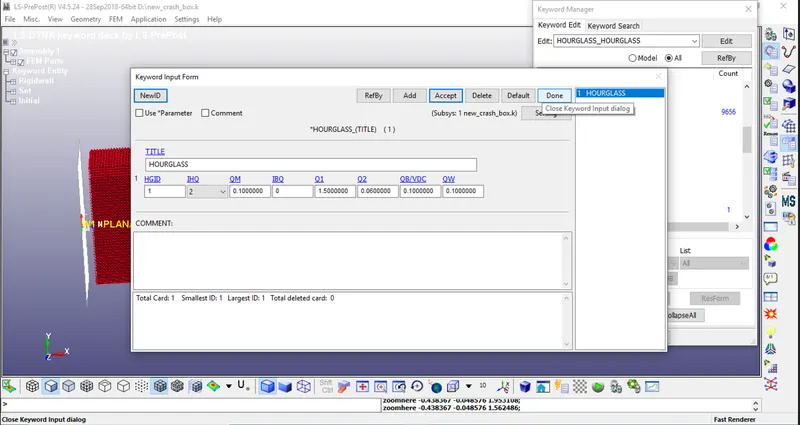
- Hourglass can be defined using HGID. This keyword is used to reduce or control hourglass energy during the simulation.
- Go to Keyword Manager and select the values as shown below.
Step 8:- Contact:
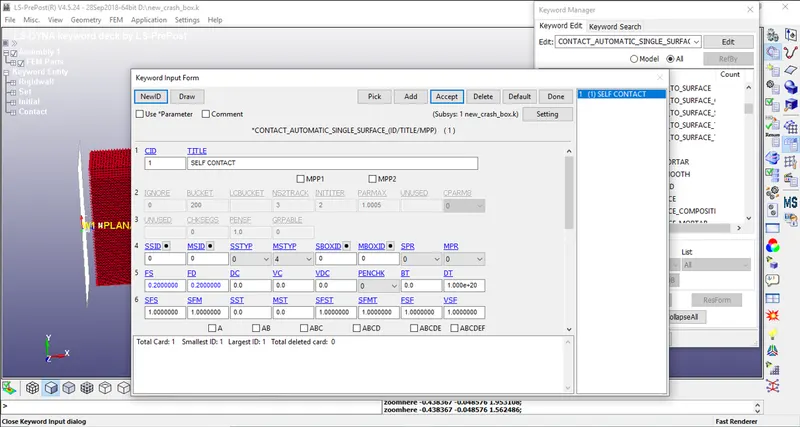
- Contact card can be used to define self-contact for crash box as the crash box elements can have contact between themselves after the deformation. Therefore, define AUTOMATIC_SINGLE_SURFACE contact with coefficient of friction 0.2as shown below.
Step 9:- Control:
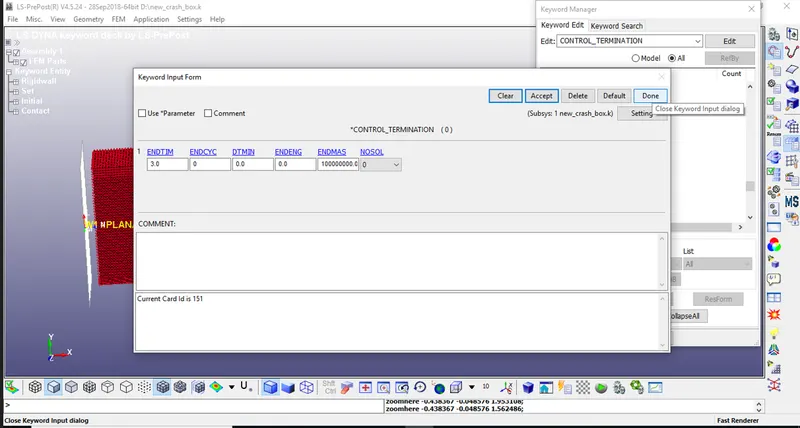
- Define the termination time of the simulation which is necessary to run the simulation. The termination time is given as 3 msin CONTROL SIMULATION Keyword as shown below.
OUTPUT FILE:-
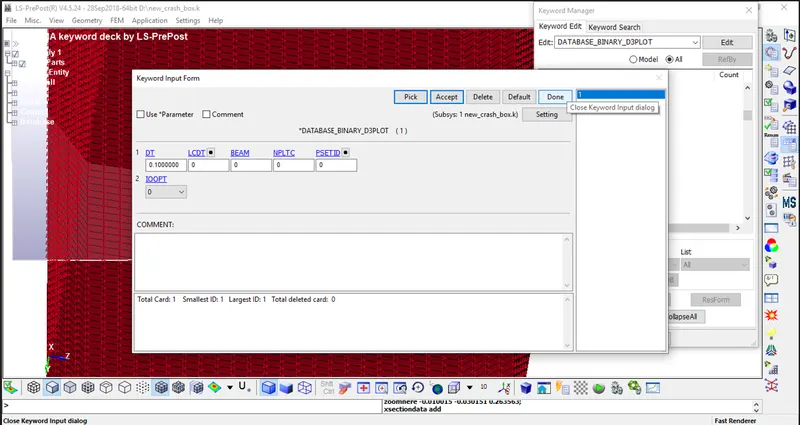
Step 10:- Binary_D3Plot AND ASCII OPTION.
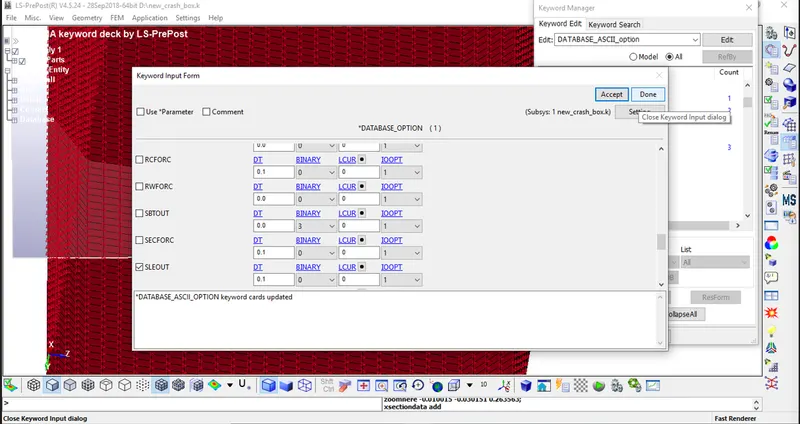
- The requested outputs are d3plot, history node and ASCII options are
- ELOUT:Element Data
- GLSTAT:Global Data
- MATSUM:Material Energies
- SLEOUT:Sliding Interface Energies
- NODOUT:Nodal point data
- SECFORC:Cross-section forces
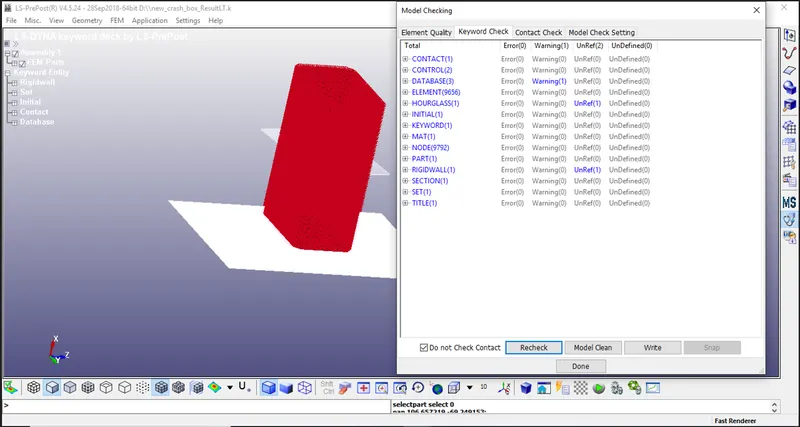
Step 11:- Model Checking.
- Since there are no errors, we can run the simulation.
RESULTS:-
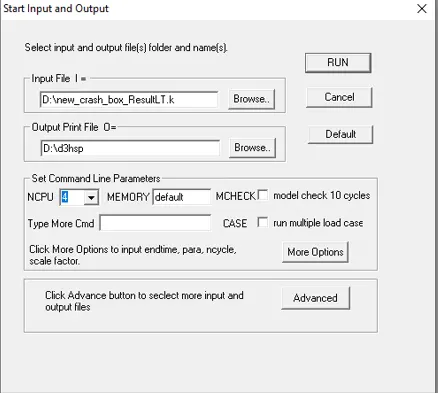
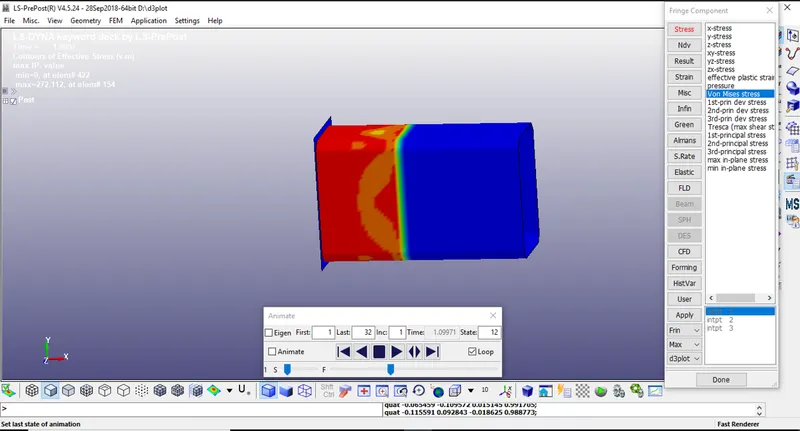
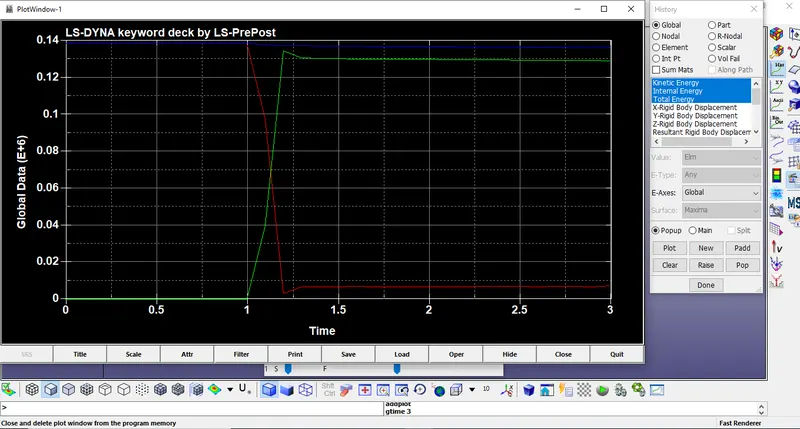
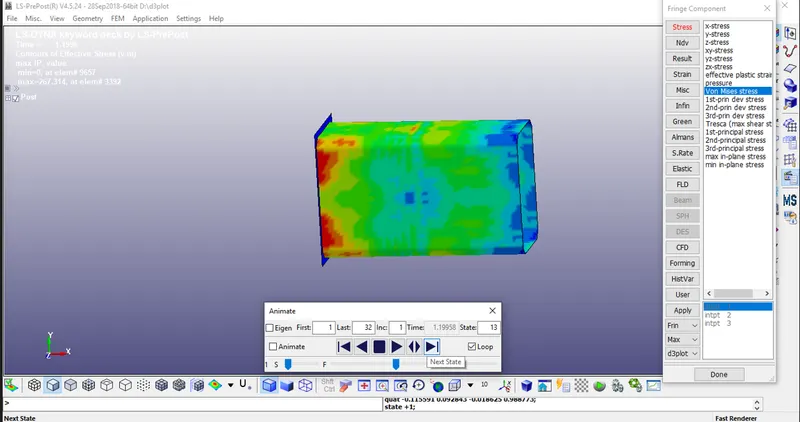
After creating all the necessary files for simulation and checking the model, we will save the model as Keywordfile with .K extension. To run the model, we will go to File > Run LS-DYNA. We will browse this keyword file and then run the simulation for shell thickness 1.2mm AND 1.5mm
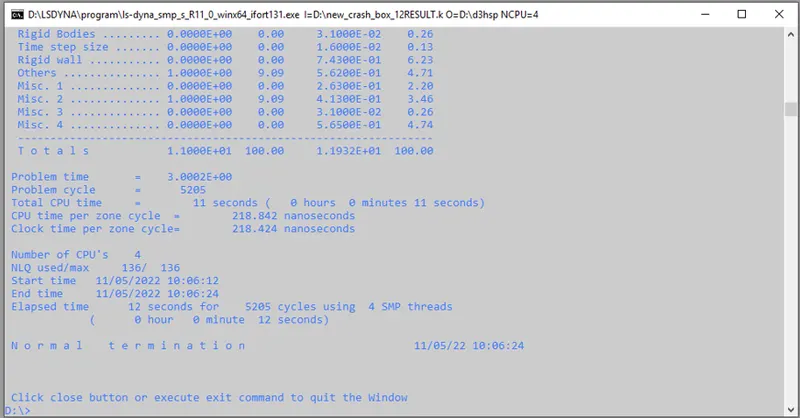
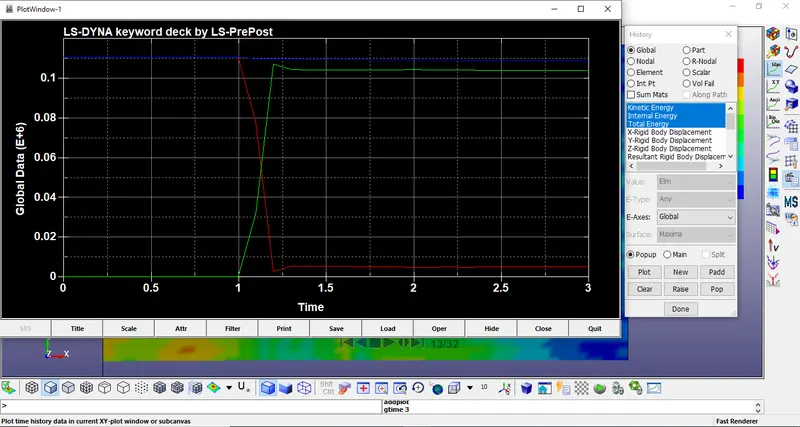
FOR THICKNESS 1.2mm
FOR THICKNESS 1.5mm.
Conclusion:
Crashbox simulation is done successfully with 1.2mm and 1.5mm thicknesses respectively. All the objectives are fulfilled. From comparing the plots and animations we can say that simulation results will change as the thickness of the model changes.