Week 4 Configuration and Characteristics of Battery Model
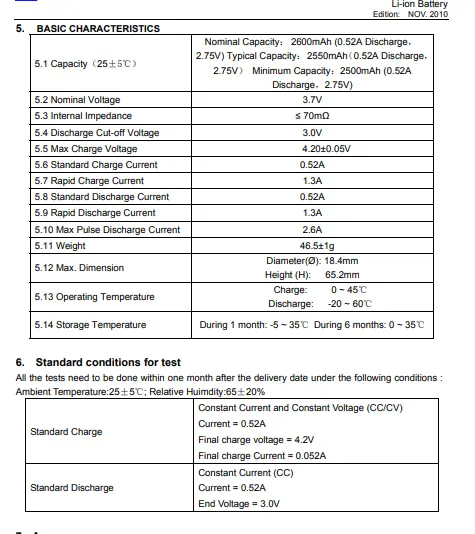
AIM:- using the datasheet of a lithium ion battery configure the generic battery model in MATLAB with Simulate generic battery model charge discharge using UDDS data.
WHAT IS DATASHEET?
A data sheet, data-sheet, or spec sheet is a document that summarizes the performance and other characteristics of a product, machine, component.
MY MODEL
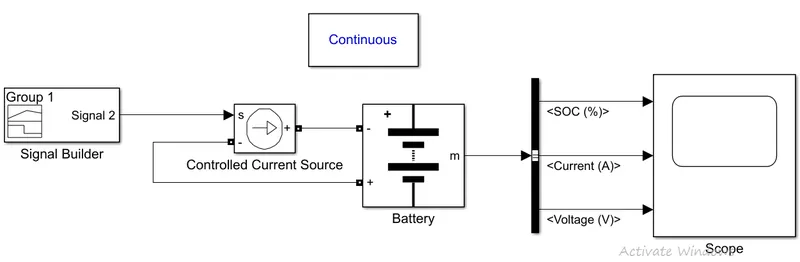
BLOCK USED
BATTERY
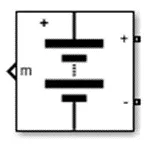
Implements a generic battery model for most popular battery types. Temperature and aging (due to cycling) effects can be specified for Lithium-Ion battery type.
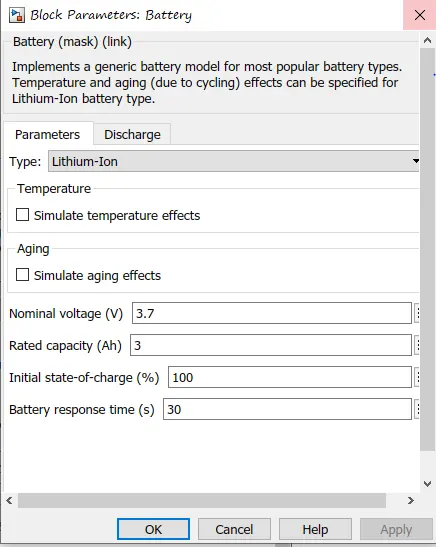
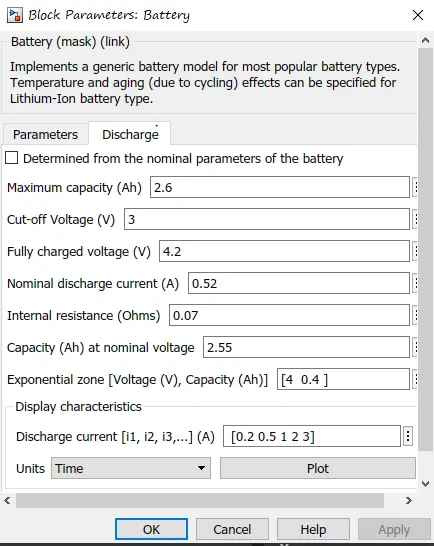
according the data sheet given the values are given to simulate the model.
CONTROLLED CURRENT SOURCE
THERE WILL BE A BLUE COLOR CONTROLLED CURRENT SOURCE BUT CHOOSE BLACK ONE ONLY .
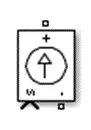
Converts the Simulink input signal into an equivalent current source. The generated current is driven by the input signal of the block. You can initialize your circuit with a specific AC or DC current. If you want to start the simulation in steady-state, the block input must be connected to a signal starting as a sinusoidal or DC waveform corresponding to the initial values.
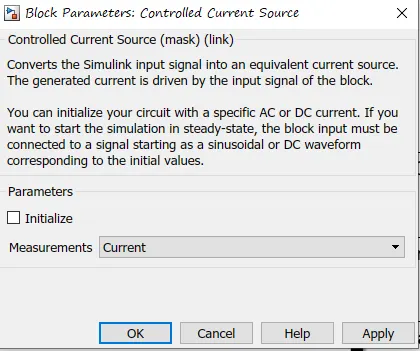
make sure we choose current because through signal are converted to corrent which will be send to battery
SIGNAL BUILDER
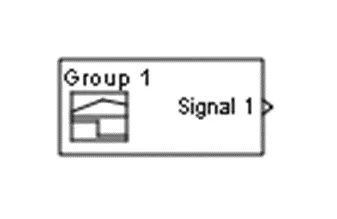
The Signal Builder block allows you to create interchangeable groups of piecewise linear signal sources and use them in a model. You can quickly switch the signal groups into and out of a model to facilitate testing. In the Signal Builder window, create signals and define the output waveforms. To open the window, double-click the block.
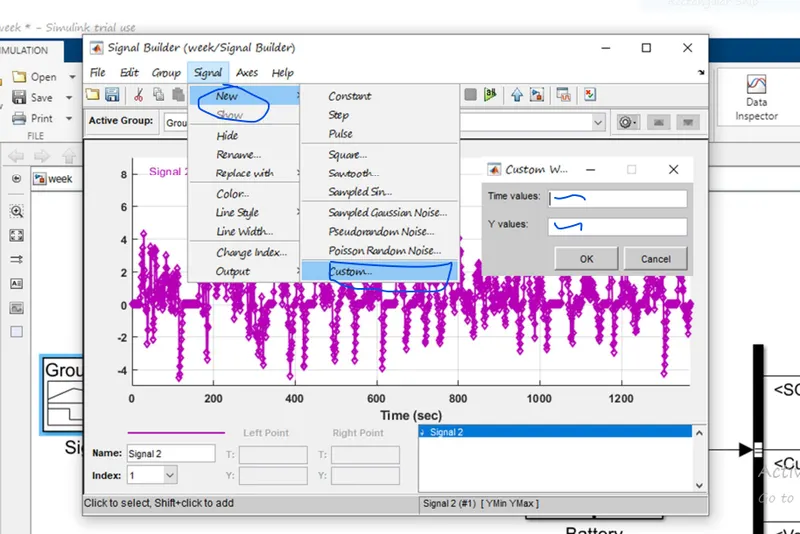
go to signal then new and then in new click custom
add the values of x as time and y as speed assuming as current. in [] BRACKET
BUS SELECTOR
This block accepts a bus as input which can be created from a Bus Creator, Bus Selector or a block that defines its output using a bus object. The left listbox shows the elements in the input bus. Use the Select button to select the output elements. The right listbox shows the selections. Use the Up, Down, or Remove button to reorder the selections. Check 'Output as virtual bus' to output a single bus.
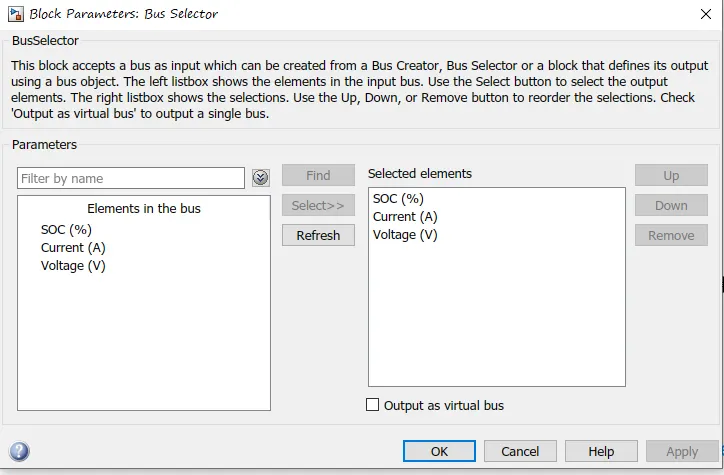
this is needed because the battery is giving multiple output through single output line we can select desired output which is to be seen through scope
POWERGUI

The powergui block allows you to choose one of these methods to solve your circuit:
- Continuous, which uses a variable-step solver from Simulink®
- Discretization of the electrical system for a solution at fixed time steps
- Continuous or discrete phasor solution
The powergui block also opens tools for steady-state and simulation results analysis and for advanced parameter design.
You need the powergui block to simulate any Simulink model containing Simscape™ Electrical™ Specialized Power Systems blocks. It stores the equivalent Simulink circuit that represents the state-space equations of the model.
When using one powergui block in a model:
- Place the powerguiblock in the top-level diagram for optimal performance.
- Make sure that the block is named powergui.
PLOT RECIVED ARE OF INSIDE THE BATTERY
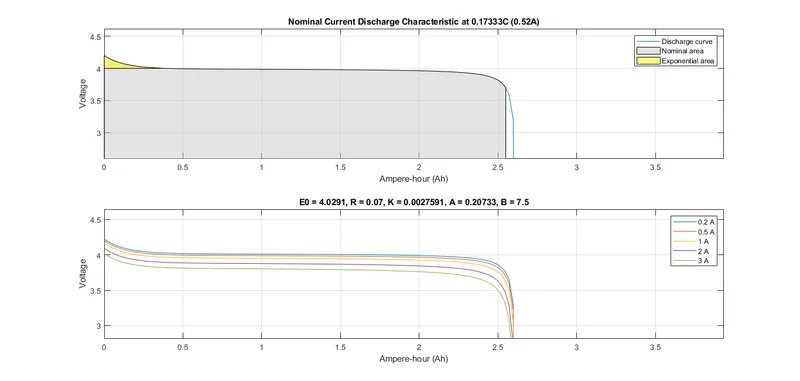
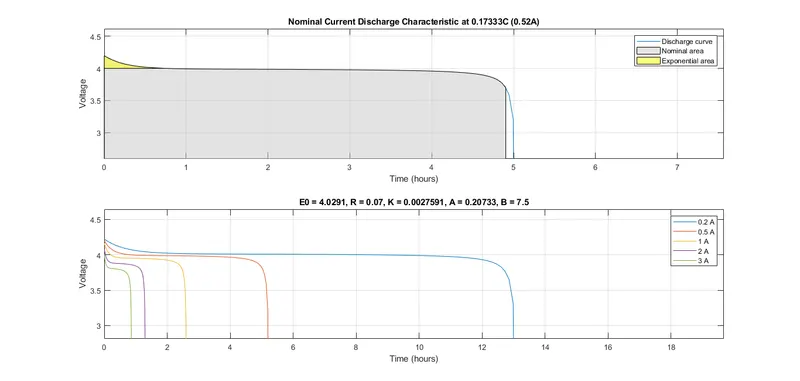
the gray area is the operating area where the pattetery will be operated.
and the yellow area is where the voltage values are where it is constant.
above graph shows that when current is 0.2 it will take 13 hour to discharge and at starting the voltage is very slow.
while with increase in current the battery will take less time to discharge and at starting the voltage will drop faster.
which means we can operate battery for less time at higher current and at low current we can operate battery for long duration.
output signal in the scope.
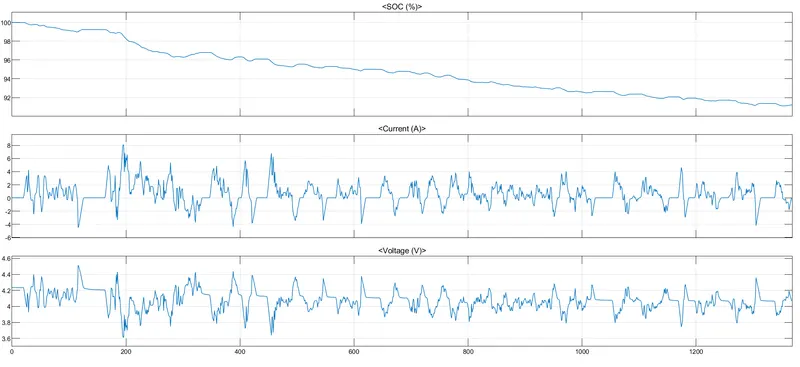
in the output of the scope we can see that the STATE OF CHARGE soc is decreasing till 93% this is because the data values are ended.if the values are continued more then the soc will decrease till 0% .
we can see the current value is negative this is due to input signal from the signal builder
Only positive value ( The battery will discharge), Only negative value ( The battery will charge),Both positive and negative ( The battery will charge and discharge)
The voltage will decrease when the battery discharges and will increase when the battery charges.
THANK YOU