Week 4 Challenge- Compiling C++ libraries
Q.1 Copy the solver DPMFoam from the lagrangian library ( $FOAM_SOLVERS ) into your run folder ( $FOAM_RUN ) (use visual studio)
- Use wmake libso to compile the shared library associated with this, after making the appropriate changes
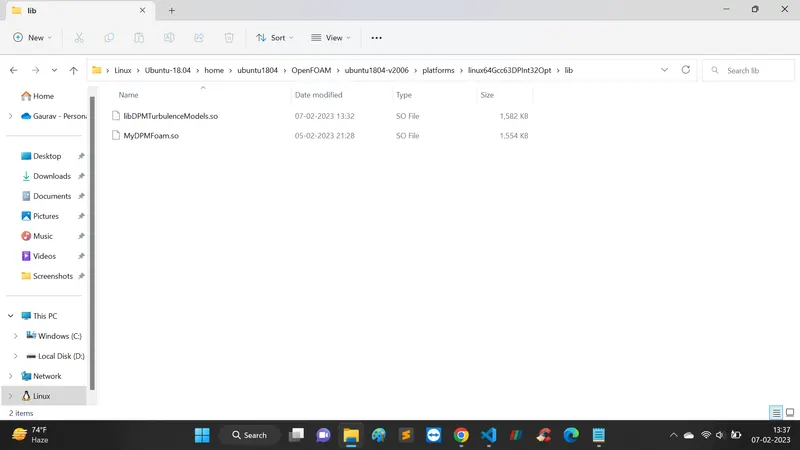
- Where is the resulting .so file found? (Attach image of the shared object file location)
Challenge faced: Question needs paraphrasing.
This question was quite confusing because $ wmake libso command is used to compile the library, not the solver, for solver we use ./Allwmake or wmake command. However, the question can also be interpreted to compile any one of the libraries associated with the DPMFoam solver.
Reference:
However, I have compiled both the solver and one associated library with the DPMFoam solver
Step 01: Copy DPFFoam folder from $FOAM_TUTORIALS and paste it in $FOAM_RUN
Step 02: There in Make/file change FOAM_APPBIN to FOAM_USER_APPBIN so that whatever changes you do here do not bring any variation in the main source files of the DPMFoam solver available in $FOAM_SOLVERS
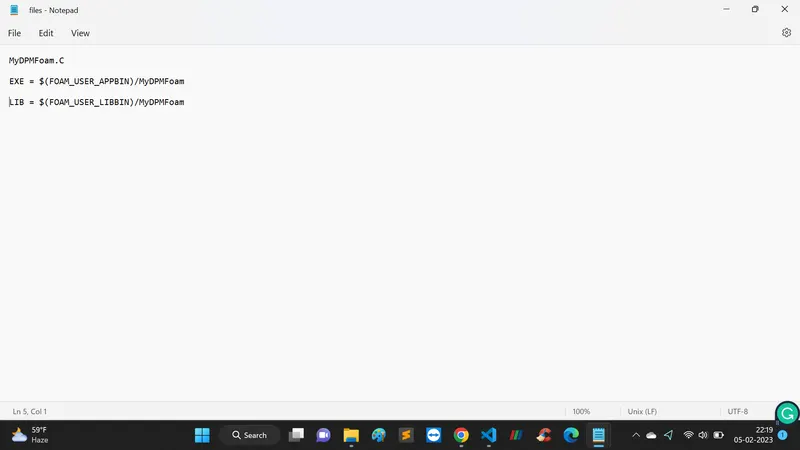
Add LIB = $(FOAM_USER_LIBBIN)/MyDPMFoam in the Make/files
And changes the name of the main program file DPMFoam.C to myDPMFoam.C and the executable name with the library to also to DPMFoam to myDPMFoam
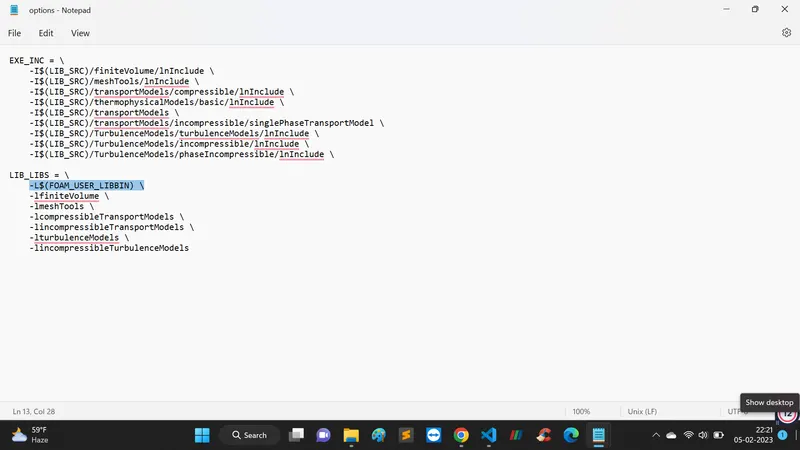
Also you have to tell your solver to use your libraries, so in the solver Make/options (ie twoPhaseEulerFoam/Make/options), add the following bold line:
LIB_LIBS = \
-L$(FOAM_USER_LIBBIN) \
Step 03: Run the command $ wmake for the further compilation of the solver.
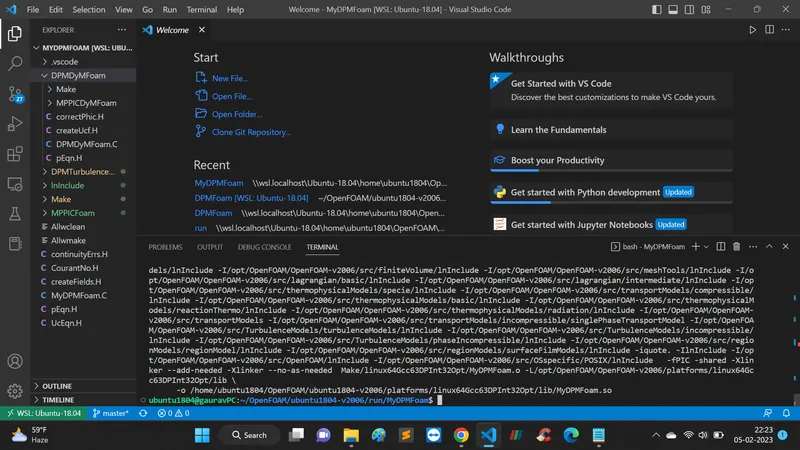
It shows that it was successfully compiled.
Step 04: If you compile the solver in your user directory, the resulting .so file would be located in the directory where you compiled the solver.
For example, if you use the OpenFOAM's built-in wmake system to compile the solver in your home directory, the resulting .so file would typically be located in \\wsl.localhost\Ubuntu-18.04\home\ubuntu1804\OpenFOAM\ubuntu1804-v2006\platforms\linux64Gcc63DPInt32Opt.
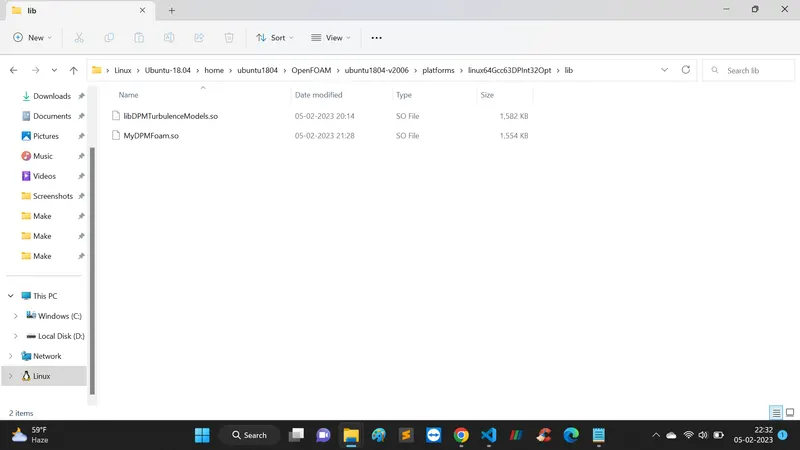
Dependencies and object files are generated in the
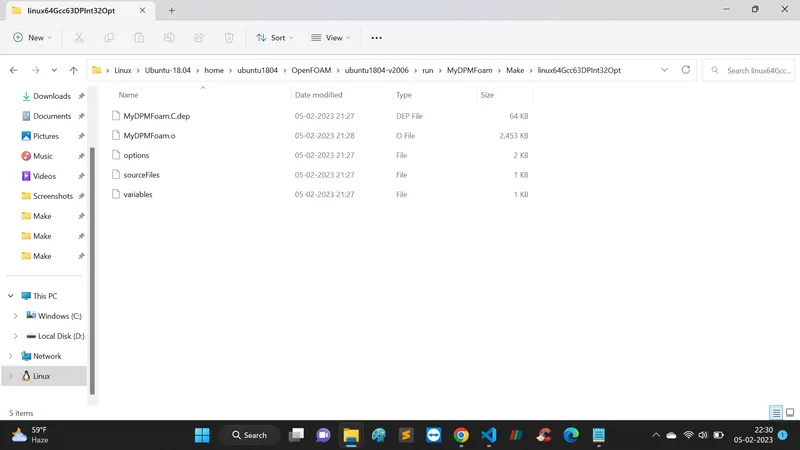
Step 05: Pull the changes to GitHub as per the steps discussed in Question 02.
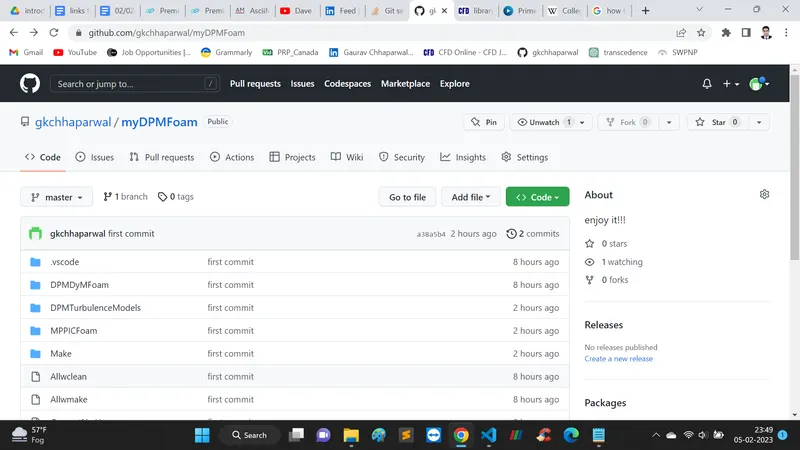
GitHub link: https://github.com/gkchhaparwal/myDPMFoam
Q.1 (a) $wmake libso command to compile an associated library of DPMFoam
Step 01: Do necessary changes in the Make/files
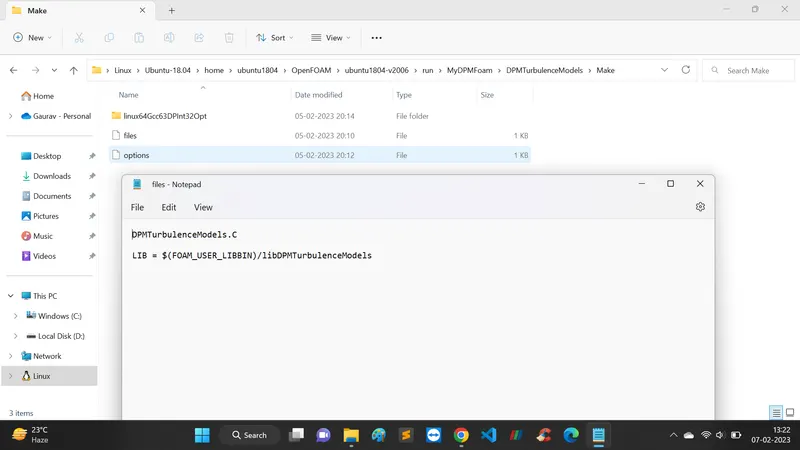
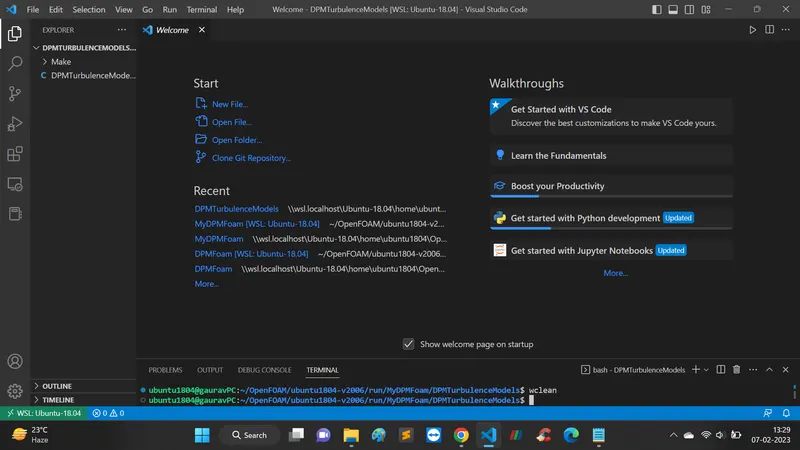
Step 02: Open the DPMTurbulenceModels folder and do right click and open it in the VS code and clean all previous compilations with the command $wclean
Step 03: Type $ make libso command and library will be compiled like this;
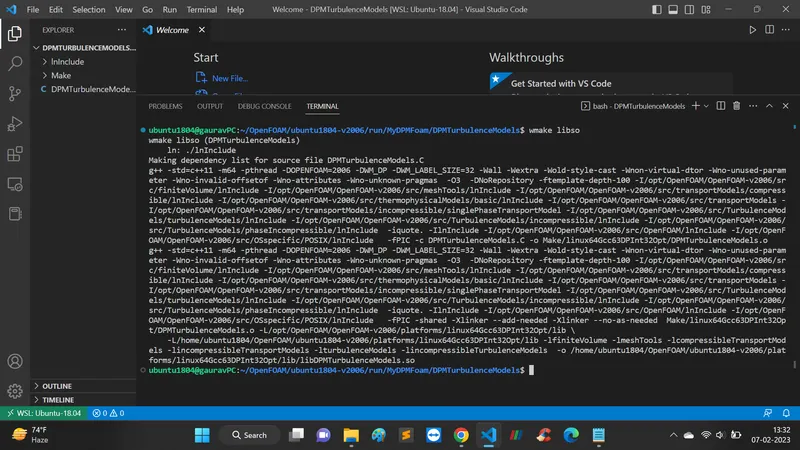
Step 03: Last line of compilation says that .so file has been created at location: /home/ubuntu1804/OpenFOAM/ubuntu1804-v2006/platforms/linux64Gcc63DPInt32Opt/lib/libDPMTurbulenceModels.so
-------------------------------------------------------------------------------------------------------------------------------------------
-------------------------------------------------------------------------------------------------------------------------------------------
Q.2. Write detailed explanations on the following decomposition algorithms:
Ans. A decomposePar dictionary is located in the system directory of the case setup. It contains a set of parameters that decides the economic decomposition of mesh and fields.
Syntex: here in the methods it can be of four types, Simple, scotch, hierarchical, and manual. In the scope of the present question, first three types of decomposition will be discussed.
method simple;
coeffs
{
}
(1) Simple (2 2 1)
In parallel computing Simple (Nx Ny Nz) is a decomposition algorithm which divides the computational domain into Nx, Ny, Nz in x, y, and z direction respectively. This algorithm is easy to use and suitable for a small-scale simulations where uniform mesh and simple boundary conditions are applied. It does not work when there is complex geometry which leads to a complex meshing.
In the present case, Simple (2 2 1) means that it will spllit the domain into 2, 2 and 1 peices into x, y, and z direction respectively.
(2) Scotch (Write a short note about how scotch decomposition is carried out)
This decomposition algorithm does not take any geometric input from the user. It aims to minimize the number of processor boundaries. Although, there is an optional keyword (processorWeight) which is used to customize the processor input as per the machine configurations available. One useful optional keyword (strategy) controls the decomposition strategy.
numberOfSubdomains 4;
method scotch;
Ans.
3. Hierarchical
It is similar to the simple decomposition with only is that here you have facilitiy to specify in which order of direction you want to split the domain. For yzx means, it will split in order of y-direction, z-direction, and x-direction.
numberOfSubdomains 4;
method hierarchical;
hierarchicalCoeffs

{
    n               (1 2 1);
    delta           0.01;
    order           yzx;
}
-------------------------------------------------------------------------------------------------------------------------------------------
-------------------------------------------------------------------------------------------------------------------------------------------
Q. 3 Take the incompressible/simpleFoam/pitzDaily case and visualize the decomposed mesh (use decomposeParDict) in ParaView for:
- simple (2 2 1)
- scotch
- hierarchical
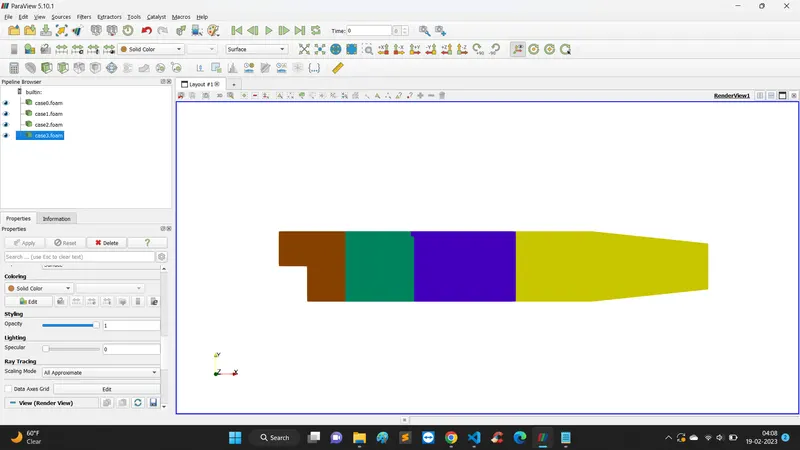
Ans. First, you have to make case.foam file in each processor folder by command $ touch case0.foam for processor0 folder and so on. Then open all the case.foam file in PARAVIEW.
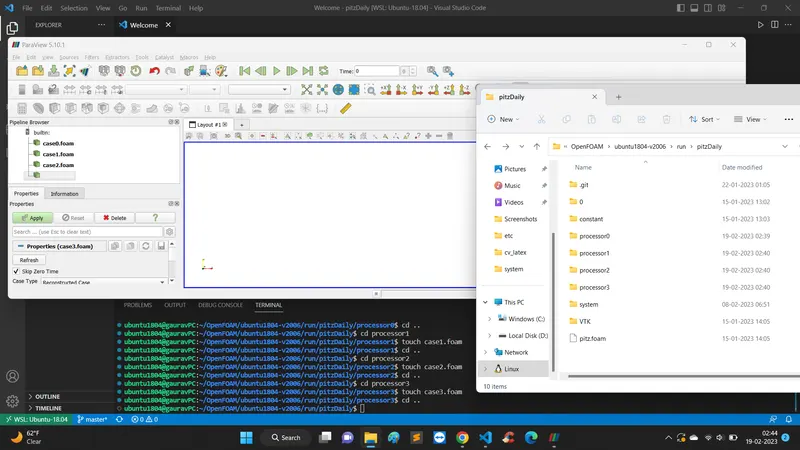
Choose a different color for a different case.foam files
(1) Hierarchial: here (2 2 1) will break the domain into 2 parts each for x and y directions and 1 part in z-direction
numberOfSubdomains 4;
method hierarchical;
coeffs
{
n (2 2 1);
}
distributed no;
roots ( );
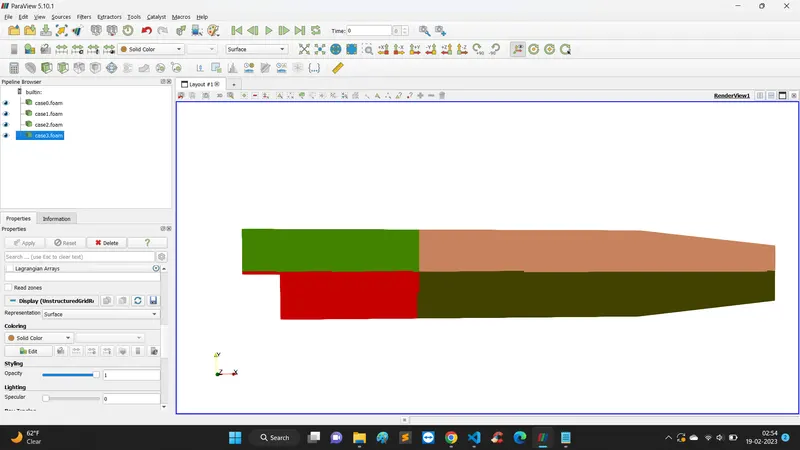
(2) Simple: Use command $ rm -rf processor* to remove all processor folders
command $ decomposePar again to decompose the computational domain as per the simple scheme
numberOfSubdomains 4;
method simple;
coeffs
{
n (2 3 1);
}
Output of the simple method is similar to hierarchical, however, in hierarchical we can give it an order of direction (x,y,z) for decomposition
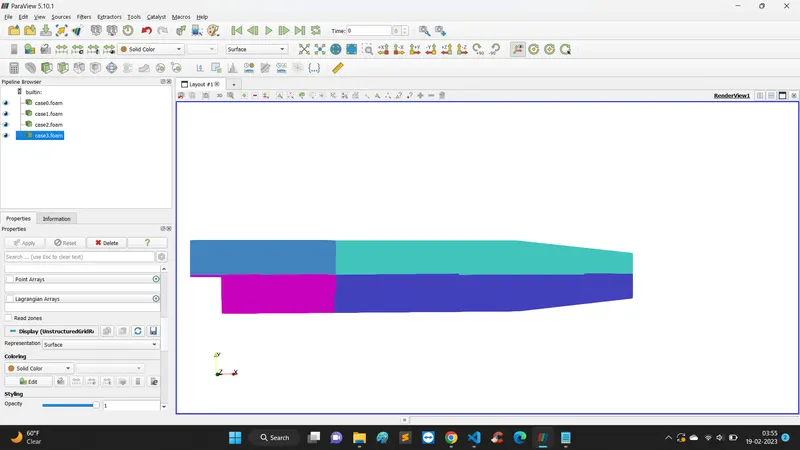
(3) Scotch: Repeat the above step to change the method of decomposition to scotch as per:
numberOfSubdomains 4;
method scotch;
It will give you decomposed domain like this;