Week 4 Challenge : CFD Meshing for BMW car
GEOMETRY CLEAN UP
ASSIGNING RELEVANT PIDs
SURFACE MESHING
PERFORM SYMMETRY
CREATION OF WIND TUNNEL
GEOMETRY CLEAN UP:
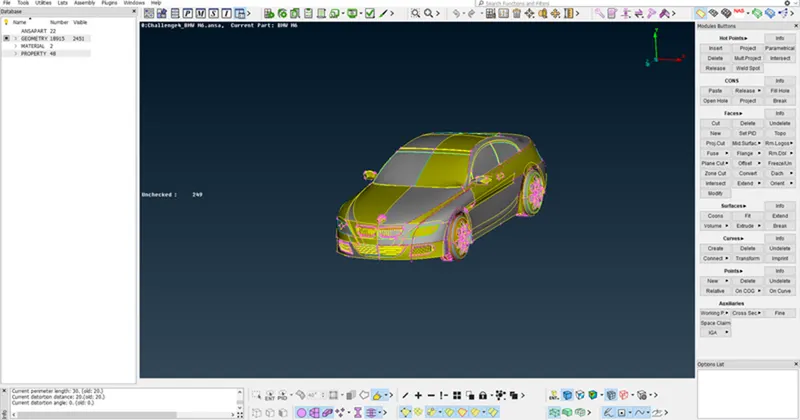
Open the given IGS file in ANSA software and the model will be as shown.
Enable the shadow mode and it shows the 3-D figure and keeps the model in PID mode
Enable all the cons and crosshatches to perform geometry clean up and also Go to MESH > PARAMETERS > LENGTH and keep the length as 1mm to have smooth curves
We can see that the geometry of the car is symmetric hence we edit one-half of the model and mirror it to get a full model. The right side of the model has more errors than the left side hence we delete the right side of the model.
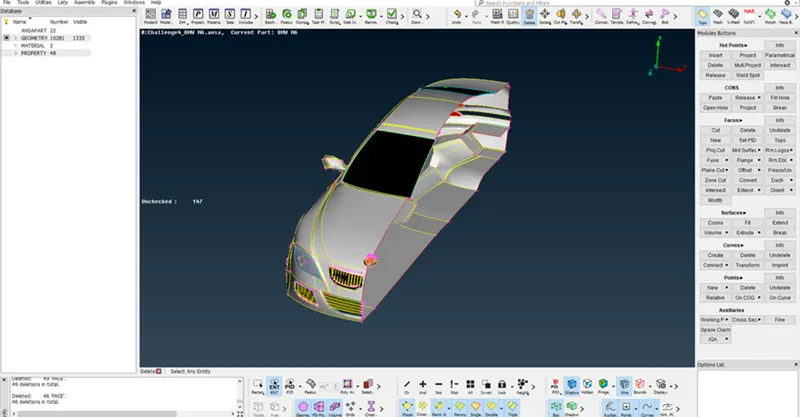
GEOMETRY CLEAN UP OF GRILLS:
To perform geometry clean-up for SIDE GRILL we have to isolate the part and lock it by using NOT mode and LOCK mode
We have to delete the unnecessary surfaces on the grill
Go to FACES > CUT and enable the parametric cut and then cut the fins that are present on the grill
Perform to all fins and remove the unwanted surface
Go to FACES > NEW > COONS /FITTED to join the deleted surfaces by using these options and the geometry clean-up is completed
Delete half part of the car and perform the geometry clean-up for the remaining parts
To perform geometry clean-up for BOTTOM GRILL we have to isolate the part and lock it by using NOT mode and LOCK mode
Primarily we have to delete the unwanted surfaces by using the DELETE option and make sure it is in ENT mode
Go to CONS > PROJECT and project the cons of the grills onto the surface and delete the unwanted surfaces
Sometimes we can create a new surface by deleting the old surface according to our necessity
Go to FACES > NEW > COONS /FITTED to join the deleted surfaces by using these options and the geometry clean-up is completed
Perform similar operations on the INTAKE GRILL
Remove the interior extruded surfaces by using the DELETE option.
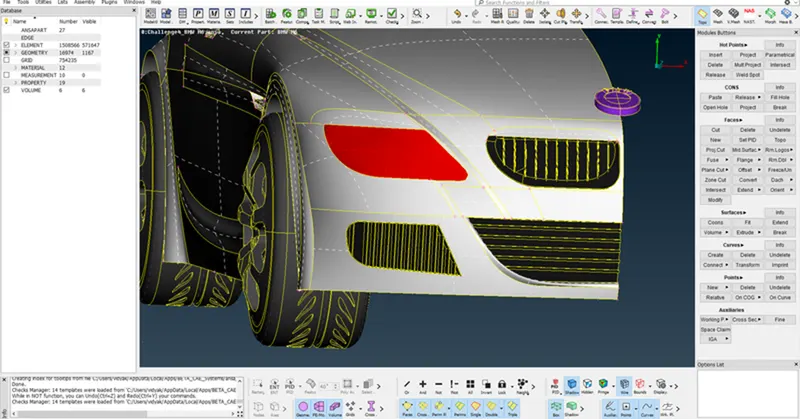
GEOMETRY CLEAN UP FOR BOTTOM SURFACE AND TYRES:
First, isolate the tires by using NOT and LOCK Mode
Then remove one of the tires because it has more errors and we cannot rectify and we can replicate the part by using the SYMMETRY option
Go to CONS > PROJECT and project the cons of circles of tires onto rims
Then DELETE the common surfaces present in between tires and rims
Thus, the geometry clean-up of tires is completed
Remove the unwanted surface on the bottom part and also not associated it with the wheels
Perform operations for EXHAUST also
Perform the same operations as mentioned above and complete the geometry clean up
After performing geometry clean-up for all parts perform geometry check-up by hiding single cons.
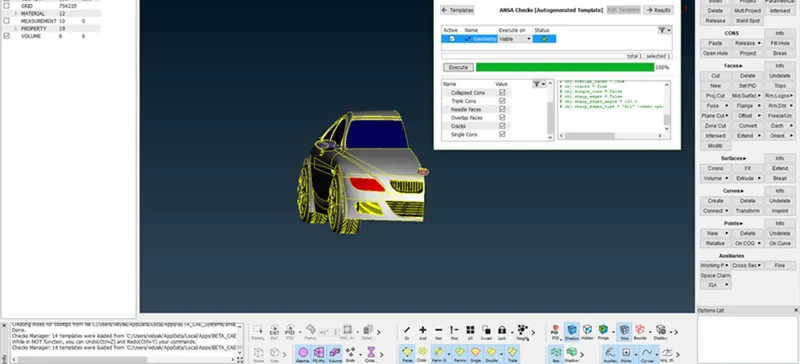
ASSIGNING RELEVANT PIDs:
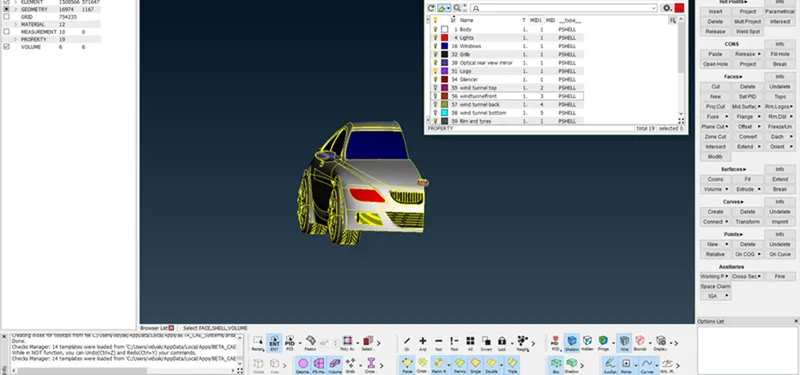
To assign PIDs for the given figure, go to the PID MANAGER tool
It shows all the PIDs assigned to the figure
First, isolate the body and lock the figure. Then go to > PROPERTIES it shows the PIDs assigned to the body so we have to rename it as BODY by creating a new PID
Repeat the same process and assign PIDs to all parts of the car.
SURFACE MESH:
Mesh the surface according to the given parameters
Body - 3 mm
Lights - 4 mm
Grills - 1 mm
Rims and Tyres - 2 mm
Optical Rearview mirror - 2 mm
Window - 2 mm
Silencer - 3 mm
Logo - 1 mm
Go to MESH > PERIMETERS > LENGTH and mesh the surface
Use TRIA elements and the mode of mesh is a spot mesh.
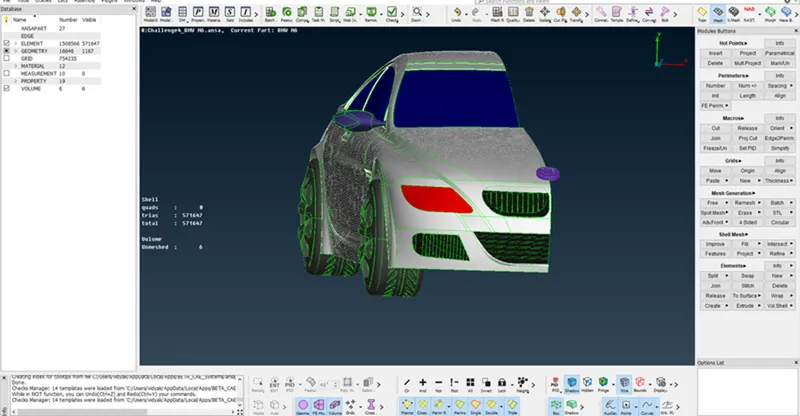
After the surface mesh checks can be done and eliminate the errors that occurred in the mesh model using tools like move, reconstruction, and split.
ELIMINATION OF SKEWNESS, MIN LENGTH, AND MAX LENGTH ERRORS:
Go to mesh quality criteria and adjust the parameters to standard values
In our model MIN LENGTH = 1mm so the limit is set to 0.2 mm and MAX LENGTH = 4mm so it is set to 5mm
Apply the changes and the errors that appeared on the left side of the screen and we have to eliminate those errors and it is shown as OFF elements
Go to SHELL MESH > RECONSTRUCT to reconstruct the model to eliminate min length and max length errors and make sure that the elements are within our limits
To find the skewness error go to skewness and right click then click on the show only it will show only the skewness error
This error is rectified by using GRIDS > MV SURF option or GRIDS > PASTE options and also by reconstructing the structure
After eliminating all errors, it shows OFF ELEMENTS is zero.
SYMMETRY:
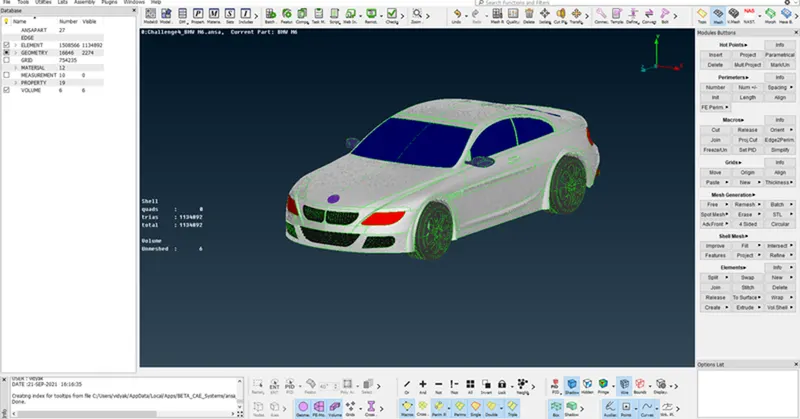
Go to TOPO mode and perform the symmetry operation for the model
First, we have to isolate the tires and lock the remaining model
Go to SYMMETRY > COPY and copy the entire model and select the MIRROR 3 POINT PLANE and select three nodes then it replicates the other image
For safety use the TOPO option to make all cons to double cons by selecting the entire model
To perform symmetry on the front tire go to POINTS > ON COG to locate the center part of the tire and use undelete option to retrieve some part of the tire and locate the midpoint of other tires
Perform symmetry Operation by copying tire and translation using two nodes
Change the threads on the right-side tires using the same option
CREATION OF WIND TUNNEL:
To create the wind tunnel first calculate the length of the car
Then Go to > POINTS > NEW and create points in all directions according to the directions of the wind tunnel
Create three nodes that are responsible to draw a plane
Go to surfaces > PLANE and draw a plane using those three nodes and replicate the same plane using translation symmetry
Repeat the same procedure for the other two sides
Go to CONS > INTERSECT to intersect all planes and delete the unwanted surfaces
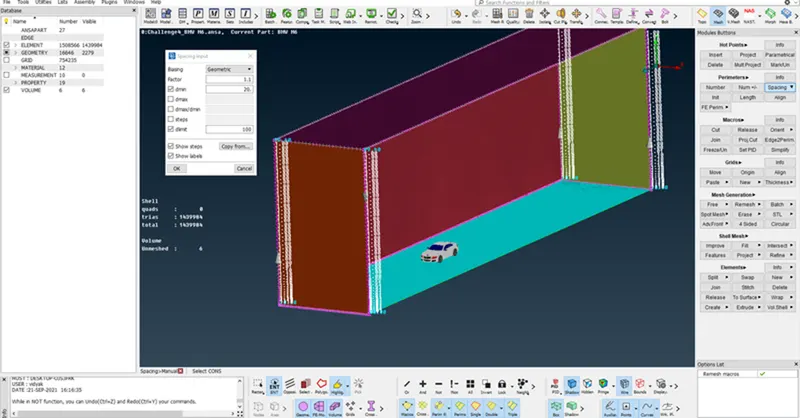
Thus, a wind tunnel is created and assigned PIDs to differentiate INLET and OUTLET
MESH OF WIND TUNNEL SURFACE LINES:
Sides of the bottom of the tunnel of length 20mm
Sides of front and back as of length 50mm
Sides of the top of the tunnel of length 100mm
Then Go to PERIMETERS > SPACING > CONSTANT LENGTH and assign min value as 20mm and max as 100mm and assign to all front and backsides.
CONCLUSION:
The BMW car model has meshed with the given criteria. A total of 1508566 2D elements have been generated. The generation of 3D elements for this model requires huge power resources and time. Hence the volumetric meshing of this model can’t be done.
The link for the meshed model can be found here
https://drive.google.com/file/d/1aZm6JDcYE1r3dZyhEkkx2OG2aAC-zdEa/view?usp=share_link