Week 4 Challenge : CFD Meshing for BMW car
Week 4 Challenge :
CFD Meshing for BMW car
Aim:
To celan the geometry of BMW assign the given PIDs and perfrom the meshing.
Objective:
To perform the mesh on BMZ car and to design the tunnel and perfrom the mesh on it, with assigned PIDs and to clean the geometry.
Body of content:
In this report we are going to rectify all the error and perform external mesh on BMW car to find out the drag coefficient. This report is dived as geometry cleaning, PIDs assignment and meshing. We will go in detail of every aspect of report.
1. Geometry cleaning:
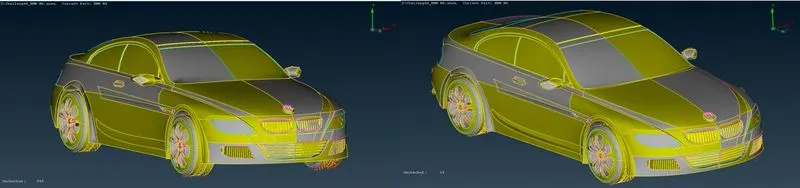
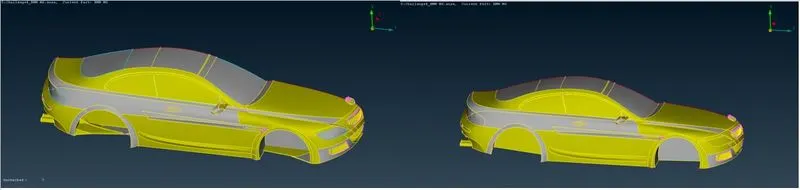
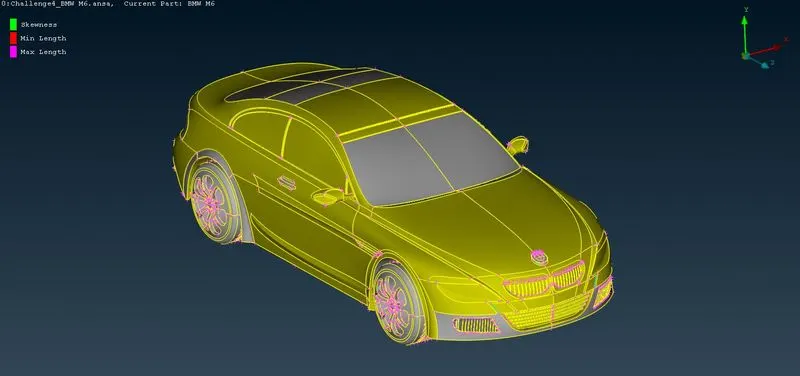
As you can see our BMW car in ANSA v23.0.1, we have to clean up the geometry and perform meshing on the BMW car. First, we have to increase the resolution for better view of BMW car as shown in below figure before and after increase of resolution.
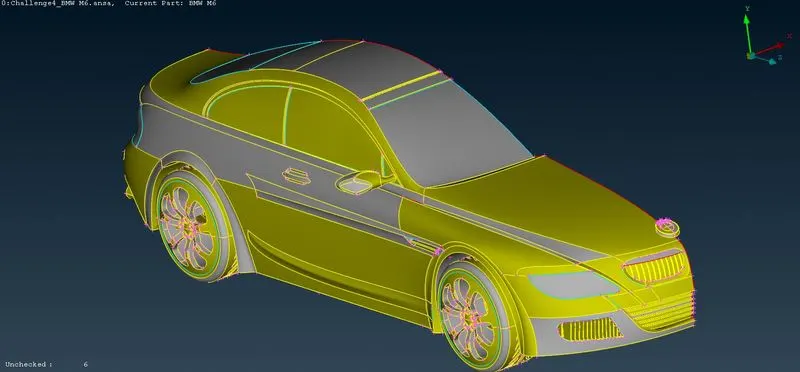
As we can see the car is symmetry so for making process little easy, we will be going to delete the half mode and work on other half to save the time. As shown in below figure.
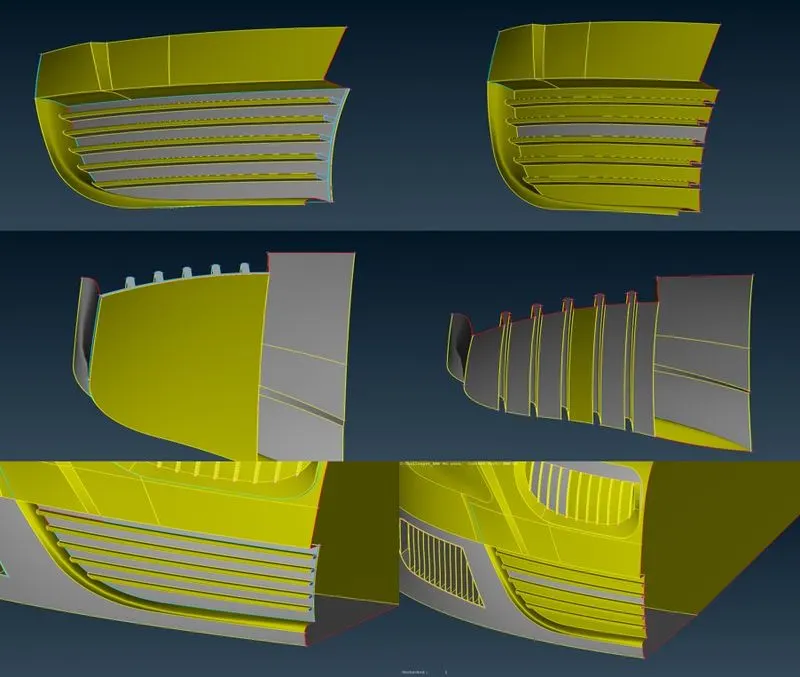
To start the meshing, we have chosen the grills part of the as shown in below figure we deleted the unnecessary face and create a new face for better geometry. The figure is comparison of two faces.
Moving to next geometrical error the next part of BMW as shown in below figure we are going to perform geometry cleaning on it.
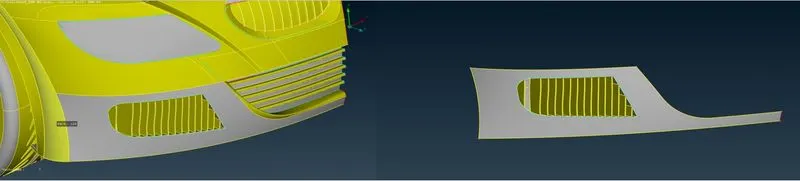
We have to rectify the faces of the grills so that we can avoid the error in the geometry, the detail design is shown in below figure.
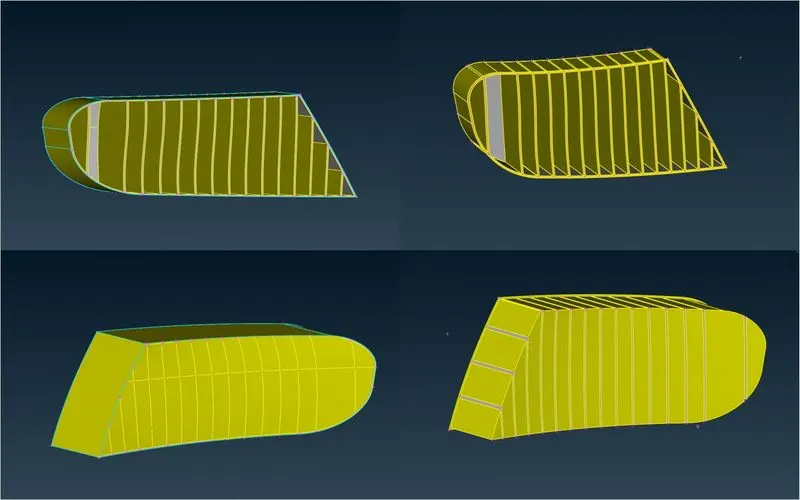
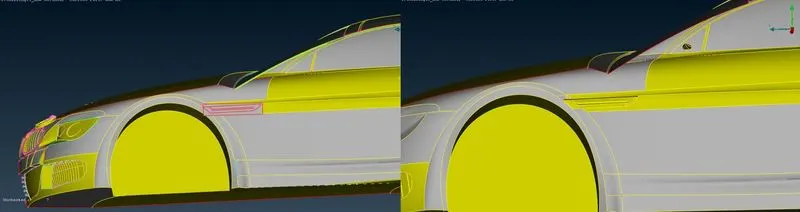
Coming to the next geometrical error as shown in figure which is nothing but overlap volume which is not required in volumetric meshing so we deleted that part and created a face there.
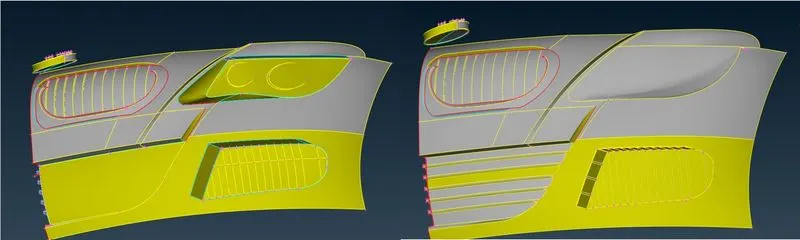
Form outside the face looks shown in below figure.
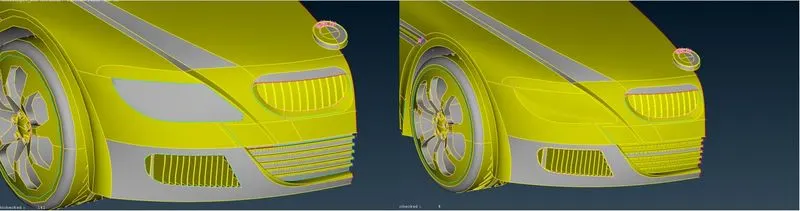
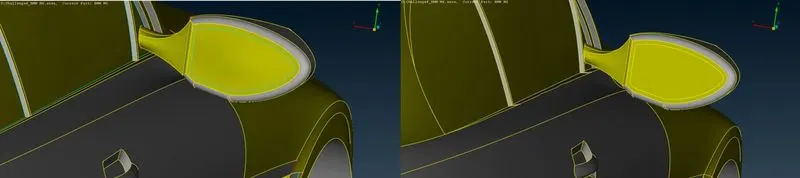
Now the next error we rectify here is the error of another grills in our geometry design. As shown in below figure. We have recreated it and delete the unnecessary face. The comparison is shown in below figure.
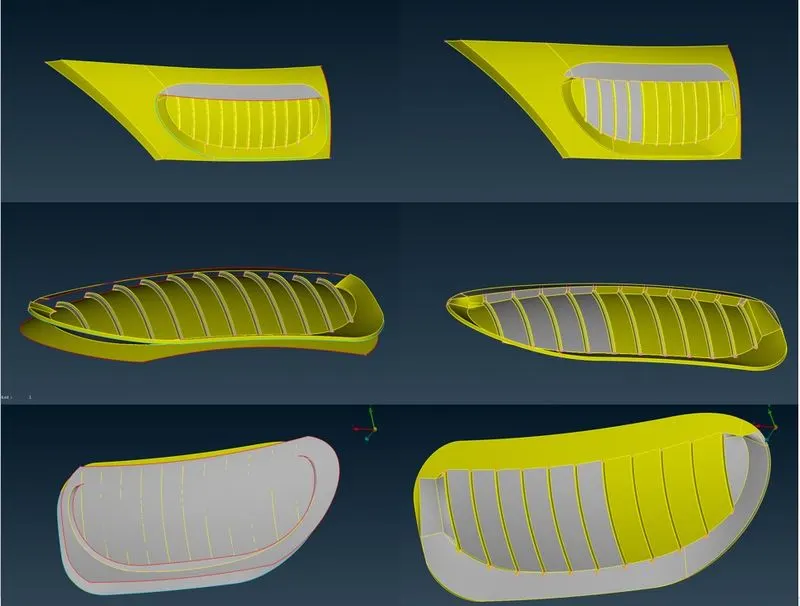
Now as like that we are rectify the error in BMW car as shown in below figure.
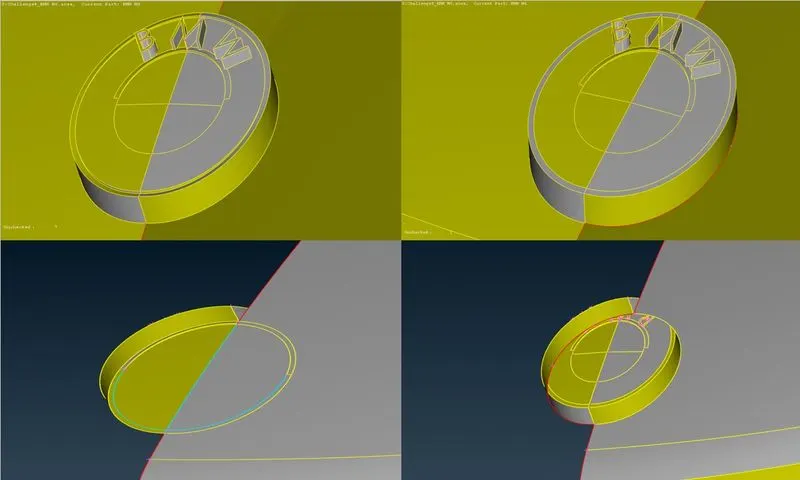
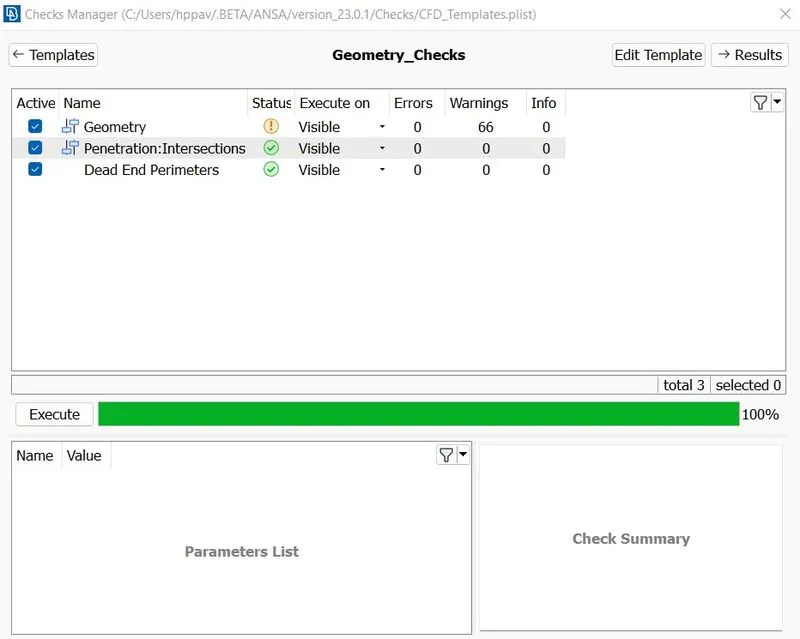
Going for geometry check we can see only warning in geometry not error and no intersection error. As shown in below figure.
2. Property identity assignment.
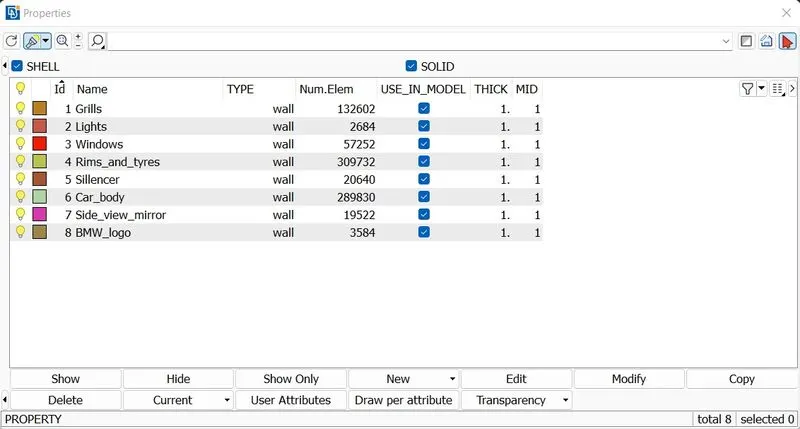
As per the given data we have assign the property of:
- Grills
- Lights
- Windows
- Rims and tyres
- Optical rear view mirror
- Side view mirror
- BMW logo
the below figure shows the assigmesnt of PIDs.
3. Meshing
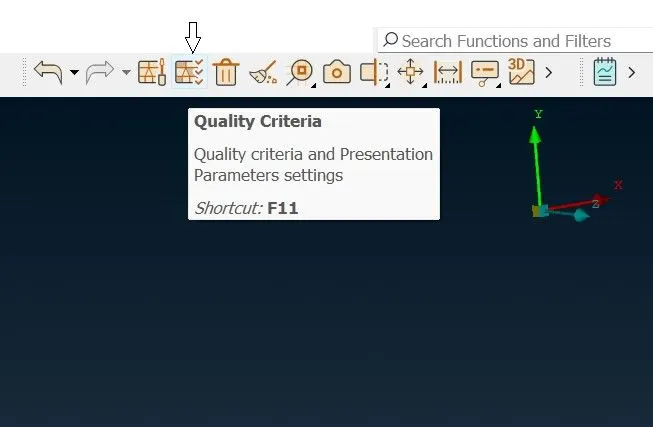
Now we are going to create surface meshing on BMW car before that we are going to assign the mesh quality criteria. For that go to the option quality criteria and assign the mesh quality to skewness, maximum
length and minimum length.
.
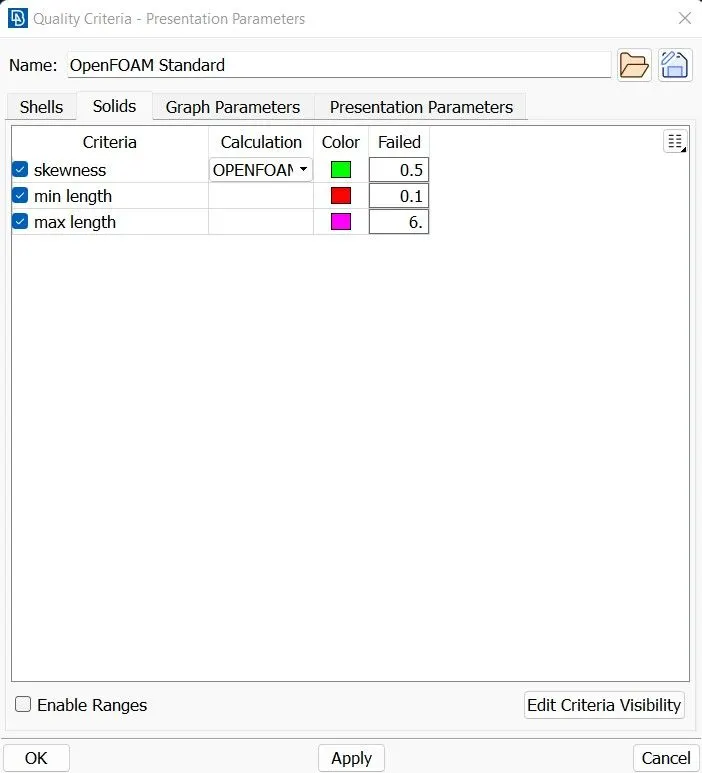
As per the given mesh criteria for the BMW car we here set the minimum length to 0.1 and maximum length to 6. For the skewness we set the criteria to 0.5. Now moving to mesh part.
Surface meshing
Here we are going to surface mesh each part of BMW car one by one and also maintain quality criteria of meshing, as per the given data of mesh length on each component of body we are going to perform auto CFD.
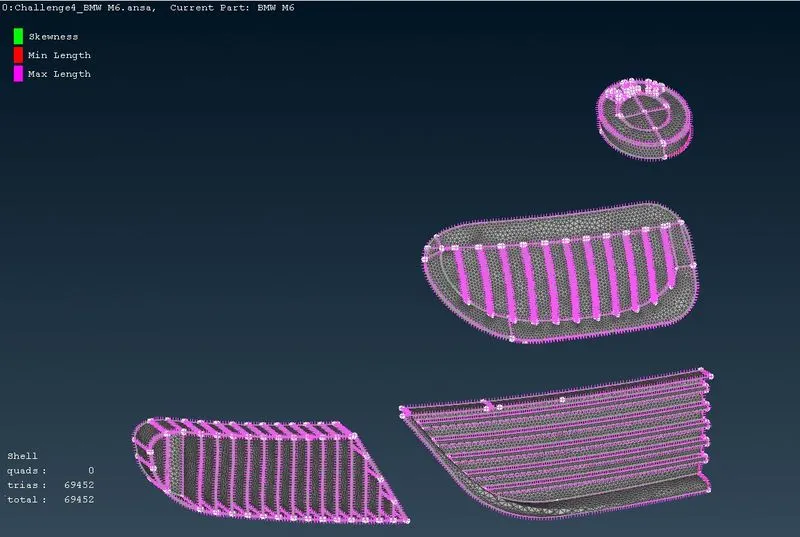
Surface mesh on grills, and BMW logo with mesh length of 1mm.
As shown in below figure we are going to perform surface meshing on grills and BMW logo part as they share same mesh length, we are going to perform auto CFD meshing with minimum target length of 0.8mm and maximum target length 1.2mm.
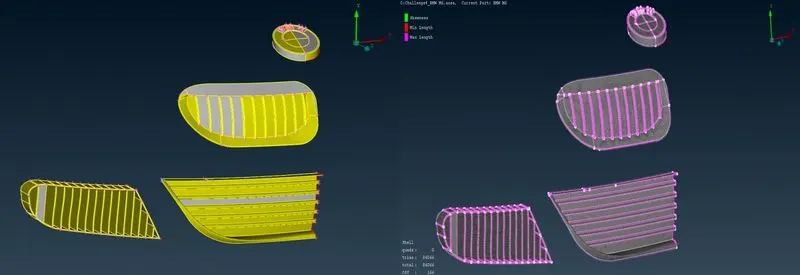
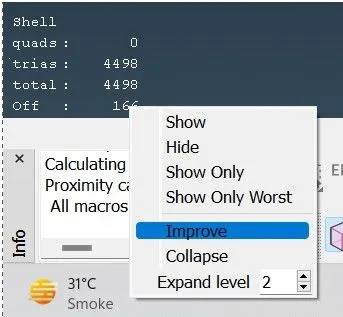
As we can see the off par is showing 166 which is nothing but the quality criteria of mesh that is generated on grills and BMW logo, it means there are 166 elements which are not following the assign quality criteria.
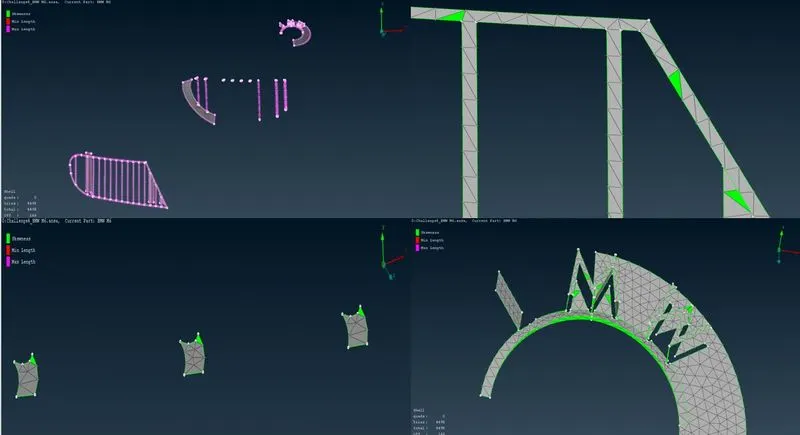
The detail view of that body is sown in below figure, this is the parts in which quality criteria is failed, as we can see in the figure lots of problem is regarding skewness, so to rectify that error the certain measures as been taken.
To rectify the above error, we can use the improve method as shown in below figure, to go to improve method go to the off and right click and find the improve. Now the next step is to chose the method to rectify the error as minimum as possible for that chose any method in improve as shown in below figure.
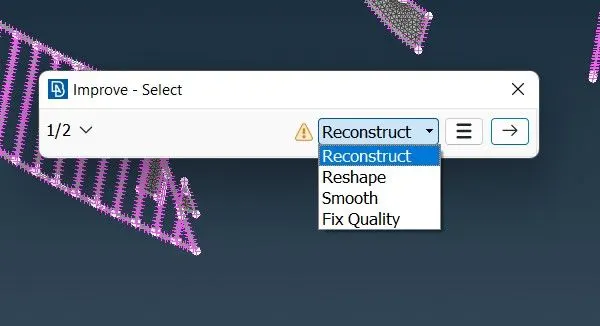
By doing so you can withstand to the given criteria, below figure shows the image of mesh error rectify with the help of improve command.
Surface mesh on windows, side view mirror rims and tyres with mesh length of 2mm.
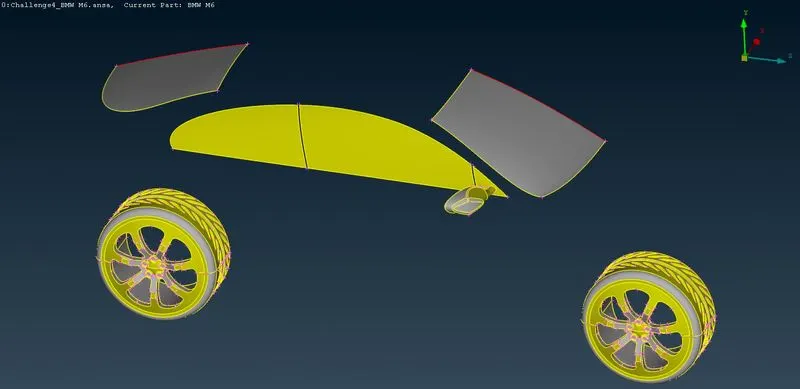
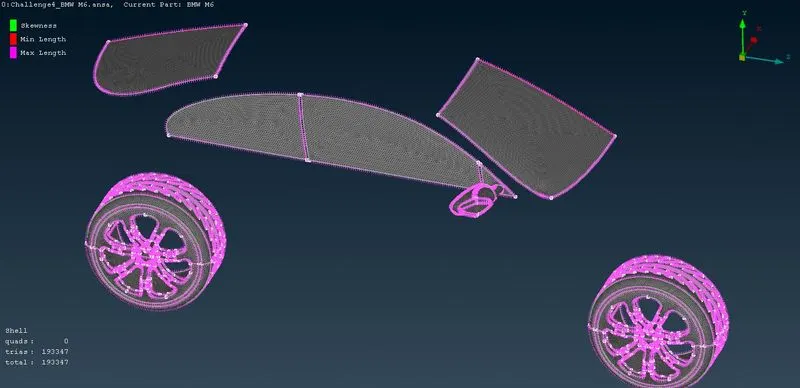
As shown above images is of meshing on wheel, side view mirror, rims and tyres, with mesh length of minimum 1.5 and maximum length of 2.5 we achieve desire mesh quality which satisfied mesh criteria.
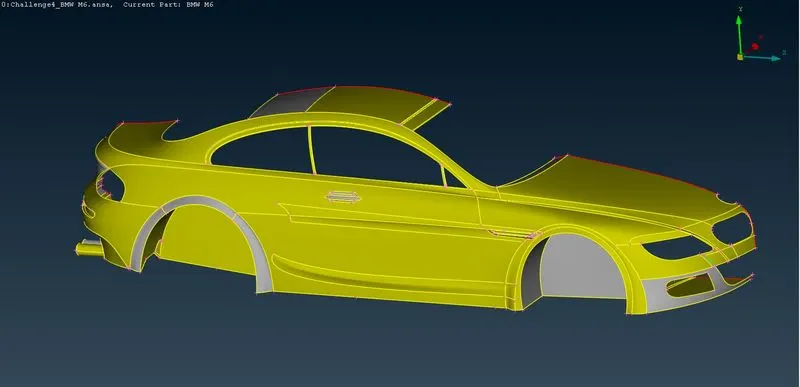
Surface mesh on body and silencer with mesh length of 3mm.
A shown in below figure the surface mesh of target length is done on body and silencer of BMW car with minimum length of 2mm and maximum length of 4mm, as body show some skewness but after improving the mesh quality the final image is show in below figure.
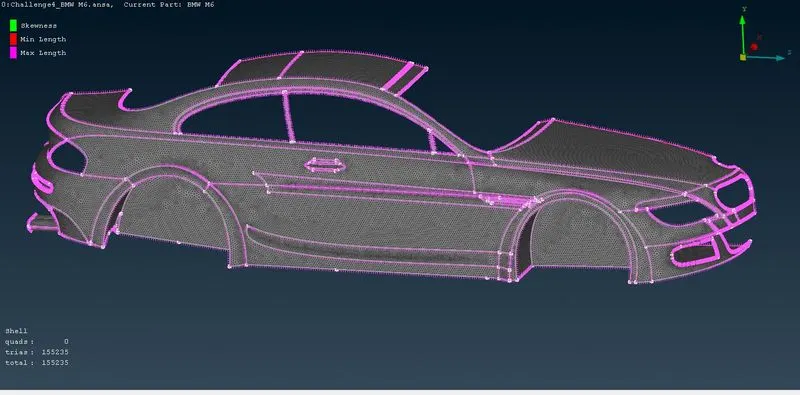
Surface mesh on light with mesh length of 4mm.
Now moving on the last part i.e., lights we have to give the target mesh length of 4mm, so taking a CFD meshing in account we have given the minimum length of 4.5mm and maximum length of 5.5mm.
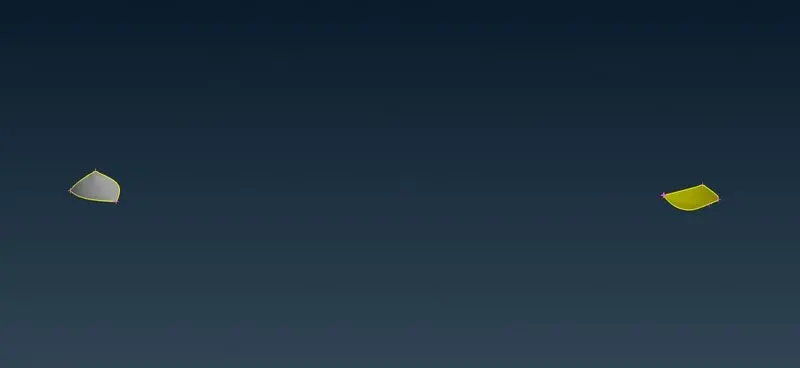
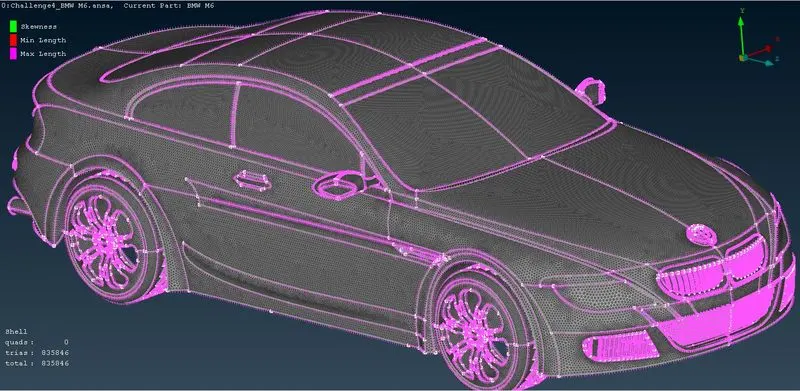
So, the final meshing model of BMW car is shown in below figure.
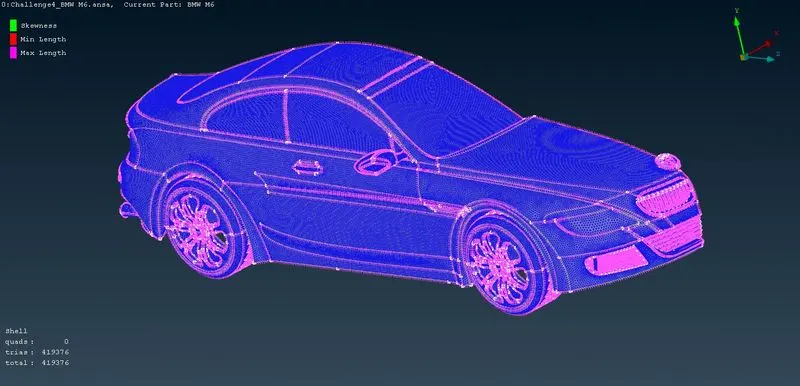
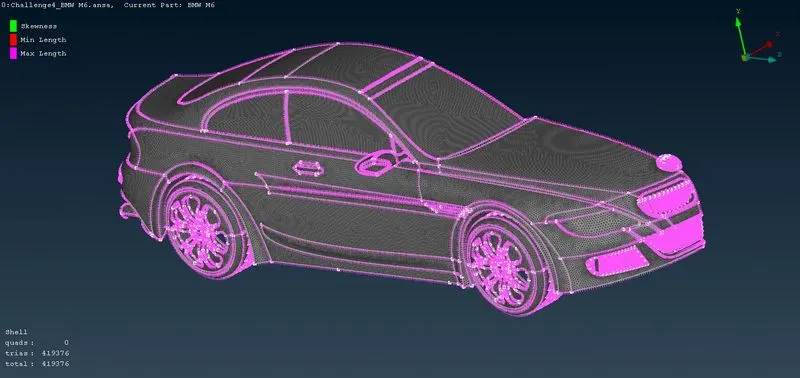
Now mirroring the final BMW car as shown in below figure.
The final model with mesh quality is shown below.
Creating the wind tunnel
Now to design the wind tunnel we have taken a dimension which is denoted as ‘x’ mm where x is nothing but the length of faces from car. All the faces are design with a certain value we will discussed each one by one.
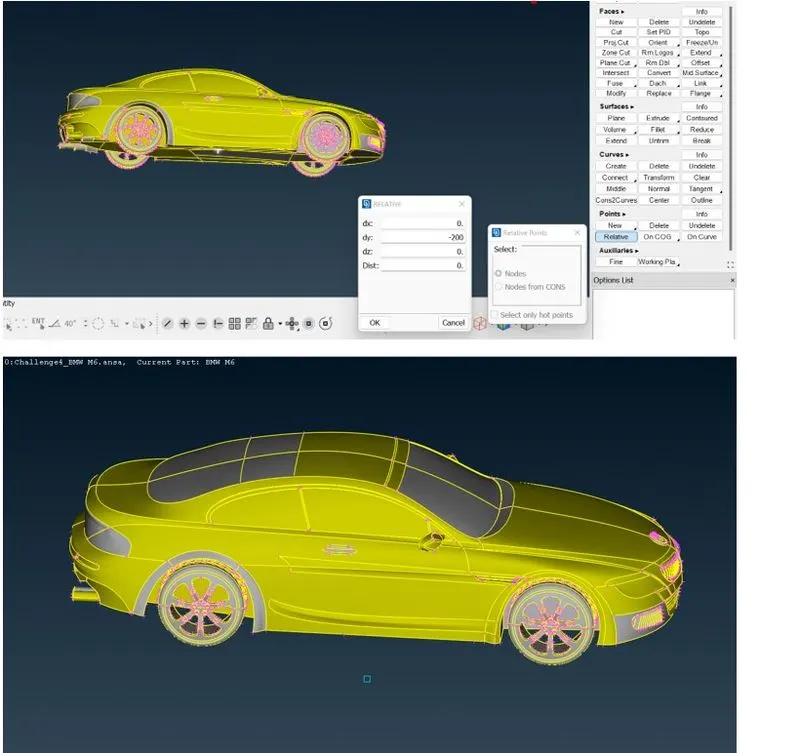
As shown in below figure, we have generated point for the bottom face of the tunnel the distance of that point we have taken as around 200mm. as shown in below figure we have created a point on the bottom face, and give him the value of 200mm in negative y direction.
So, for the front face we have taken x value is 650 which is a distance of grills to centroid as discussed earlier we will be going to add this vale with overall four times length of car i.e., length from grills to lights which is 1300mm. as shown in below figure we have created a point which is 5850 mm away from the relative point.
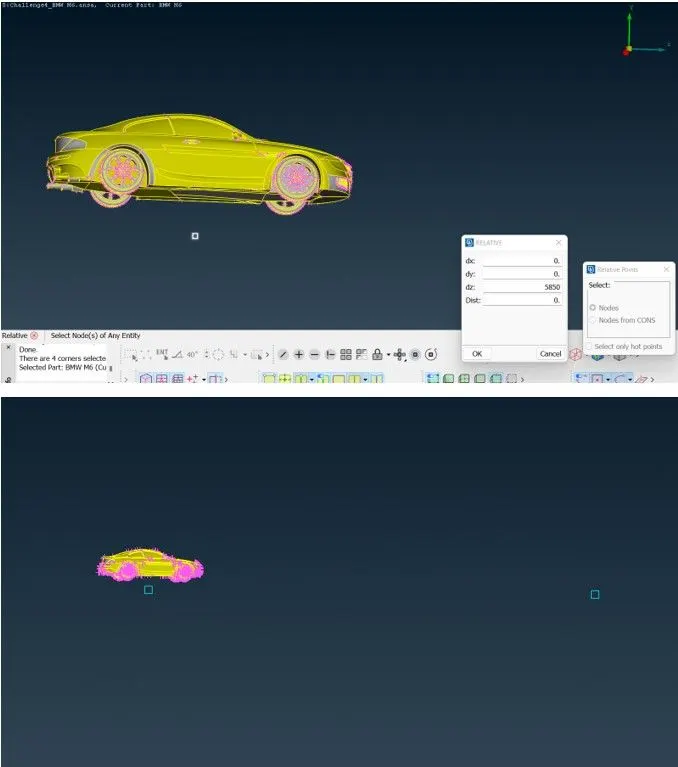
Now, for next point generation in back of car the calculation is same but instead of four times length we are going for six times length and add the value to the distance between centroid to car grills, which is 650mm. So, the distance which we are assign here at negative z direction is 8450.
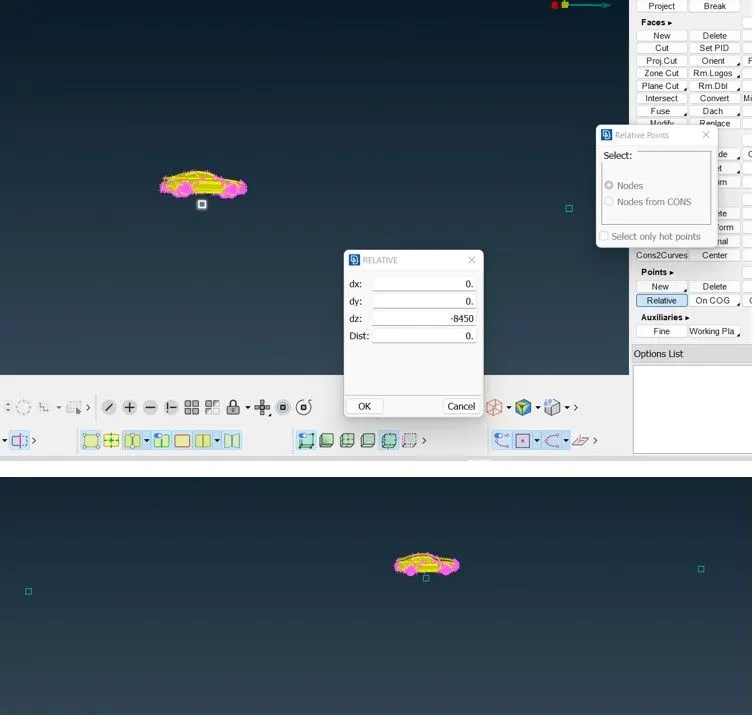
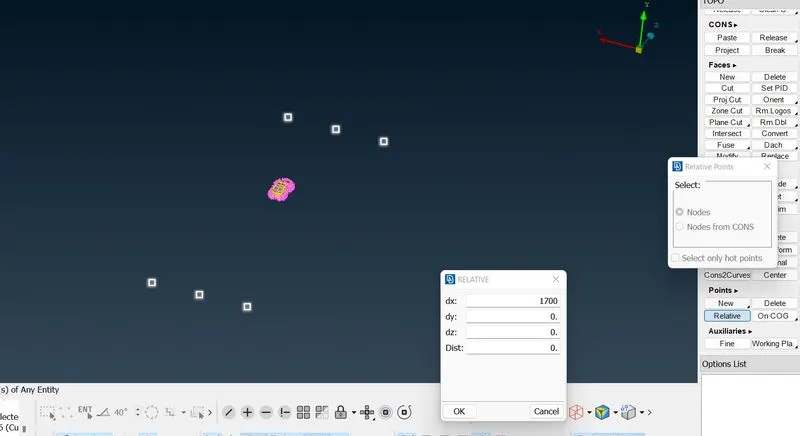
Now, for the generation of point on side we have seen that the distance between the centroid to the doors of car is 400 mm so adding this value with the total length of car we get 1700. As shown in below figure the point generated on both the direction.
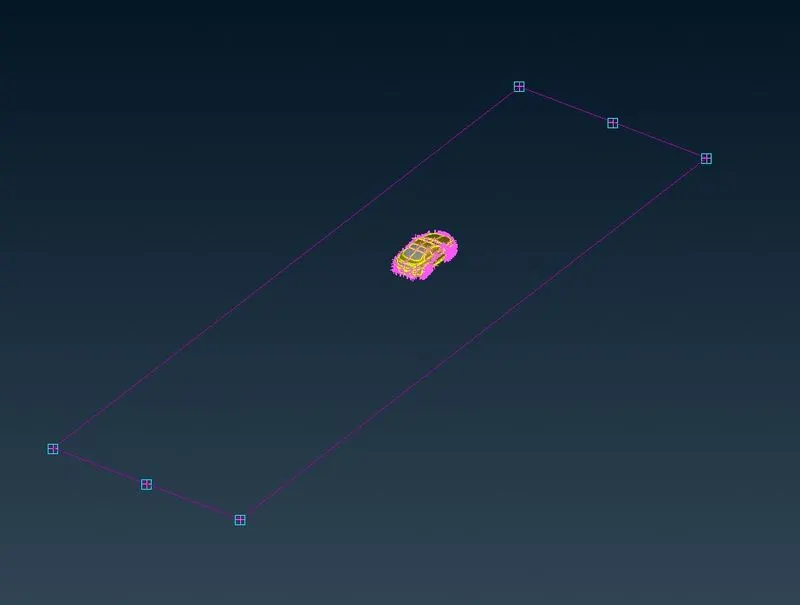
Now for plane generation we are going to create a curve in curve option there is create command which help to create curve as below shown in figure.
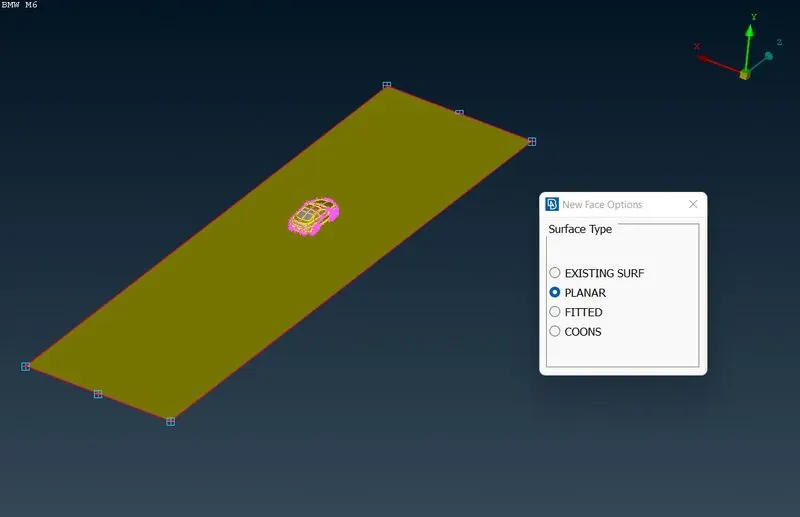
Now we created plan with help of new face option as shown in below figure.
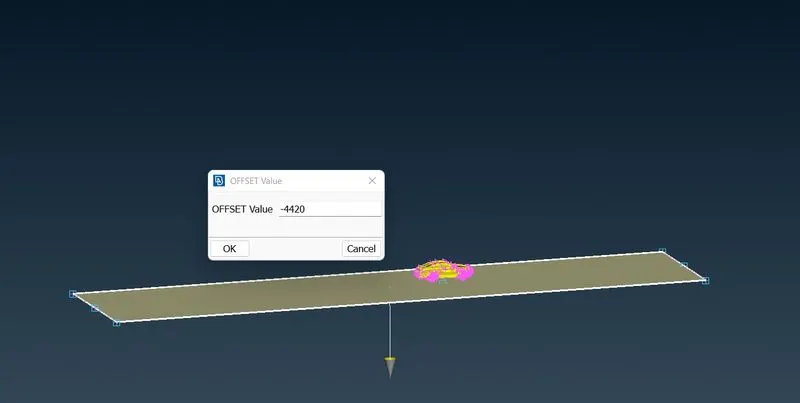
Now we can offset that face on top of car with help of offset tools and the length is 4420mm from the bottom face as shown in below figure.
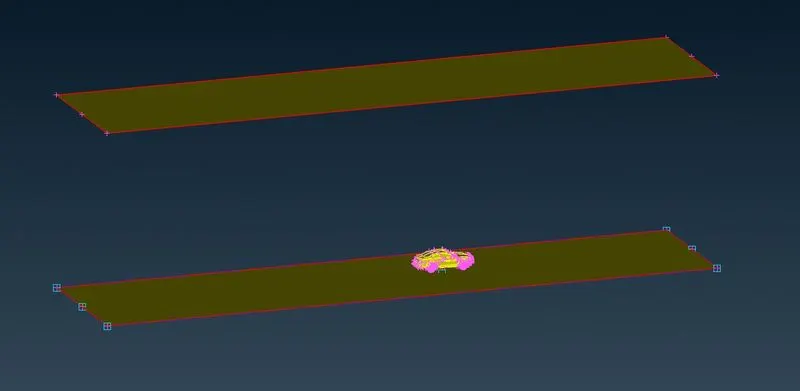
Now we simple have to create all the faces as shown in below figure.
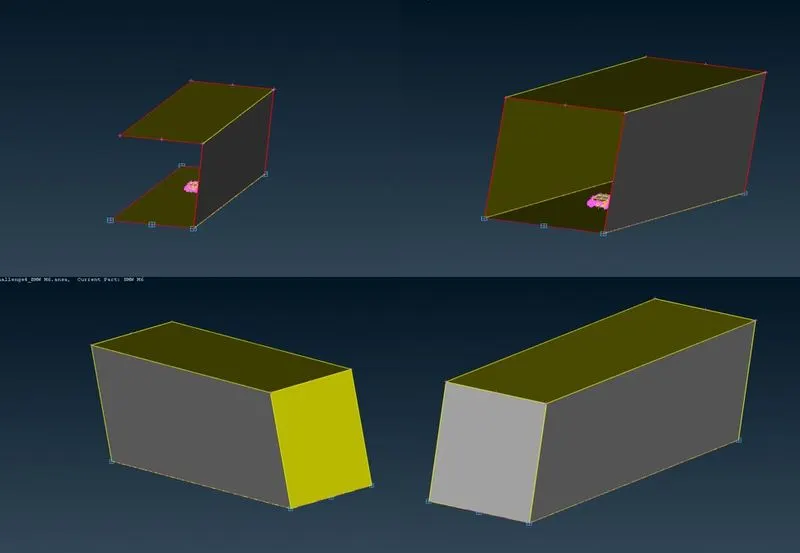
Surface meshing on tunnel
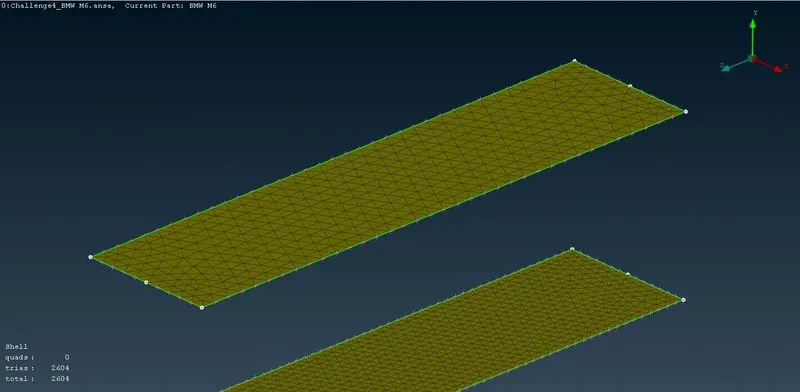
We have done auto CFD surface meshing according to the computational resources, the below figure shown about the meshing of tunnel, the bottom face we have given mesh length upto 250mm so the minimum length is 1mm and maximum is 250mm.
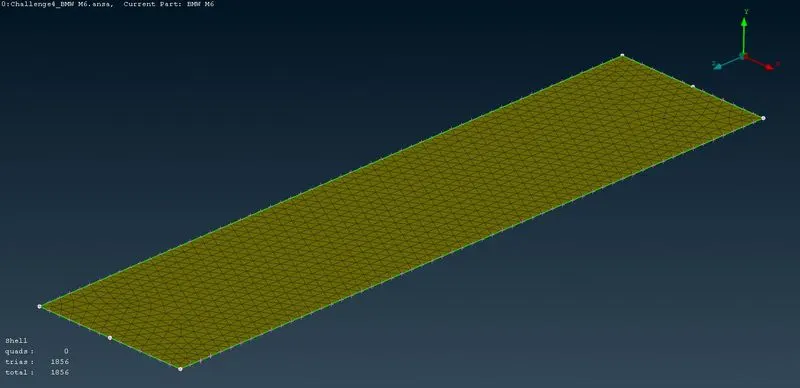
Coming to top face the mesh length is given upto 400mm so the minimum is 1mm and the maximum is 400mm as shown in below figure.
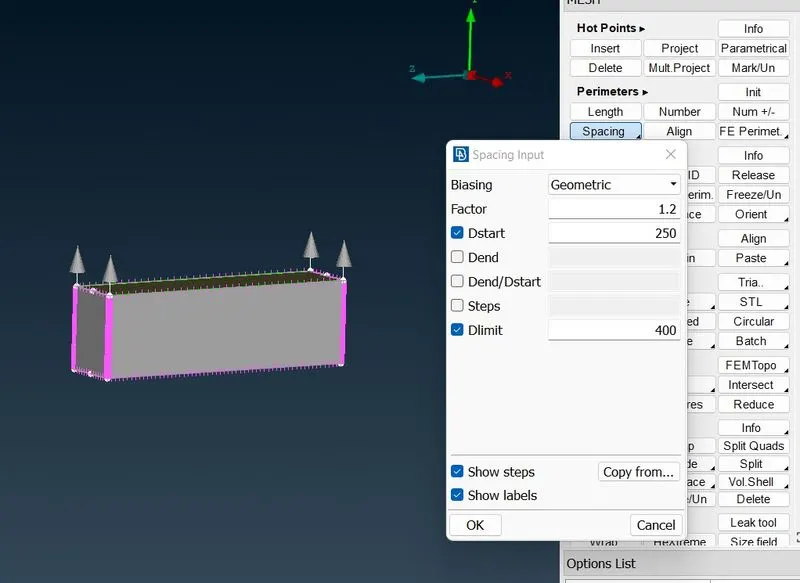
Now for side faces we use spacing method for grown mesh as shown in figure, for that go the permitters search for spacing in there go with manual method in that select all the four edges of side faces and give the Dstart 250mm and Dlimit 400mm.
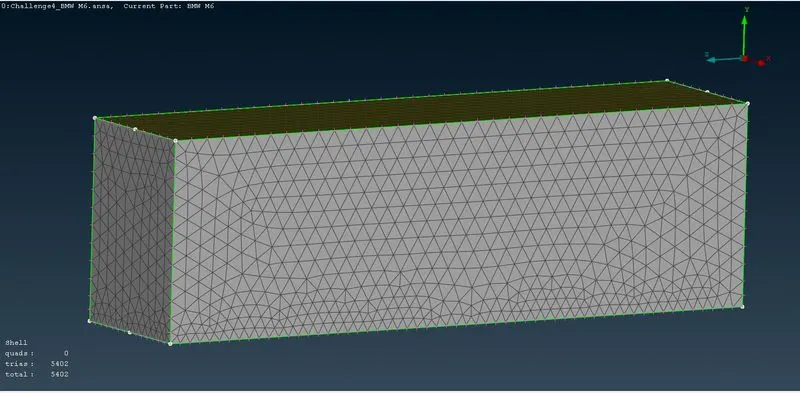
The final model of tunnel mesh is shown in below figure.
Conclusion:
From this we learn how to design a tunnel for given BMW car.
How to perform grown mesh in tunnel and how to assign PIDs.
the total element of BMW car with tunnel is 841102 wich withstand all the mesh quality criteria
Below is google link of BMW car and tunnel file with meshing quality criteria and assign PIDs.
https://drive.google.com/file/d/1LwwFYdZanKJ7lYjQrGGb3onKG60Aq2lg/view?usp=share_link