Week 4 Challenge : CFD Meshing for BMW car
Aim:
- To check and solve all geometrical errors on half portion and Assign appropriate PIDs.
- To Perform meshing with the given Target length and element Quality criteria.
*Note: (After meshing the half model, Do symmetry to the other side)
Given Target length for surface meshing,
- Body - 3 mm
- Lights - 4 mm
- Grills - 1 mm
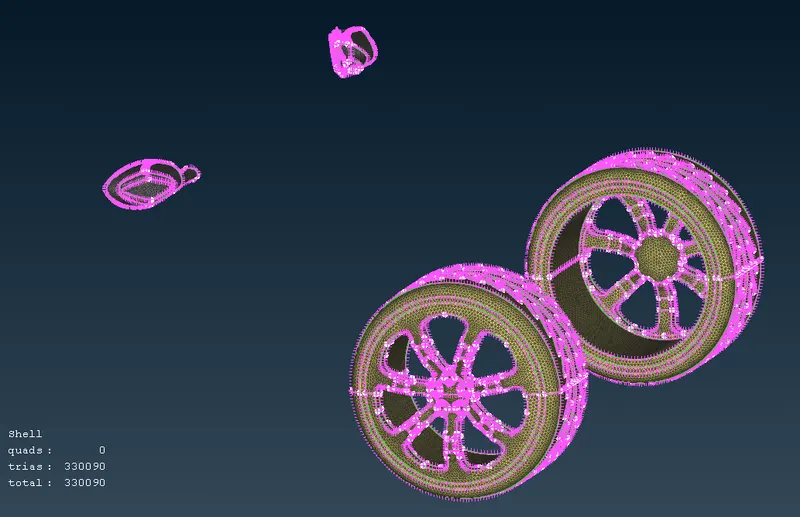
- Rims and Tyres - 2 mm
- Optical Rear view mirror - 2 mm
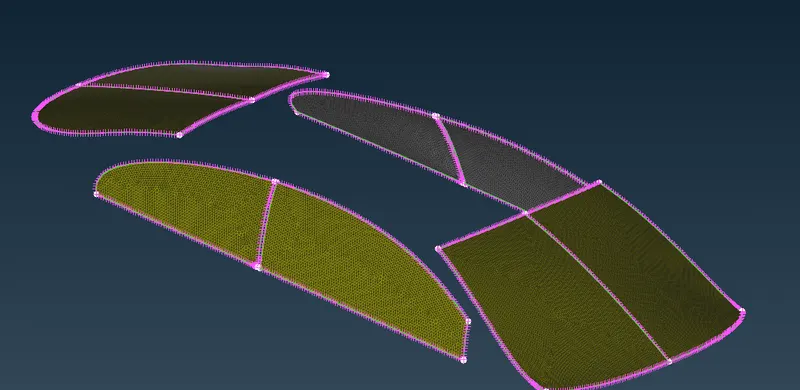
- Window - 2 mm
- Silencer - 3 mm
- Logo - 1 mm
For Quality Criteria,
We unchecked all other Criterias other than Skewness, max and min length.
There is difference between max and min for quality criteria and target length, max and min(target length) changes for each part of the model. But for quality criteria max and min is same for the entire model.
Skewness given for the model - 0.5
Skewness :
We can say that skewness is an allowable deformation of the shape of a 2D element when compared to ideal element. Ideal shape of tria element is Equilateral triangle.
minimum length - 0.1mm
maximum length - 7mm
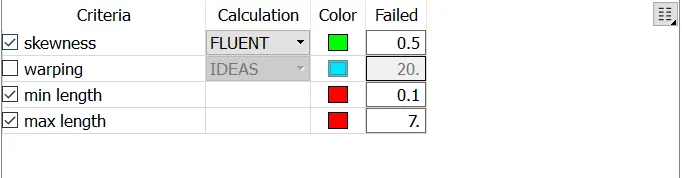
Procedure :
Before starting further process, we need to know the unit dimension and then resolution of the car model is distorted for better resolution we change the perimeter length in the mesh generation tool.
Since the car is symmetry except the BMW logo, we isolate the logo and del half part of the car model, as it is symmetrical to the existing part, we can rectify the errors on one side and then after performing surface mesh , we can copy the symmetry.
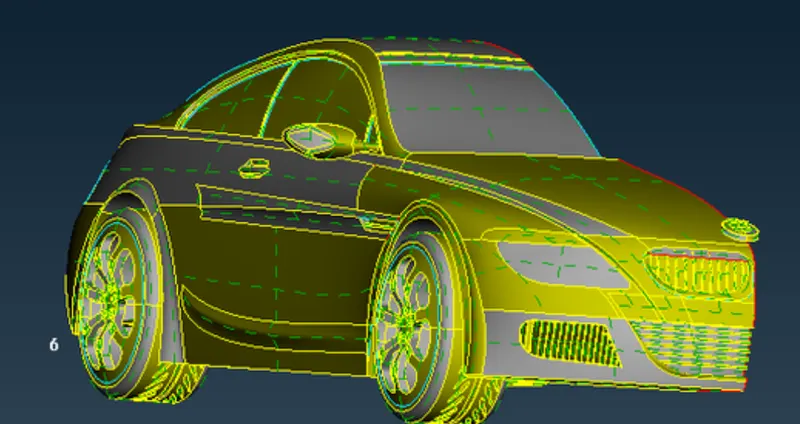
* Topo / Geometry clean up :
When geometry is checked, we had lots of errors, single coons and 18 Intersection of PID's ,
After them up with the help of various tools for every single part, In the beginning we took care about Grills then logo and then rear view mirror, etc...
As this car model is going to undergo CFD simulation - external flow analysis, we can delete faces that are internal which in turn is no need for the external flow simulation.
Setting the PID names,
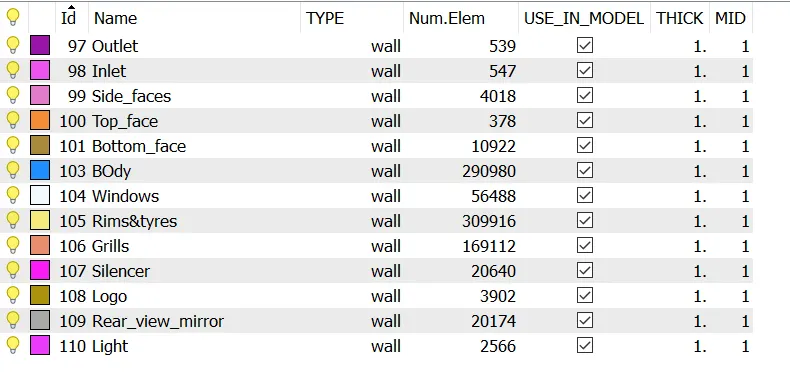
After Topo clean up is done, before copying the symmetry part,
we need to set up the quality parameters, After setting those parameters, from the topo we are moving to the surface meshing part. As the target lengths for different parts are given, we mesh according the given size. After mesh we copy the symmetrical parts by the option Transform -> copy -> select entire car model as entity -> mirror about 3 points -> select 3 random points -> apply and OK.
* Grills and Logo has same 1mm as size,
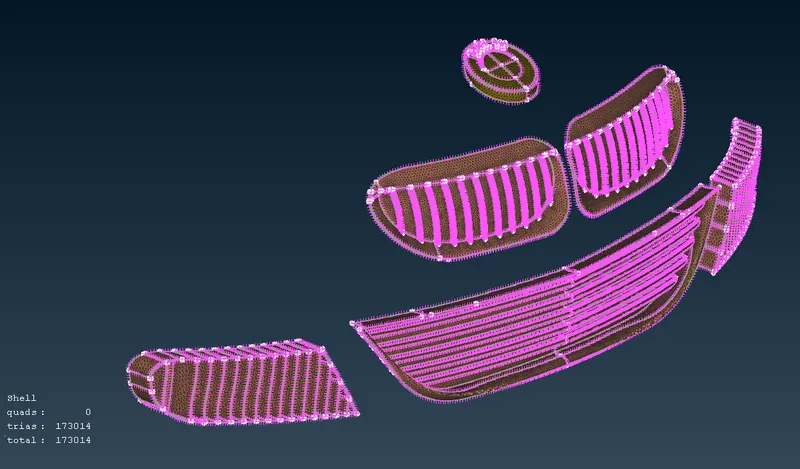
There it occured some off elements because of given quality criteria, we can clear that by Right click near off elements -> Improve -> reconstruct. By doing this mostly every off elements gets cleared, If there is off elements again we can move the grid point using grid move option, so that off elements gets cleared.
* Rear view mirror and Rims & tyres has same size as 2mm, and windows
* Silencer and Body of same size as 3mm,
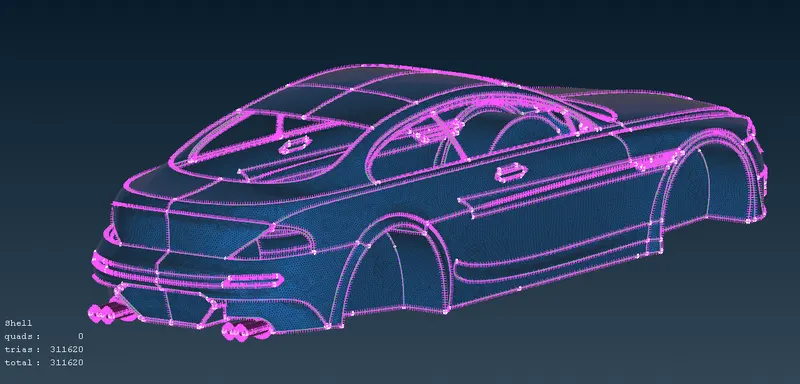
As different parts of the car model has different target length, joining all parts erares mesh from some parts, to prevent this we use freeze command so mesh that won't be erased while joining parts together.
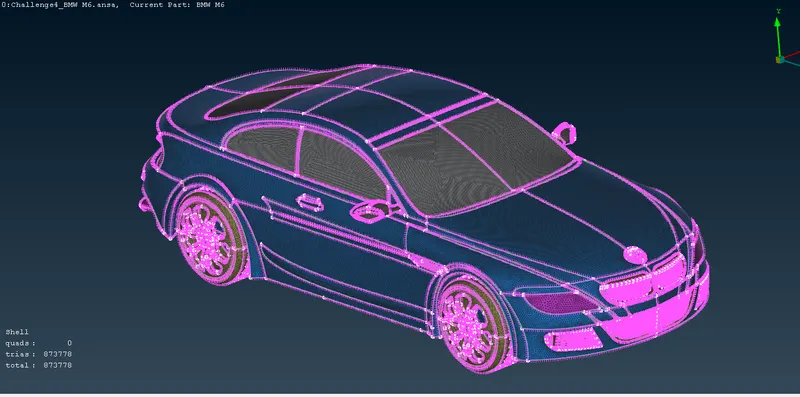
Checking quality criteria and the result is there is no off elements in the mesh,
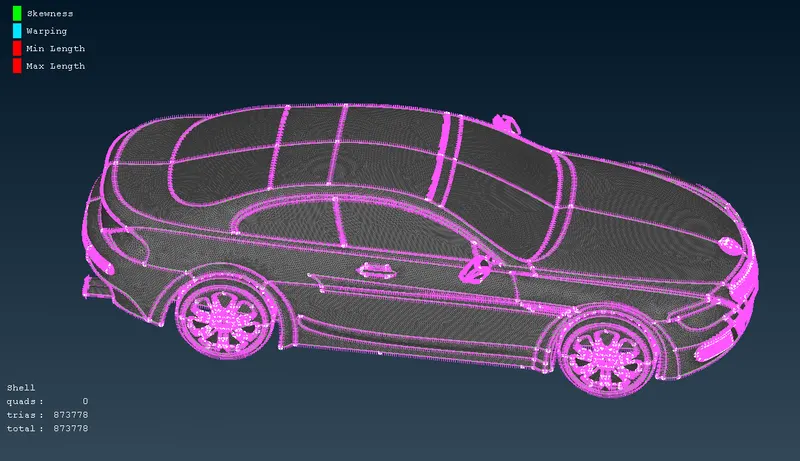
After this we need to create a Domain for the car model,
Total size of car is 1300mm , center point is considered as 650mm
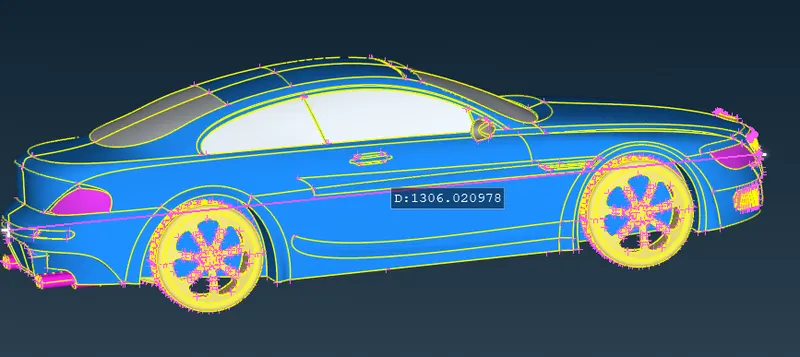
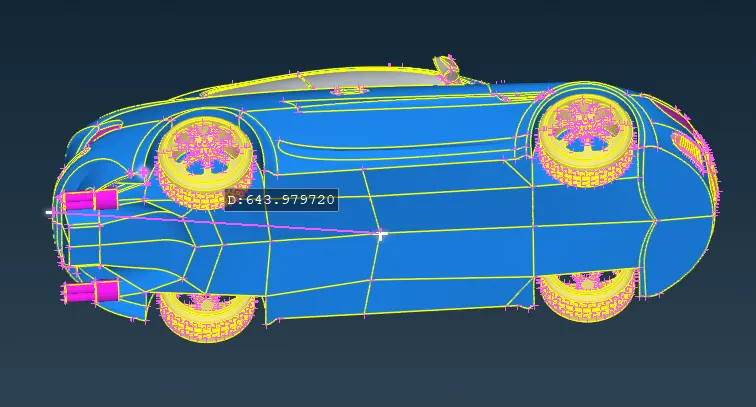
Bottom face is created first, which is 200mm away from this point. relative to the point we create two points one at inlet and other for outlet, 4x for the from the front of the car and 6x for the rear of the car and for sides x (x=1300mm) .
Connect the created points with curves and create surface using that curve, and we create a top surface by using selecting this bottom surfaces and click on Offset command and give the distance for it to offset the copy of this surfaces,
Create side faces, inlet and outlet with those created faces.
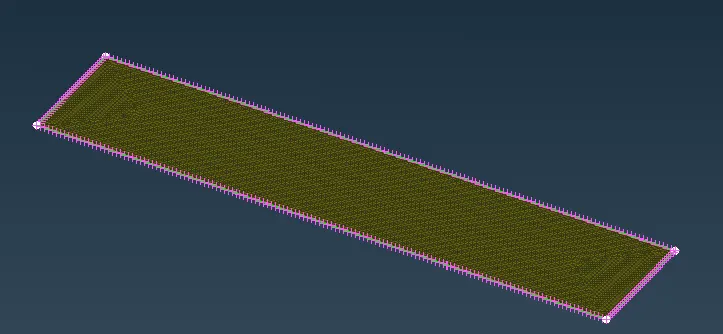
for bottom surfaces, we have given target lenth as 100 because I'm opting for a coarse mesh due to the lesser computional power.
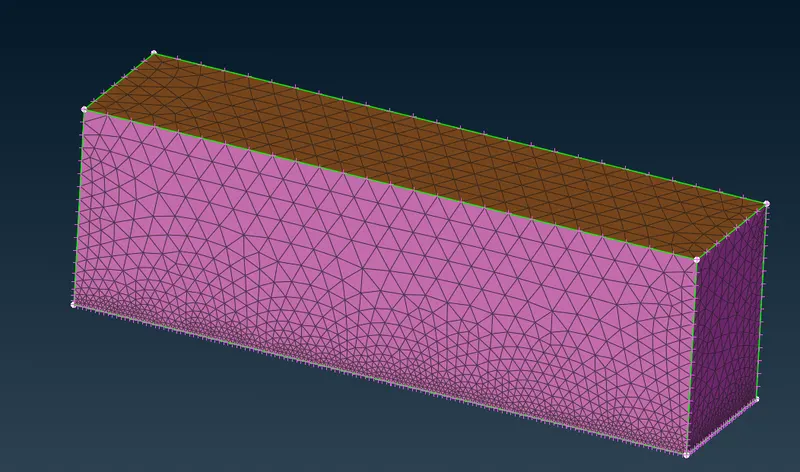
From that we need to create mesh on side faces , inlet , outlet and top faces,
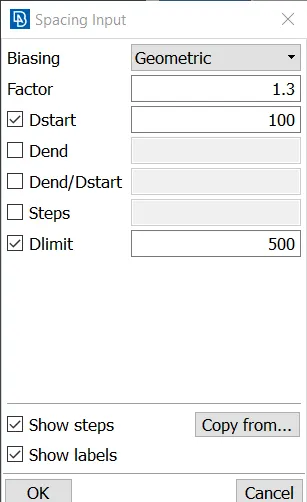
But we are going to use growth mesh here from the Spacing as manual,
Learning Outcomes:
* Performed various topo clean-ups using different tools.
* Understood the need of double cons and removing unecessary triple and single cons.
* The use of symmetry helps in reducing the work time and helps in having accurate results with less work.
* Create surfaces using the reference hot points by using relative points.
* Surface meshing for different components and their varying mesh lengths.
* Using spacing option in surface meshing helps in having varying mesh lengths along the surfaces.
* Using re-construct option to reduce off elements to a level where we can edited it manually.
Results:
Completed car model with wind tunnel ANSA file drive link - https://drive.google.com/file/d/1cQQiBgpQ_FdYE097XNQnoNHDMC5OUhkK/view?usp=share_link
Conclusions:
1. BMW car model is topo-cleaned and surface meshed appropriately.
2. Wind tunnel is created and surface meshed with reference to the car model size.
3. Different volumes of the car model is created since the silencer and tyres are not connected to the car body.
4. Single volume is created of the car body so that it can be avoided at one go when creating a volumetric mesh.