Project 2
PROJECT-2 : MESHING AND ASSIGN THICKNESS OF SPARE WHEEL HOLDEL
AIM: Meshing and assign thickness of the stepny storage of the car
OBJECTIVE:
Follow the below-mentioned quality criteria, mesh the component given below and assign thickness:
Target Element Length = 5mm
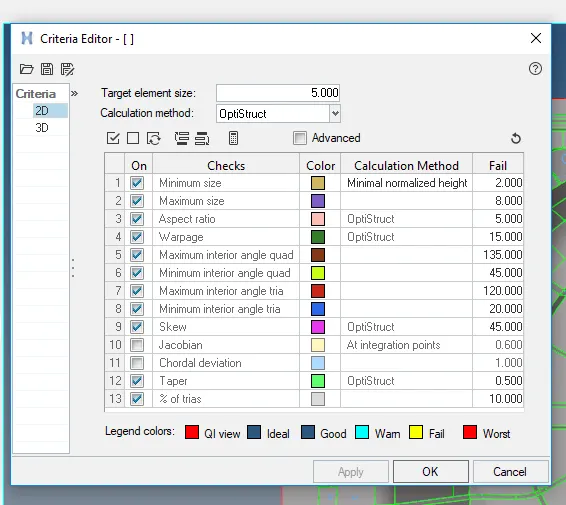
| S.N | Quality Criteria | Value |
| 1 | Aspect Ratio | 5 |
| 2 | Skewness | 45 |
| 3 | Warping | 15 |
| 4 | Taper | 0.5 |
| 5 | Min. Length | 2mm |
| 6 | Max. Length | 8mm |
| 7 | Min angle Quad | 45 |
| 8 | Max angle Quad | 135 |
| 9 | Min angle Tria | 20 |
| 10 | Max angle Tria | 120 |
| 10 | Tria % | 10 |
ABSTRACT:
- Inspect the cad geometry and clean the model
- extraction mid surface using surface tool
- performing the 2D mesh on the mid surface
- solving the failed elements by various mesh improvment tools
- conversion of 2D shell to 3D ELEMENTS
PROCEDURECT:
GEOMETRY CLEANUP:
- Import the model in hyper mesh click on the file select geometry open model
FILE > CLICK ON OPEN > MODEL > SELECT FILE
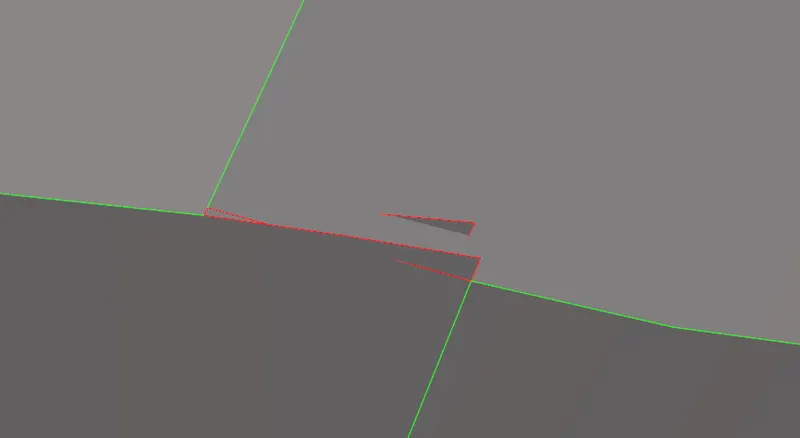
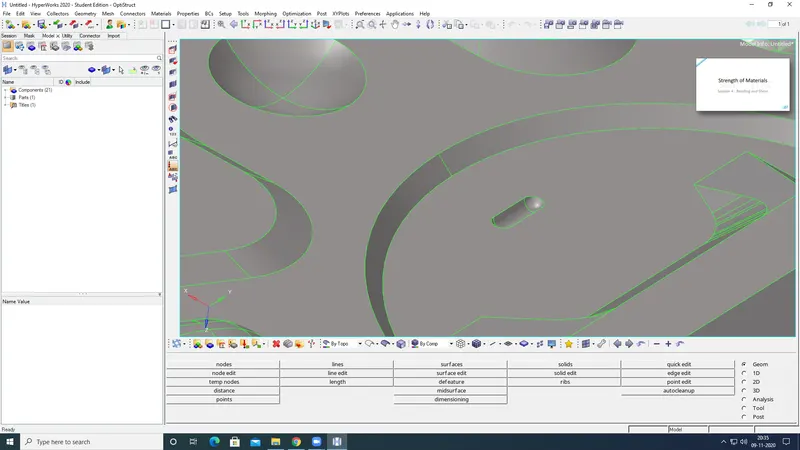
- Clear the above surface errors using with cleanup tools
- Geometry cleanup and check for provided CAD model
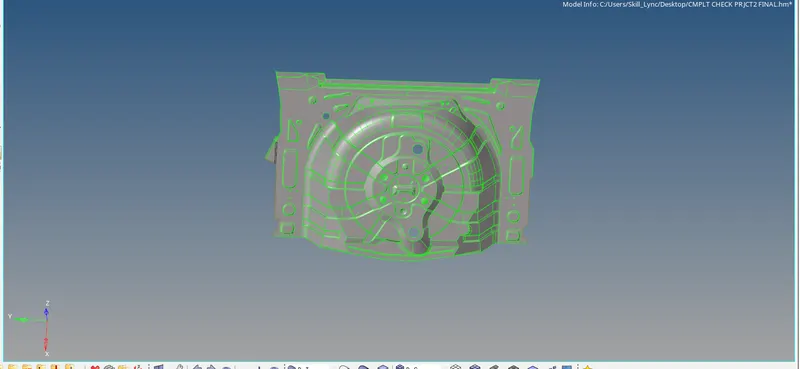
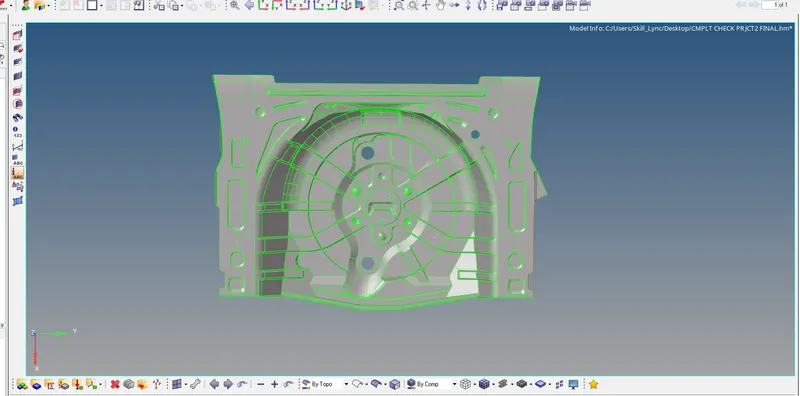
EXTRACT THE MID SURFACE:
- Extract the mid surface for this component with using automid surface
GEOM > click on MID SURFACE > EXTRACTION

- go to geometry and select mid surface and swt the extraction options to offset+planes+sweeps
- than will select auto extraction amd select the surface and hit on the extract
- Construct the feuture lines for convinent to the meshing
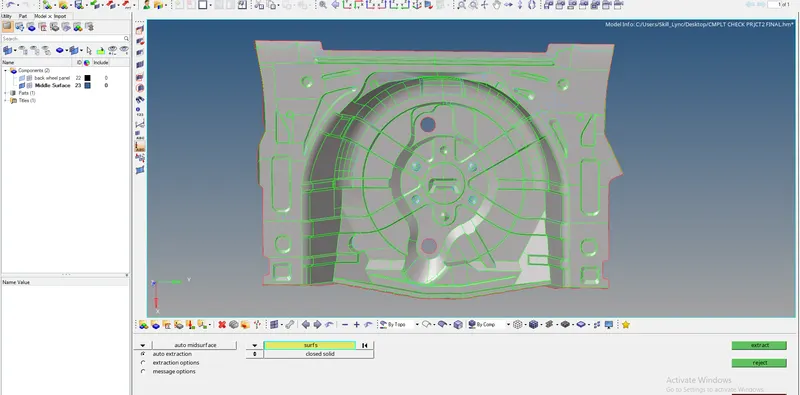
PIC: MID SURFACE OF THE SPARE WHEEL HOLDER
GIVING THE QUALITY CRITERIA:
- The quqlity criteria is an important task is to get the required outcome of the mesh
- this helps the retrive the mesh with given criteria
- go to preferences click on the menu tan click criteria file settings and given the values than click on the apply
GENARATING 2D MESH:
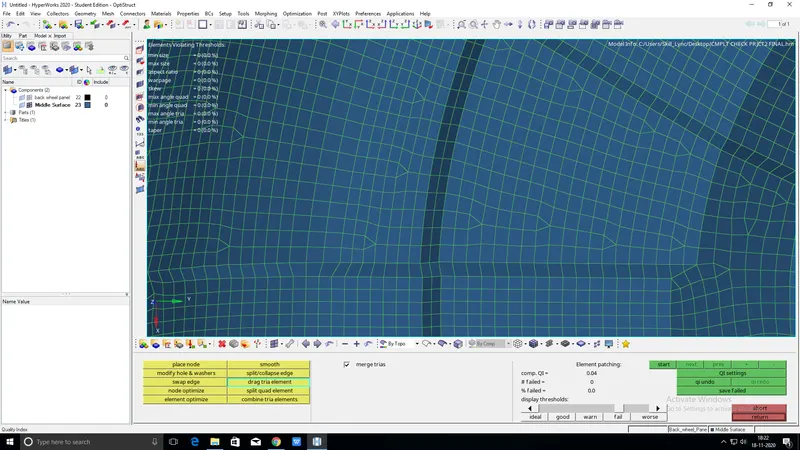
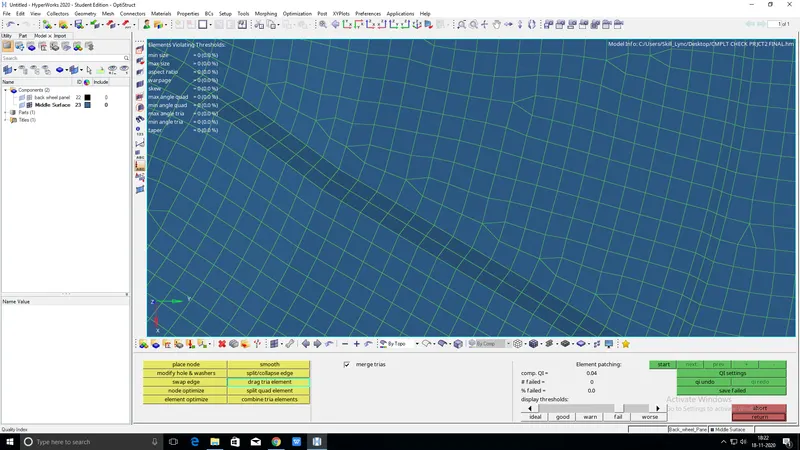
- For generating the mesh for this component constructed lines need for easy to mesh and reduce the tria elements in the mesh
- go the 2d panel click on the automesh select surface and mesh size given to 5
2D > click on AUTOMESH > select AUTOMESH > MESH

PIC: MESH FLOW
- Mesh is very important to the component genarate mesh flow only one side of the component
- try tio reduce tria elements and dont have any opposite trias inthe mesh
CLEARING THE FAILED ELEMENTS:
- The errors occuring when the elements failed to meet the above quality criteria
- to clear the quality criteria go to 2D panel and select quality index click on the cleanup tools
- clear the failed elements using like cleanup tools like element optimize and drad element etc.Look at below pic and clear with using cleanup tools
- 2d >

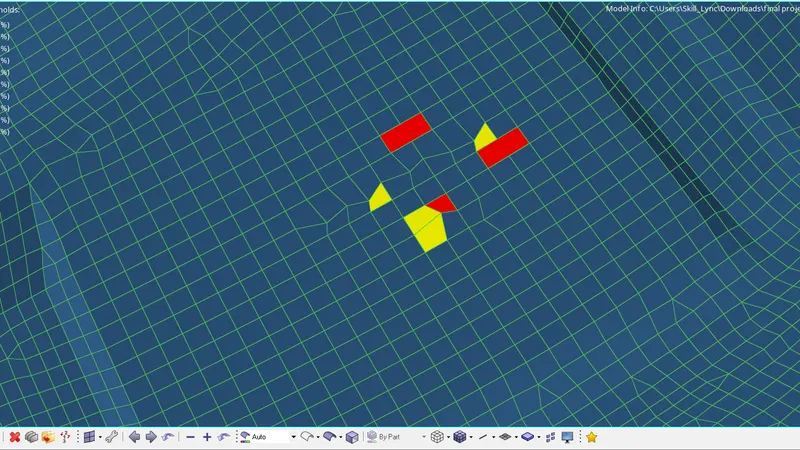
PIC : FAILES ELEMENTS
- Align nodes : Alighn nodes is cler the some failed elements plzz showhm in fogure
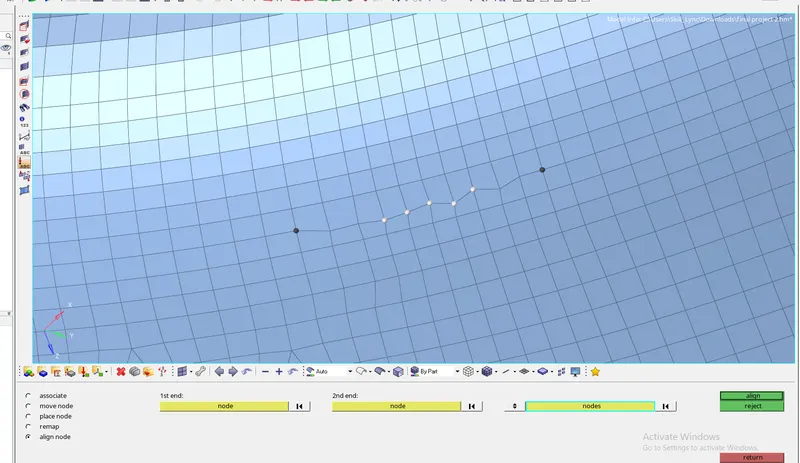
GEOMETRY > NODE EDIT > SELECT NODES > ALIGN
FIND EDGES:
- After meshing of the total component will check the free edges
- if getting any free edges combine the preview euilence or replacement node option >F3
TOOLS > EDGES > FIND ELEMENTS > FIND

- GO To the tool panel click on edges and slecthe elements and find the free edges if get red lines inthe mesh called free edges with using replacement node option to clear the free edgs
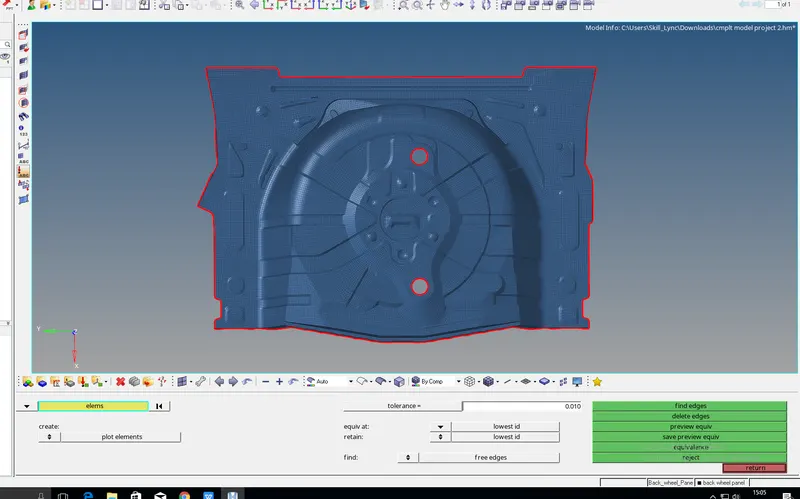
PIC: NO FREE EDES IN THE COMPONENT
ASSIGN THE THICKNESS:
- Assign the thickness of the component for going to mesh option top in the hyper mesh tools
- click on the assign select the midthickness inthe mehselect the surfaces in the place of solids and elements also select in midmesh
- assgn the minimum thickness 0.1 and max thickness is 4
- right clic on view
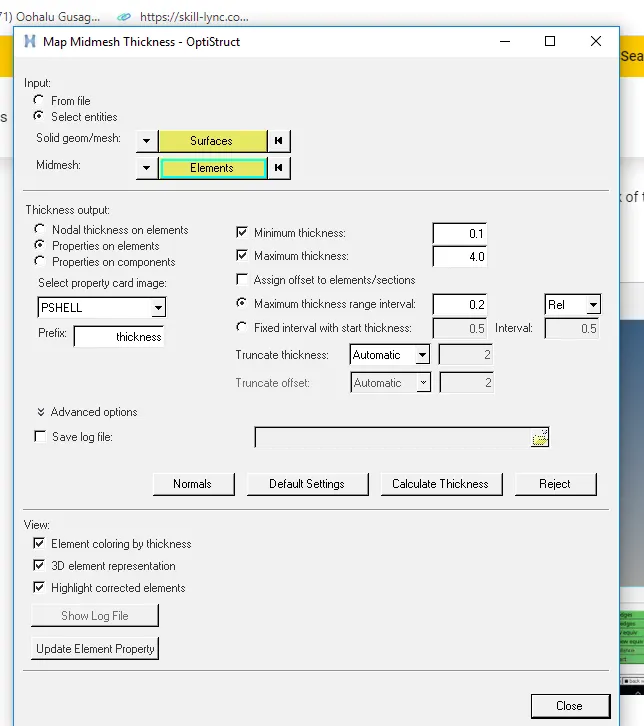
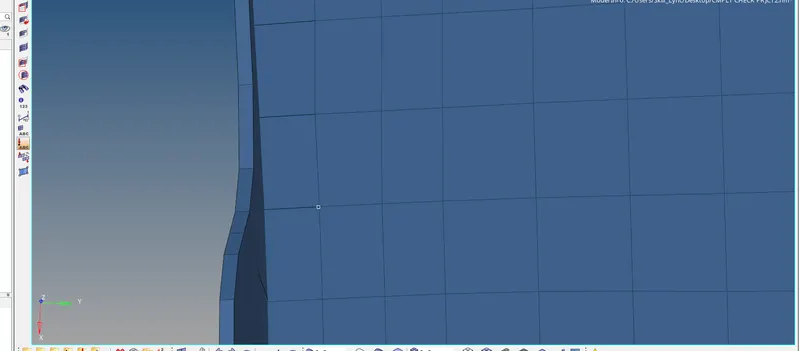
PIC: ASSIGN THE THICKNESS TO THE COMPONENT
RESULT: COMPLETED THE MESHING AND ASSIGN THE THICKNESS OF THE SPARE WHEEL HOLDER
THIS CHALLANGE TEACHES ME SOMETHING NEW
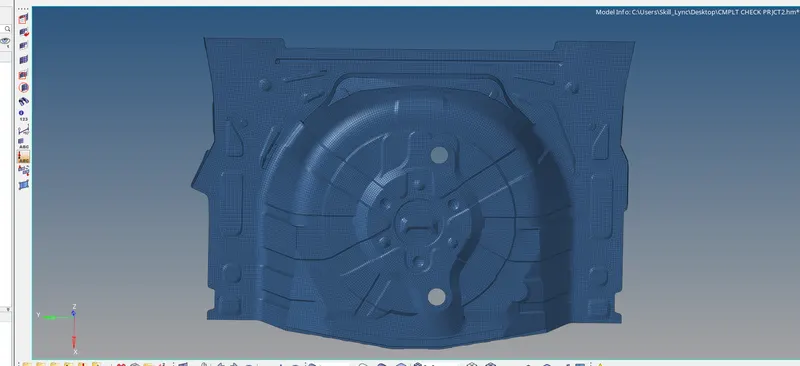
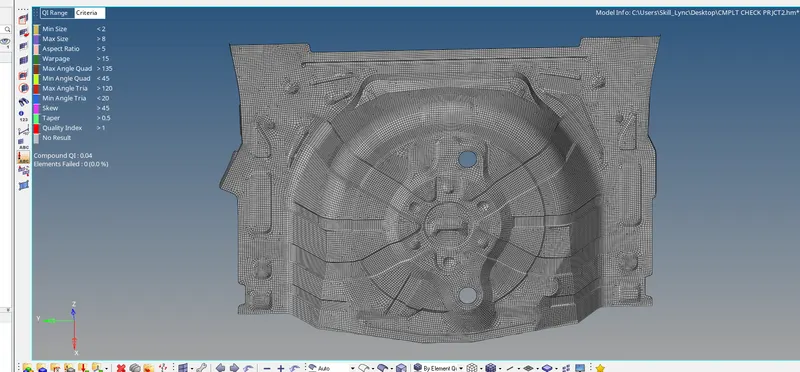
PIC: NO ERRORS INTHE MODEL
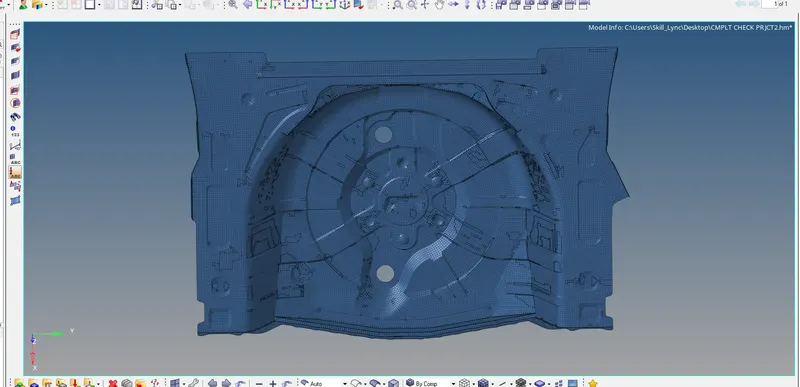
PIC: THICKNED MODEL