Week - 4
1. Implement control logic of a “washing machine” using Stateflow as per given sequence:
- If the power supply is available, the system gets activated
- If the Water supply is not available, stop the process & indicate through LED
- Soaking time should be 200s followed by Washing time of 100s.
- Then rinsing happens for next 20s & dryer runs for 50s
After all the processes have completed turn on the finished LED
The file is provided in the below link
Block diagram when Power and Water Supply is unavailable
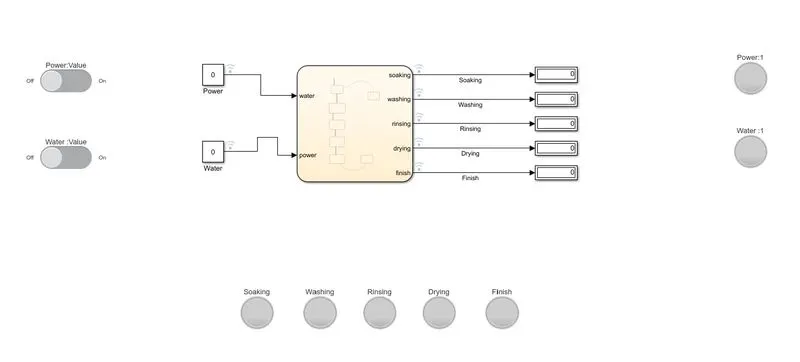
Stateflow is a control logic tool used to model reactive systems via state machines and flow charts within a simulink model. A chart block is used to create a control logic of a washing machine. It is connected with two constant blocks which represents the power supply and water supply. 0 value means the power and water supply is unavailable and 1 means it is available. Five output ports represents the different processes of a washing machine operation. The ports are connected with respective display blocks which shows value 1 when the operation is going on. Two toggle switchs are there to on or off the power and water supply. 7 lamps are connected in the model. It'll signal if the power and water supply is available or unavailable and also which washing machine operation is currently running.
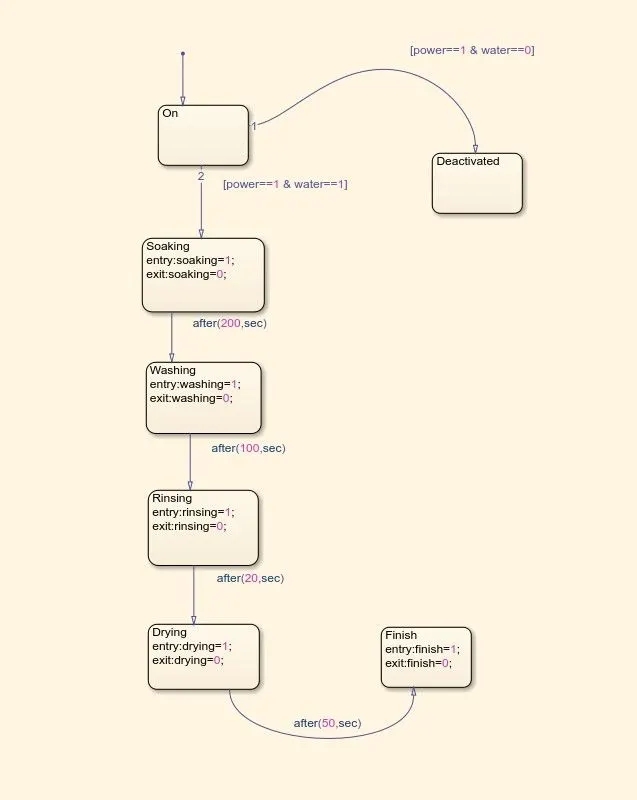
Chart diagram
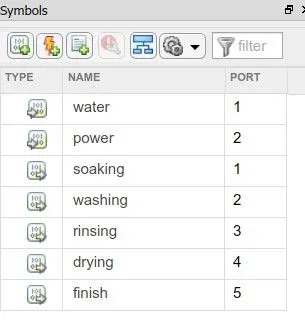
Symbols
In the chart block we used different states to program the control logic. If both the values of power and water supply is one then the machine will move to the Soaking state , it will start soaking operation when the soaking value is one. A time instruction is given in the transition arrow so the machine will move to the next state washing. After completion of all the states the machine will finally move into the finish chart.
Block diagram when Power Supply is available but Water Supply is unavailable
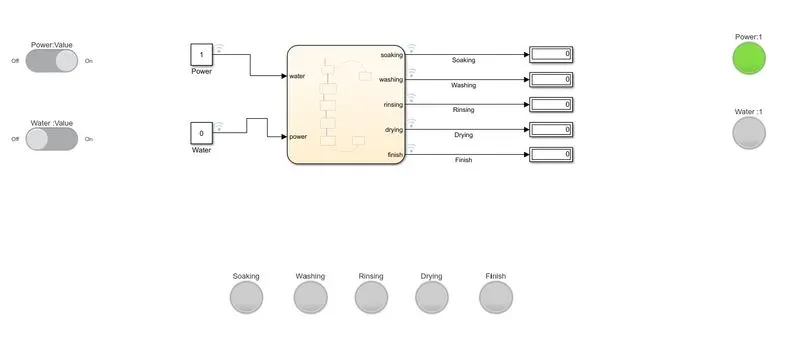
Toggle switch is on, it'll change the value of the power block to 1. In response the power lamp will glow green.
Block diagram when Power Supply and Water Supply both are available
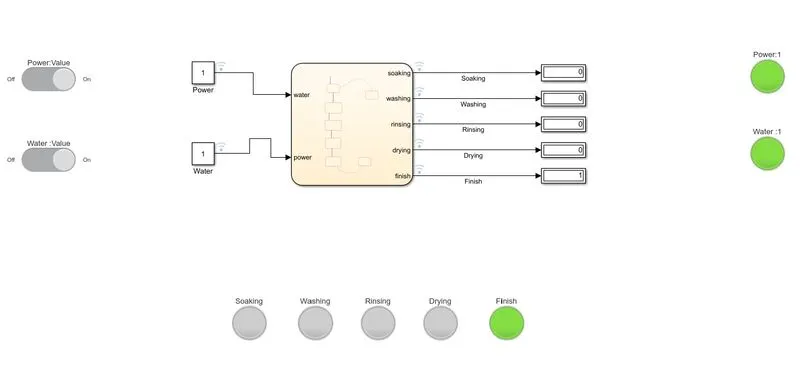
When both the power and water switchs are on the value on the respective block will change to 1. So the power and water lamp will glow green. The washing machine will start its operation.
After completing all the processes the finish light will glow green. Indicating the washing machine successfully completed all the operations.
2. Make a Simulink chart for the “Gear shift” logic as per below conditions:
Speed Range(kmph) Gear
0 to 15 1
16 to 25 2
26 to 40 3
41 to 60 4
Above 61 5
Give speed input while the simulation is running & display the gear number.
The file is provided in the below link
Block diagram in first gear
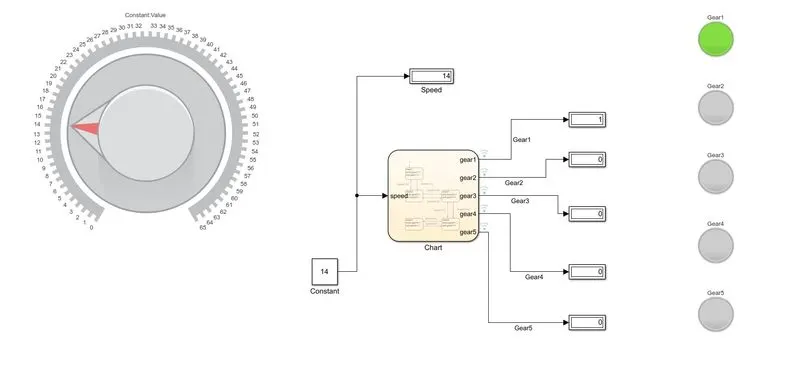
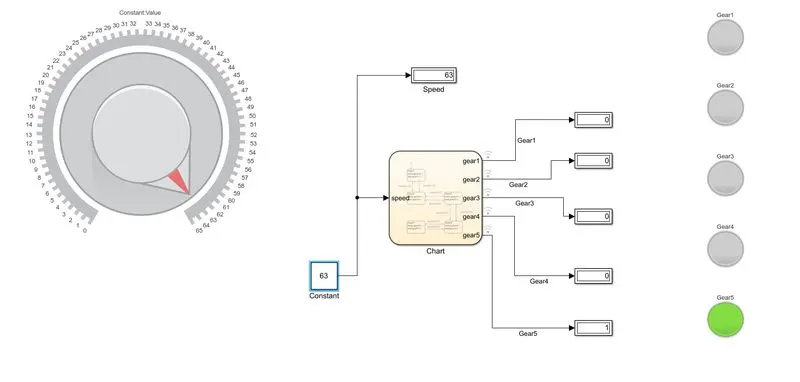
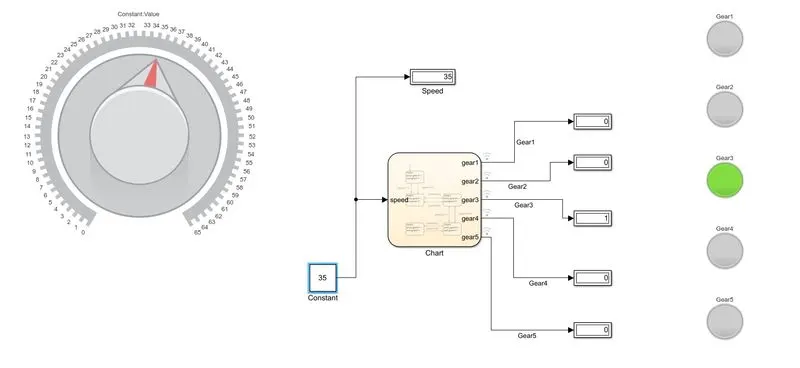
In this simulink model with the chart block a constant block is attached. We are using a knob from the simulink library to change the value of constant block. A display is connected to show the value of the speed. The outputs from the chart are connected to displays that showing if a gear is running or not. If the value is 1 then the gear is running, if its 0 then that gear is not running. The gears are connected with five lamps. if any gear is running then the respective lamp will glow green. To change the speed values while the simulation is running we have to run the simulation for a very long time, to do that we are setting the simulation stop time value as infinity 'inf'.
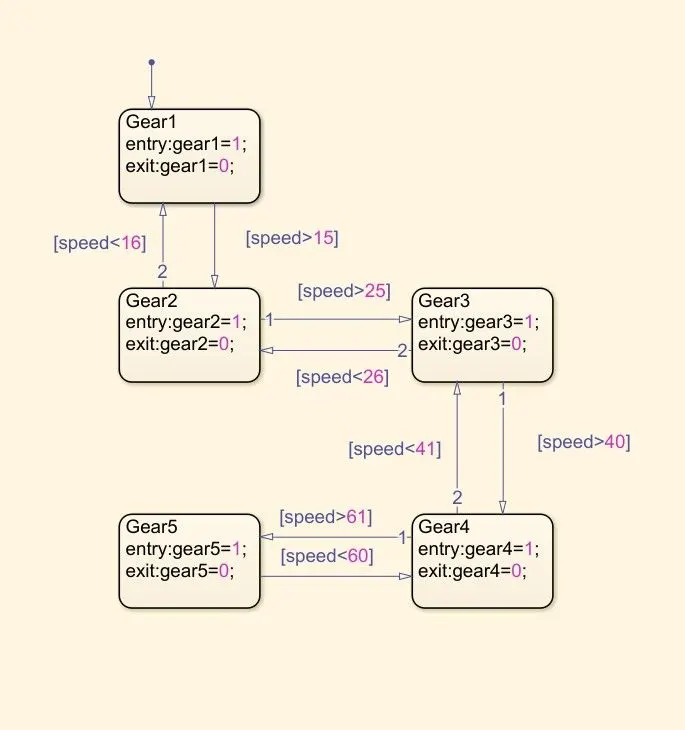
Inside the chart we use five states to represent the five gears. The Input data is the speed. If the speed is greater than 15 (speed>15) then the car will shift to 2nd gear, if its greater than 25 (speed>25) then it will shift to 3rd gear. The gears will shift by following the given instructions in transition arrows.
Block diagram in third gear
Block diagram in fifth gear