Week - 4 - 2D meshing for Plastic components
2D MESGHING OF PLASTIC BOTTLE CAP
OBJECTIVE:
To examine the geometrical errors and extract the midsurface for the given plastic bottle cap componenet and mesh it according to the given quality criteria without fail in the elements in ANSA.
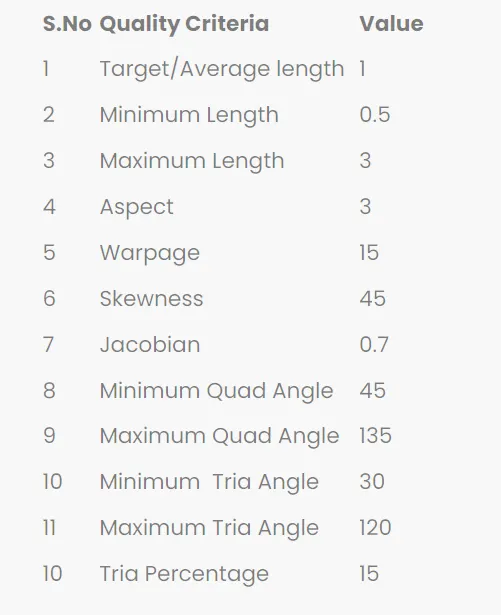
DATA BASE:
SOFTWARES USED:
Preprocessing software- ANSA v 22.21.1
PROCEDURAL STEPS :
STEP 1: Import of the geometric cad model
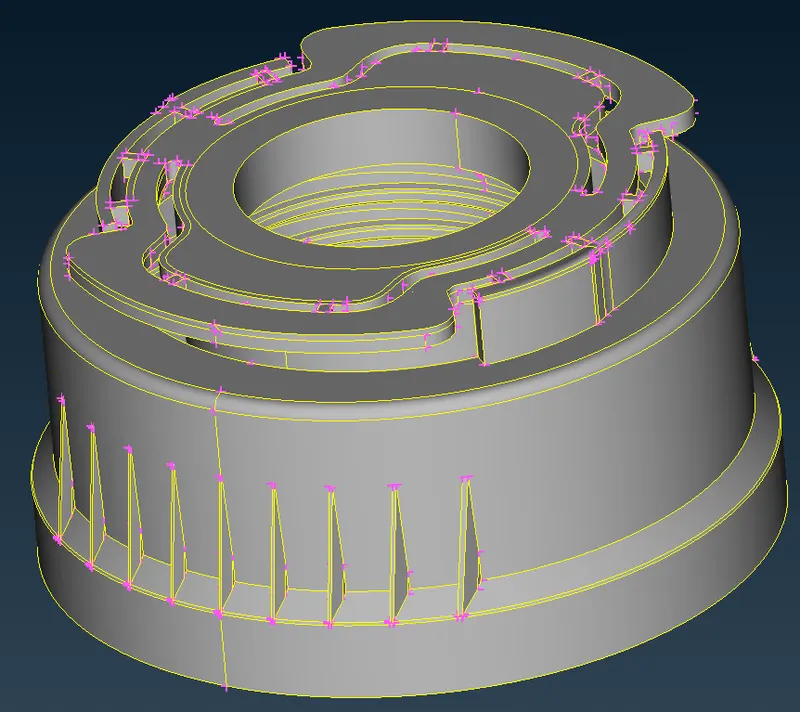
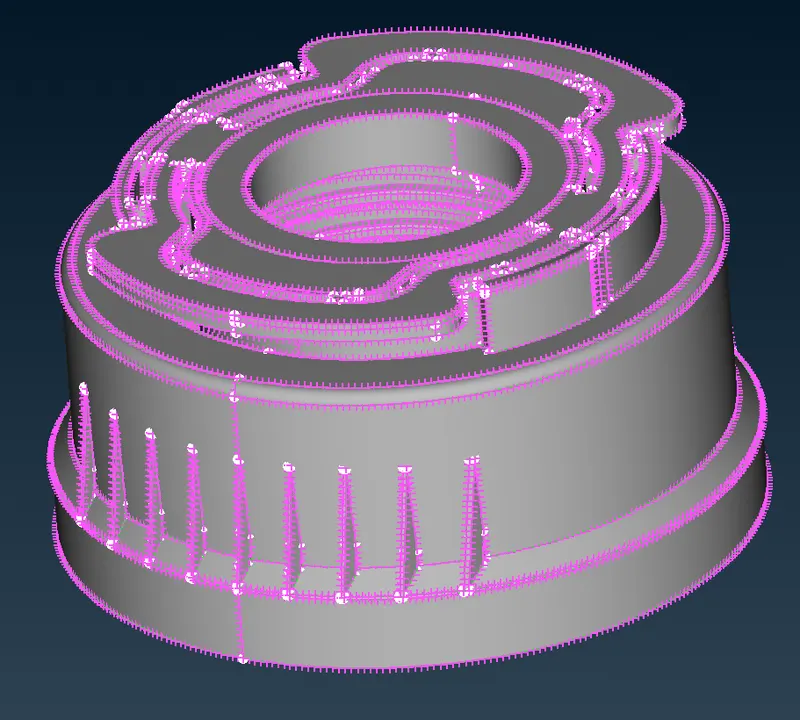
STEP 2 : Increase the cons resolution by mesh option _PERIMIETER_LENGTH = 0.5mm
STEP 3 : Check single cons available or not by switch off the double cons and triple cons.
If single cons are available to perform TOPO
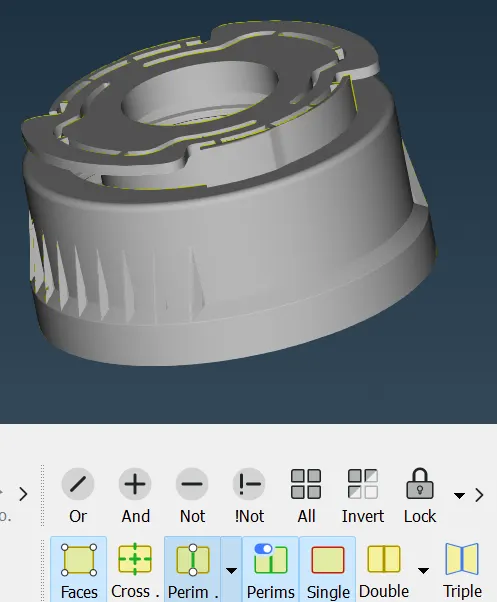
STEP 4 : To perform orientation selected to all faces
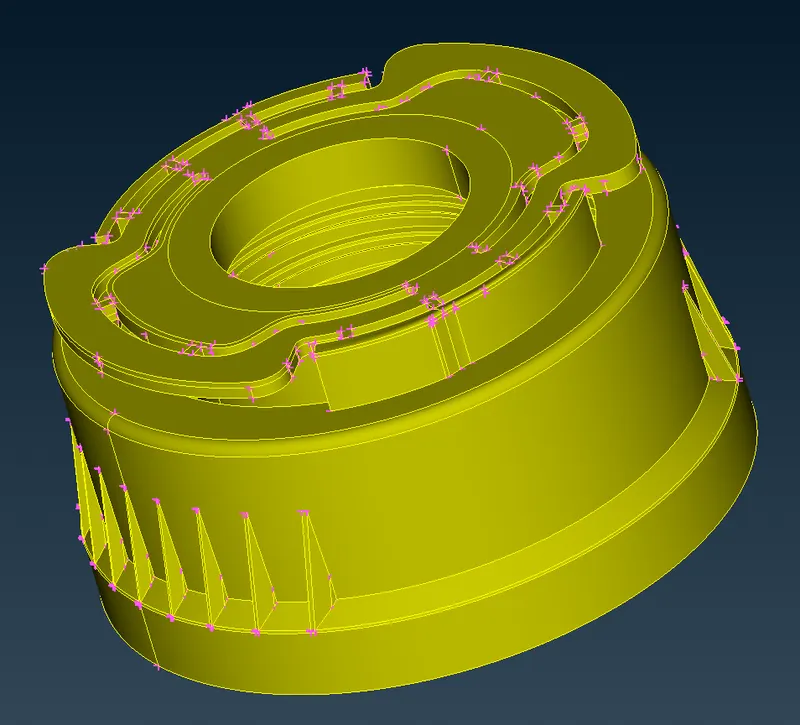
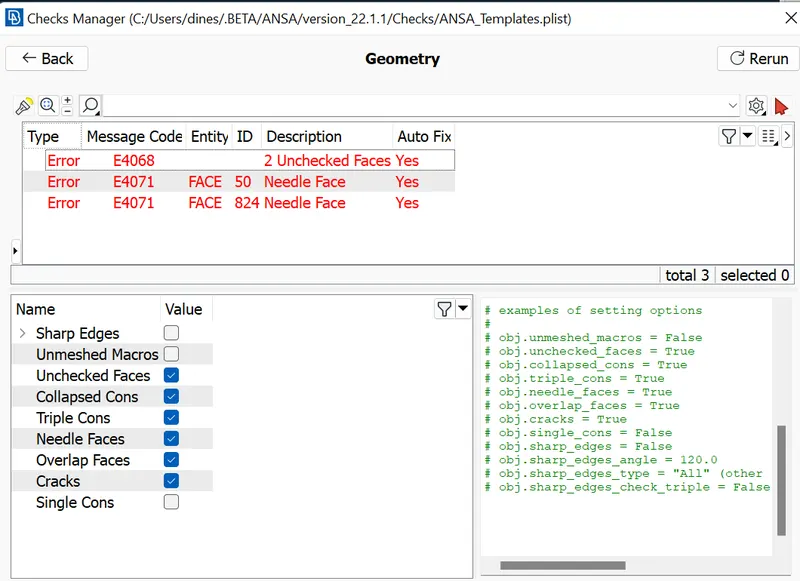
STEP 5 : To check the geometrical errors in CHECK MANAGER and GEOMETRY
fixed the error
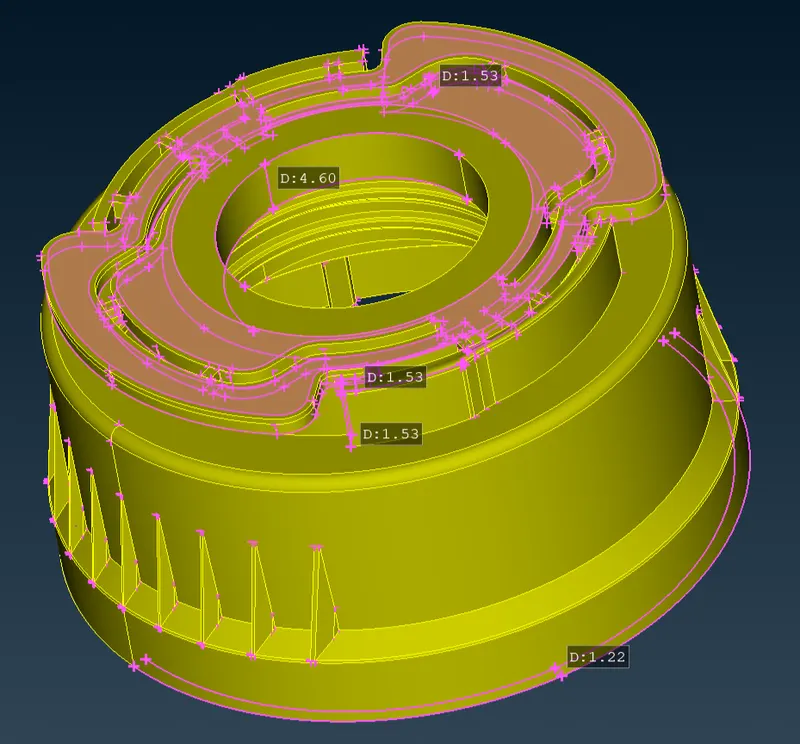
STEP 6 : Measuring the thickness of all parts of the bottle cap
STEP 7 : Extract midsurface of the plastic bottle cap by manual method.
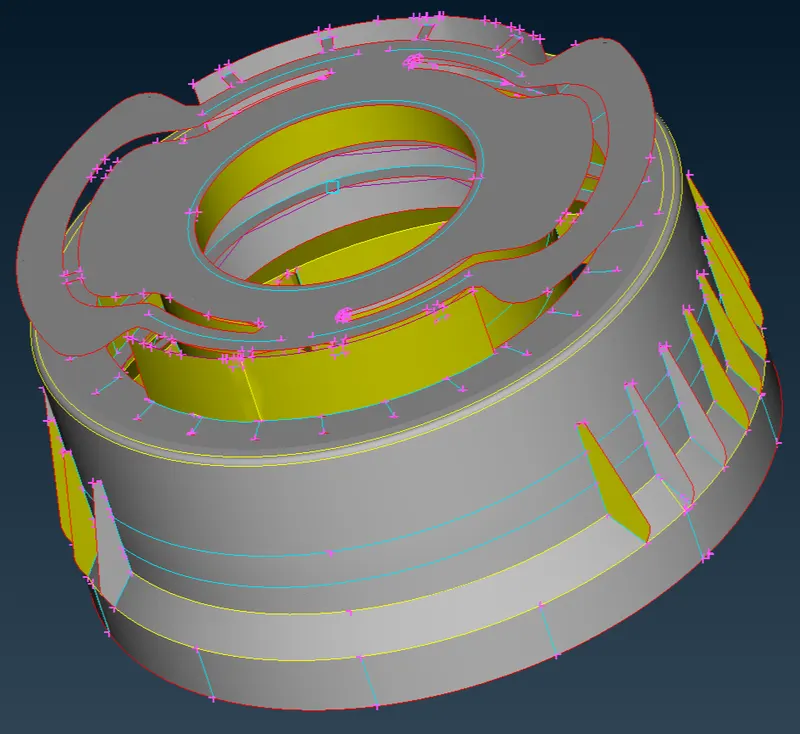
STEP 8: Setting new PIDs for the newly created midsurfaces.
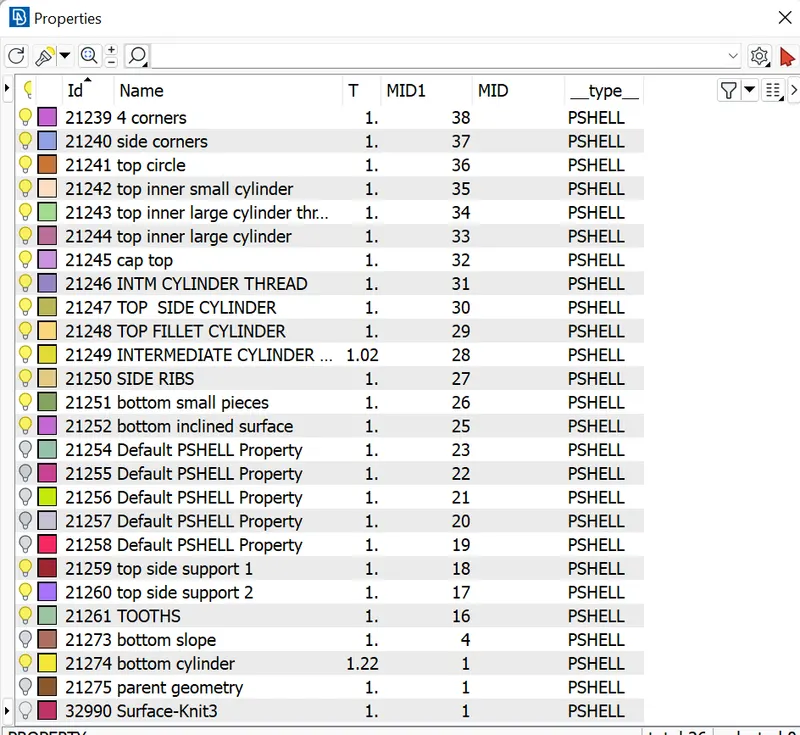
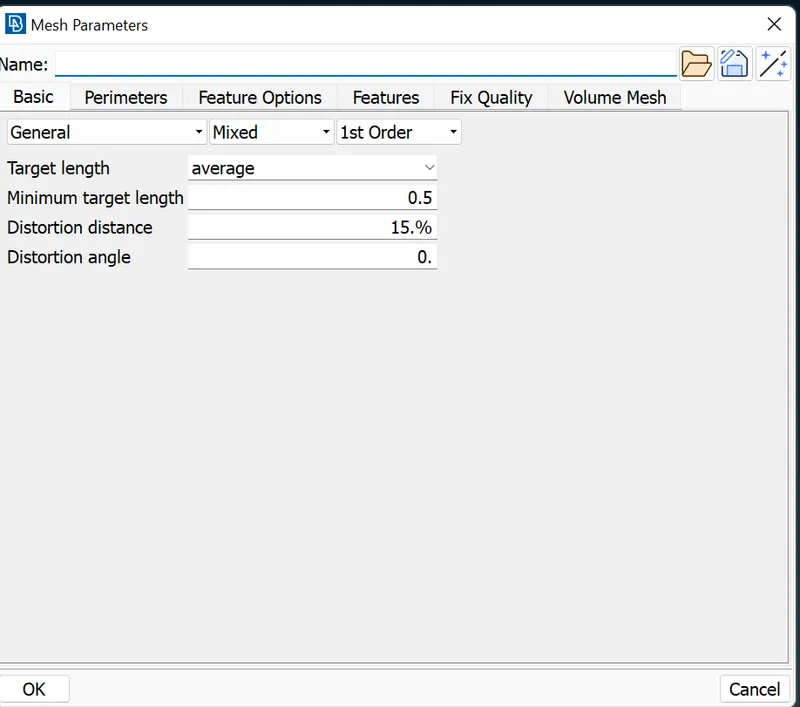
STEP 9 : Providing the target element length by using MESH MODULE > LENGTH > PERIMETER
TARGET ELEMENT LENGTH=1mm
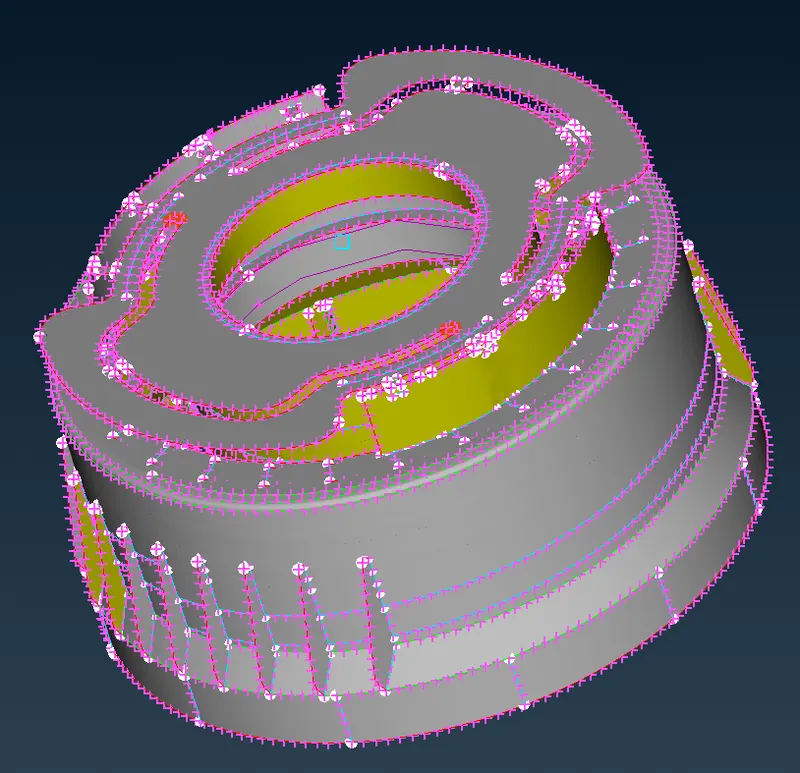
STEP 10 : Cleaning the midsurfaces of the bottle cap.
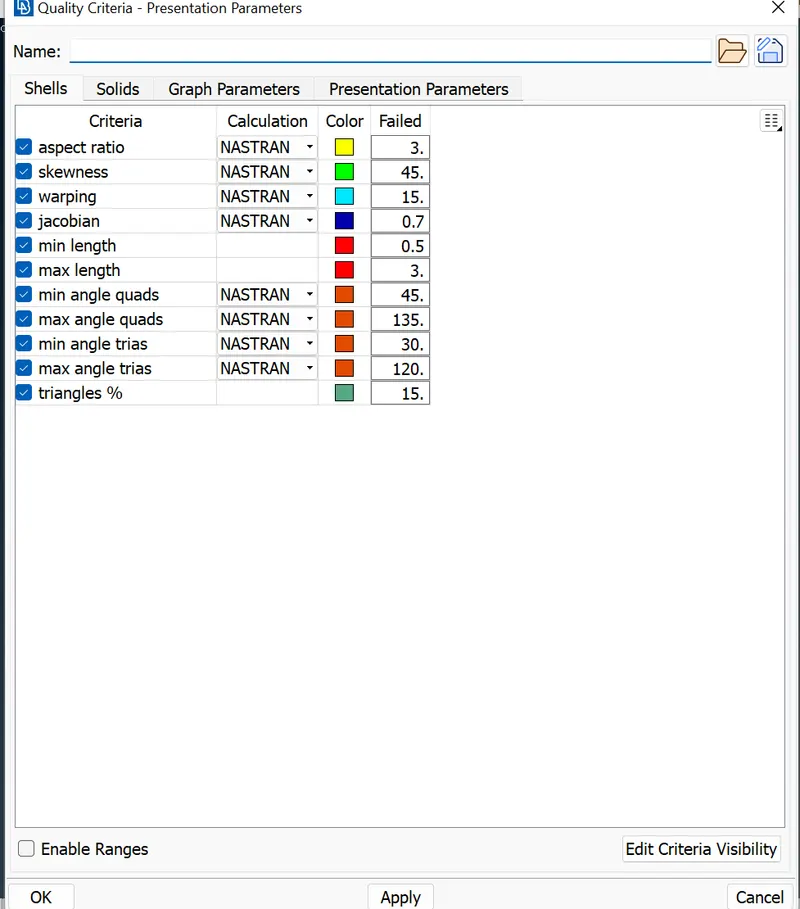
STEP 11: Set the quality criteria as per the given data and generating the mesh.
Then cleared the elements which are failing for the quality.
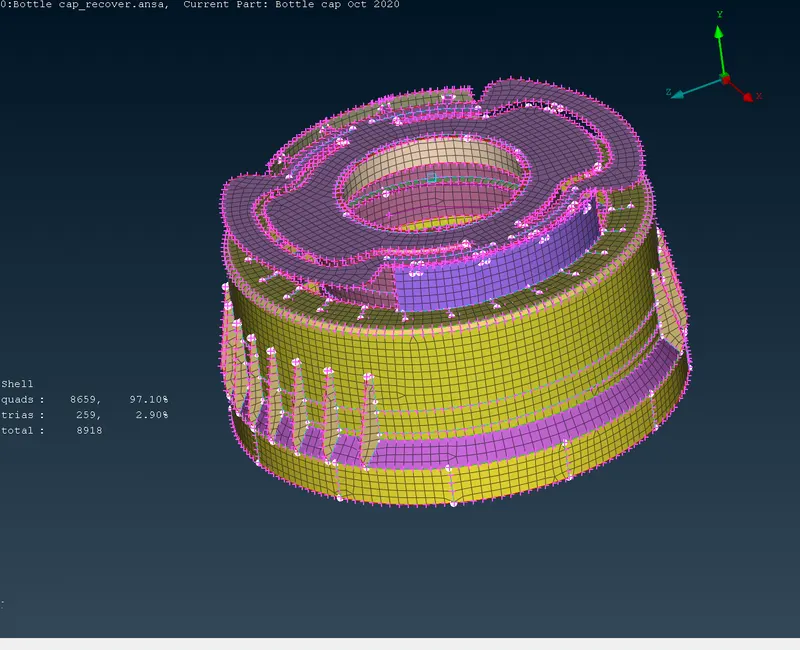
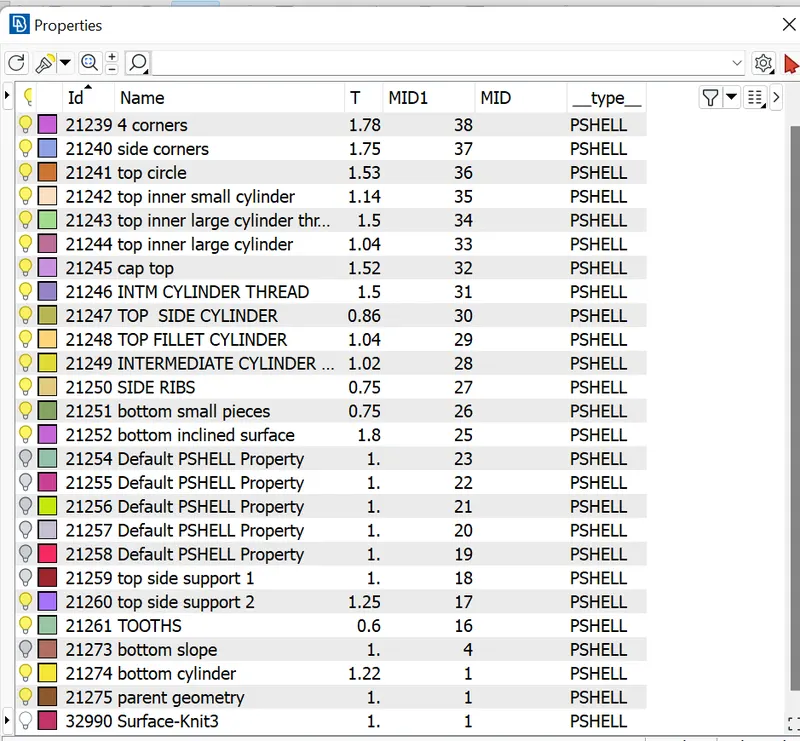
STEP 12: Assigned the proper thickness for the newly created midsurface.
Then creation n PIDs based on the n thickness.
Then adding the surfaces top the those PIDs based on the thicknesses.
STEP 13: Release the FE from the Geometry.
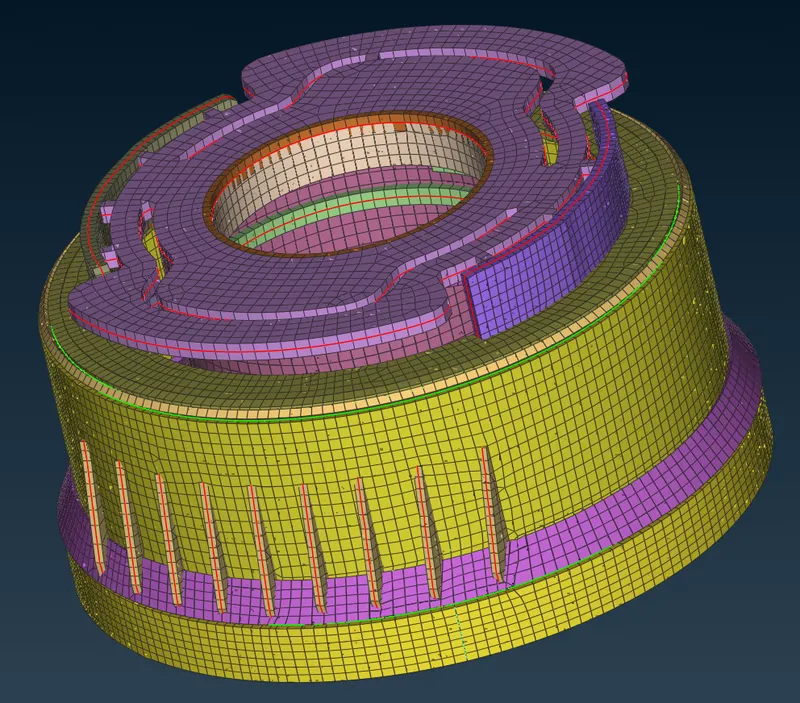
RESULT :
- Hence the midsurface has been extracted to the parent component.
- Hence there are no surface defgormations in this geometry.
- A well connectivity established between the surfaces.
- The faetures hace been captured properly.
- A good mesh flow achieved with the 39 lements failing for the quality.
- Hence tria percentage 1.60 % achieved.
LEARNING OUTCOME:
- In this week 4 bottle cap challenge , i came to know
- How to extract the midsurface manually for the plastic components.
- How to clean the geometry.
- How to generate proper mesh flow with low tria percentage.
- How to assign thickness to the components which have varying thickness.