Week - 4 - 2D meshing for Plastic components
Aim-
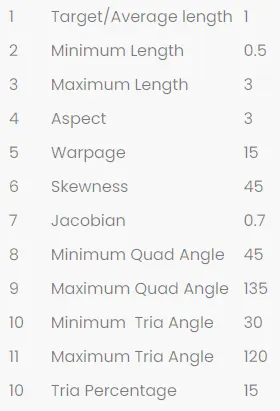
The main objective of this project is to do preprocessing of the given bottle cap i.e. to do geometry cleanup, extraction of mid-surface, mesh generation of model. To provide thickness and material to mid-surface & mesh, also to satisfy the quality criteria mentioned below,
Procedure-
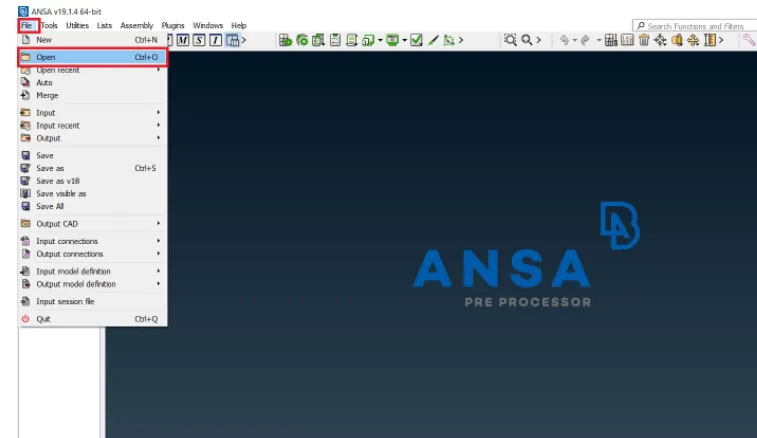
- We start with the model import i.e to open the model in ANSA software for that go to file>>open>>file location>>select file >>hit open.
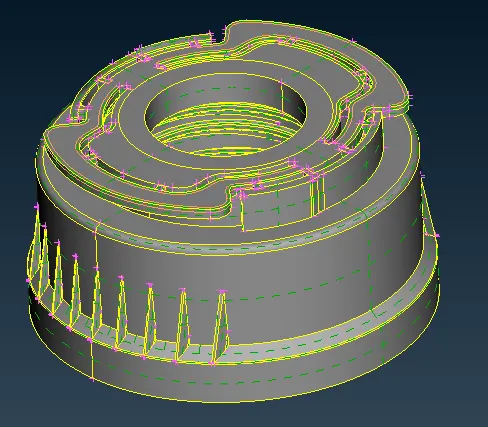
- Once We imported the model we first refine the models and check the exact shapes of component.
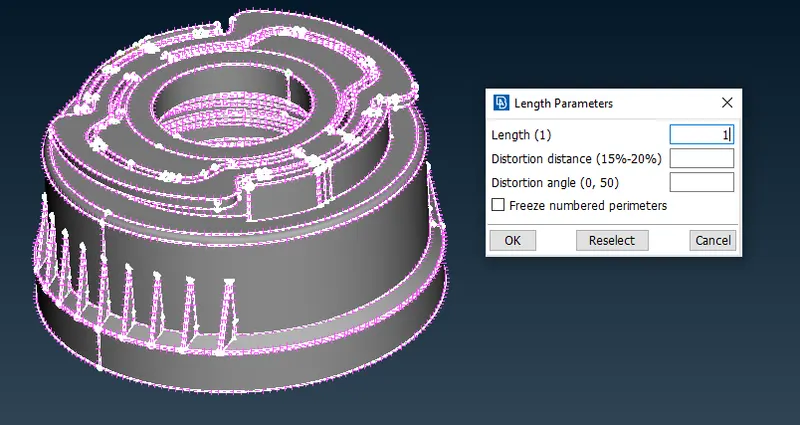
- For that we can go to Auxiliaries>>Fine>>click on the cons to refine, but using this will take a lot of time. So, to reduce that we will go to mesh tab>>perimeters>>length, select perimeter and length as 1 and hit ok, then select macros and do the same thing.
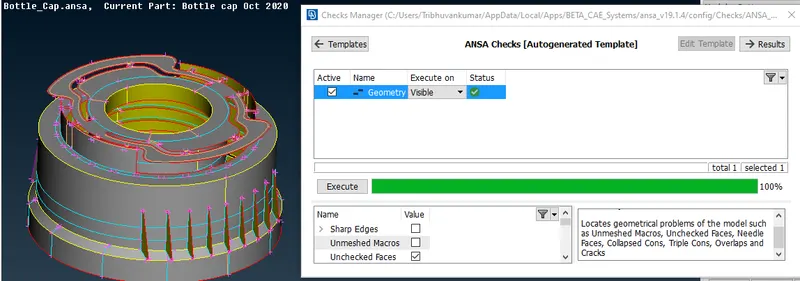
- Now we have to check the model geoemtry for that go to tools>>check>>geometry>>hit ok. A new window will open click execute and it will run the check window if there is any error it will show the errors or say geometry is ok.
- If errors are found then right click on edges>>click on fix and error will be fixed.
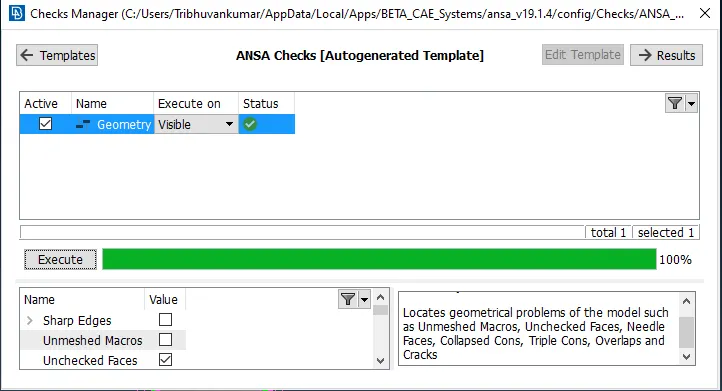
- Now we have to check that all the faces in the mmodel are grey of yellow in color as as the face should have same color for further result generation if some faces have different colors the go to Topo>>macros>>orient>>select visible, since will take the most common face as main and convert all the faces to same color. of select face to orient.
Note- This can be viewed in Ent mode in drawing styles.
- We have to check the thickness of each part for that go to utilities tab>>measure>>select nodes>>check thickeness to ensure proper thickness, measure it on 4 to 5 areas and then ensure.
- Now as the thickness at all areas is not same so we have extract mid-surface manually by faces>>middle option, faces>>offset option etc.
by offset method
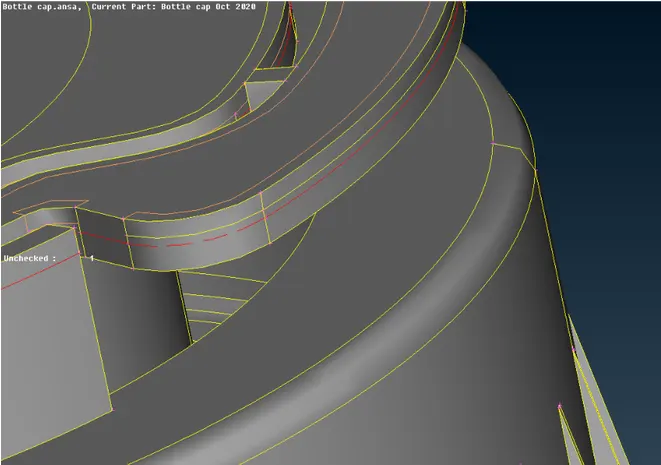
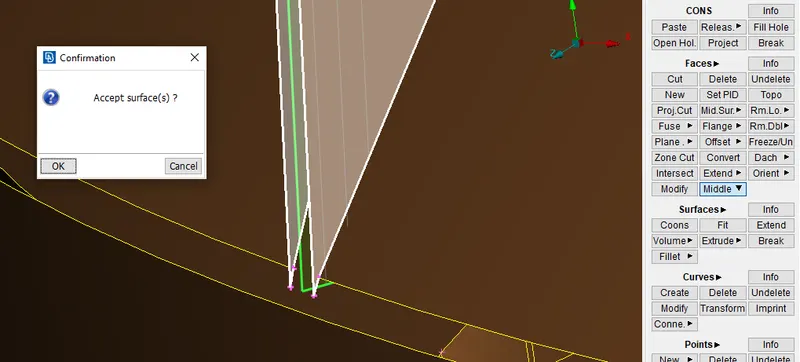
- In similar way we have to extract by middle option in faces>>middle>>single, for that select first face then second face to create the mid-surface.
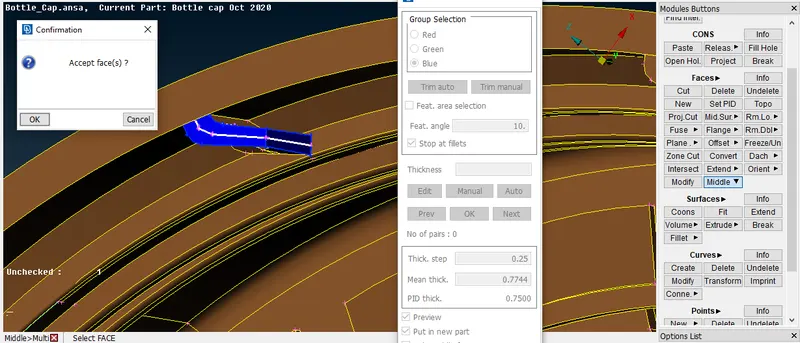
- Second by Multi for that got to faces>>middle>>multi>>select red surface, green surface and blue surface for thickness.
- In same way step by step we have to extract the middle surface and then go for geoemtry check.
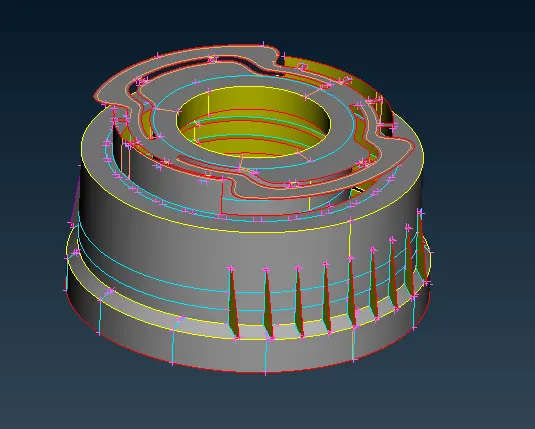
- Now before going to geometry check make sure to uncheck triple cons & single cons other wise it will create huge errors in that. After that we have to fix errors if any comes.
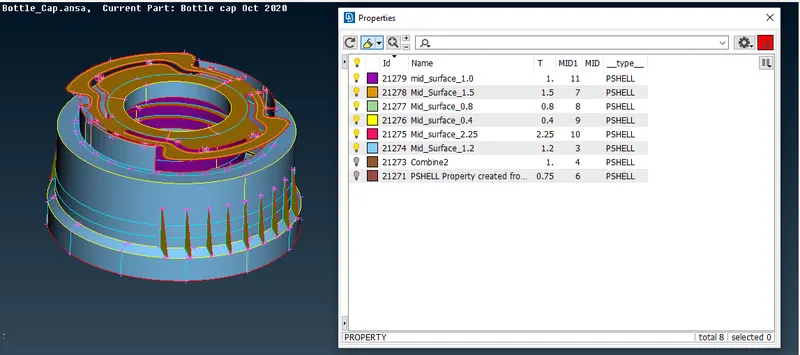
- We have to now assign properties according to thickness of each part.
Meshing-
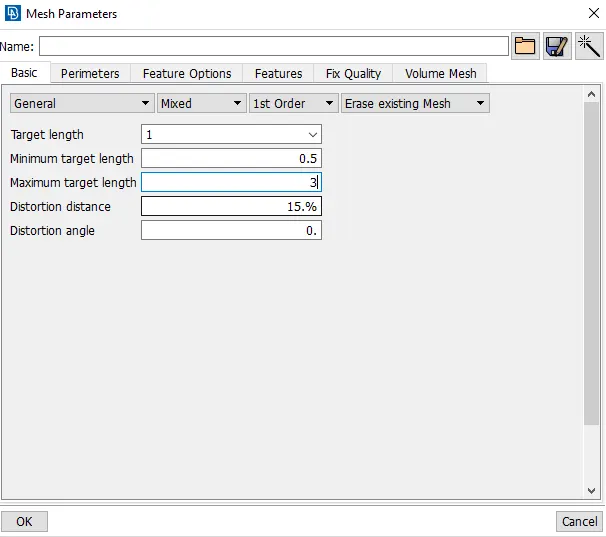
- Before heading to mesh we have to set element size, for that go to utilities>>mesh parameters>>set the values as per below snap.
- Now we have to set quality criteria for taht again go to utilities>>quality criteria(F11 key)and set quality criteria.
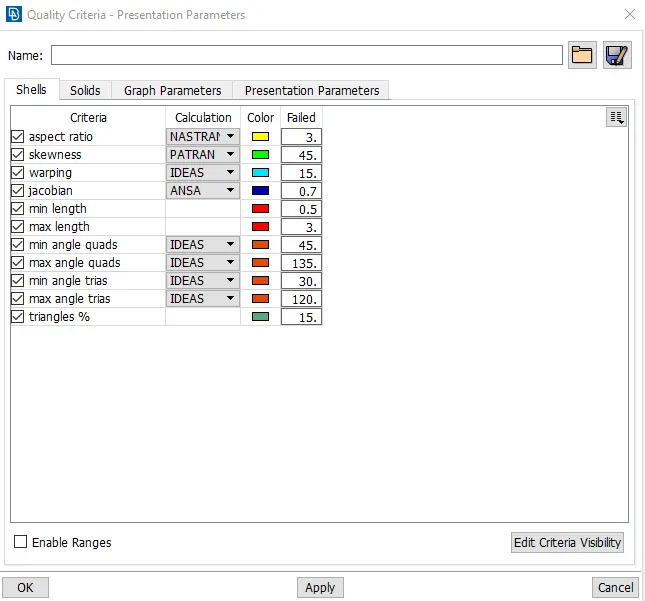
- To set all the cons and node to required elemnt length go to mesh>>perimeters>>length>>select all cons and set the size as 1 hit ok.
- Go to mesh and start meshing the top potion first.
- After meshing some elements may fail due to small size issue.
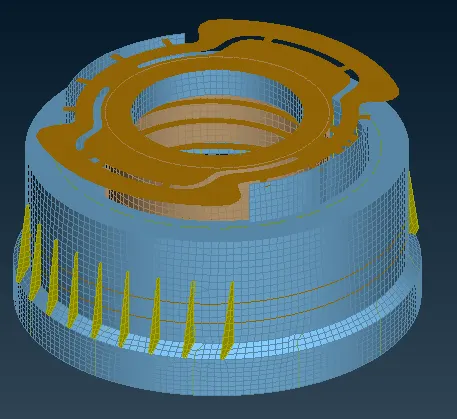
- Quality criteria Shows only 8 element failed which are off.
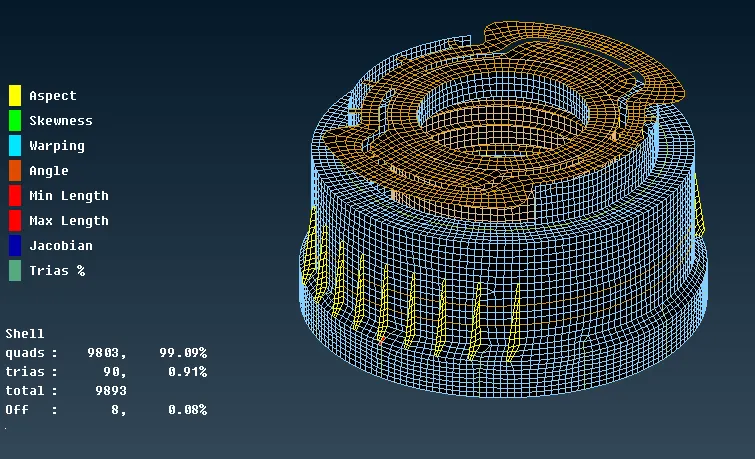
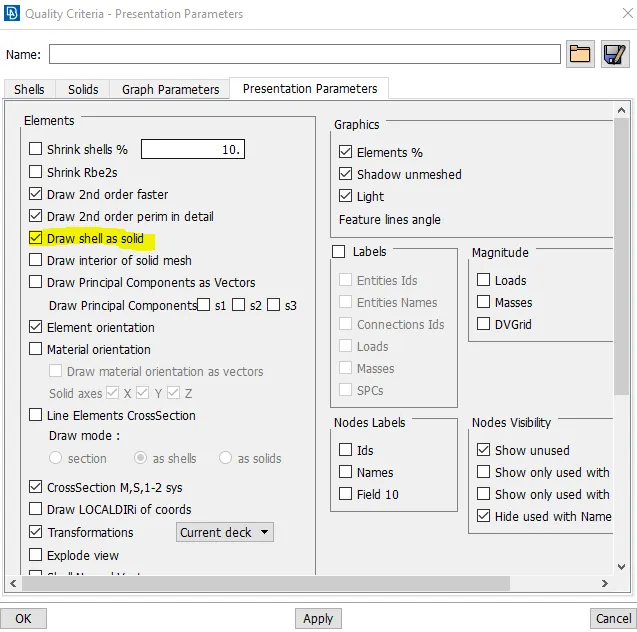
- now to check thickness is applied or not, then go to quality criteria>>presentation parameters>>check draw shell as solid and hit apply then ok.
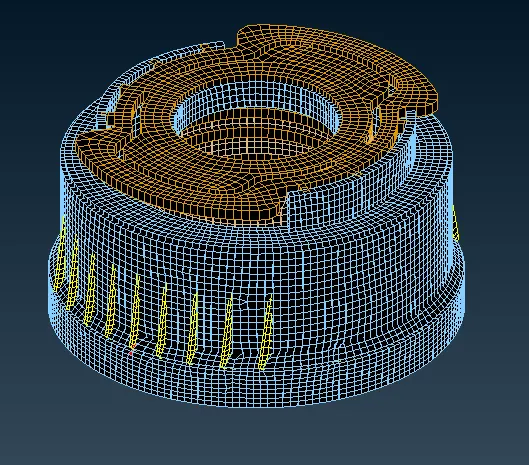
Learning outcome-
- By this project we have learnt about the mid-surface generation of the casting & plastic component.
- Learnt various methods of generating mid-surface for any component.
- Learnt about how to povide various thickness to generatated mid-surfaces according to parent part.
- Meshing of all components and satisfying quality criteria.
Conclusion-
In this project we have developed the mid-surface of varying thickness plastic component, given thickness as per parent component and successfully created mesh while satisfying quality criteria.