Week - 4 - 2D meshing for Plastic components
AIM: To understand the middle surface extraction and mesh the given plastic component.
OBJECTIVE: For the given Plastic Bottle Cap model, check for the geometrical errors and take the mid surface by suitable mid surfacing techniques. PID and Thickness assignment has to be done for all the mid surfaces. Mesh the same with given element Quality criteria.
|
S.No |
Quality Criteria |
Value |
|
1 |
Target/Average length |
1 |
|
2 |
Minimum Length |
0.5 |
|
3 |
Maximum Length |
3 |
|
4 |
Aspect |
3 |
|
5 |
Warpage |
15 |
|
6 |
Skewness |
45 |
|
7 |
Jacobian |
0.7 |
|
8 |
Minimum Quad Angle |
45 |
|
9 |
Maximum Quad Angle |
135 |
|
10 |
Minimum Tria Angle |
30 |
|
11 |
Maximum Tria Angle |
120 |
|
10 |
Tria Percentage |
15 |
PROCEDURE:
- Import the CAD file to ansa.
- check the geometry and make necessary cleanup for the geoemtry. To check the geometry go to checks> select the error to be identified > check. Here itself we can fix the errors by clicking the right button of the mouse on the error and fix.
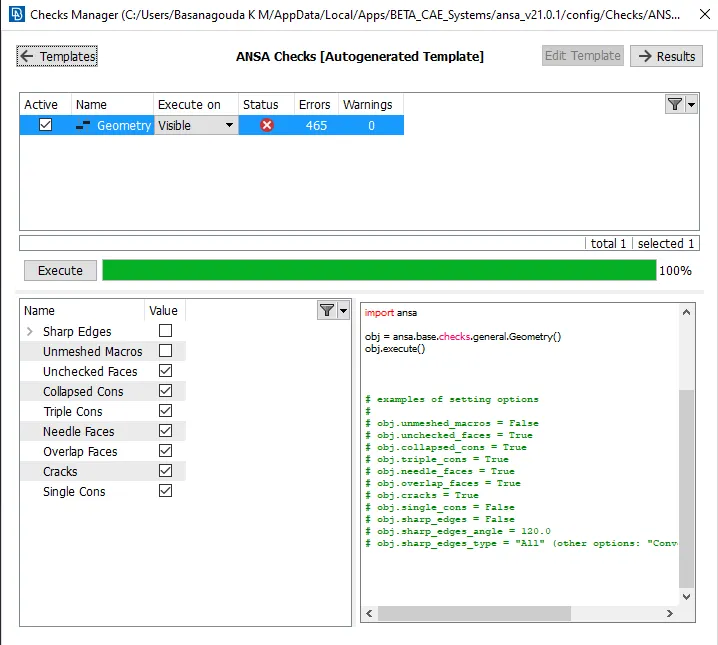
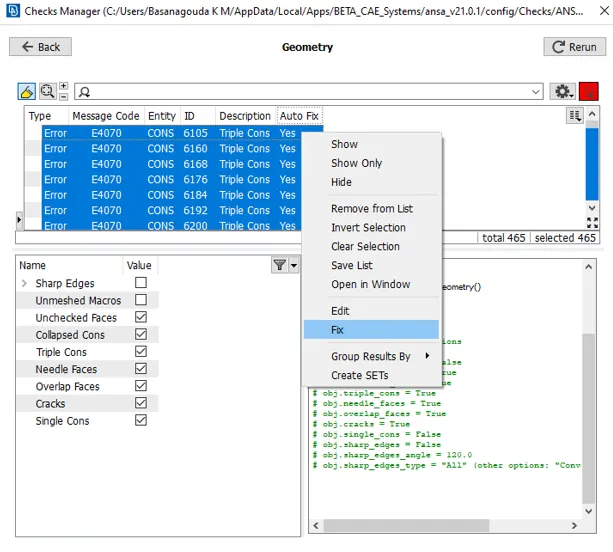
- After all the necessary cleanups, measure the thicknesses of the component, since it is a plastic component it will be having different thickness at different parts.
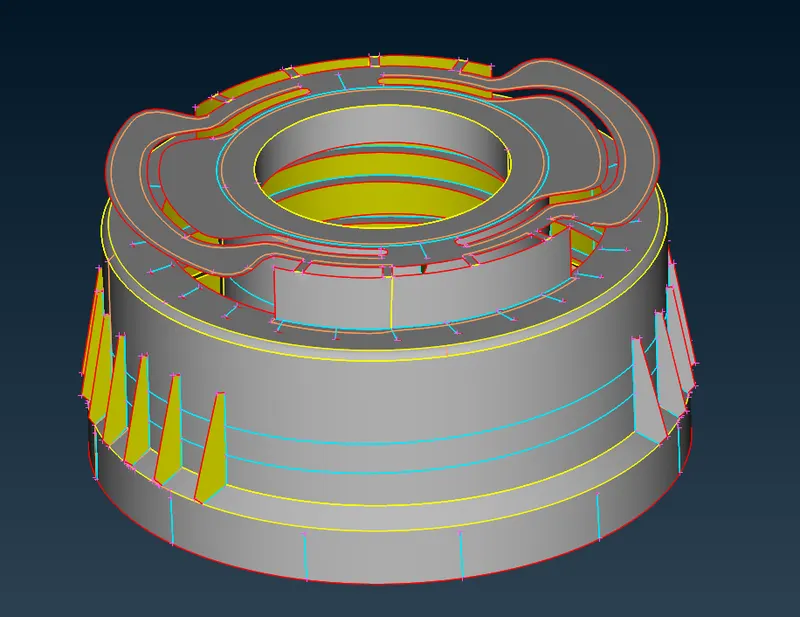
- After taking the thicknesses by using the suitable methods we can extract the mid surfaces for different parts of the component.
- Now, check for the errors in the mid surface and take necessary corrections and thereafter we can set the quality parameters and proceed with meshing the components. To set the quality criteria press f11 and set.
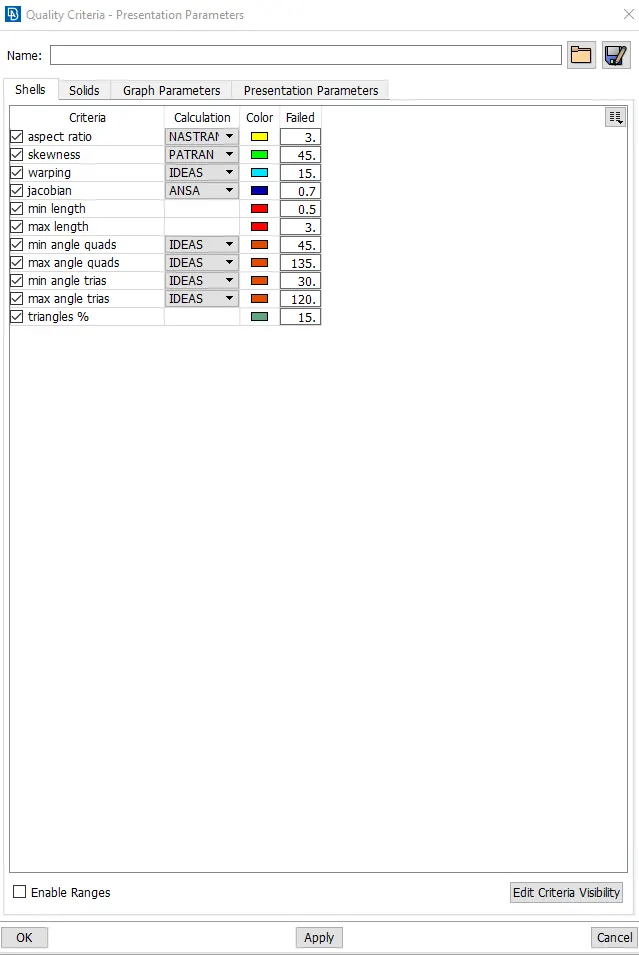
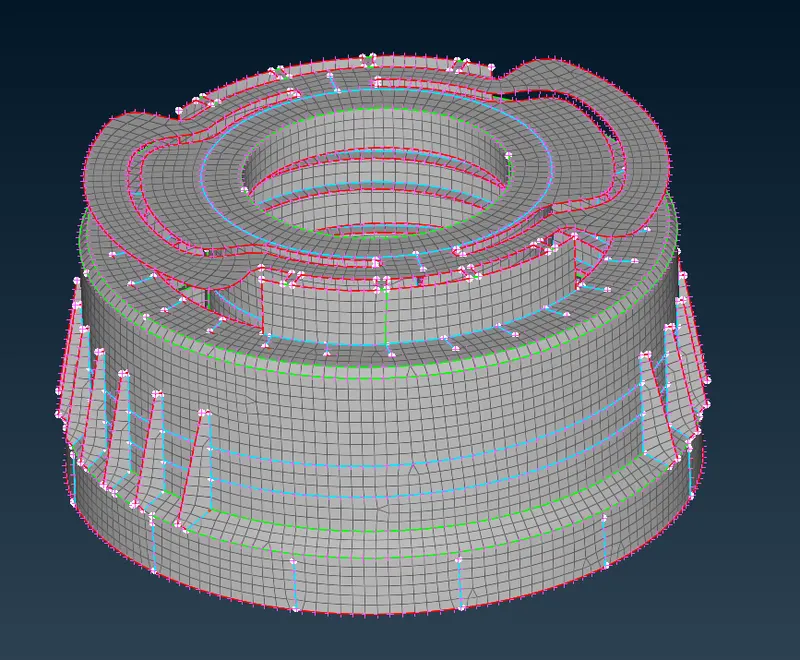
- Choose the mesh method to mesh the component and there will be some failing elements to the given quality arameters, try to resolve and match the quality parameters given.
- And then set PID's for all parts having different thicknesses with their particular thickness.
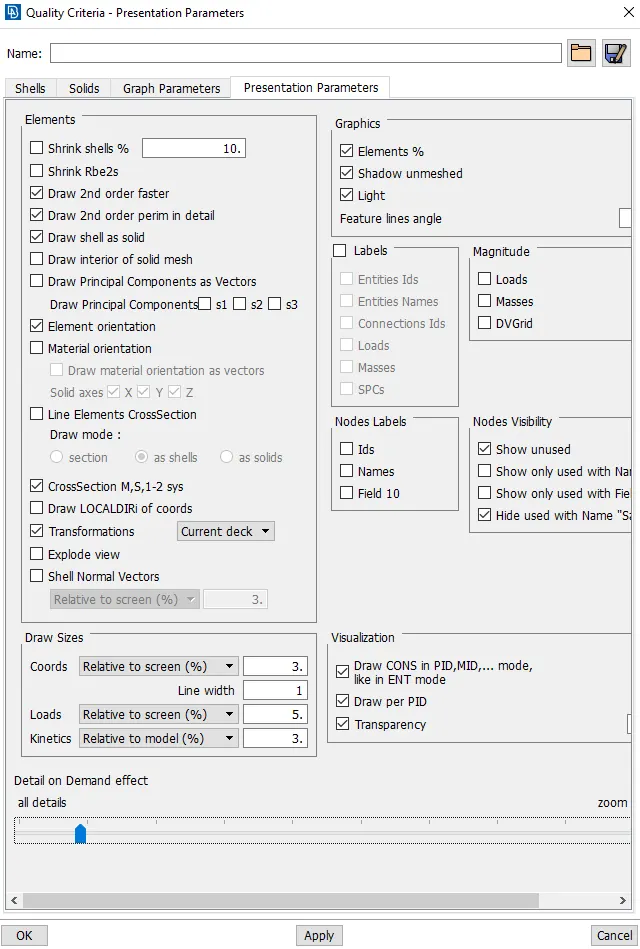
- Then we can view the elements with thickness by enabling the option called "Draw shell as solid" in the quality criteria>presentation parameters.
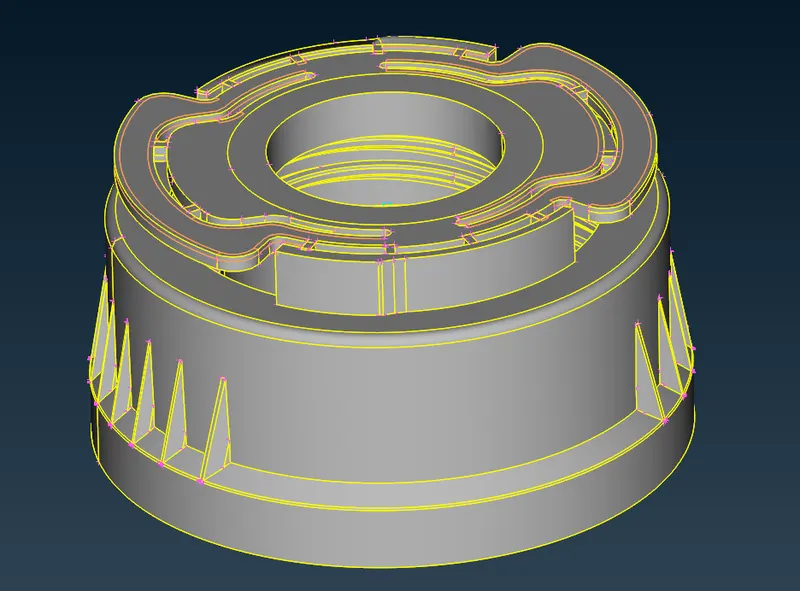
Given component: Plastic bottle cap.
Extracted midsurface:
Meshed component:
CONCLUSION:
Through this challenge I have learnt to extract the mid surfaces manually for plastic components and mesh the plastic component.