Week 4.2: Project Transient simulation of flow over a throttle body
AIM:
To simulate flow over a throttle body as transient-state simulation.
To find flow physics while rotating the throttle body.
FLOW OVER THROTTLE BODY:
Here inflow over a throttle body, we find the pressure difference and flow physics over the throttle body using transient-state simulation.
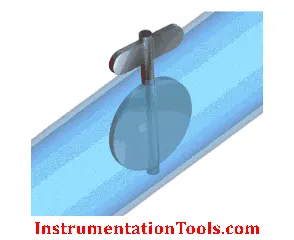
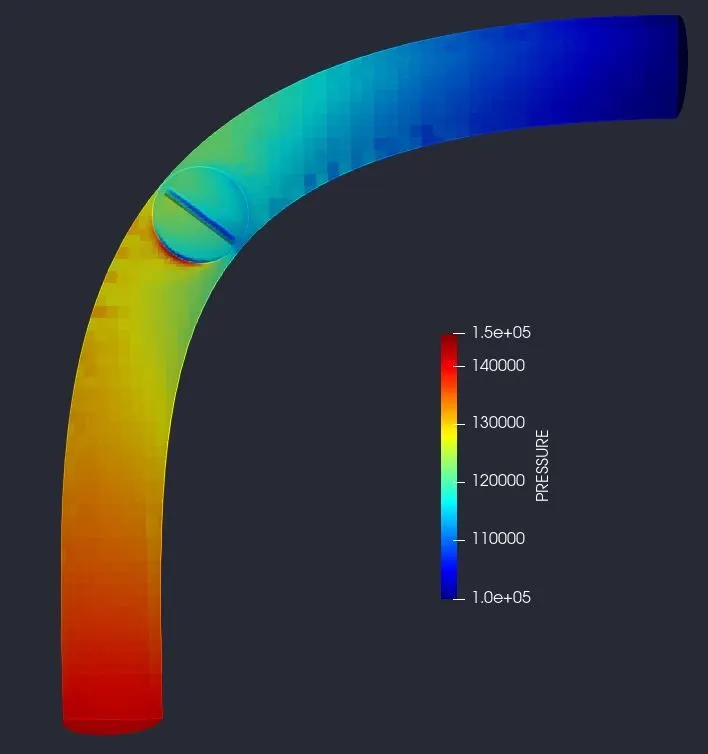
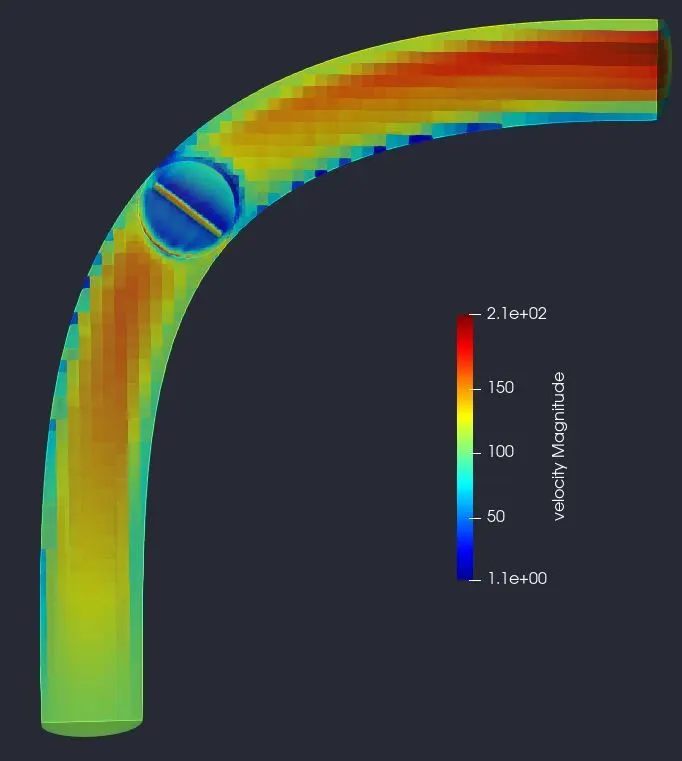
In throttle body due to pressure difference in flow turbulence occurs. Due to turbulence, flow air is recirculated in this region. Pressure is high at the inlet portion of the throttle body and low pressure at another end of the throttle body. If there is a change in pressure then velocity also changes in this region as vice-versa. Due to the rotation of the throttle body, the flow physics is changing and turbulent flow is occurring.
CASE SETUP FOR SIMULATION:
Case set-up :
- The application type is Timebase.
- A predefined air mixture is used.
- Using turbulent Prandtl number 0.9.
- Using turbulent Schmidt number 0.78.
- O2 and N2 are species of air.
Simulation Parameters:
- A transient-state solver is used.
- Starting time is 0s and the ending time is 0.01.
- To calculate flow time we need the value of the length of the pipe and the average velocity.
- `"Flow through time" = "Characteristic Length" / "Average Velocity"`
- `"Flow through Time" = 0.2 / 200 = 1e-3`
- The initial time step is 1e-9s.
- The minimum time step is 1e-9s.
- The maximum time step is 1s.
- A pressure-based solver is used.
Boundary Condition and Region Initialization:
- Inlet, Outlet, throttle, and elbow wall total of four boundaries are used.
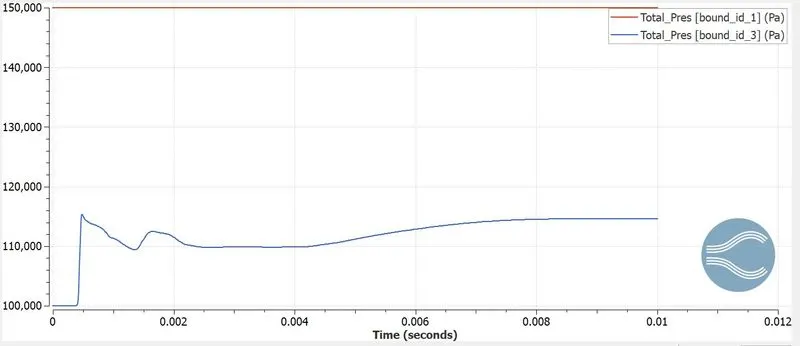
- Inlet is considered as Inflow and has a pressure of about 1.5e5 pa, in species we have air.
- The outlet is considered as Outflow and has a pressure of about 1e5 pa, if we have backflow then we have air as species.
- The elbow wall is considered a No-slip condition.
- The throttle body is considered as and it is set and moving wall as well as rotating.
- For rotating values need to find Arc center and Arc diameter.
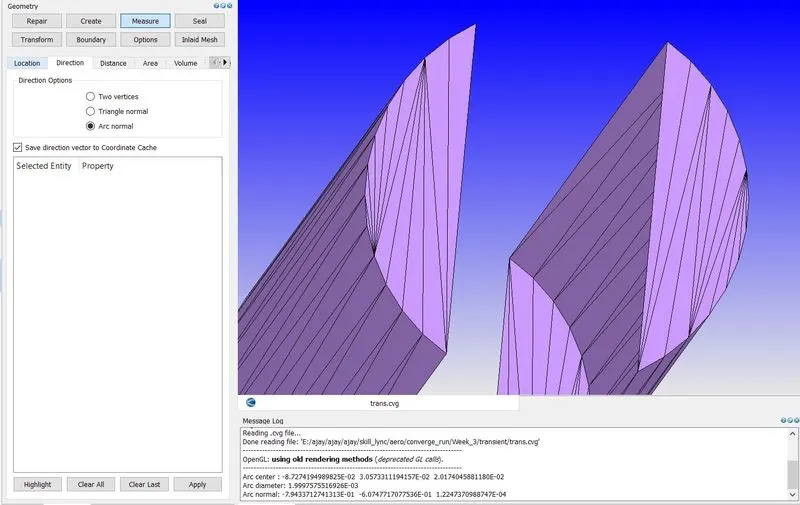
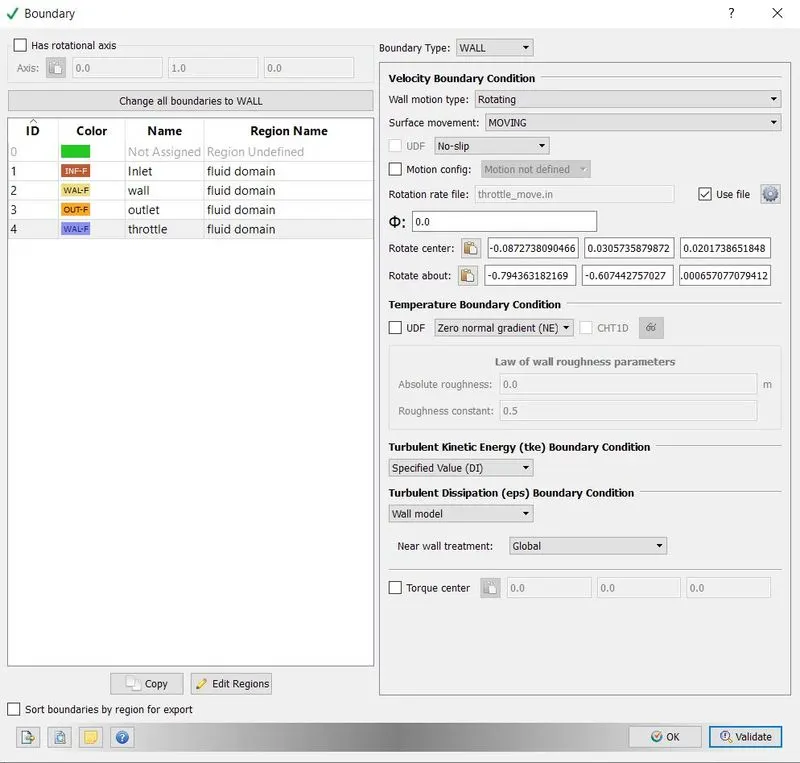
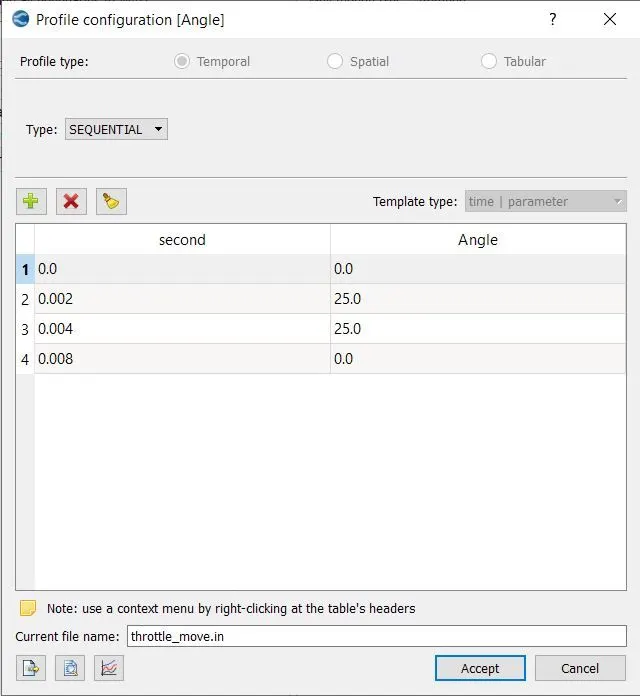
- We need to rotate the throttle for some time and we need to bring it back to its original position.
- In region initialization, we will a region where the fluid should flow and we assign this in the boundary condition.
- Species in region initialization is also air.
Physical Model:
- We are using RANS_K_EPS_RNG ( Re-Normalisation Group) turbulence model.
Grid Control:
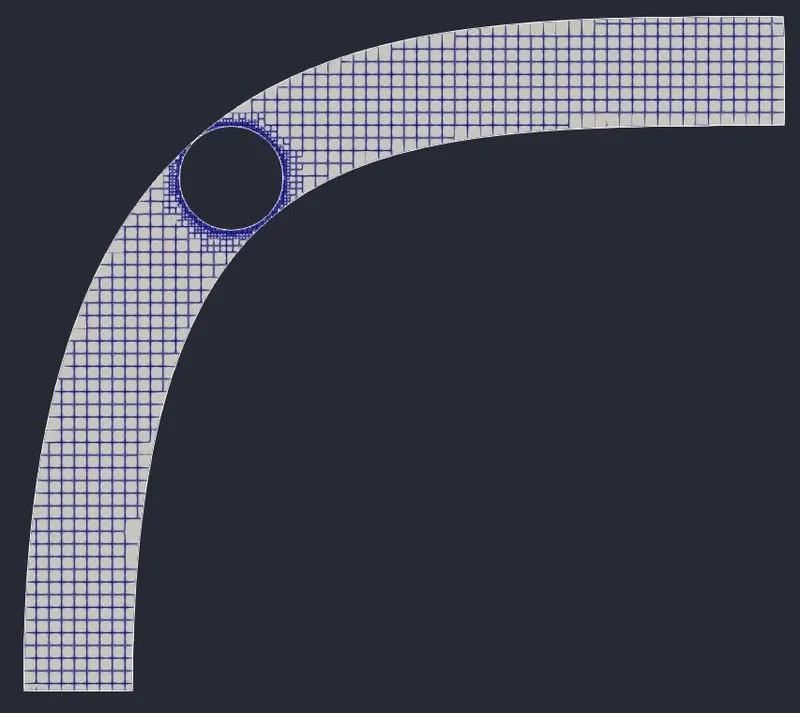
- In grid control, we will be defining the mesh size for the domain (0.002 m is the mesh size).
- Now we are going to enable Fixed embedding.
- In fixed embedding, we are going the define where the mesh is to be refined so we can capture the flow properties very accurately without decreasing the mesh size.
Output and Post-processing:
- In the post-variable selection, we can select the output that we need for post-processing.
- In output files, we can set time intervals for writing the 3D output.
- We can also set time intervals for writing, restarting files.
Running Simulation:
- After finishing setting up the simulation case we need to export the input files in a folder.
- Now open the Cygwin terminal and navigate to the folder where you exported the input files.
- Now run the executable mpiexec.exe -n 2 converge.exe restricted.
- After finishing the simulation we need to convert the output file to paraview format.
- mpiexec.exe -n 2 post_convert_30_msmpi_64.exe command is used to convert the file as ParaView format.
RESULT:
Mesh Generation:
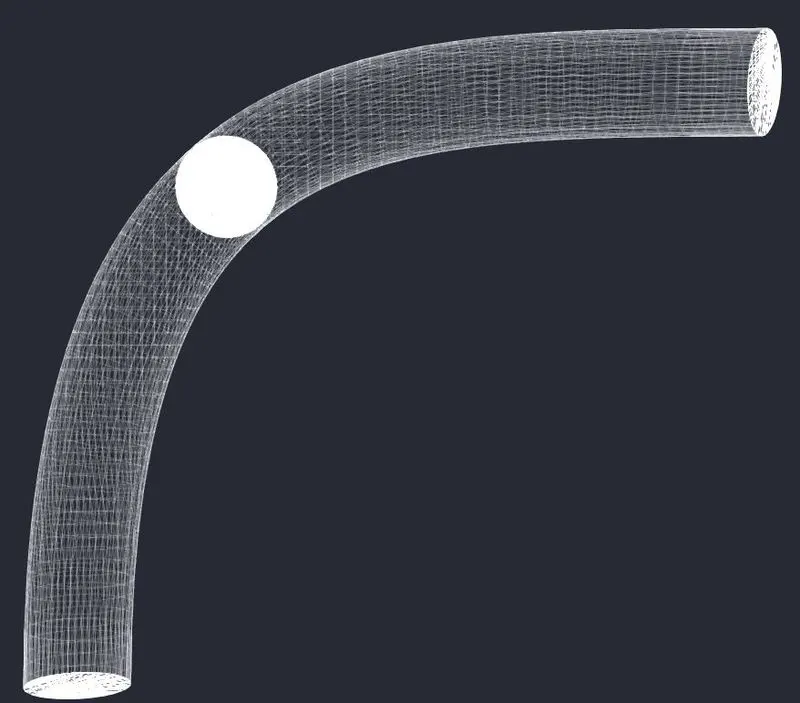
3D mesh
2D mesh

Pressure Contour:
Total Pressure Plot:
Velocity Contour:
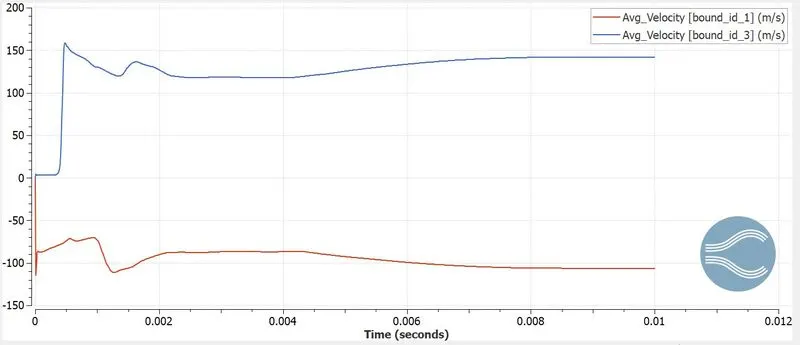
Average Velocity Plot:
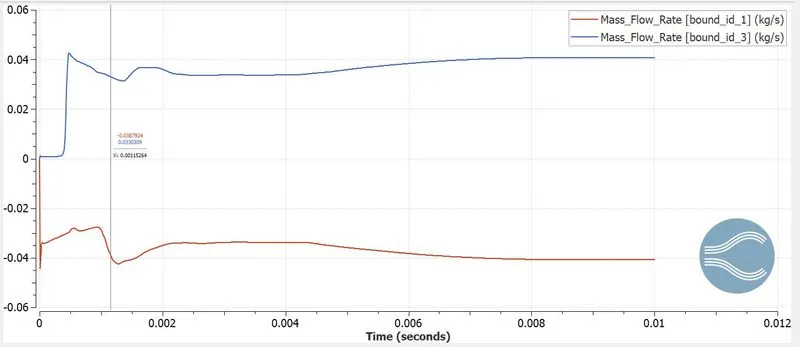
Mass Flow Rate:
Pressure Animation:
Velocity Animation:
Velocity Vector Animation:
CONCLUSION:
- From this simulation, we understand flow physics over the throttle body in transient-state simulation.
- Understanding the concept of rotating the model for transient simulation