Week 4-1D Element Creation Challenge
AIM:
Meshing and create cross section with given dimensions.
OBJECTIVES:
- Meshing is finite element analysis the goal is to stimulate some physical phenomena using a numerical techniques called FEM . SO IN fem ,we create a mesh which split the domain into a discrete number of elemnts for which the solution can be calculated.
- Cross section area ----when a plane cuts a solid object an area is projected onto the plane.that the plane is perpendicular to the axis of symmetry.
PROCEDURE:
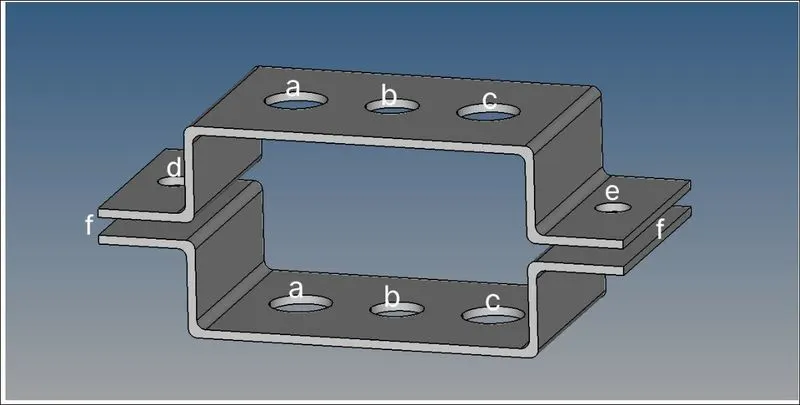
STEP 1: GIVEN COMPONENT
STEP 2:
Select the both surface- then create mid surface.
Go to geometry---midsurface--create..
STEP 3:
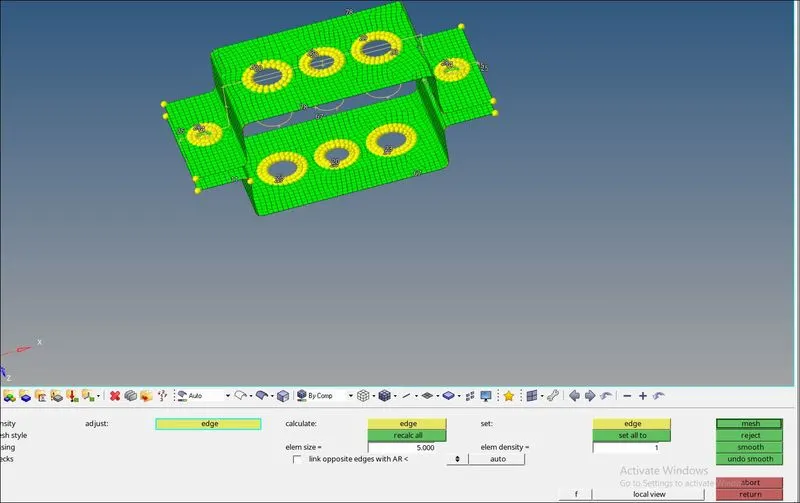
Meshing the component with given size.
Go to 2D---size and bias---size=5 unit--- mesh type is mixed--- then mesh it

STEP 4:
TO CREATE RB2--- TO MAKE MULTIPLE NODES
GO to geometry----quick edit---unwasher line----select the each part and make a rigid circle

STEP 5:
Create cross section and DOF for given elements.
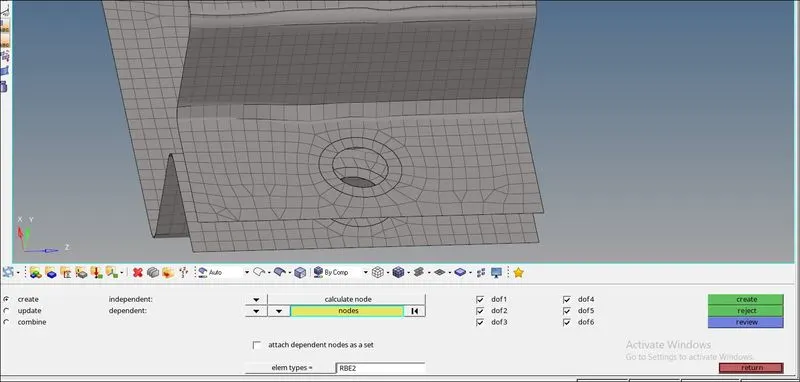
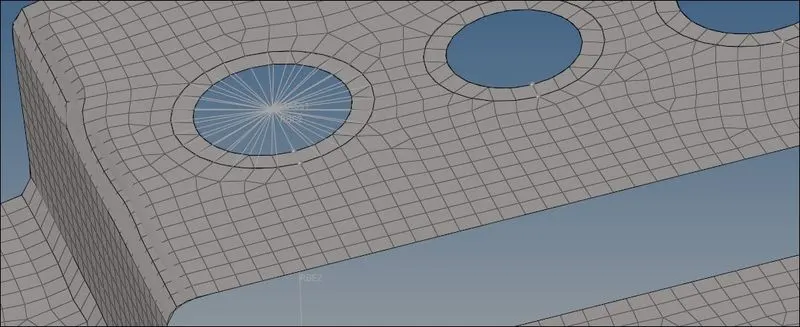
To create rigid----Rb2 ---Go to 1D ---RIGIDS--select calculate nodes---multiple nodes---by pathh---can create multiple nodes-----change element type---create rb2link.
In rb2 classes are also created...
Go to 1D--- masses---select node point---Cmass will be created.
STEP 6:
To connect the both '' a ''cross section CROD as rb2 link
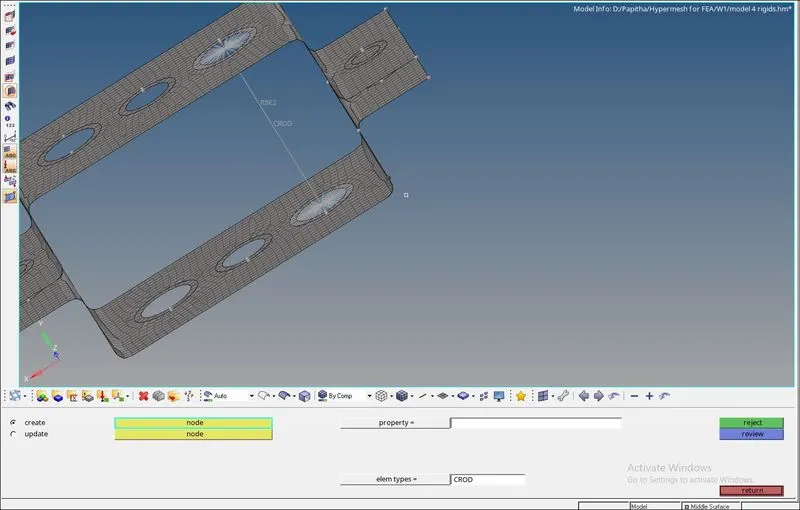
STEP 7:
As same as bar and beam cross sections.
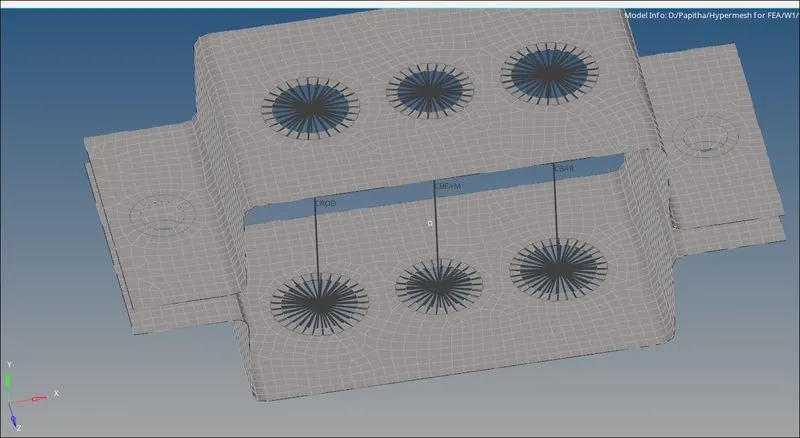
STEP 8:
To make solid cross section of each type.
Go to 2D hyperbeam----standard section----solidsection for CRod..
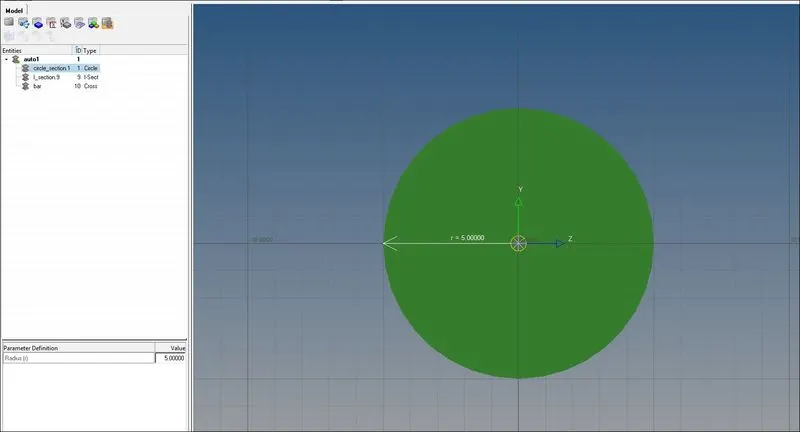
STEP 9:
As Same for Cbeam &CBar
- For Cbeam -----select I-section with given dimension..
- For CBar--- select cross --- with given dimension..
- Then create seperate component and property for each cross section..
-
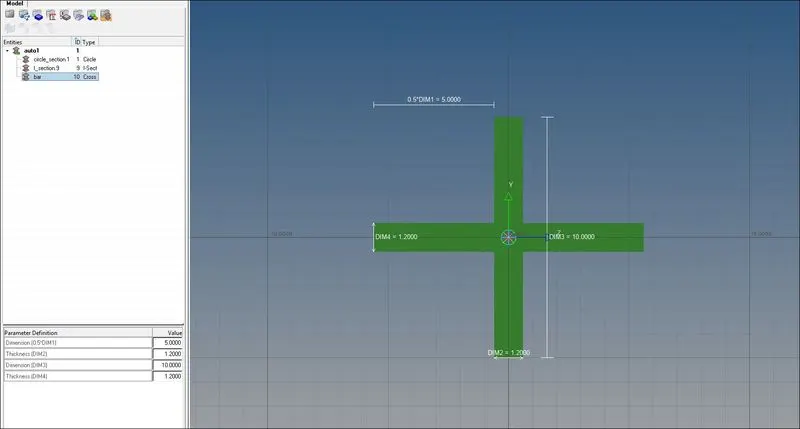
STEP 10:
As same for ''' d & e''' component create rigids rb2 with given mass and magnitude..
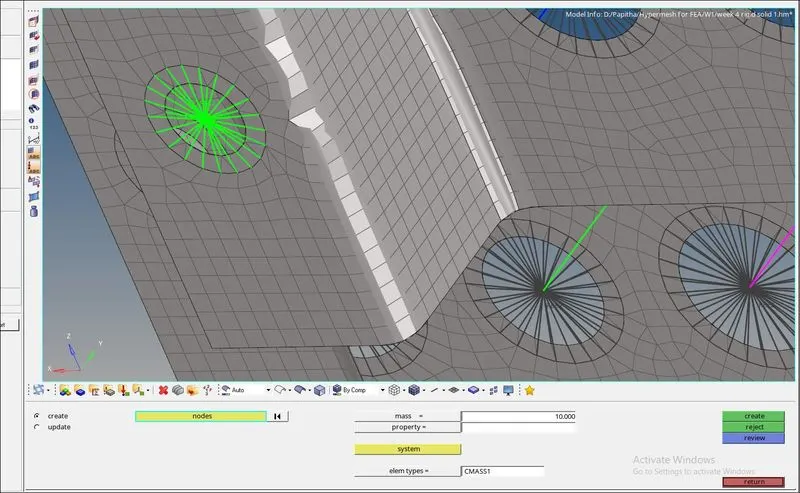
STEP 11:
For ''f'' component between any two nodes spring has to be created...
Go to 1D ---- select Hspring----then select two nodes... then spring will appear.
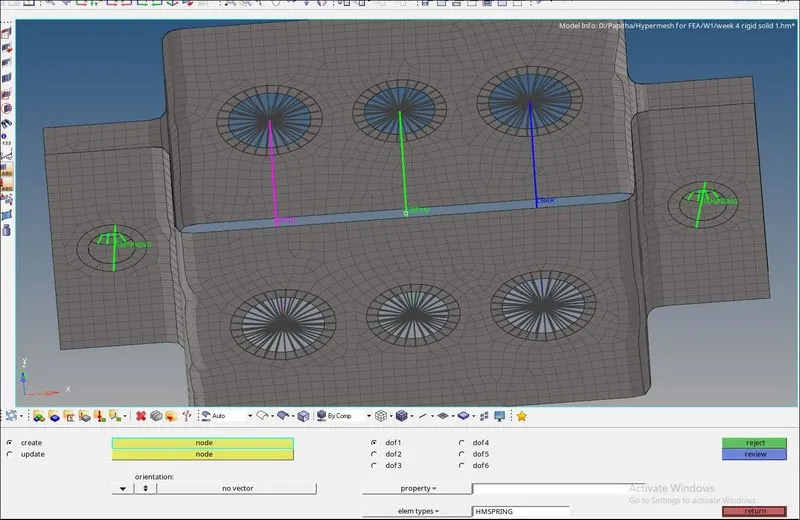
STEP 12:
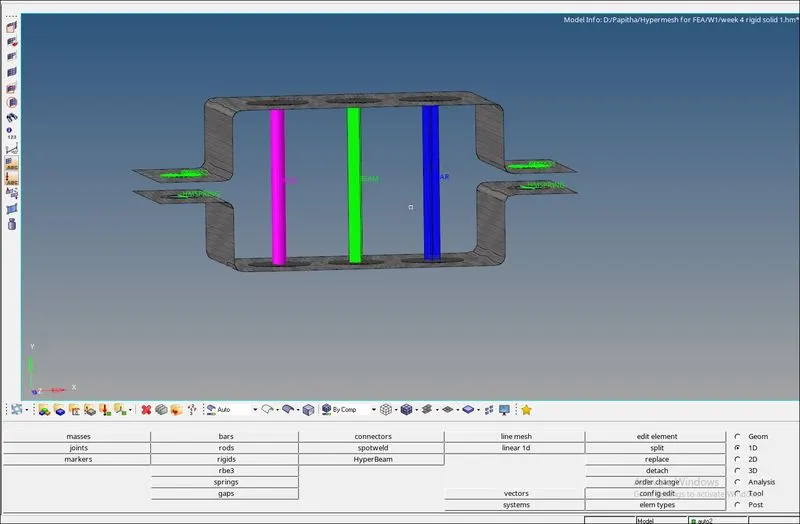
Hence , cross section, mass and magnitude are created with given dimensions..
RESULT:
Hence, the 1D element are meshed and cross section are created with given dimensions.