Week 4-1D Element Creation Challenge
Aim-Mesh the Given component with the Size of 5 Units. Create 1D elements on the components.
Objective- For creating 1d element-
- Rod element:- Translational DOF should be Constrained with RBE2 link
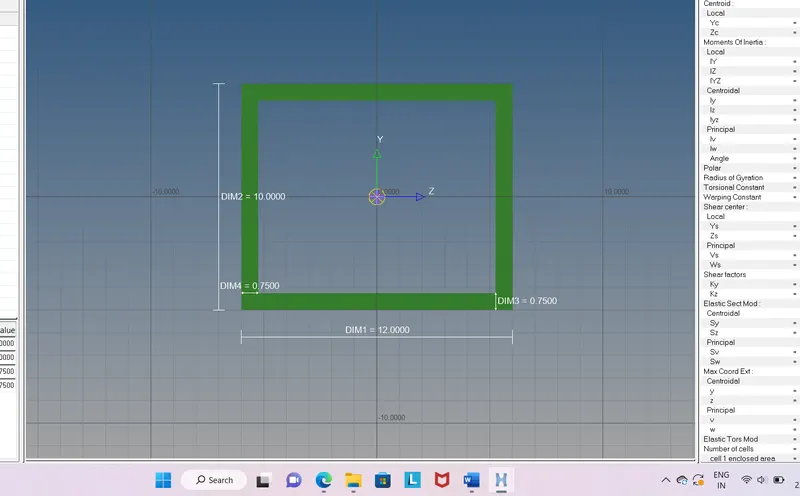
Cross-Section: BOX- Dimension a= 12 mm
dimension b=10 mm
Thickness t= 0.75 mm
- Beam element:- All DOF should be constrained with RBE3 link
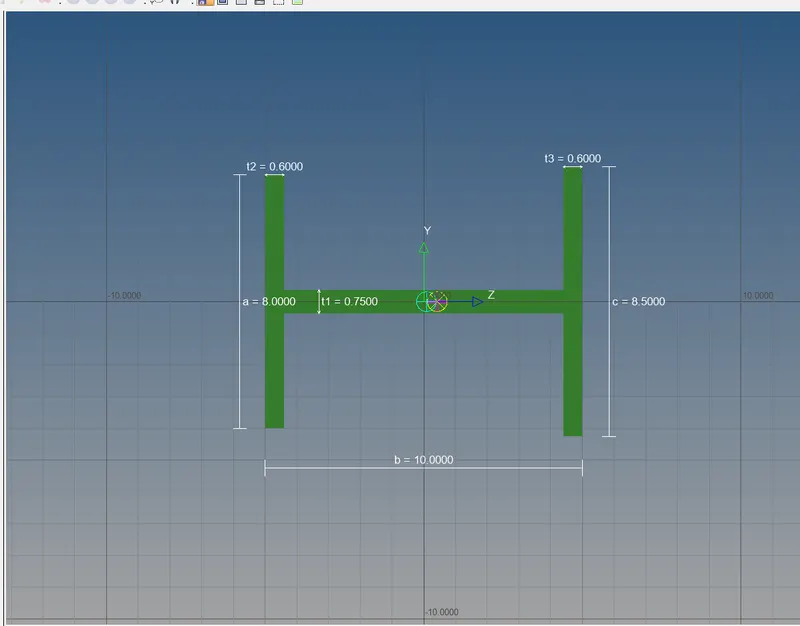
Cross-Section: I Section- Dimension a= 8 mm
Dimension b= 10 mm
Dimension c= 8.5 mm
Thickness t1= 0.75 mm
Thickness t2= .6 mm
Thickness t3= .6 mm
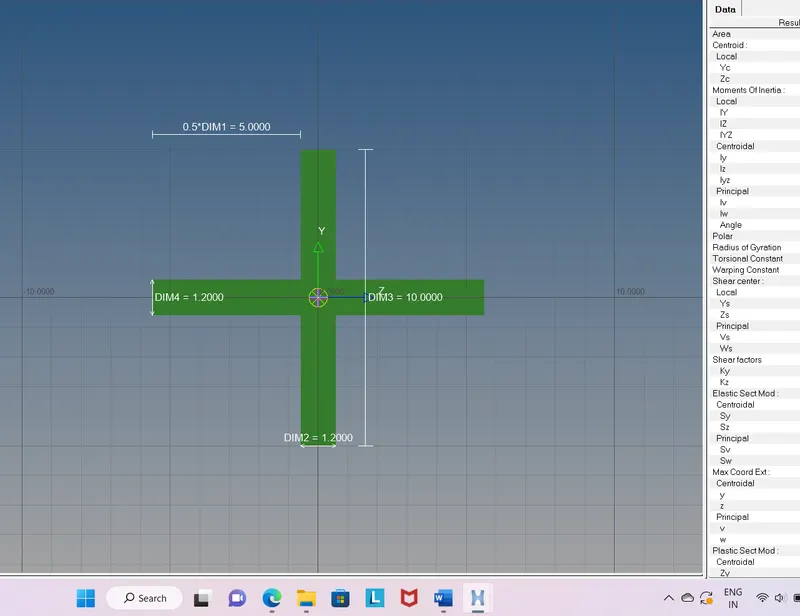
- Bar element:- Constrain only xand y DOFs With RBE3 link
Cross-section: X section- Dimension DIM1= 5 mm
Thickness DIM2= 1.2 mm
Dimension DIM3= 10 mm
Thickness DIM4= 1.2mm
- & e. Apply the massof magnitude 10 with the RBE2 link
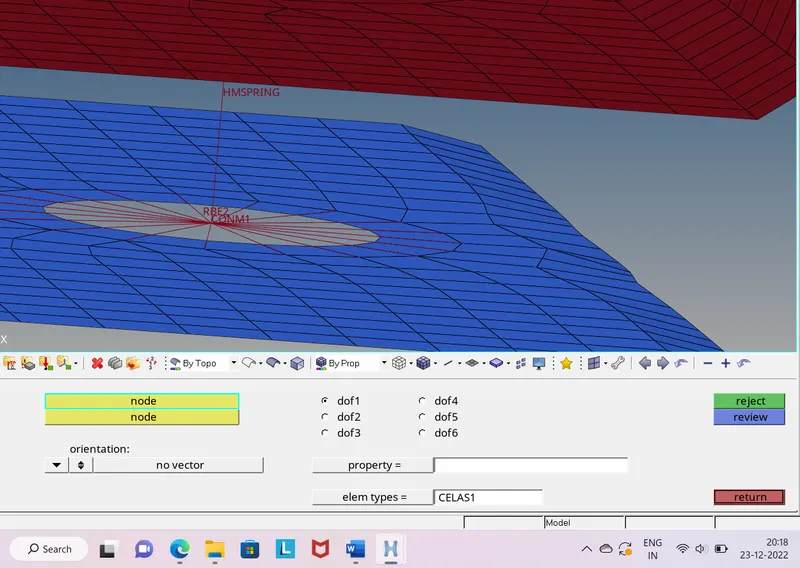
- Join the two components with Spring elements
Procedure-
a.Auto-cleanup-Go to geomtry>auto-cleanup>surfaces>select the surface>auto-clean up .It will remove the unwanted surfaces.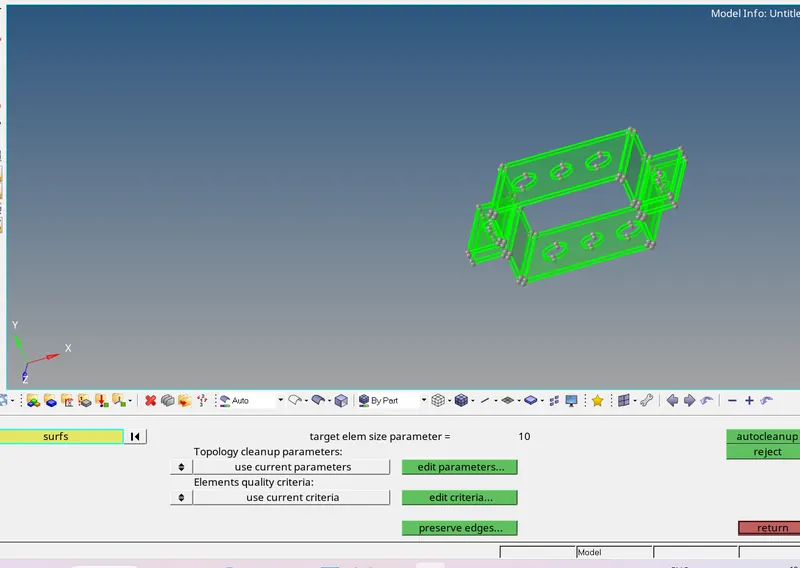
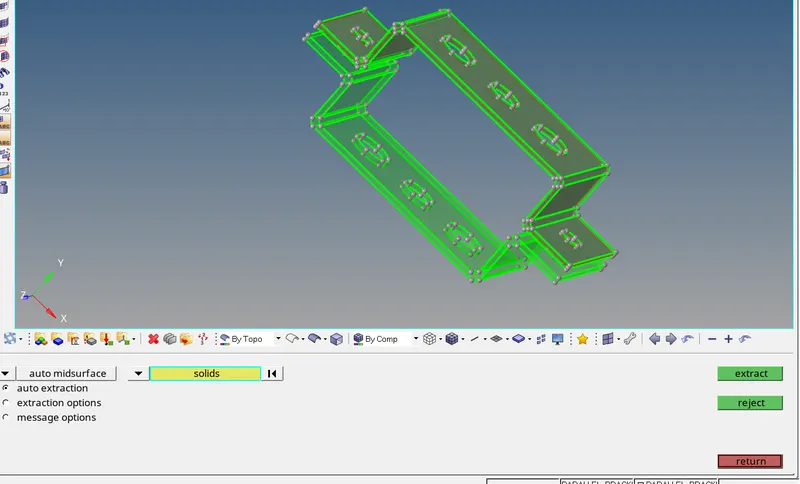
b.Mid surfacing- Go to geometry>mid surface >select the surface >extract .Give two bracket name separately.
c.Mesh-Go to 2D>auto mesh>put 5units as mesh element size>surface>select surface>auto mesh.
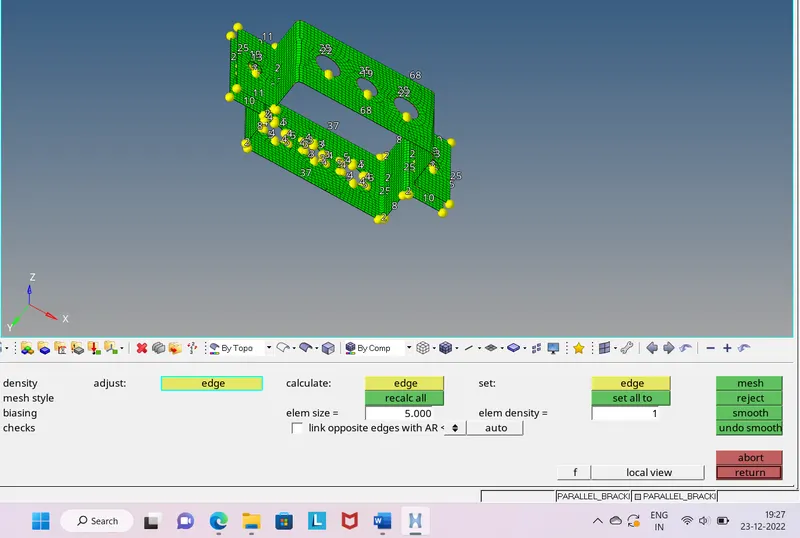
d.Removing the trias near the holes-Increase the element near the hole by left clicking and add the washer.
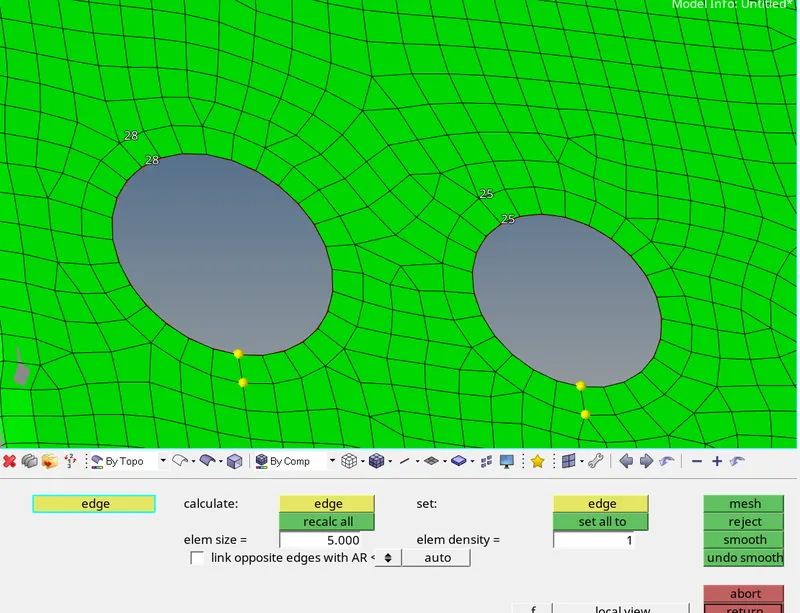
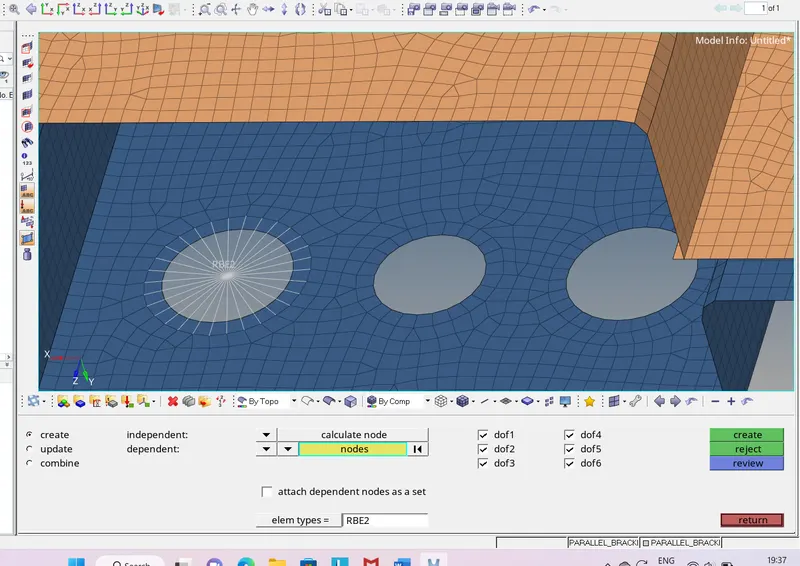
e.Create Rbe2 – Got to select rigids>>rbe2>calculate node>multiple node>using by path option select nodes near the holes>middle click. And same procedure for all holes.
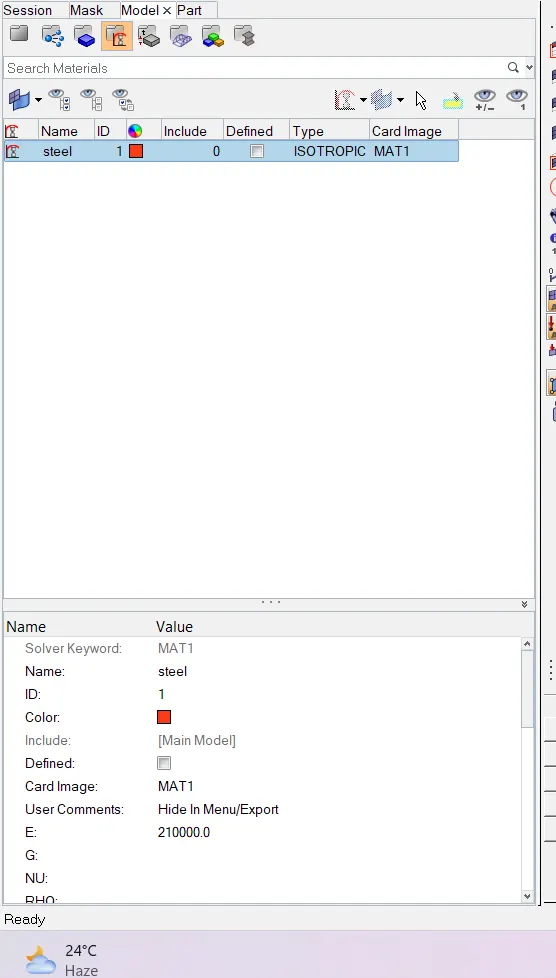
f.Give the property and material to the bracket1 and bracket2- In model window right click>create material>add material.
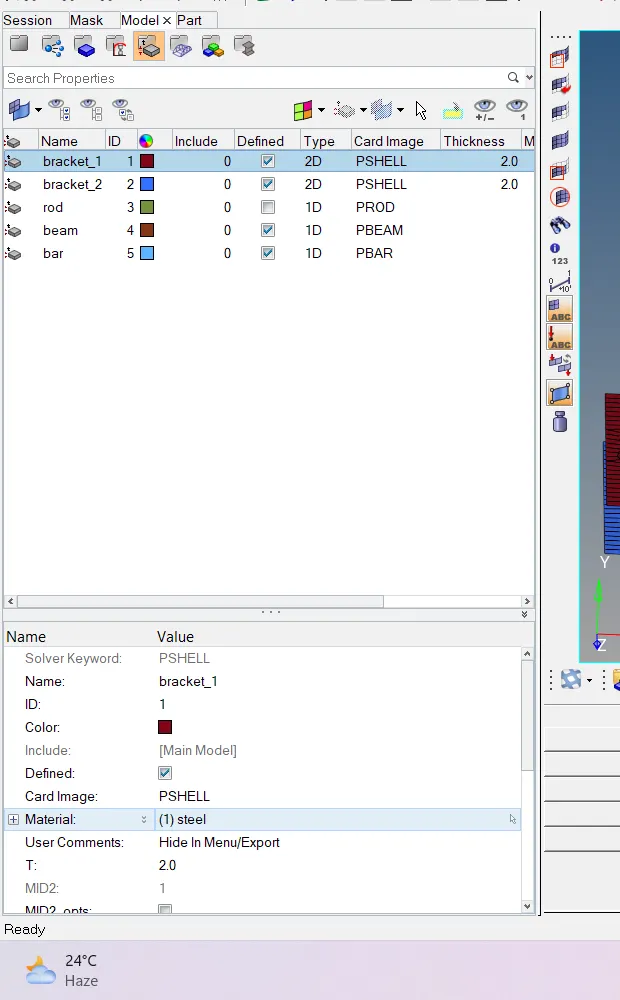
Right click >create property>in that add material.
g.Creating the 1d elements- Go to 1d>hyper beam>create.
1.for rod-right click on model window>create>std section>optistruct>box>add the given dimensions.
2.for beam-right click in model window>create>hypermesh>std I section>add the given dimension.
3.for bar-right click in model window>create>optistruct>cross>add the given dimension.
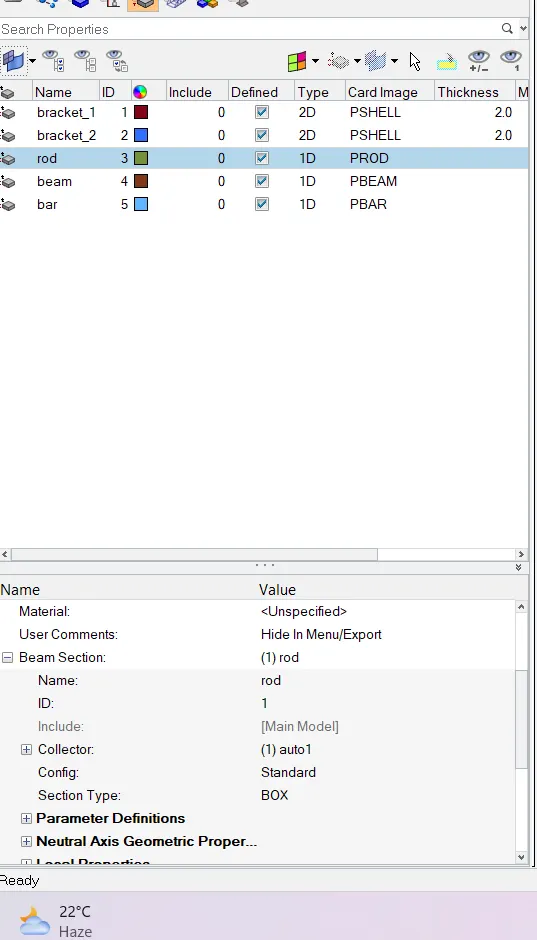
h.Add the properties for rod ,bar ,beam- right click in the model window>create >property>select pbar /pbeam/prod>add the beam section.
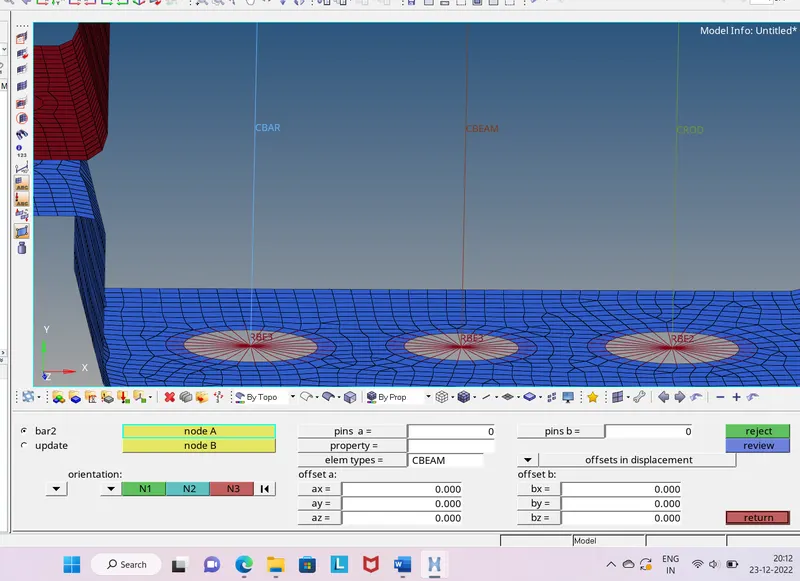
i.Generating the rod ,beam ,bar-1d>bars>select node1 and node 2>give orientation>assign property to respective>and middle click. Same for all.
j.End holes add mass and joining by spring-1d>spring>element type >cmass>select node>middle click .Same for spring joining.
h.Completed model-
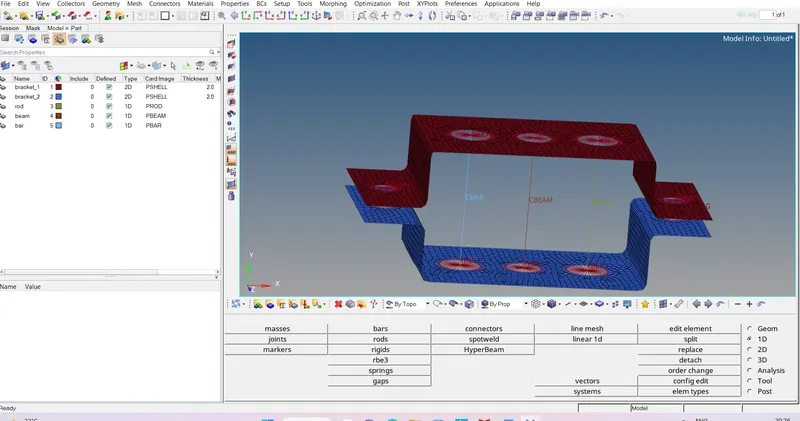
Outcomes-Learned connections. understanding about rbe2 ,rbe3 and beam , bar and rod creation.