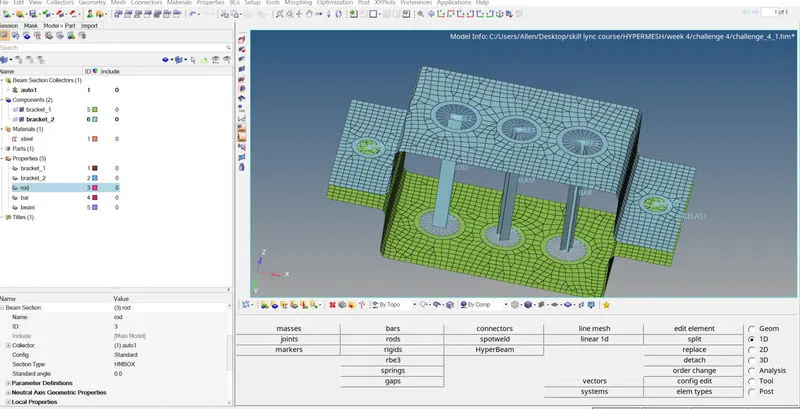
Week 4-1D Element Creation Challenge
OBJECTIVE
The objective of this assignment is to create a rod ,beam,spring and bar element on a model which is shown below.
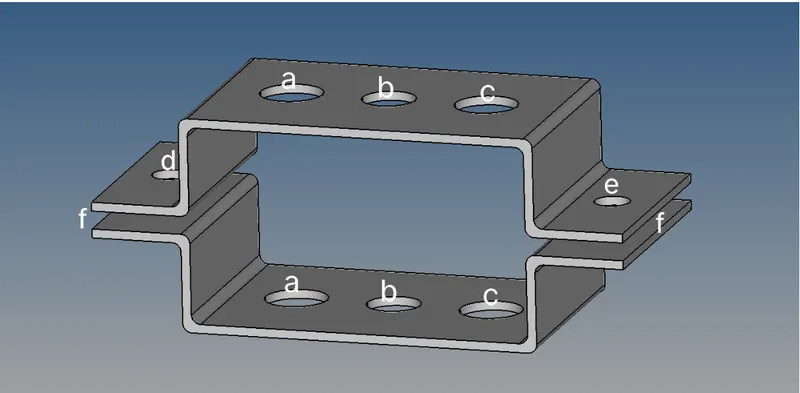
The rod element should be constrained with rbe2 elements and its translational degree of freedom should be constrained. Also the cross section of the rod should be a thin walled box with dimensions a = 12mm, b = 10mm, thickness t = 0.75 mm.
The beam element constructed should be with RBE3 link. All degree of freedom of the RBE3 link should be constrained. The cross section of the beam element should be an I section with dimensions a = 8mm, b = 10mm, c = 8.5mm , t1 = 0.75mm, t2 = 0.6mm ,t3 = 0.6mm.
The bar element constructed should be with RBE3 link. Only x and y degrees of freedom should be constrained.The cross section of the bar element should be an X section with dimensions DIM1 = 5mm, DIM2 =1.2mm, DIM3 = 10mm, DIM4 = 1.2mm.
A mass of magnitude 10 should be applied at d and e positions with rbe2 link.
Finally ,the two components must be joined using spring elements.
PROCEDURE
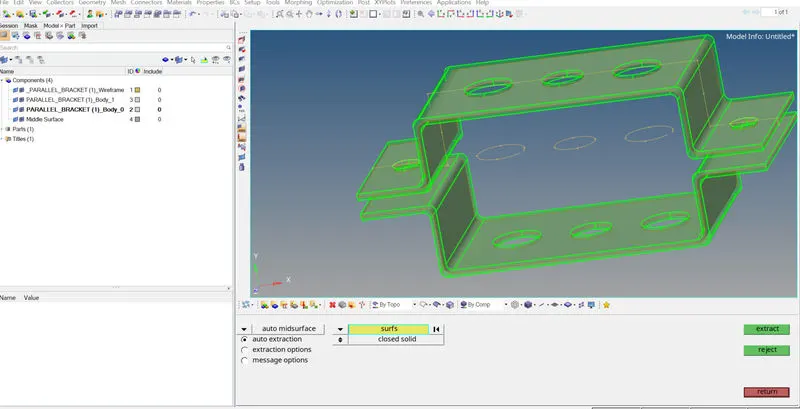
The model is imported into hypermesh and then a midsurface is created using the midsurface tool.
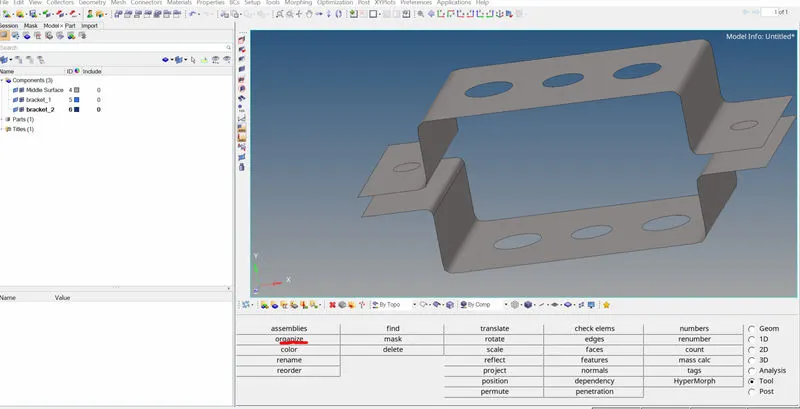
Then two new components named bracket_1 and bracket_2 are created on the collector tab. The upper midsurface is then associated with bracket_1 and the lower midsurface is associated with bracket_2 using organize tool. The solid elements are then deleted since we only need the midsurface.
A steel material is added on the collector tab area with the card image of steel being MAT1.
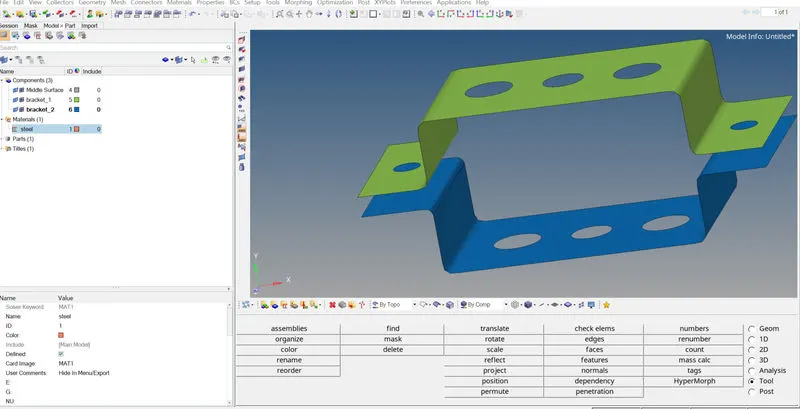
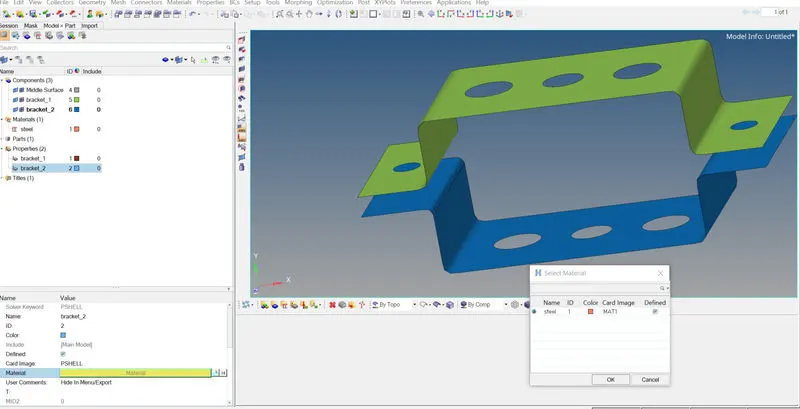
Then two properties are created for bracket_1 and bracket_2. The card image is given to be PSHELL and material to be steel.
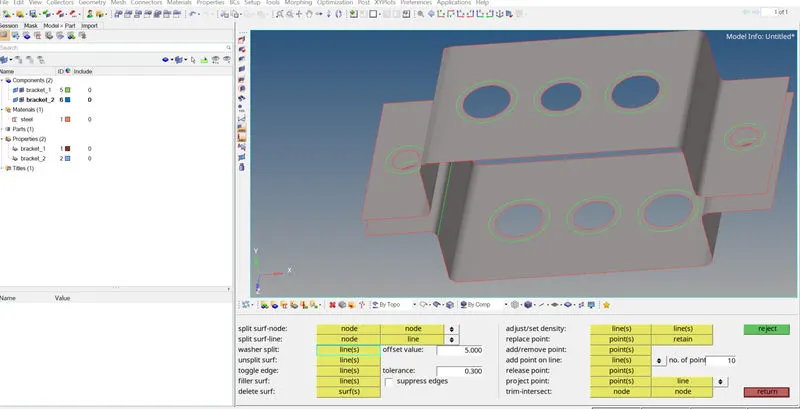
A washer split is done to the holes in the model to increase the quality of the mesh using quick edit tool.
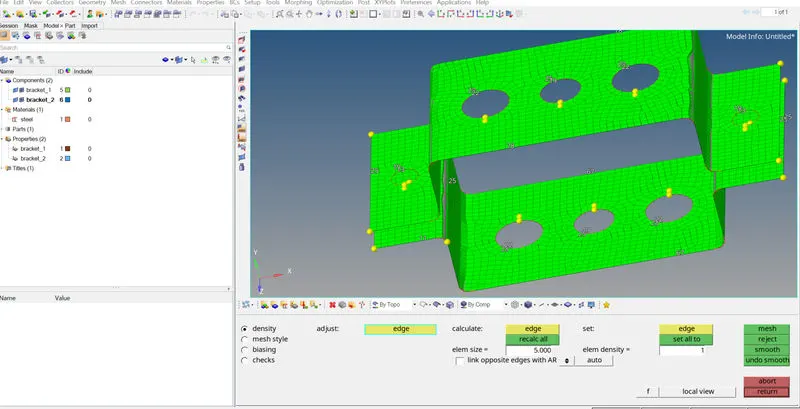
Then the model is meshed using the automesh option with element size of 5.
Next, sections for the bar,rod and beam is created using the hyperbeam tool
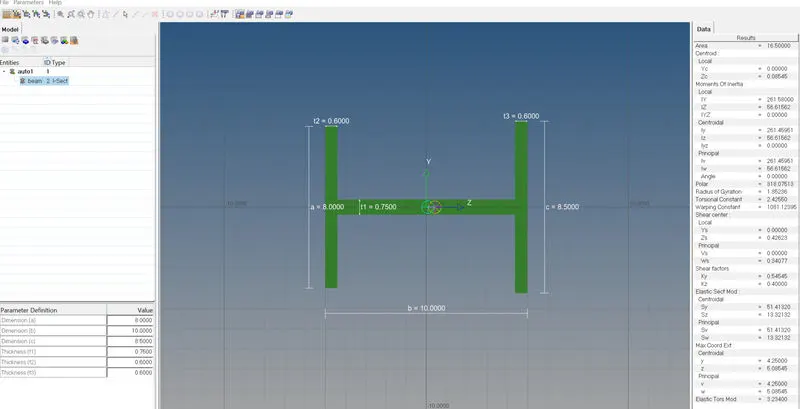
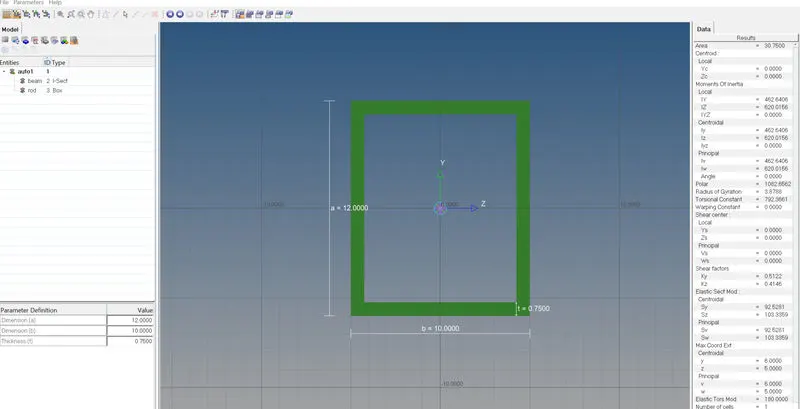
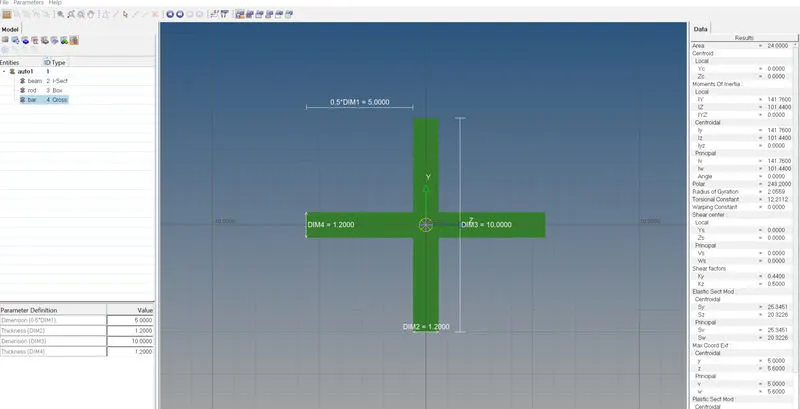
RBE2 and RBE3 elements are created using the rigids tool and the RBE3 tool as shown below with appropriate degrees of freedom as mentioned in the objective.
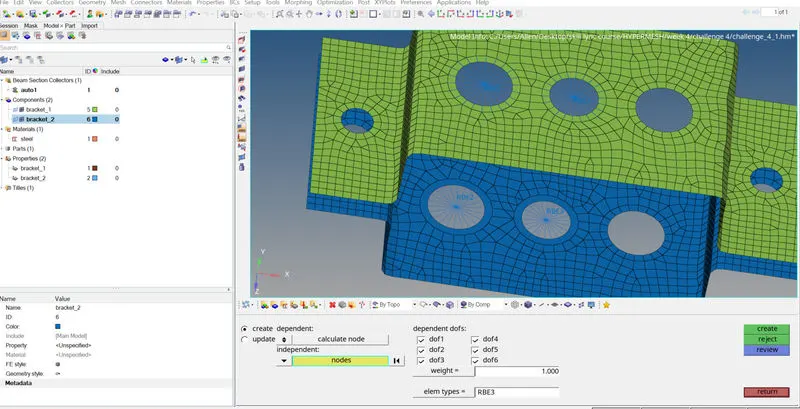
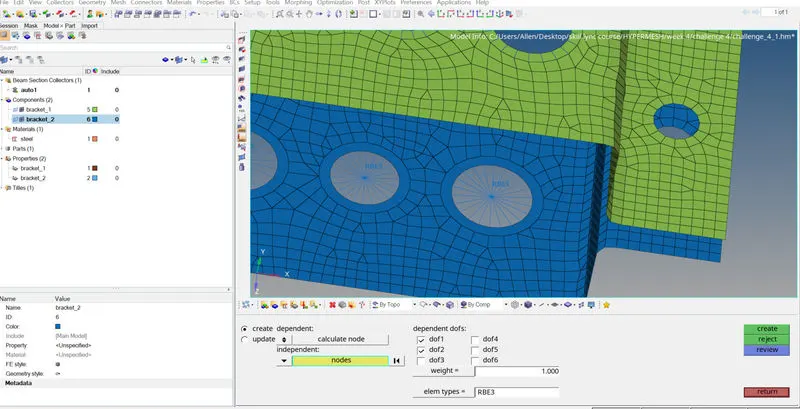
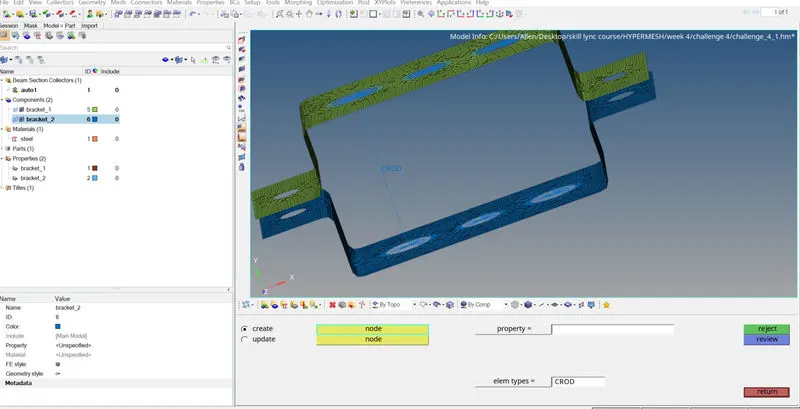
A rod is created between the RBE2 elements as shown below.
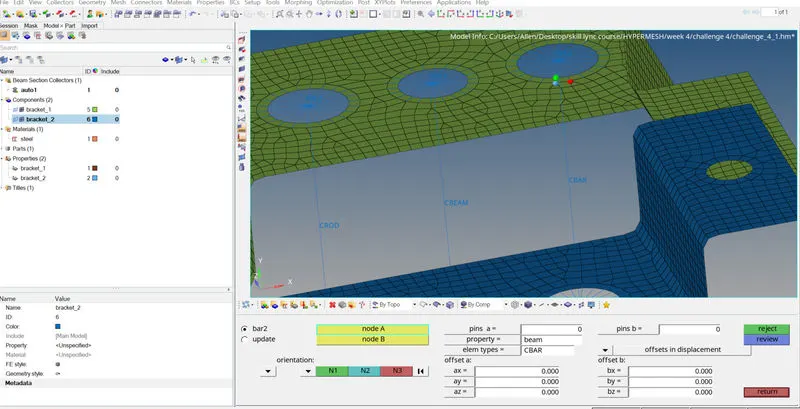
A bar and beam element is created as shown below using the bar tool with element type selected appropriately.
Spring element is created using the springs option.
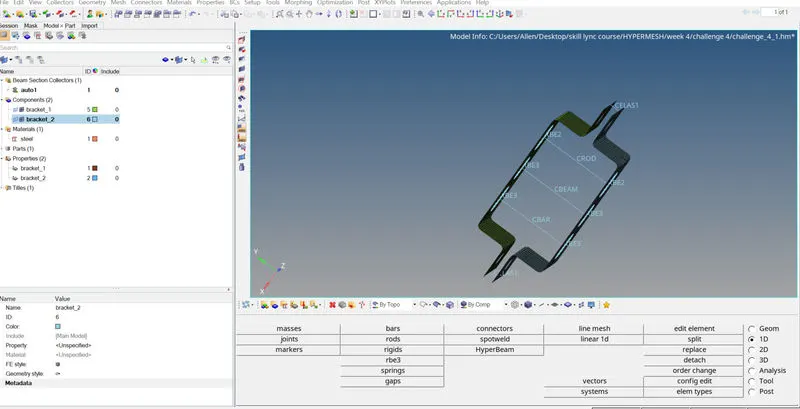
At positions d and e a mass of magnitude 10 is placed at RBE2 links using the masses tool as shown below.
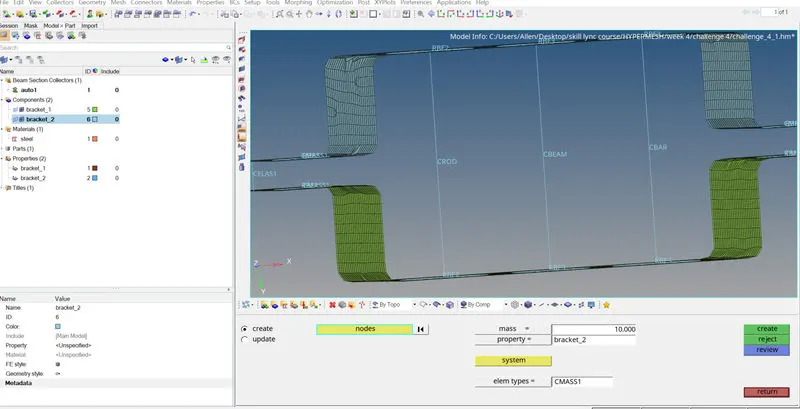
Next we create properties for giving to the bar,beam and rod.All of them are given steel as their material. Sections and card images are selected appropriately.
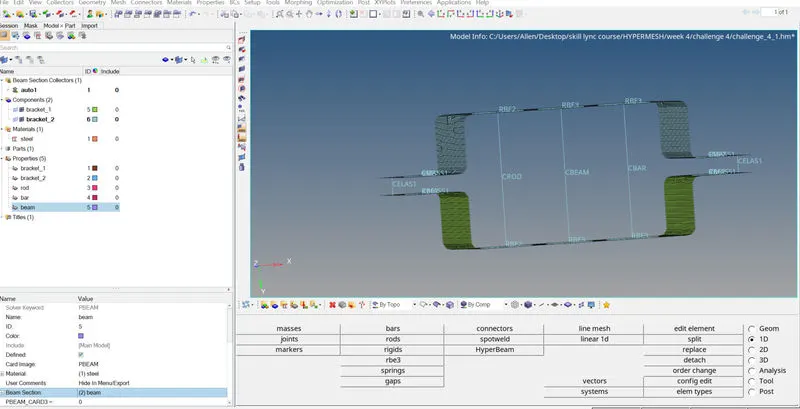
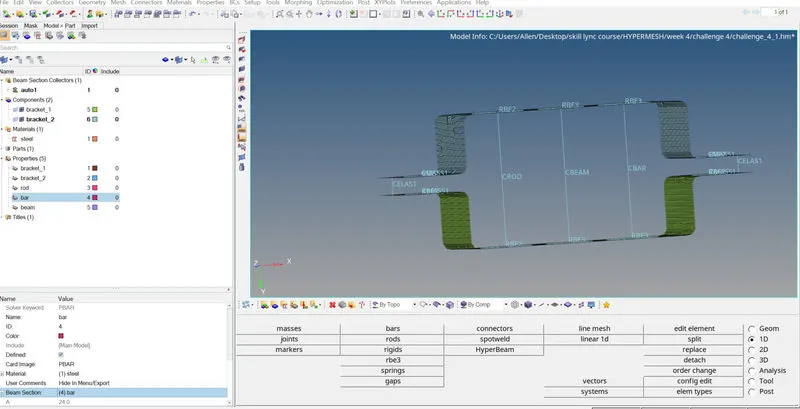
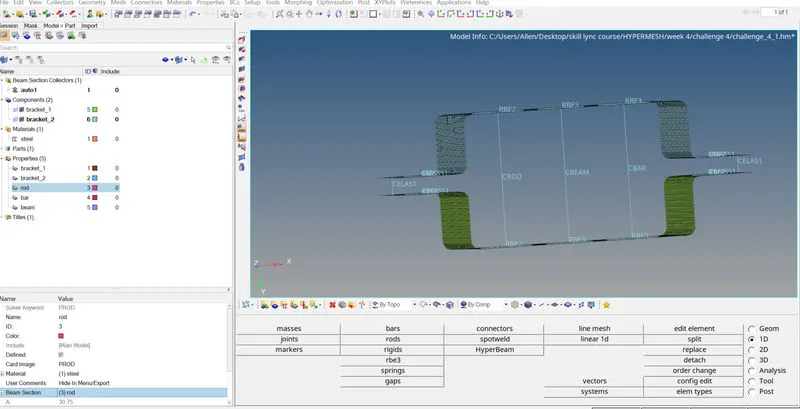
All these properties are then given to the bar, beam , rod using the update option present in the rods and bars tool.
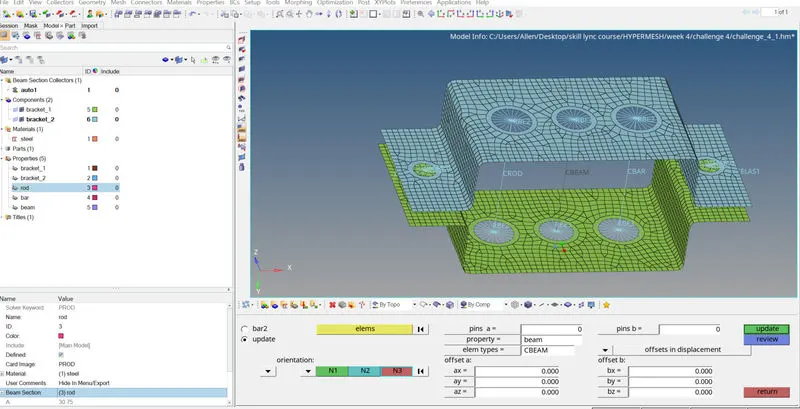
The final image is shown below.
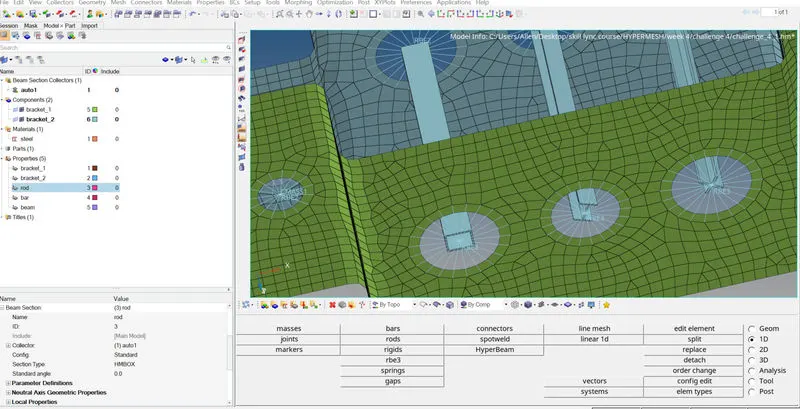
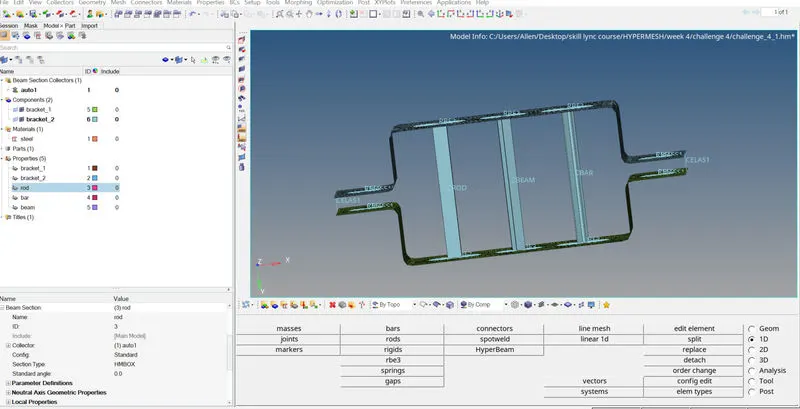
RESULT
A final image of the model with all the beam, bar, rod ,spring and masses is given below.All the tools and techniques used in hypermesh for 1D element creation is studied in this assignment.