Week 4-1D Element Creation Challenge
Aim :
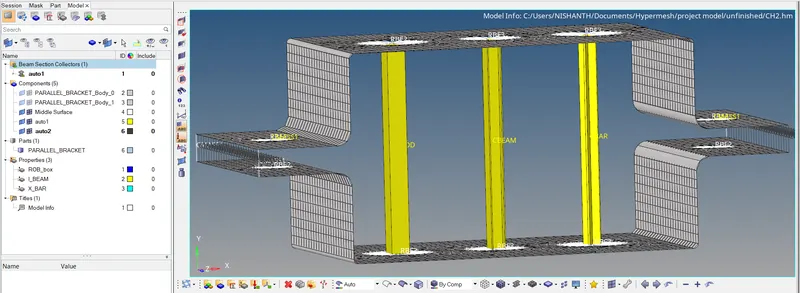
To make mesh in the given component and to add three different elements with edge springs as per the given dimensions using Hyperworks software.
Objective :
To attach the three different elements as per the given dimension and to the given model and mesh the given component to 5 units.
Procedure :
- Make sure that the profile is selected as optistruct before start working.
- Import the model into the graphical window and check the model once.
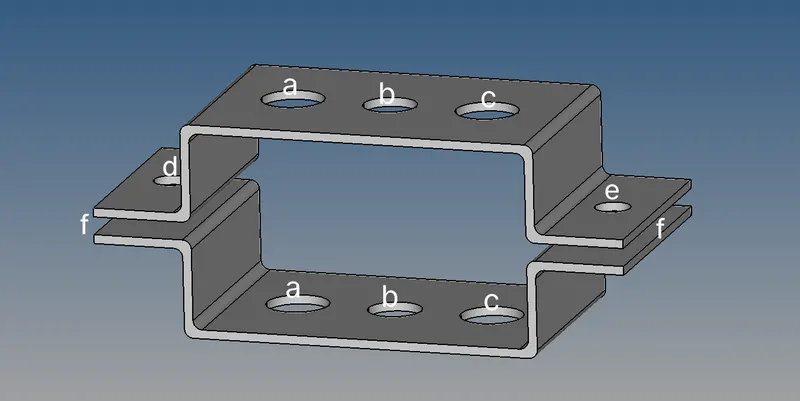
- Select the model and make mid-surface for the given model and delete the solid model after that.
- I have used skin offset option here in mid-surface extraction, apply washer split to pin holes before meshing.
- In 2D we have automesh option from that we can create the mesh for the required element size of 5 units.
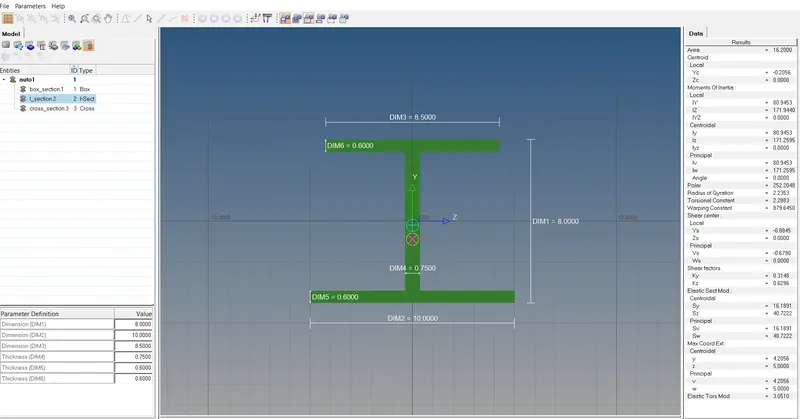
- The links are to be created as it is given and to attach different elements in the links like box rod, I beam, x bar.
- These elements are created by using the option called Hyperbeam. After creating the elements as per the given dimension it is required to create properties for the elements and to attach the required property to required elements.
- And the elements will be placed at the created links and the linked elements can br viewed by using the option called 1D Traditional Element Representation.
- Attach the edges by using springs and add RBE2 links to the side pinholes with the mass of magnitude 10 on the top.
Result :
The model is finished as per the given requirements which is asked to modified in the model. It’s done successfully using Hyperworks software.