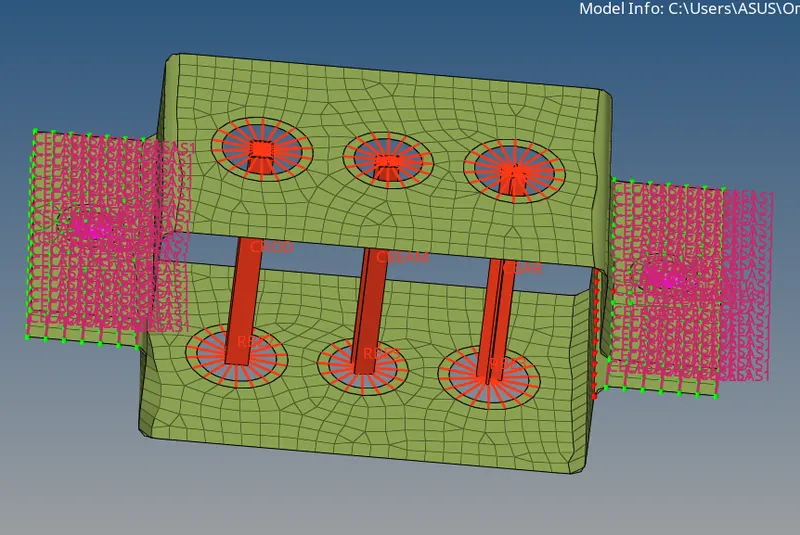
Week 4-1D Element Creation Challenge
OBJECTIVE
The main is to Create 1D elements on the following component with given cross-section and DOF.
Given Data
a. Rod element:- Translational DOF should be Constrained with RBE2 link
Cross-Section: BOX- Dimension a= 12 mm
dimension b=10 mm
Thickness t= 0.75 mm
b. Beam element:- All DOF should be constrained with RBE3 link
Cross-Section: I Section- Dimension a= 8 mm
Dimension b= 10 mm
Dimension c= 8.5 mm
Thickness t1= 0.75 mm
Thickness t2= .6 mm
Thickness t3= .6 mm
c. Bar element:- Constrain only x and y DOFs With RBE3 link
Cross-section: X section- Dimension DIM1= 5 mm
Thickness DIM2= 1.2 mm
Dimension DIM3= 10 mm
Thickness DIM4= 1.2mm
d. & e. Apply the mass of magnitude 10 with the RBE2 link
f. Join the two components with Spring elements
PROCEDURE
1. Import the IGS file to the hypermesh graphics area using import geometry tool.
2. We have to take the midsurface for the given model.
3. Applying the washer split of 5mm.
4. Applying the automesh with an element size 8mm.
ROD ELEMENT
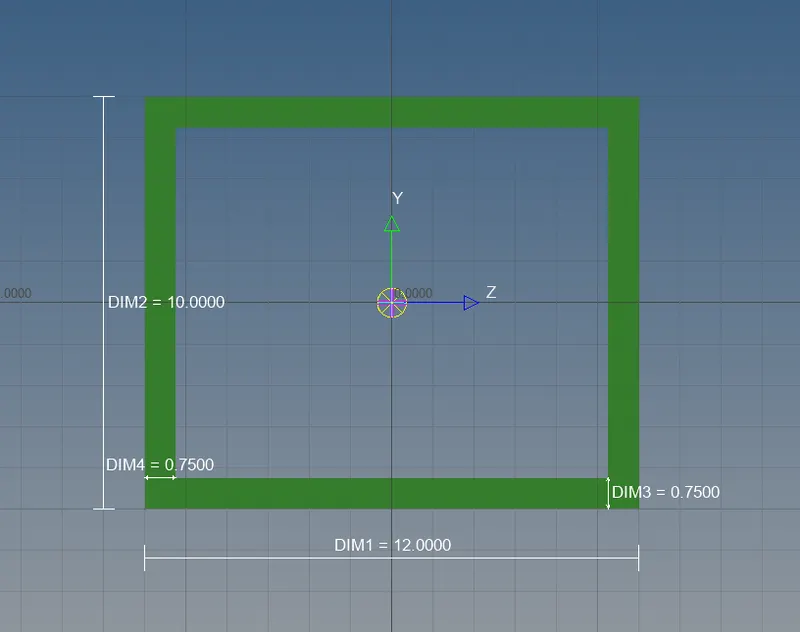
5. For the rod element, we have to create RBE2 link with translational DOF using rigids under 1D.
6. Create the hyperbeam for the rod element with Box cross section with given dimension.
7. Apply the material as steel and apply the property for the rod element and update
BEAM ELEMENT
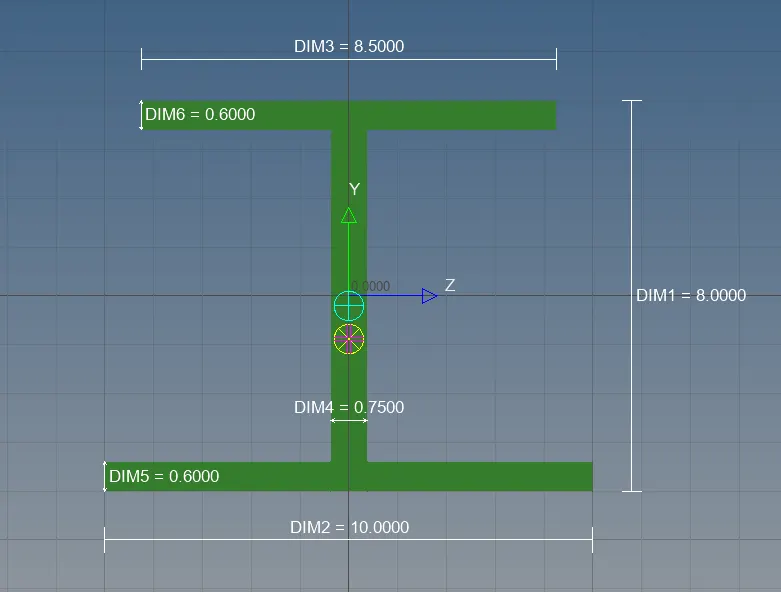
8. For the Beam element, we have to create RBE3 link with all DOF using rigids under 1D.
9. Create the hyperbeam for the Beam element with I- cross section with given dimension.
10. Apply property for the Beam element and update.
BAR ELEMENT
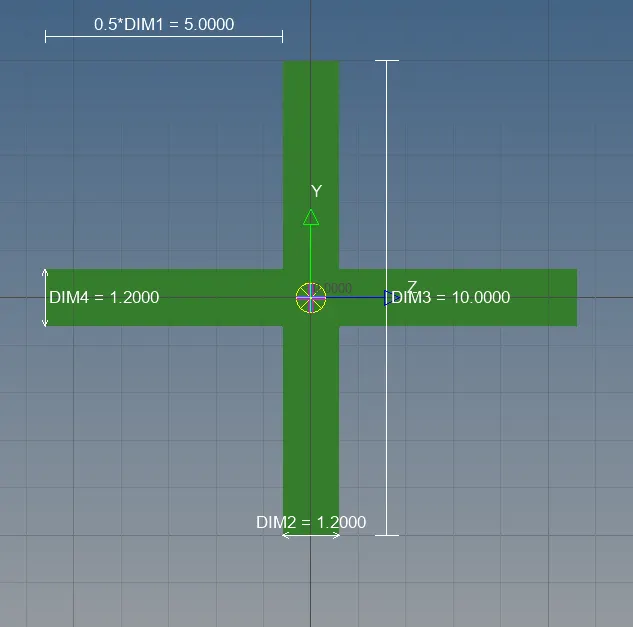
11. For the Bar element, we have to create RBE3 link with X,Y DOF using rigids under 1D.
12. Create the hyperbeam for the Bar element with X- cross section with given dimension.
13. Apply property for the Beam element and update.
14. Apply the mass of magnitude of 10 with RBE2 link.
15. Apply the spring element