Week 4-1D Element Creation Challenge
Aim:
To create mid surface , mesh and 1D element as given components.
Given data:
Given CAD:
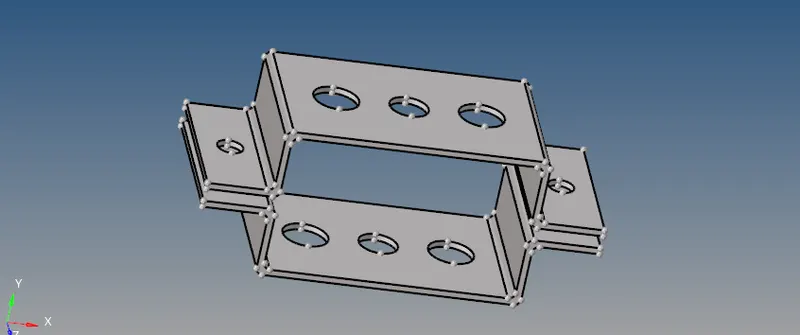
a. Rod element:- Translational DOF should be Constrained with RBE2 link
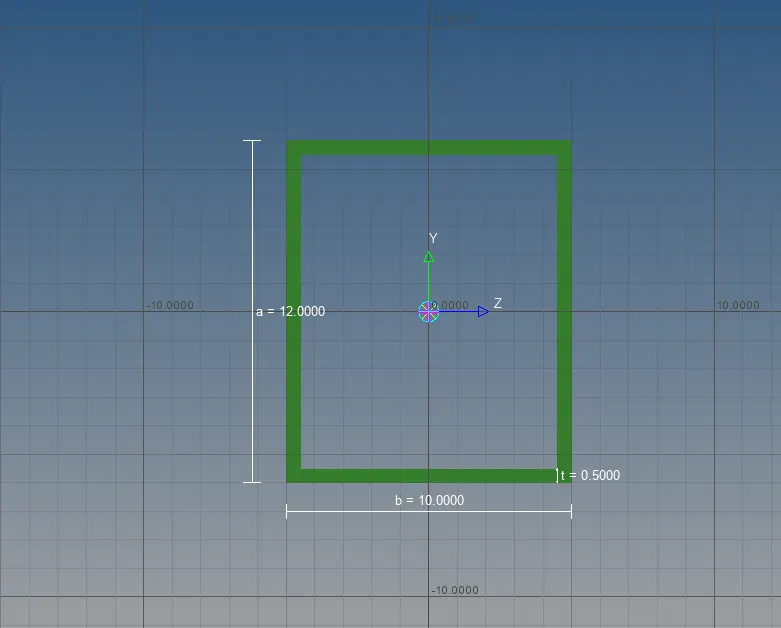
Cross-Section: BOX- Dimension a= 12 mm
dimension b=10 mm
Thickness t= 0.75 mm
b. Beam element:- All DOF should be constrained with RBE3 link
Cross-Section: I Section- Dimension a= 8 mm
Dimension b= 10 mm
Dimension c= 8.5 mm
Thickness t1= 0.75 mm
Thickness t2= .6 mm
Thickness t3= .6 mm
c. Bar element:- Constrain only x and y DOFs With RBE3 link
Cross-section: X section- Dimension DIM1= 5 mm
Thickness DIM2= 1.2 mm
Dimension DIM3= 10 mm
Thickness DIM4= 1.2mm
d. & e. Apply the mass of magnitude 10 with the RBE2 link
f. Join the two components with Spring elements
Procedure:
¬ First import CAD file into the Hypermesh and give autoclean up.
¬ Then go to extraact mid surface geometry - midsurface - auto extraction then midsurface created.
¬Now rename the mid surface pshell as part1.
¬ Then extract another part rename mid surface pshell as part 2.
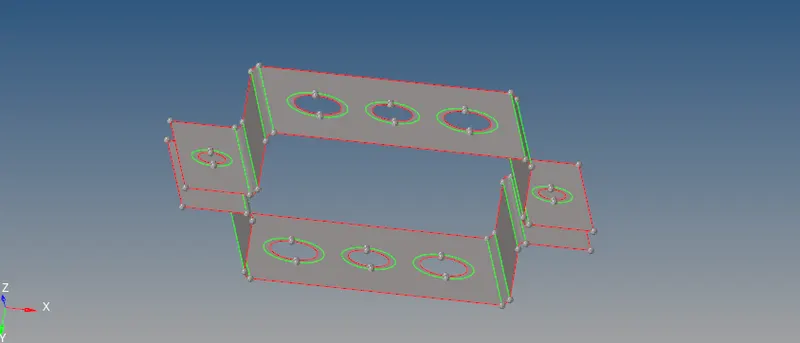
¬ Now going to mesh the components using automesh.
¬Go to 2D - automesh - element size 5 and select all surface using displayed option.
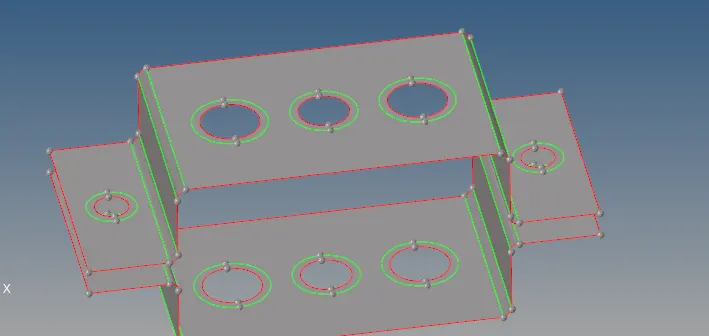
¬ Before mesh using washer split option to create circle as 5mm in the hole.
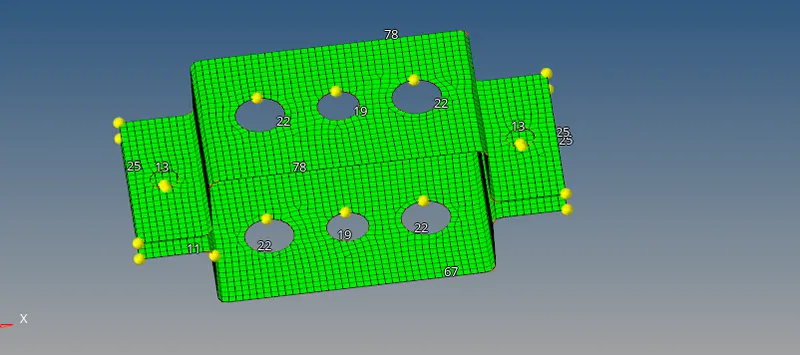
¬ Now meshed the components as element size as 5.
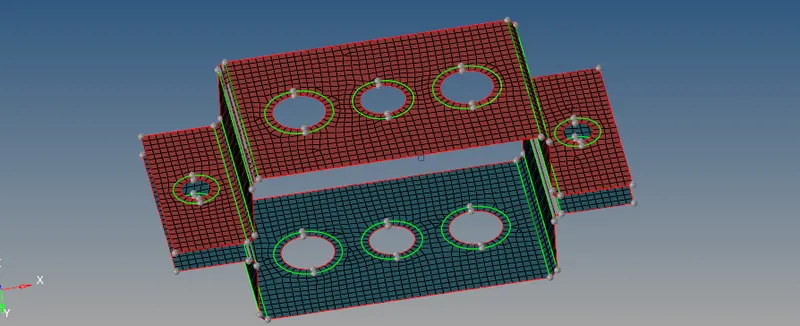
¬ Clear the tria in the hole area using nodes increase or decrease option used.
¬Then now going to create 1D element.
¬ now going to use rigid option to RBE2 the first holes.
¬ Other two holes are RBE3 links to connect.
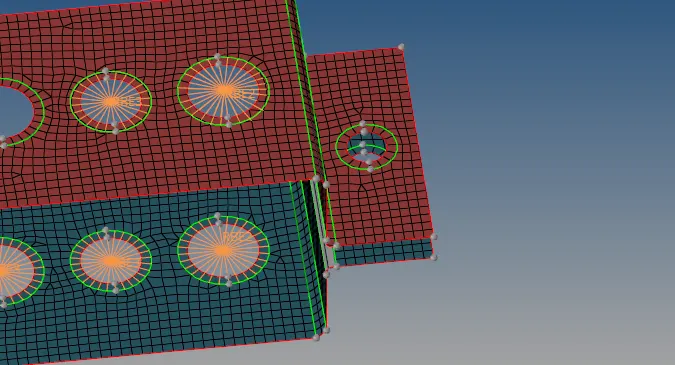
¬ After completing the RBE2 and RBE3 links going to create cross section of the beams, rods and bar.
¬That go to 1D - Hyperbeam - standard section in library - section type -thinwalled box.

¬ Then create I - section beam using the below method.
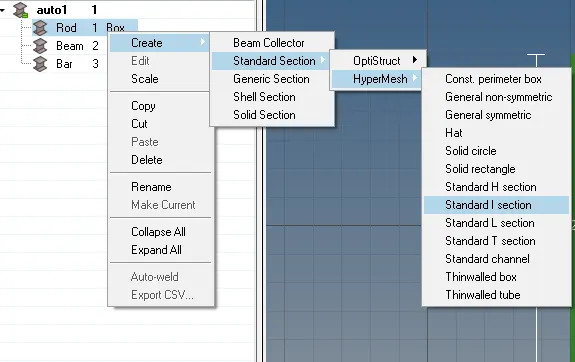
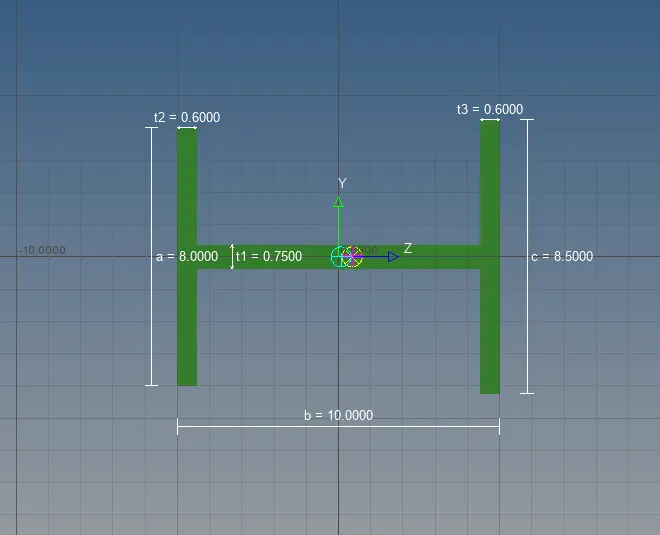
¬ As well the last X-section beam.
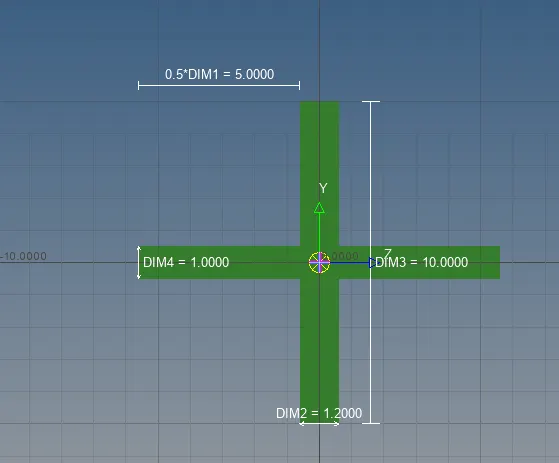
¬ To create the link for rod, beam and bar.
¬ go to 1D bars, rods and select the respective element and its properties
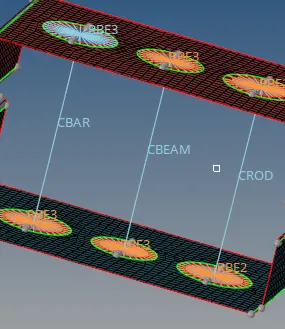
¬ Then fix the spring in ' f ' portion in given cad
¬ go to 1D -spring - select nodeA and node B .
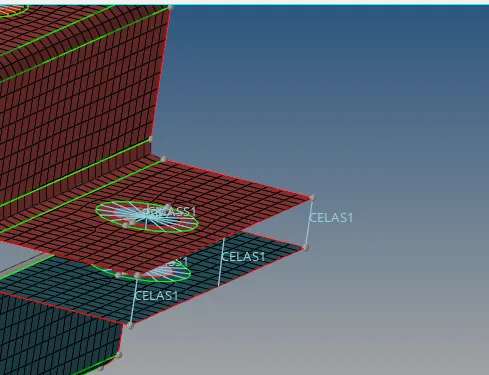
¬Finally enable the crossectional view .
¬ go to menu bar and slect the 1 detailed element representation.
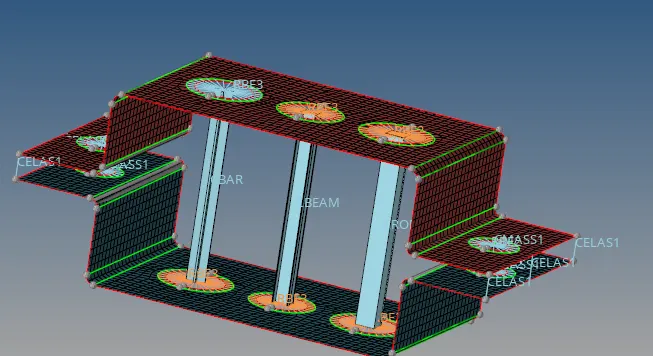
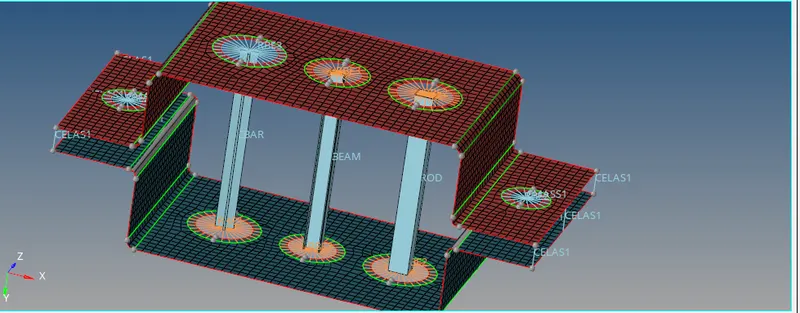
Final model:
Conclusion:
¬ In this challenge i learned extract mid surface , create properties and meshed the components.
¬ Then learn the RBE2 , RBE3, spring are learned.
¬ Learn the cross sectional beam,rods and bar .
¬Mass apllied to RBE2 .