Week 4-1D Element Creation Challenge
Aim:To prepare Model with MidSurface Meshing and 1D-Element Connections using HyperWorks2021.
Procedure:
- Import IGS Model into HyperWorks
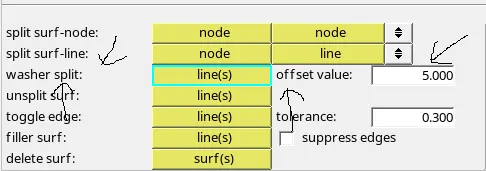
- Make Washer Split at Hole Areas With Offset Value of 5 Using Tool GEOM->Quick Edit->Washer Split
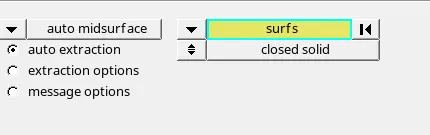
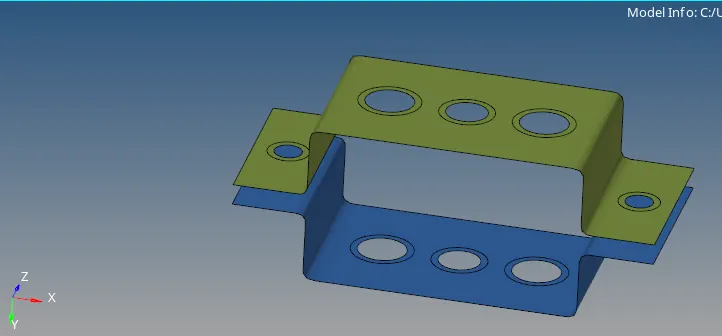
- Generate MidSurface Using Tool GEOM->MidSurface
- Create MID Surfaces Seperately in New Components and Assign Name to Them
- Perform Meshing Using Tool 2D->AutoMesh->With Target Length of 5Units

- Arrange Meshing with Good Mesh Flow
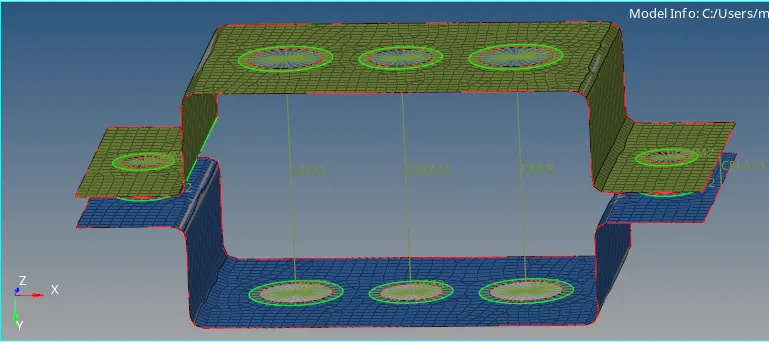
- Create RBE2 & RBE3 Clusters w.r.t Hole and Washer Zone Area
- To Create RBE2 Elements Use Tool 1D->Rigids->Multi Nodes

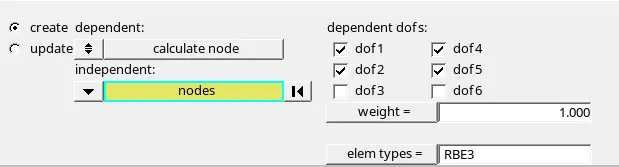
- To Create RBE3 Elements Use Tools 1D->RBE3->Multi Nodes
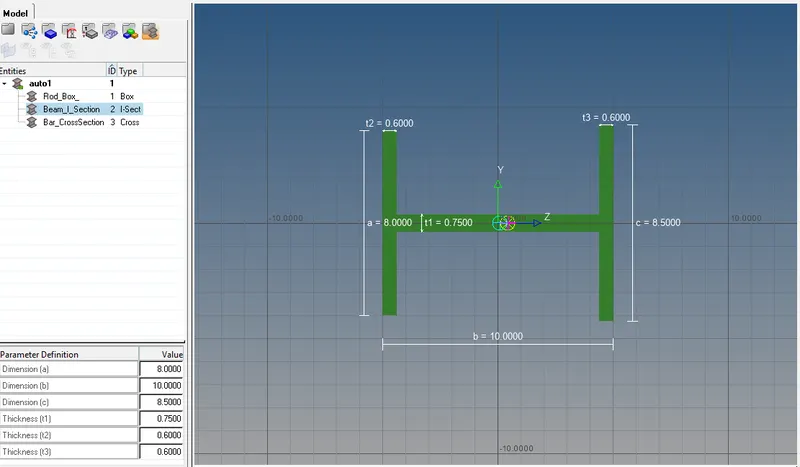
- Using Tool 1D->HyperBeam->Standard Section Type->Standard I Section BEAM Create I Section With Given Parameters
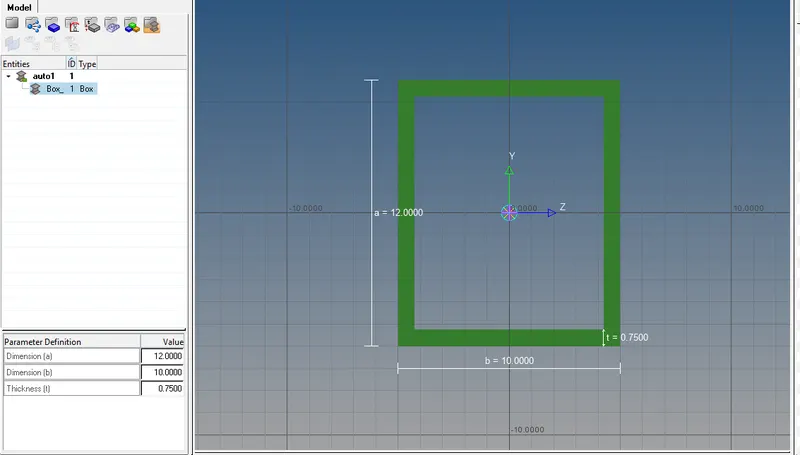
- Similarly Create ROD with Hollow Box Section using Given Parameters
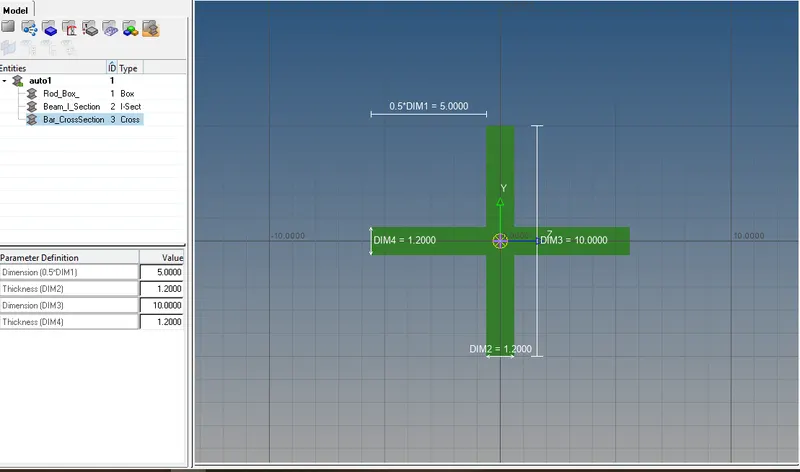
- Similarly Create BAR with Cross-Section Using Given Parameters
- These Sections Can be Viewed Using HyperBeam View Tool Located at Tool Bar.
- Create New Properties for Bracket_1&2 with Card Image of PSHELL
- Create New Property for BAR with Card Image of PBAR & Assign Material & BAR in BEAM Section
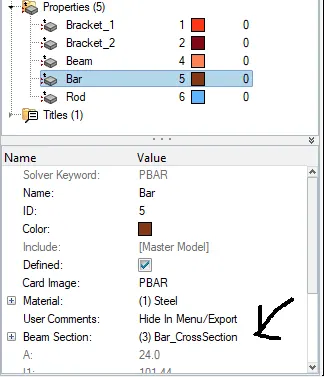
- Similarly Create New Property for ROD with Card Image of PROD & Assign Material & ROD in BEAM Section.
- Similarly Create New Property for BEAM with Card Image of PBEAM & Assign Material & BEAM in BEAM Section.
- Assign the MASS of magnitude 10 with RBE2 Link.
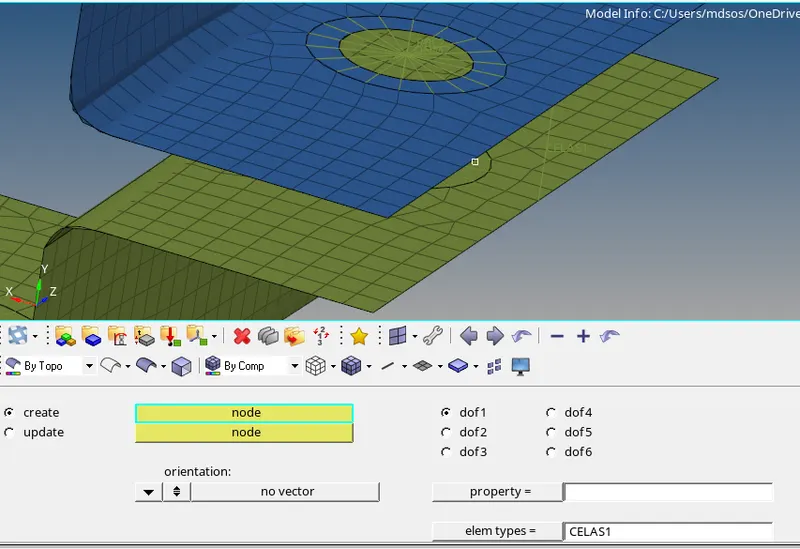
- Create Spring Element Using Tool 1D->Select->Confirm
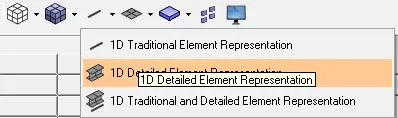
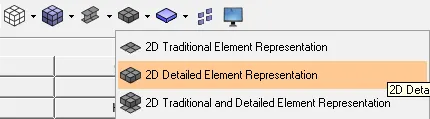
- To Visualize the Sections and Mid Surface in Proper Way turn on
- 1D Detailed Element Representation
- 2D Detailed ELement Representation.
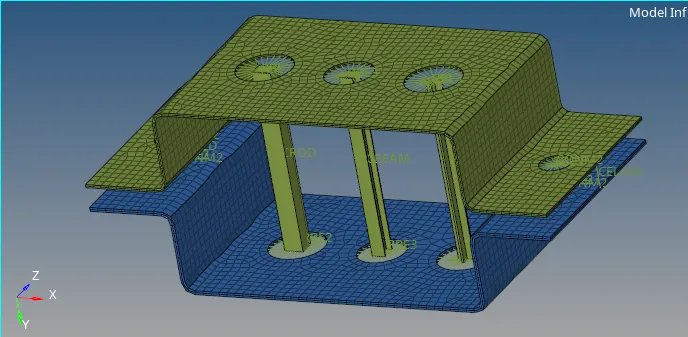
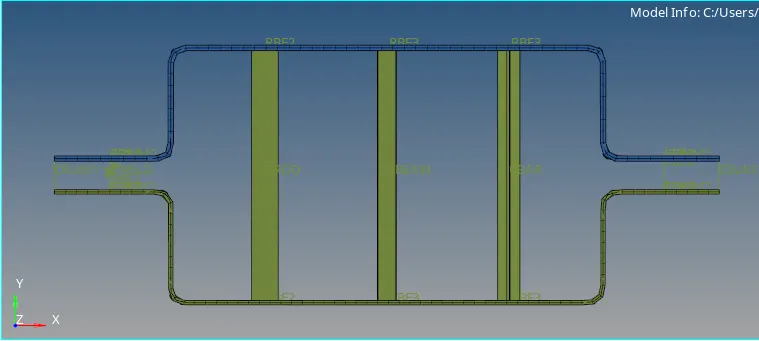
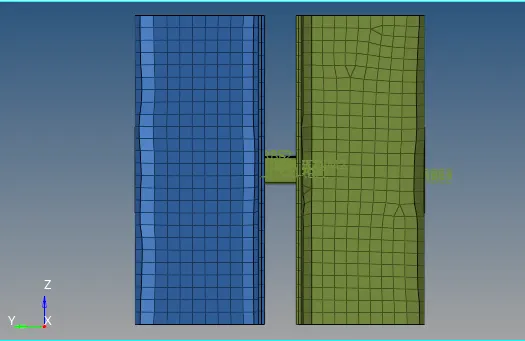
- Final Images of Model in Different Views
Conclusions:
- Learned how to Generate Mid Surface for Uniform Thickness Models
- Learned how to generate Mesh
- Learned how to Create 1D Elements with Section Models with Given Parameters