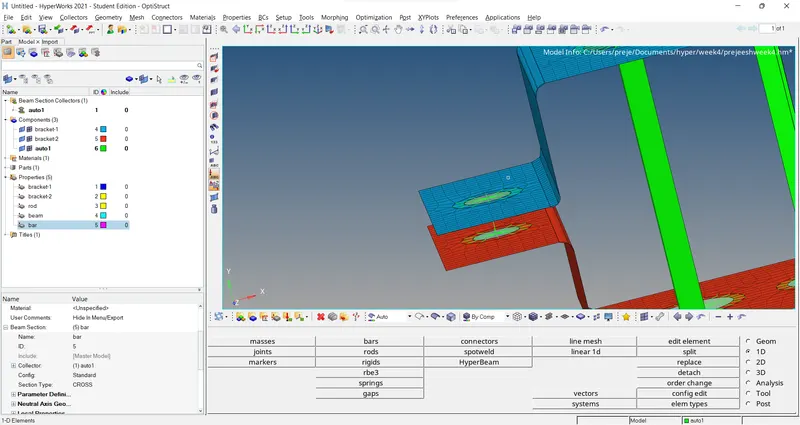
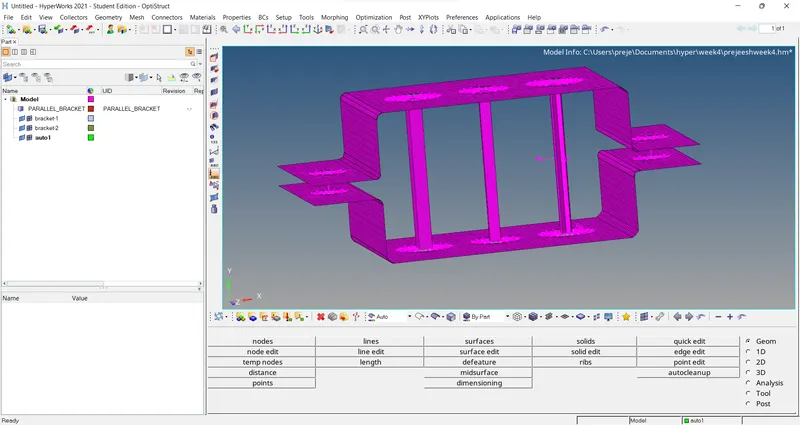
Week 4-1D Element Creation Challenge
Mesh the Given component with the Size of 5 Units. Create 1D elements on the following component with given cross-section and DOF
a. Rod element:- Translational DOF should be Constrained with RBE2 link
Cross-Section: BOX- Dimension a= 12 mm
dimension b=10 mm
Thickness t= 0.75 mm
b. Beam element:- All DOF should be constrained with RBE3 link
Cross-Section: I Section- Dimension a= 8 mm
Dimension b= 10 mm
Dimension c= 8.5 mm
Thickness t1= 0.75 mm
Thickness t2= .6 mm
Thickness t3= .6 mm
c. Bar element:- Constrain only x and y DOFs With RBE3 link
Cross-section: X section- Dimension DIM1= 5 mm
Thickness DIM2= 1.2 mm
Dimension DIM3= 10 mm
Thickness DIM4= 1.2mm
d. & e. Apply the mass of magnitude 10 with the RBE2 link
f. Join the two components with Spring elements
first import the file to the hypermesh
delete the wireframe from the model
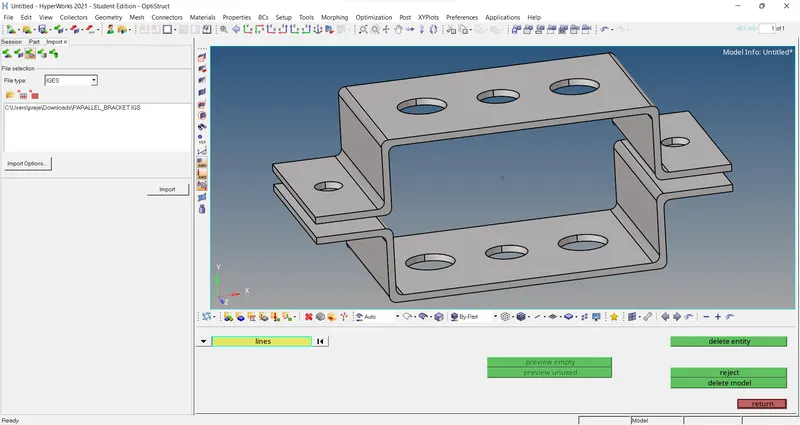
go to geometry click on midsurface
select one surface and click on create
go to model section and rename middle surface as bracket 1
create another component and rename as braket 2
go to mid surfaces and create another surface
go to tools and click on organize click on bracket 2 and move
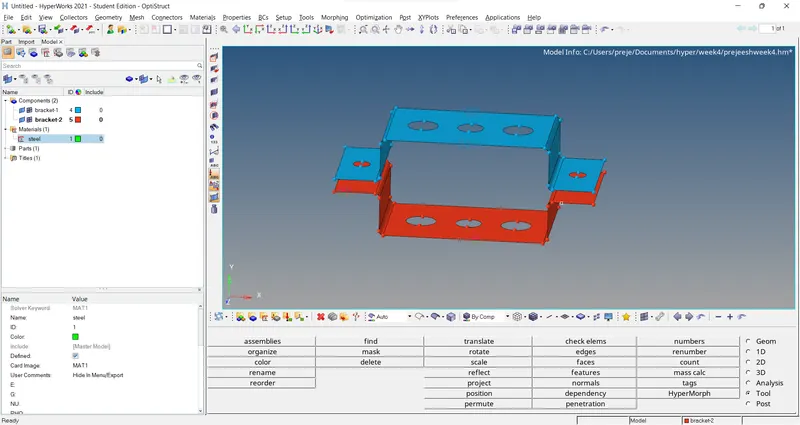
go to geometry click on quick edit select on wire and click 5 and select the circles
go to 2d automesh click on all displayed create mesh with mixed
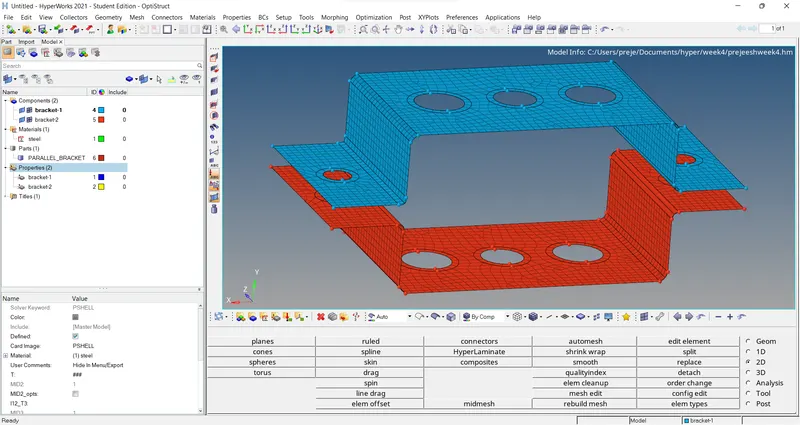
go to rigids click on nodes with calculated and click on node with path select the nodes according
click on rbe3 same process for this to
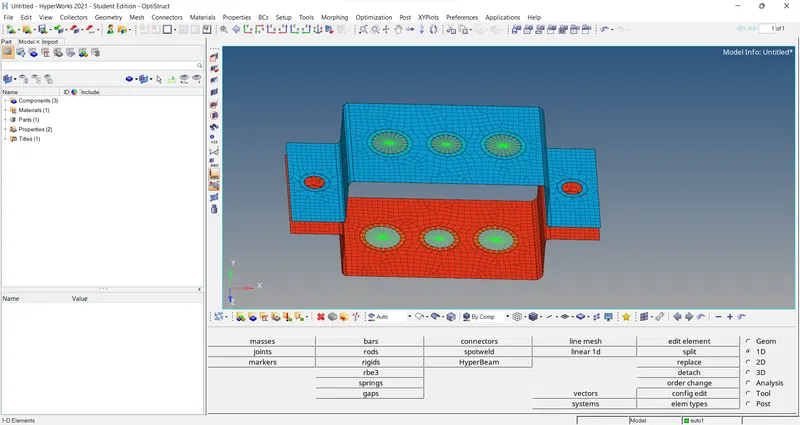
go to hyperbeam and click on required models according to the requirements and create with dimensions
and go to normal views
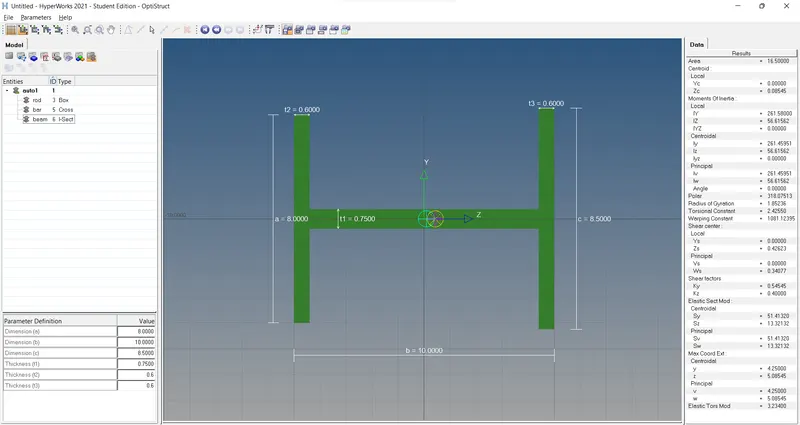
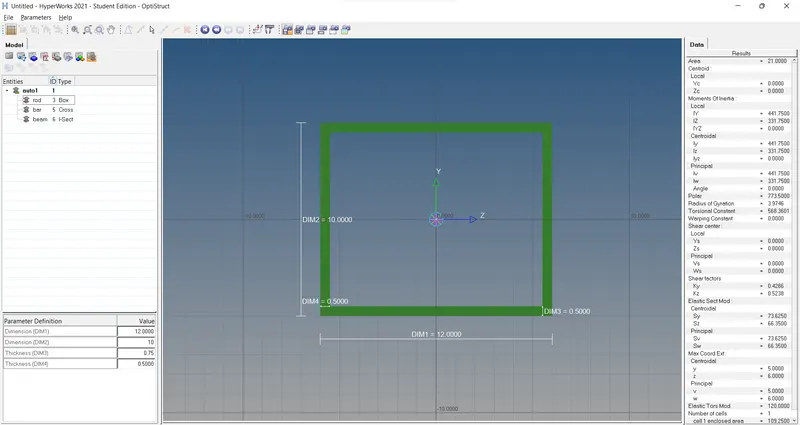
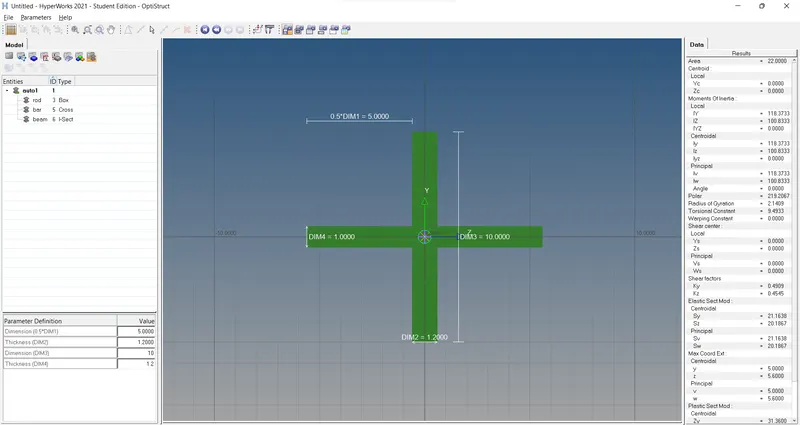
go to bars and click on nodes and update,in the bars click on beams and update it
go to rods and click on update and select the element to update
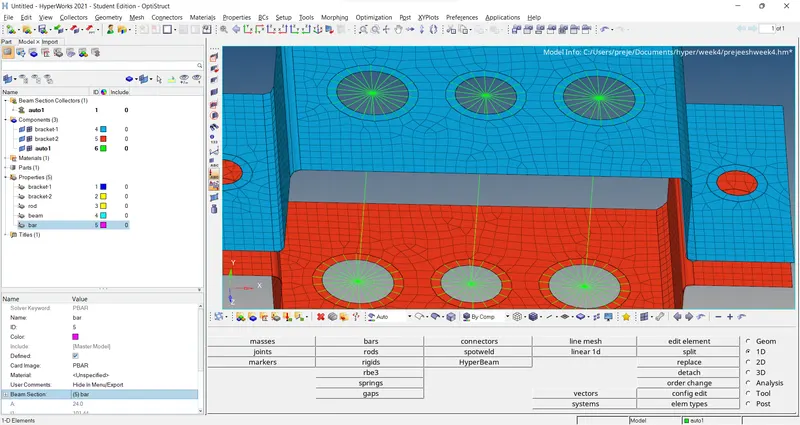
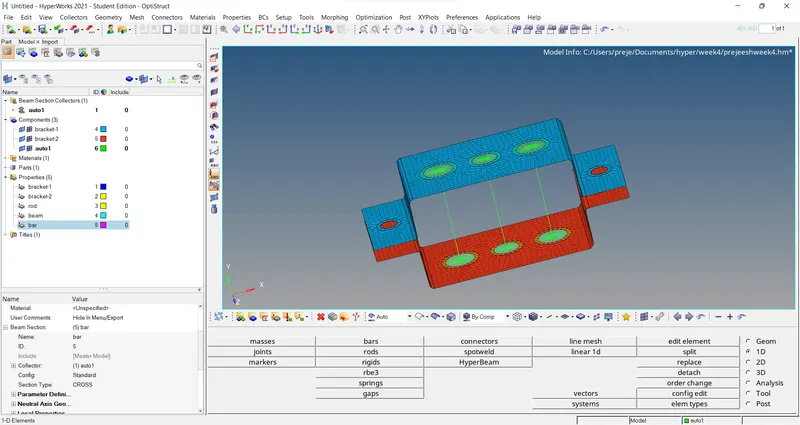
go to with details and rod,beam,bar is shown
go to mass create mass for both small circles
and create a spring node fo them