Week - 4
Aim:
1. To implement control logic of a washing machine using state flow as per given sequence.
2. Make a simulink chart for the "gear shift" logic as per the given conditions.
Explanation:
1.
State flow:
State flow provides a graphical langauge that includes state transition diagram, flow charts, state transition tables, and the truth tables. By using state flow to describe how the matlab algorithms and Simulink models react to input signals events and time based conditions
Control logic:
Control logic is model system logic using state machines, flow chart and the truth tables
EXPLATATION FOR CONTROL LOGIC OF A WASHING MACHINE USING STATE FLOW:
State flow is a simulink tool implement the state machine. Here model sysem logic of washing machine using state flow has been done.
Step 1: create a chart and enter the given input conditions.
- if the power supply is available the system gets activated
- if the water supply is not available stop the process and indicate through LED
- soaking time should be 200s followed by washing time that will be 100s
- the the rinsing will be for next 20s and dryer runs for 50s
After all the process have completed turn on the finshed LED
Step 2: After entering the input conditions in the chart Go, to symbols pane ans assing the given variable
Step 3: Give the input values for turining ON and OFF for the power supply and water supply.
Condition
if value=1, power and water supply will turn on
if value =0, power and water supply will be off
Step 4: use display block and lamp indicator to display the results.
State flow diagram:
Study 2:
GEAR SHIFITING MECHANISM:
Mechanical devices that enables the driver to engage geras in such a way as to obtain the desired transmission ration are called Shifinting Mechanism.
EXPLATATION FOR GEAR SHIFITING MECHANISM USING SIMULINK:
Step 1: Create a chart and enter the given conditions for gear shifiting.
Given conditions:
Speed range(kmph) gear
0 to 15 1
16 to 25 2
26 to 40 3
41 to 60 4
above 61 5
Step 2: After entering the input conditions in the chart, go the symbols pane and assing the given variable
Step 3 : Connect the 'slider gain' to vary the speed while simulation is running.
Step 4: Create constant and giving value 1 and 0 for turning on and off
Step 5: Create Lamp to indicate the power is on or off
Step 6 : Use display block to display the gear postion
OUTPUT:
STUDY 1:
Connntrol logic of a washing machine using state flow has been implemented.
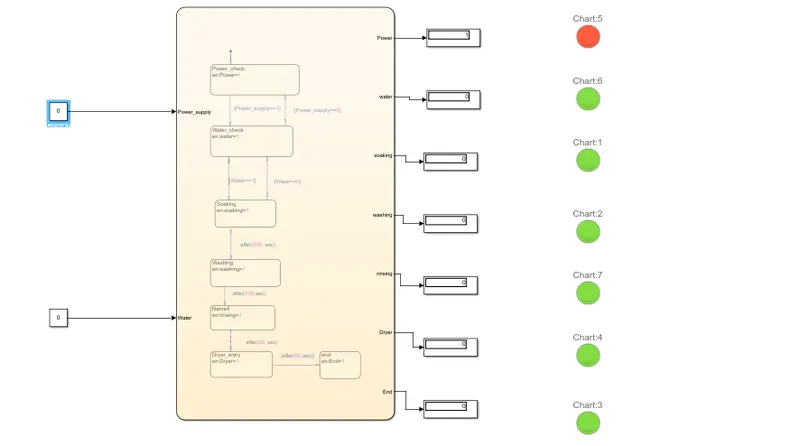
Case1:
if the power source =0 power supply is not available and the sytem will not activate.
Flow diagram:
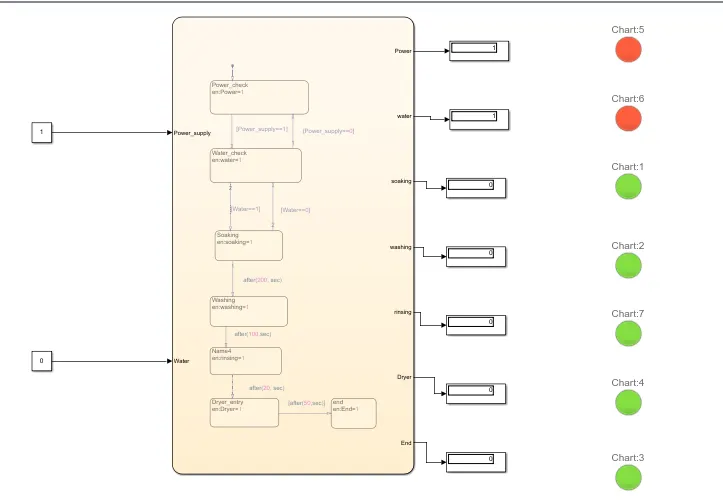
Case 2:
if the power source =1 and the water source =0 the the power supply will turn on and water supply will not be available and so system will not activate.
Flow diagram:
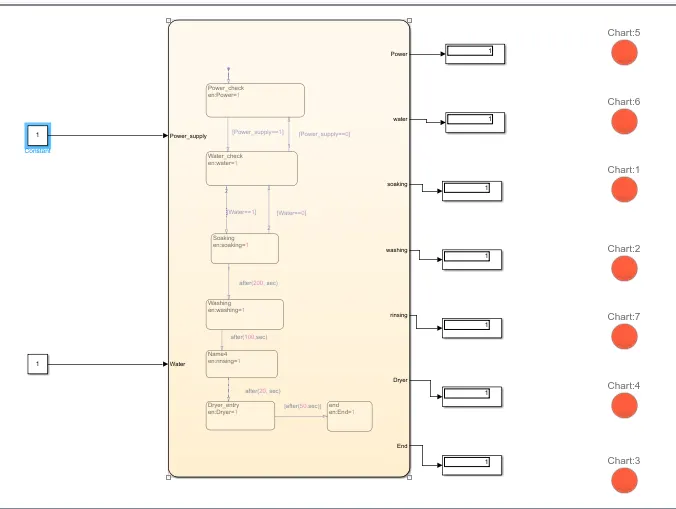
Case 3:
if the powe supply =1 and water source =1 the the both will turn ON and further process will go on.
flow diagram:
STUDY 2:
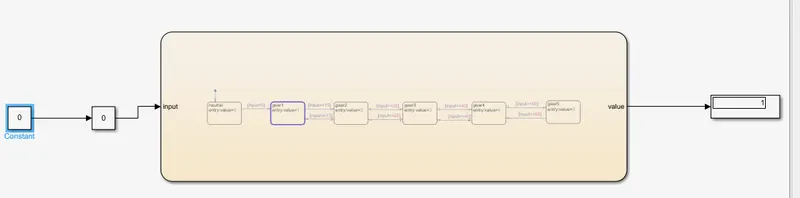
Gear shifiting logic has been created and by using "slider Gain" block to vary the speed while running the simulation.
Case1:
if the key=0 the the power will turn off lamp indicate the red colour and gear shifiting mechanism will not activate.
Case2:
if the key =1 then the power wiiill turn on lamp indicate green colour and shifiting mechanism will activate.
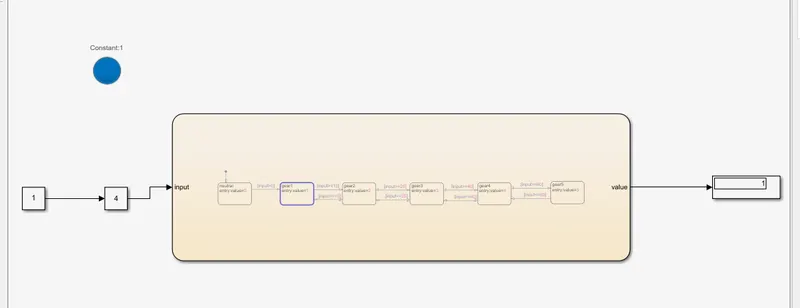
Case3;
By varying the speed (Parameter) in the speedometer (slider gain), gear postion will change according to the given condition
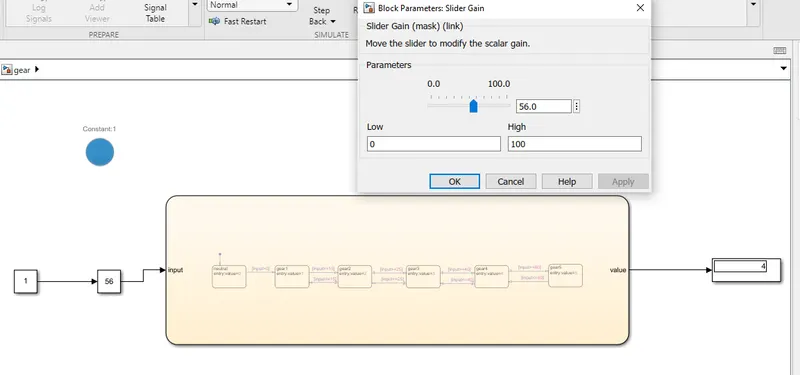
Giving speed=30km/hr in the the speedometer if the speed is between 25km/hr - 40km/hr 3rd gear postion is displayed below in the simulink model.
likewise changing the speed in the speedometer according to the given condition gear postion will change.
RESULT:
Thus obtained the requried out puts by using states flow in simulink.