Week 3 - Solving second order ODEs
program for ODE function
function [dtheta_dt]= ode_function(t,theta,b,g,l,m)
theta1=theta(1)
theta2=theta(2)
dtheta1_dt=theta2;
dtheta2_dt=-(b/m)*theta2-(g/l)*sin(theta1);
dtheta_dt=[dtheta1_dt;dtheta2_dt];
end- This 'function' command program is created in seperate file.
- In MATLAB 'function' command is used to perform a task, by assigning required number of statements.
- We can directly declare this function in the main program
Program for solving the ODE (equation for the motion of a simple pendulum with damping)
%Solving second order ODE of a simple pendulum
clear all
close all
clc

% damping coefficient
b = 0.05;

% gravity (m/s^2)
g = 9.81;

% length of the pendulum (m)
l = 1.5;

% mass of the bob (kg)
m = 0.5;

% initial condition
% angular displacement(rad) is 0 and angular velocity(rad/s) is 4

theta_0 = [0;4]

% time span
% Pendulum oscillates between 0-20 seconds

t_span = linspace(0,20,750)

% ODE
[t,results] = ode45(@(t,theta) ode_function(t, theta, b,g,l,m), t_span, theta_0);

%Plotting
figure(1)
hold on
plot(t,results(:,1))
plot(t,results(:,2))
title('Harmonic motion of a Pendulum')
xlabel('Time(sec)')
ylabel('Plot')
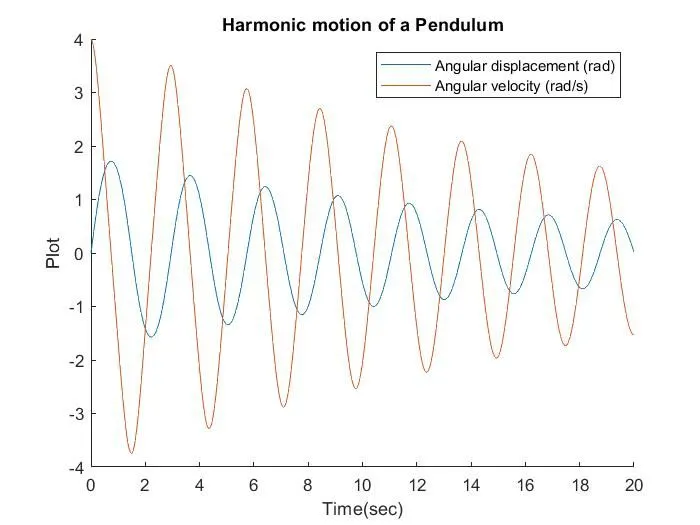
legend('Angular displacement (rad)', 'Angular velocity (rad/s)')

% Creating For loop
ct =1;
 for i = 1:length(results(:,1))
 x_start = 0
 y_start = 0
 x_end = l*sin(results(i,1))
 y_end = -l*cos(results(i,1))

 % plotting the animation
 figure(2)
 plot([-1.5 1.5], [0 0], 'linewidth', 10)
 hold on

 plot([x_start x_end],[y_start y_end],'linewidth',4)
 hold on

 plot(x_end,y_end,'o','markersize',15,'markerFacecolor','y')
 title('Animation of transient behaviour of a Pendulum')
 axis([-2 1.5 -2 1.5])
 pause(0.001)
 hold off

 M(ct) = getframe(gcf)
 ct = ct+1
 end

% Animation of the pendulum
movie(M)
videofile=VideoWriter('Pendulum Animation.avi', 'uncompressed AVI')
open(videofile)
writeVideo(videofile,M)
close(videofile)- Start with clear all, close all and clc which will delete the data in the work space, command window and removes all the current figures etc.
- Now define the input parameters like length of the pendulum, mass of the bob, damping coeffiecient and gravity.
- Then define the initial conditions of angular displacement (rad) as '0' and angular velocity(rad/s) as 4 and define t_span (0-20)seconds, by using 'linspace' command.
- 'ode 45' is an inbuilt solver in MATLAB, which will solve differential equations using numerical method.
- Basically it as 3 inputs such as ode function, time span and initial condition.
eg: [t,results] = ode45(@(t,theta) ode_function(t, theta, b,g,l,m), t_span, theta_0);
where
(t,theta) -These are depedent and independent variables of ode system and consideres as input.
ode_function-It is an function, where will pass input parameters.
t_span- It integrates time.
theta_0-Initial conditions corresponding to starting time.
[t,results]- These are the results, calculated with respect to time.
- Now plot the graph which should have two plots, angular displacement(rad) and angular velocity(rad/s) with respect to time.
- Plot
- Before starting the for loop, counter is added as 'ct=1'
- 'for' loop is used, because it will give efficiency for the loop to get output for required number of times.X-axis and Y-axis start and end points are defined.
- The time span values are assigned to the the variable 'i'. The coordination of [x0 x1 y0 y1] and their corresponding relations are applied to form the 'string' of the pendulum.
- marker command is used to create a bob for the simple pendulum
- 'pause' command is used to pause the program for the equired time, in this program the pause time is '0.001'
- When ever the for loop runs, 'M' command is used to capture the current frame.For the 'ct' variable we have add '+1' where it will increase the frame when the for loop runs.Finally, 'end' command is used for the for loop to stop the program from running.
- To create an movie 'movie' command was used.'videofile command' is used to create 'VideoWriter' here file name and format is given as '.avi'. Open command is used to open the video file. writeVideo command is used to write the video with the plot frames. At last, close command is used to close the video file.
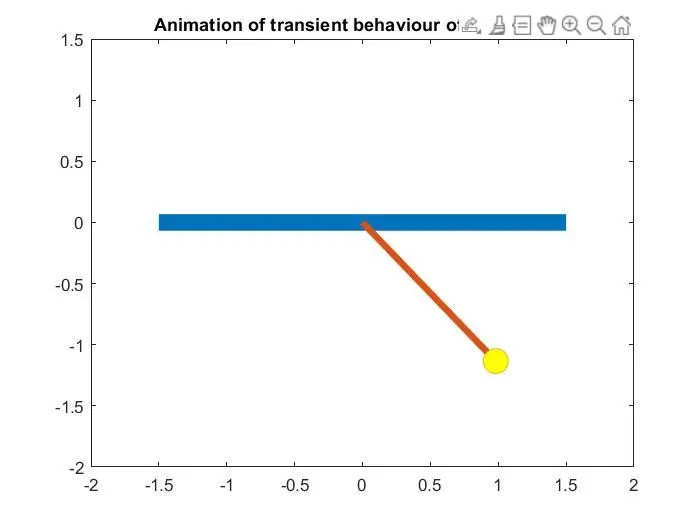
Pendulum Animation Drive link
https://drive.google.com/file/d/1-X0NJ4cynuIeRqeRzSyc0bL6BFX9AYUi/view?usp=sharing
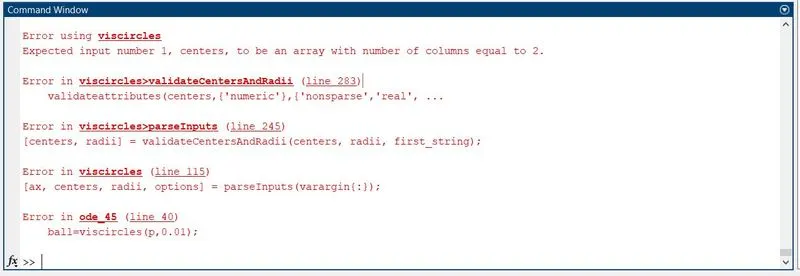
Errors occured in this program
- Due to typing mistakes these errors are occured.
- After running the program for the first time I have corrected these errors.
error-1
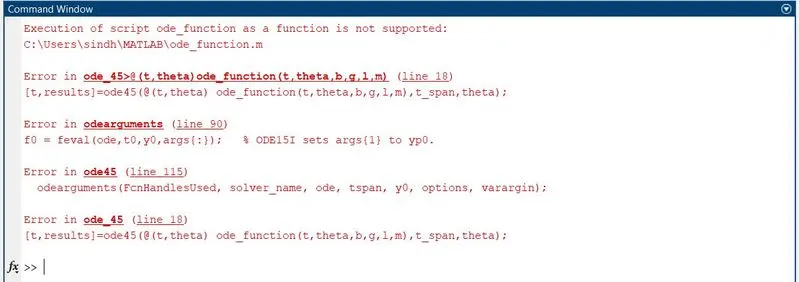
error-2