Week 3 - Solving second order ODEs
Aim:Solving ordinary differential equation for simple pendulum and adding animation for visualization of pendulum motion .
Objectives:
- To gather required formulae's,and terminology to write a program on simple pendulum.
- To code for motion of simple pendulum and determine various plots.
- To add animation for realistic data interpretation.
- To vary the inputs of the program and find out a change in outputs.
Introduction:
A pendulum is a body suspended from a fixed support so that it swings freely back and forth under the influence of gravity.
Some of the important terminology to consider while programming for simple pendulum are:
- Length of wire=1m
- mass of bob=1kg
- damping=0.05
- Acceleration due to gravity=9.81m/s2
Steps to generate a program/logic:
Step1:Insert all the inputs in program
Step2:Define initial condition for displacement and velocity
Step3:Define a time span given in above problem as 20sec
Step4:Using ode45 predefined function in matlab,to use ode45 we have to pass on a function which should contain formula to calculate the value of theta ,since the simple pendulum equation is second order ode we will get two theta values.
The syntax for ode45 in matlab
ode45(@vdpl ,tspan,y0)
where vdpl= values we need to calculate and calling function
tspan=span of time
y0=Initial condition
Step5:Write a function to calculate values of theta and save it with same name.
Step6:plot the results
Step7:Create a for loop to generate different position of pendulum by iterating it with different values of 'i'
Step8:Pass on the values of (XO,YO) and formula to calculate value of (X1,Y1)
Step9:plot for (XO,YO) which is fixed point and (X1,Y1) with varying values.
Step10:Create the movie of all the plots
Step11:Create videofile, copy the movie to the file, and close it.
Matlab program for simple pendulum
%Program to Simulate pendulum motion
%Inputs
L=1 ;%length in meters
m=1 ;%mass in kg
b=0.05 ;%damping
g=9.81 ;%acceleration due to gravity in m/s2
%initial condition of displacement and velocity
in_co = [0;5];
%time_span
ti_sp = linspace(0,20,300);
%syntax to solve ordinary differential equation
[t,results]= ode45(@(t,theta) ode_func(t,theta,L,m,b,g),ti_sp, in_co);%syntax consist of function, time span, and initial condition and Ode45 is solver
figure(1)
subplot(2,1,1)%to create a subplot
plot(t,results(:,1),'b')
hold on
plot(t,results(:,2))
xlabel('Time')%label of x_axis
ylabel('displacement&velocity')
title('variation of angular displacement and angular velocity w.r.t time')

theta2 = results(:,1); %assigning the value of displacement to theta2
ct=1
for i=1:length(theta2)
    theta_dis=theta2(i);

 XO=0;%value of fixed points
 YO=2.5;
 X1= L*sin(theta_dis);%value of final points
 Y1= -L*cos(theta_dis);

 subplot(2,1,2)
 plot([-0.6 0.6],[2.5 2.5],'linewidth',8,'color','b')%plotting a fixed point
 hold on
 plot([XO X1],[YO Y1],'linewidth',4,'color','r')%plotting initial point
 hold on
 plot( X1,Y1 ,'o','MarkerSize',20,'MarkerFacecolor','b')%plotting a bob
 hold off
 xlabel('xaxis')
 ylabel('yaxis')
 axis([-1.5 1.5 -1.5 3]);%fixing an axis
 grid on
 pause(0.04)
 M(ct)=getframe(gcf)%getting a current frame and assigning it to variable 'M'
 ct=ct+1;
end
movie(M)
videofile = VideoWriter('simple_pendulum.avi','uncompressed AVI')%Creating a videofile
open(videofile)
writeVideo(videofile,M)%copying a data of variable into video file
close(videofile)
Function to generate values of dθ1/dt and dθ2/dt
function [dtheta_dt]= ode_func(t,theta,L,m,b,g)
theta1=theta(1);
theta2=theta(2);
dtheta1_dt=theta2;
dtheta2_dt= (-b/m)*theta2-(g/L)*sin(theta1);
dtheta_dt=[dtheta1_dt ;dtheta2_dt];
end
%this is a function to solve second order differential equation for simple pendulum it can be solved by splitting it to two first order differential equations
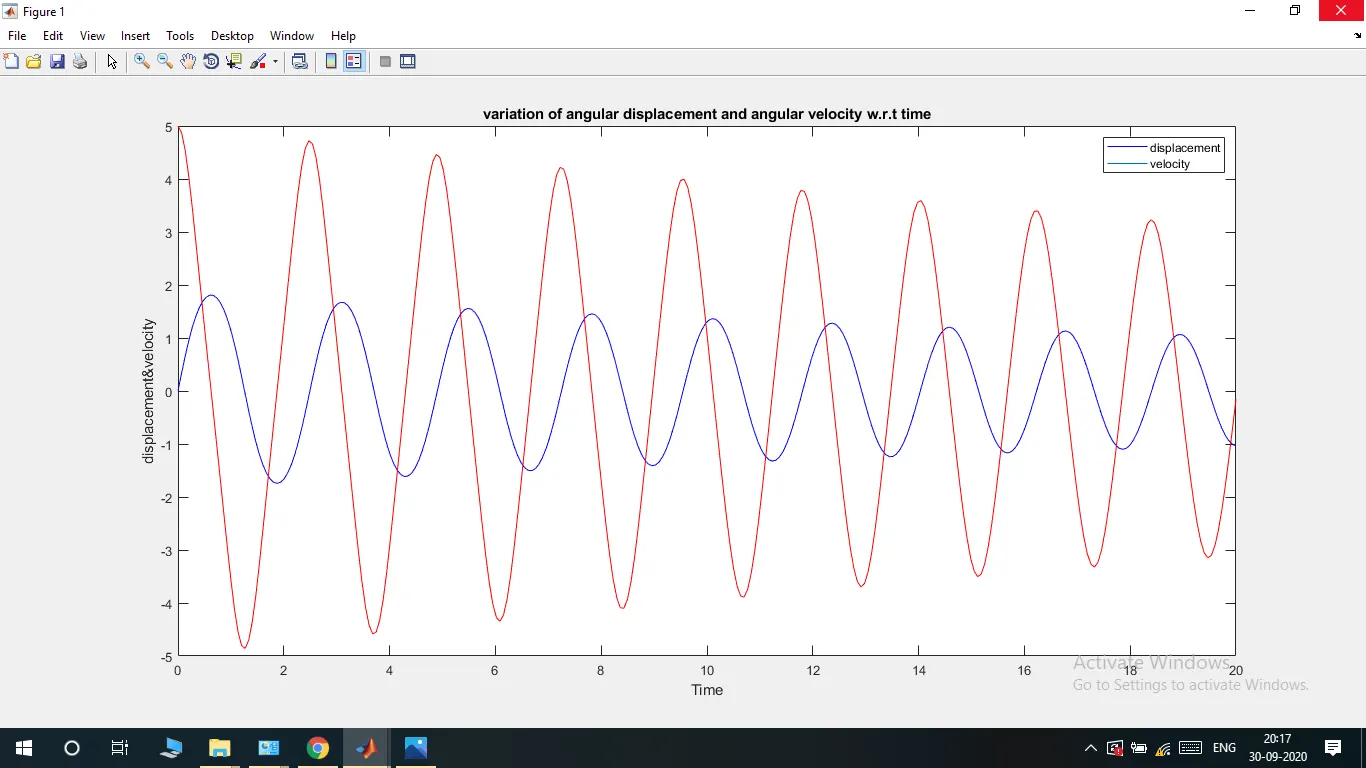
Plot of displacement and velocity variation with respect to time:
ERRORS
ERROR1:Inserted value in wrong sequence under ode45 solver.
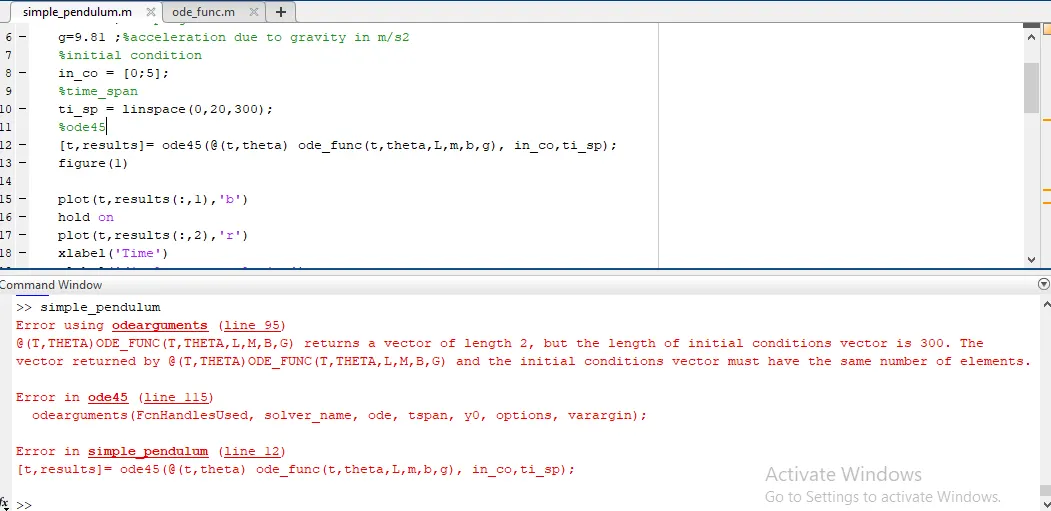
Solution: Changed the sequence.
ERROR2: Forget to add 'i' in for loop.
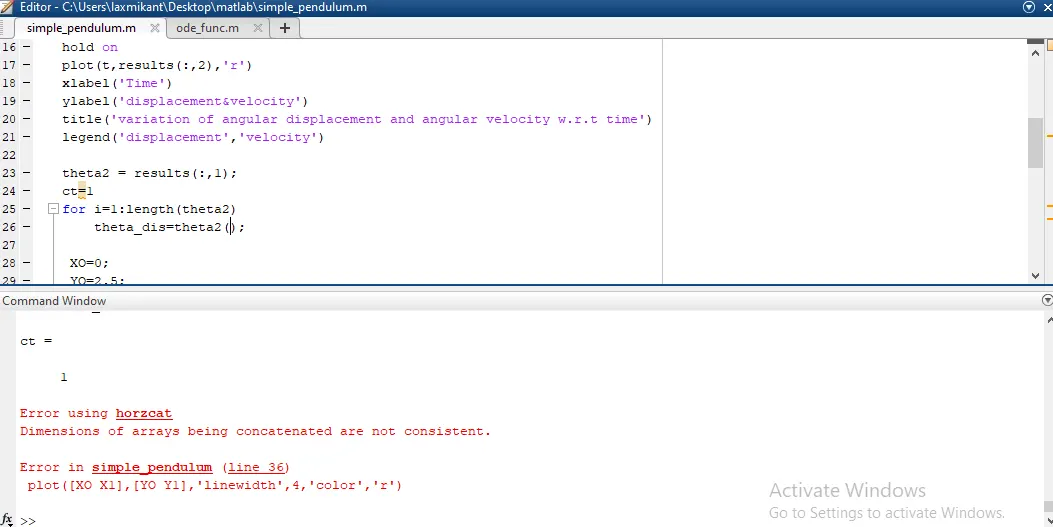
Solution: Added 'i' to the value of theta.
ERROR3: Wrong value of X1 and X2.
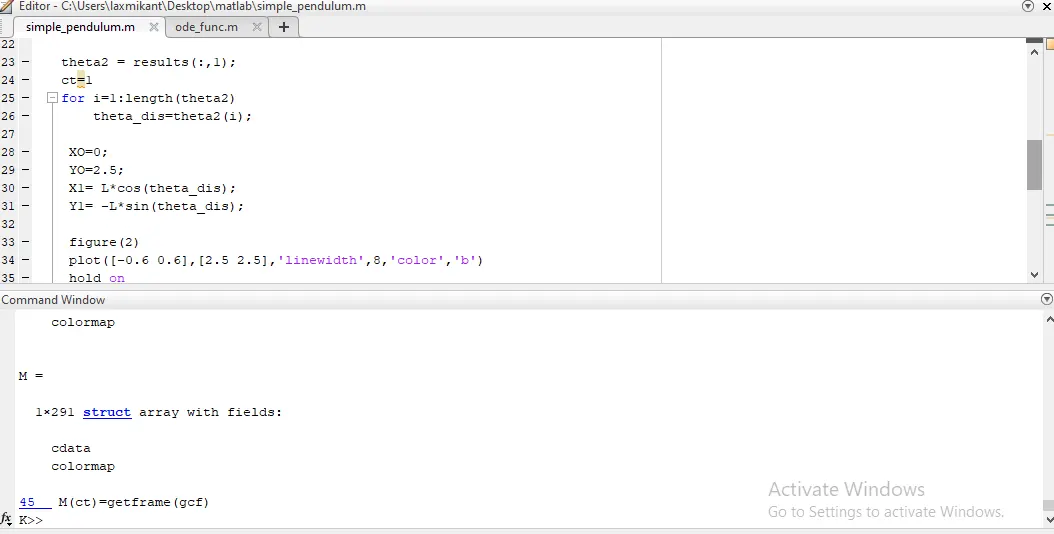
Solution: Changed value of X1 and X2.
ERROR4: Missed adding @operator in ode45.
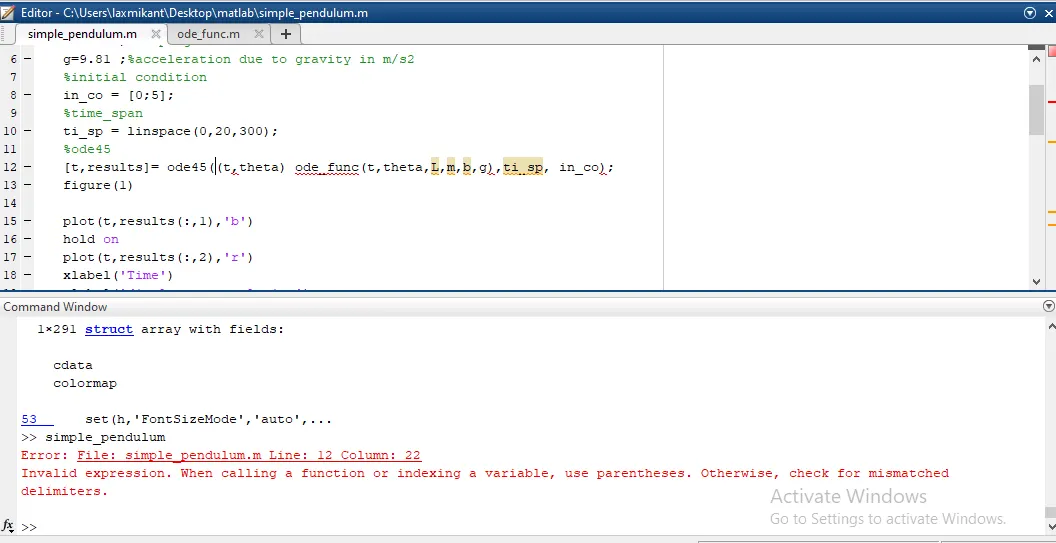
Solution: Added @operator before defining a function.
Link for output video:
https://drive.google.com/file/d/1G_okxZZ5D7v4tHoY2iqlPHxyXINxVIGT/view?usp=sharing
conclusion:
It was useful challenge which helped me to understand the process which are governed by ordinary differential equation.
And I can also try the method to understand other thousands of process which are governed by ODE's, and try to optimize them.