Week 3 - Solving second order ODEs
objective:
- solving second order differential equation using matlab.
code1:-
clear all
close all
clc

%inputs

b=0.05;
g=9.81;
l=1;
m=1;

t_span=linspace(0,20,500);
theta_0=[0;5];

%solving ode

[t,r]=ode45(@(t,theta)ode_function(t,theta,b,g,l,m),t_span,theta_0);

plot(t,r)
explanation of code1:-
- we start the code with the clear all , close all , and clc to clear out the workspace ,previous graphs,and command window
- we have the some inputs damping coefficient (b),length(l),mass(m),and gravity force(g) is constant.
- we take time interval from 0 to 20 sec and we need 500 intervals so for this we use linspace command .
- theta is taken as 0 to 5.
- solving ode is a comment and [t,r] is the output and t represents time and r represents displacement and in matlab we in built function called ode45 and we used @(t,theta) it was totally inbuilt function and ode_function (b,g,l,m)is the function which is written in other editor window as a function which is shown in below.
- finally plot the solved ode outputs.
function code2:-
%function

function [dtheta_dt]=ode_function(t,theta,b,g,l,m)
theta1=theta(1)
theta2=theta(2)
dtheta1_dt=theta2
dtheta2_dt=((-b/m)*theta2-((g/l)*sin(theta1)))
dtheta_dt=[dtheta1_dt;dtheta2_dt]
end- [dtheta_dt]=ode_function(t,theta,b,g,l,m) this we have ode_function as function name and in paranthesis we have the input varables.
- in second line we define the theta which is written in above line (function_code).
- and in 4th line dtheta1_dt=theta2 this devired from the equation of ,
-
( d^2theta/dt^2+b/m(dtheta/dt)+g/l(sintheta)=0).
- according to first order ,
- theta2=dtheta1/dt.
- and by second order weget ,
- dtheta2/dt= -(b/m)theta2-(g/l)*sin(theta1).
- and finally, dtheta_dt is equal to (dtheta1_dt ;dtheta2_dt), put the end to function code.
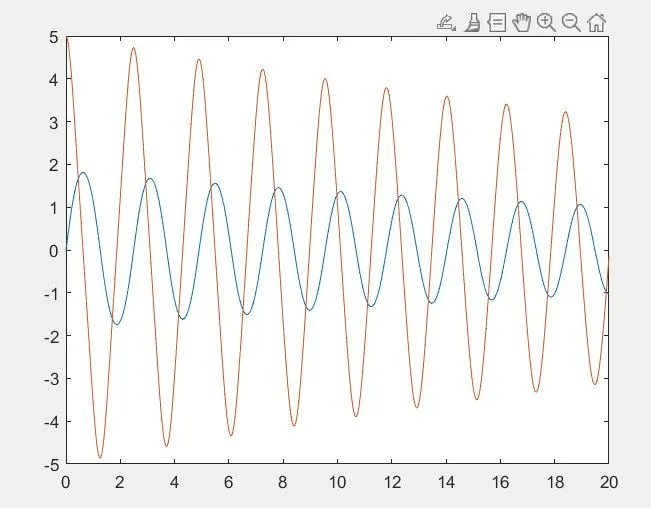
result1:-
the resultof the code one is as follow.
code2:-
clear all
close all
clc

%inputs
b=0.05;
g=9.81;
l=1;
m=1;

t_span=linspace(0,20,500);
theta_0=[0;5];

%solving ode
[t,r]=ode45(@(t,theta)ode_function(t,theta,b,g,l,m),t_span,theta_0);

%plotting

plot(t,r)


x0=0;
y0=0;

displacement_values=r(:,1)
ct=1

for i=1:length(displacement_values);
    x1=l*sin(displacement_values(i));
    y1=-l*cos(displacement_values(i));

    figure(2)
    plot([-2 2],[0 0])
    hold on
    plot([x0 x1],[y0 y1])
    plot(x1,y1,'.','markersize',50)
    axis([-2 2 -2 2])
    M(ct)=getframe(gcf);
    ct=ct+1
    hold off
end
movie(M)
videofile=VideoWriter('ode_main.avi','Uncompressed AVI')
open(videofile)
writeVideo(videofile,M)
close(videofile)
explanation
- after the plot of figure one
- we define the co-ordinates of pendulam(x0&y0) and the displacement values are taken from the displacemet values which is represented by the r all colomns of the first row
- ct=1is useful for the animation (counter)
- use for loop concept as shown in code i=1 to length of displacement values and x1,y1 values are taken with the sin and cos theta of displacement values and we use '-' negative sign to y1 because the pendalum should get down
- figure(2) is a second figure /animation
- i have plotted the the base of the hanging pendulam of x value is -2to2 and y is o and hold on command for holding the all figures
- plot([x0 x1][y0 y1]) this reprents the line from the hanging point to the pendulam ball and
- at the end of the x1&y1 we need to get the pendulam ball and it is marked as '.' and its size is 50 incresed size using markersize command
- taken axis from-2 to 2 both x&y directions
- M(ct)=getframe(gcf) to get the current figure everytime
- increase counter everytime by counter +1 times and hold off and put end to for loop.
- we use movie command to gt the result for better experience
- videofile is to save the animation file and videowriter (name of the animation and type of animation)
- we must have the script file name and animation file name as same .
- open (videofile ) to open and writevideo command to write the videofile as a ovi format and close the videofile
with this we complete the coding and if we run this we get the result as below
result:-
https://drive.google.com/file/d/156DhAei2emmlLlEXlGGhcEgpLzOnLi2w/view?usp=sharing
errors:-
first error:-
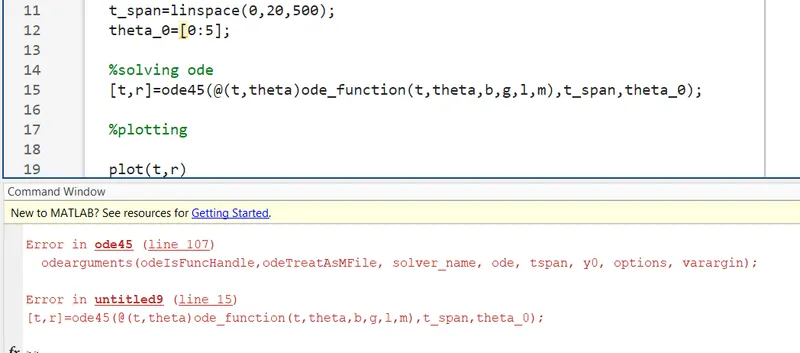
this is rectified as changing the theta_0=[0:5] to theta_0=[0;5], and it will clearout
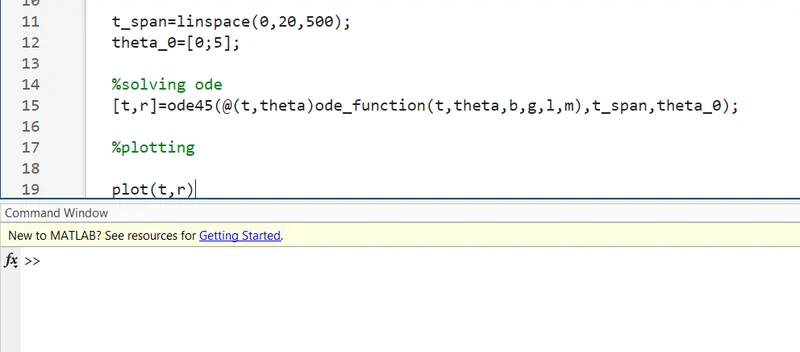
second error :-

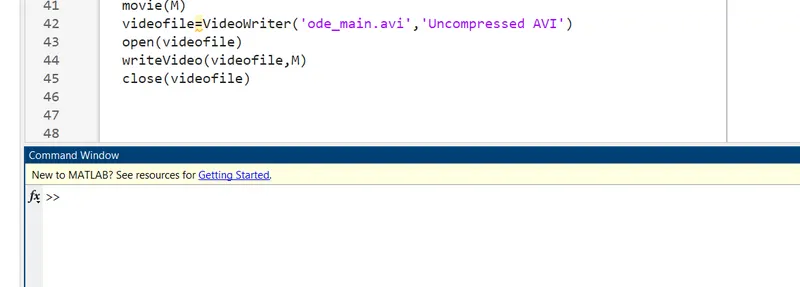
we can rectify this is by removing the inverted commas to the videofile in writevideo command and it will be clearout.
conclussion:-
hence with this we have completed animating the simple pendulam using ode45.
thank you.