Week 3 - Solving second order ODEs
function [dtheta_dt] = ode_func(t,theta,b,g,L,m)
theta1 = theta(1);
theta2 = theta(2);
dtheta1_dt = theta2;
dtheta2_dt = -(b/m)*theta2 - (g/L)*sin(theta1);
dtheta_dt = [dtheta1_dt; dtheta2_dt]
end
clear all
close all
clc
% Write a program in that will simulate the pendulum motion
% Input Parameters
b = 0.05; % Damping Co-efficient
g = 9.81; % Specific Gravity
L = 1; % Length of the pendulum
m = 1; % Mass of the sphere ball
% Initial Condition
theta_0 = [0;3];
% Time Interval
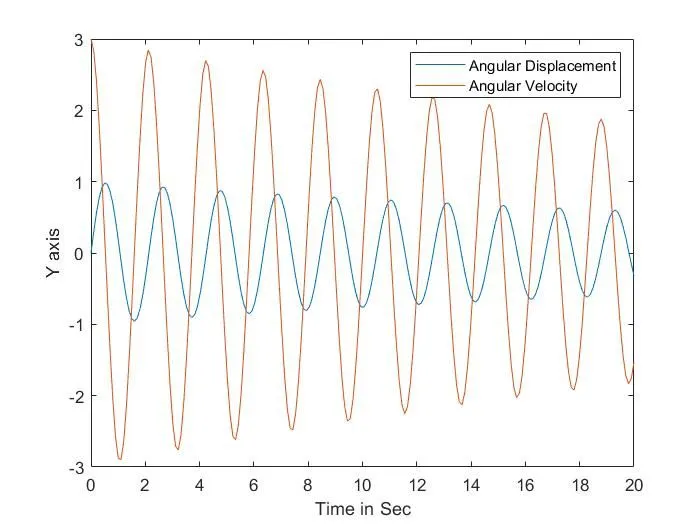
t_span = linspace(0,20,200);
% Calling the Function
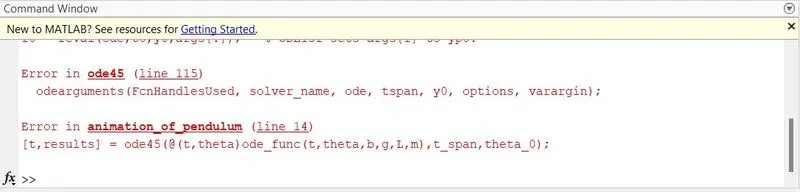
[t,theta] = ode45(@(t,theta)ode_func(t,theta,b,g,L,m),t_span,theta_0);
% Plot for Time vs Angular displacement and Angular Velocity
figure(1)
plot(t,theta(:,1));
hold on;
plot(t,theta(:,2));
xlabel('Time in Sec');
ylabel('Y axis');
legend('Angular Displacement','Angular Velocity');
%% Animation
% Fixed Position of Pendulum
x0 = 0;
y0 = 0;
% Counter variable for Incrementing the frame
ct = 1;
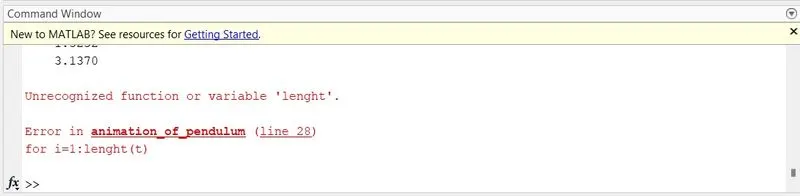
for i = 1:length(t)
% End position of Pendulum at each seconds
x1 = L*sin(theta(i,L));
y1 = -L*cos(theta(i,L));
figure(2)
plot([-1 1],[0 0],'linewidth',5,'color','y');
axis([-2 2 -2 2]);
line([x0 x1],[y0 y1],'linewidth',2,'color','b');
hold on
plot(x0,y0,'O','markersize',10,'color','k');
plot(x1,y1,'O','markersize',20,'color','r');
pause(0.01); % 'pause()' command is used stop the current validation temporarily for given seconds in paranthesis.
legend('Supporting beam','Length of the Pendulum','Origin of the pendulum','End of the Pendulum');
hold off;
M(ct) = getframe(gcf); % Here 'M' is the variable used to get a current figure window
ct = ct+1; % Here 'ct' is incremented and then passed through the 2nd value of 'i' and it's repeated until it ends
end
movie(M); % 'movie' command is used to generate a movie of given number of frame 'M'
videofile = VideoWriter('Animation of Pendulum.avi','Uncompressed AVI'); % video file is created by using 'VideoWriter' command and named as 'Animation of Pendulum.avi' and profile is named as 'Uncompressed AVI'
open(videofile); % Then open the videofile
writeVideo(videofile,M); % Play the video by using 'writeVideo' command
close(videofile); % Close the videofile after completed
https://drive.google.com/file/d/1oMOySWO-uVzNRw2y1tul4OTqmYsLzdXL/view?usp=drivesdk
https://drive.google.com/file/d/1oLHdY0OKSleuZfU9Zq6dmnsLcFJYuXZx/view?usp=drivesdk