Week 2- 2R Robotic Arm Challenge
clear all                         % Clears the Workspace
close all                         % Close all the Tabs
clc                               % Clears the Command Window

% Write a program to simulate the forward kinematics of a 2R Robotic Arm

% Length of the 2R Robotic Arm
l1 = 1;                           % Length of the 1st link
l2 = 0.5;                         % Length of the 2nd link

% Angle of Movement of 2R Robotic Arm
theta1 = linspace(0,90,10);       % Angle of movement of 1st link
theta2 = linspace(0,90,10);       % Angle of movement of 2nd link

a=1;                                        % 'a' is the counter variable for incrementing the frame

for i = 1:length(theta1)
    THETA1 = theta1(i);
    for j = 1:length(theta2)
        THETA2 = theta2(j);

        % Co-ordinate points of Robotic Arm
        x0 = 0;                             % Base points of 1st link
        y0 = 0;

        x1 = l1*cosd(THETA1);               % Base point of 2nd link and End point of 1st link
        y1 = l1*sind(THETA1);

        x2 = x1+l2*cosd(THETA2);            % End points of 2nd link
        y2 = y1+l2*sind(THETA2);

        % Plot of the Robotic Arm
        plot([x0 x1],[y0 y1],[x1 x2],[y1 y2],'linewidth',2);
        xlabel('x-axis');
        ylabel('y-axis');
        pause(0.1);                        % 'pause()' command is used stop the current validation temporarily for given seconds in closed paranthesis.
        M(a) = getframe(gcf);               % Here 'M' is the variable used to get a current figure window
        a = a+1;                            % Here 'a' is incremented and then passed through the 2nd value of 'i' and it's repeated until it ends
    end
end
movie(M)                                    % 'movie' command is used to generate a movie of given number of frame 'M'

videofile = VideoWriter('Forward Kinematics Of 2R Robotic Arm.avi','Uncompressed AVI'); % video file is created by using 'VideoWriter' command and named as 'Forward Kinematics Of 2R Robotic Arm.avi' and profile is named as 'Uncompressed AVI'

open(videofile);                            % Then open the videofile

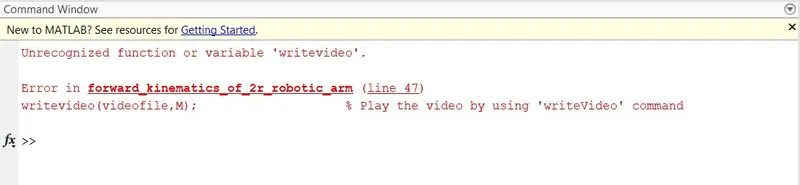
writeVideo(videofile,M);                    % Play the video by using 'writeVideo' command

close(videofile);                           % Close the videofile after completed
https://drive.google.com/file/d/1mny83aNcikU5iocmQfJmG7fWIPy386YZ/view?usp=drivesdk
https://drive.google.com/file/d/1moQmO3mVtMNAMsFmhY3u-JtwqI6z3paw/view?usp=drivesdk