Week 3 - Solving second order ODEs
Aim : To solve the Second Order ODEs
Objective :
- To write a program that solves the following ODE
- To make a animation
- To create a plot
Theory :
The motion of a simple pendulum is a basic example of a simple harmonic motion, consisting of a small bob and a string.Movement of the pendulum depends on th Newton's second law.
Equation of motion
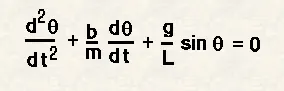
Given data
- g = gravity in m/s^2
- L = length of the pendulum in meter.
- m = mass of the ball in kg.
- b = damping coefficient.
Initial conditions are taken as,
Angular displacement = 0
Angular Velocity = 3rad/sec
Time = t = 0
the motion is simulated between 0-20 sec
Code :
% Secondorder_ODE
clear all
close all
clc
% inputs
b = 0.05;
g = 9.81;
l = 1;
m = 0.1;
% initial condition
theta_0 = [0;5];
% time points
t_span = linspace(0,10,500);
% solve ODE
[t,results] = ode45(@(t,theta)ode_func(t,theta,b,g,l,m),t_span,theta_0);
%ploting
plot(t,results(:,1))
hold on
plot(t,results(:,2))
ylabel('plot')
xlabel('time')
% Iteration using for loop to create animation
ct=1
theta_1 = results(:,1);
for i= 1:length(results(:,1))
% initial co-ordinates
x_start = 0;
y_start = 0;
theta_2 = theta_1(i);
% final co-ordinates
x_end = 1*sin(theta_2);
y_end = -1*cos(theta_2);
%ploting for animation
figure(2)
%base of pendulum
plot([-1,1],[0,0],'linewidth',3,'color','black')
hold on
% string of pendulum
line([x_start x_end],[y_start y_end],'linewidth',6,'color','r')
hold on
% bob of pendulum
plot(x_end,y_end,'marker','o','markersize',28,'markerfacecolor','b')
axis([-2 2 -2 2])
pause(0.03)
hold off
M(ct)=getframe(gcf);
ct=ct+1;
end
% creating movie from captured frames
movie(M)
videofile = VideoWriter('Secondorder_ODE.avi','Uncompressed AVI')
open(videofile)
writeVideo(videofile,M)
close(videofile)
Code for Function program:
%code
function [dtheta_dt] = ode_func(t,theta, b, g, l, m)
theta1 = theta(1)
theta2 = theta(2)
dtheta1_dt = theta2;
dtheta2_dt = -(b/m)*theta2 - (g/l)*sin(theta1);
dtheta_dt = [dtheta1_dt;dtheta2_dt];
end
Output:
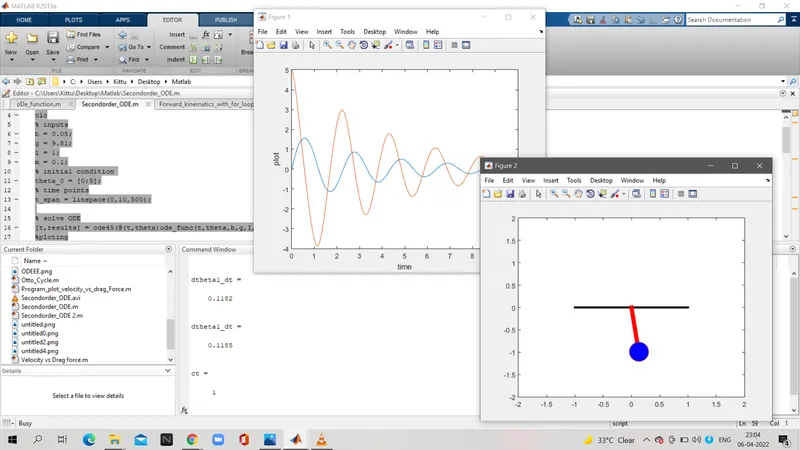
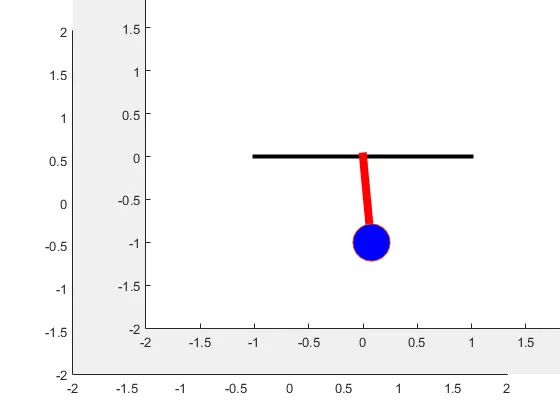
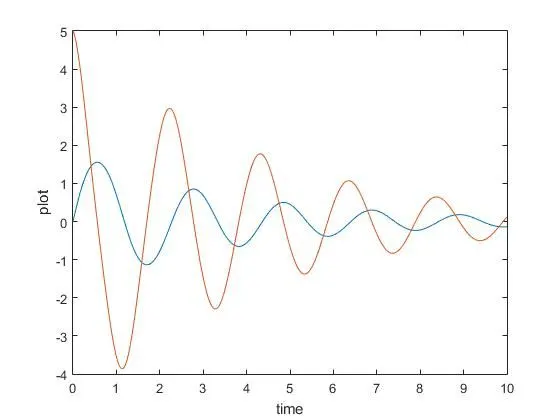
https://youtu.be/ogBE4_VUXzQ
Explanation of program:
- Input and Initial condition of a simple pendulum are fed.
- The ODE45 command is used for the function.
- The graph is plot to get the displacement and velocity from th initial conditions.
- simple pendulum motion is created in movie form.
Error Faced:
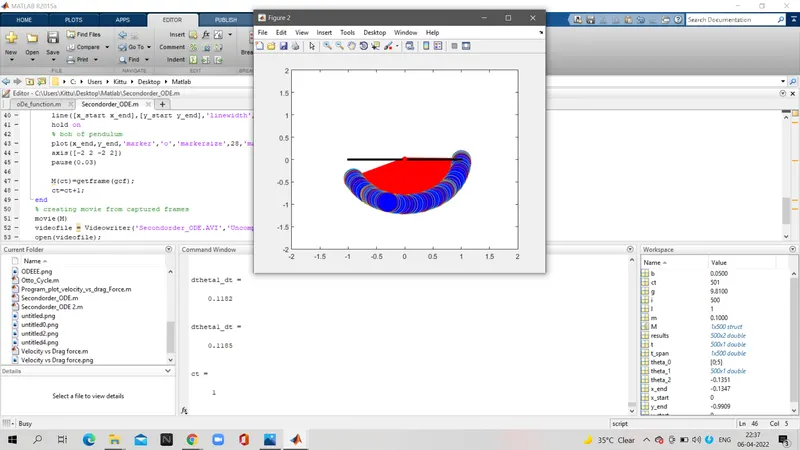
Hold off command was missing
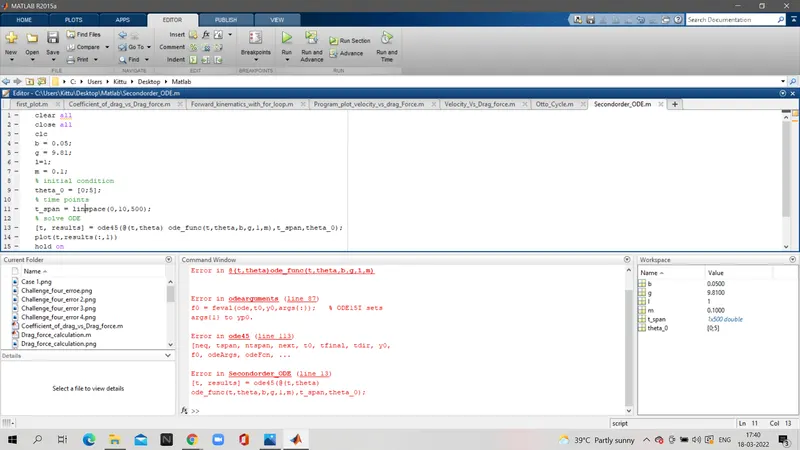
some given data input were missing
Conclusion :
The simulation of the transient behaviour of a simple pendulum is successfull created by using a matlab program.