Week 2- 2R Robotic Arm Challenge
Aim : Forward kinematics of 2R robotic arm
Objective:
- Write a program to simulate forward kinematics of a 2R robotic arm.
- Animation and creating a movie
Introduction : A manipulator end effector movement determine the workspace where the robotic arm can be applicable.
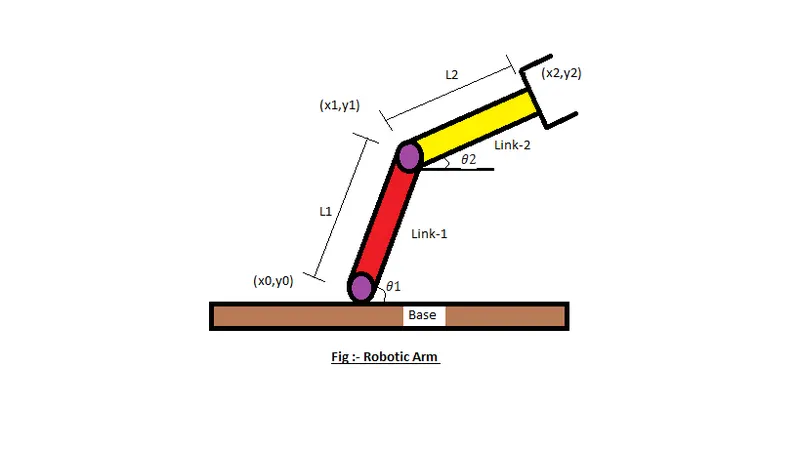
(x0 y0 ) - starting points of link one
(x1 y1) - end point of link 1 and starting point of link 2
(x2 y2 ) - end point of link two
L1 - length of link one which is attached to base
L2 - length of link two which is attached to link one
theta1- angle made by link one
theta2 - angle made by link 2
Program:
%Forward kinematic of 2R robotic arm
Clear all
close all
clc
%length of robotic arm
L1 = 1;
L2 = 0.5;
% set ofangle
Theta1 = linespace(0, 90, 10);
Theta2 = linespace(0, 90, 10);
ct=1;
for i = 1:length (theta1)
Theta1 = theta(i);
for j = 1:length(theta2)
Theta2 = theta2(j)
%coordinates of start point of i
x0 = 0;
y0 = 0;
%cordinates of end point 1
x2 = x1 + l2*cosd(Theta2);
y2 = y1 + l2*sind(Theta2);
%plotting
plot ([x0 x1] ,[y0 y1],[x1 x2],[y1 y2],'linewidth',3)
axis([-0.1 1.5 0 1.5])
pause(0.03)
M(ct) = getframe(gcf);
ct = ct+1;
end
end
movie(M)
videofile = Videowriter('forward_kinemaatics . avi',Uncompressed AVI')
open(videofile)
writevideo(videofile,M)
close(videofile)
Explanation Of Program:
- Starting the program with close all, clear all, clc command
- setting a values for theta 1 and theta 2 with linespace command o create array
- plotting all the coordinates values with a linewidth command
- All the figures are assign to variable M and using ct followed by termintor of loop
- Movie comand is used to create and animation of all the figure which combine different movement
- .avi format is used to save movie
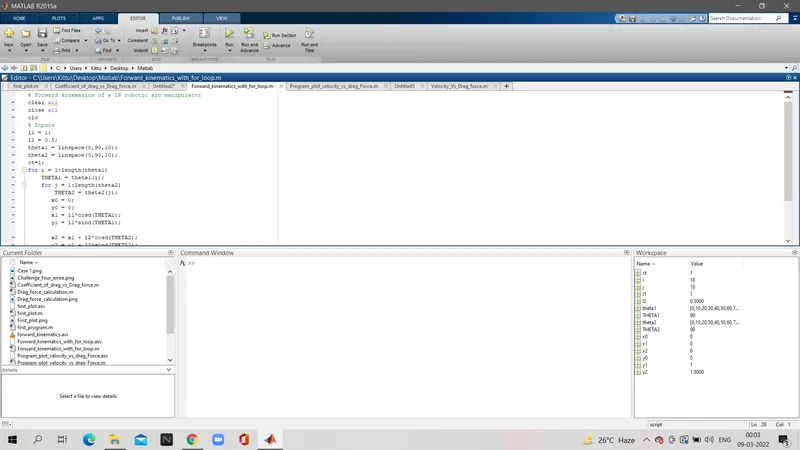
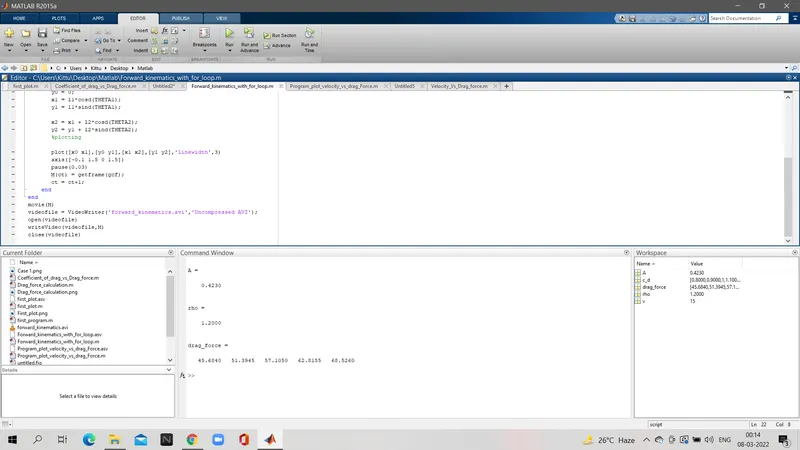
Result of animation video:
Error during programing:
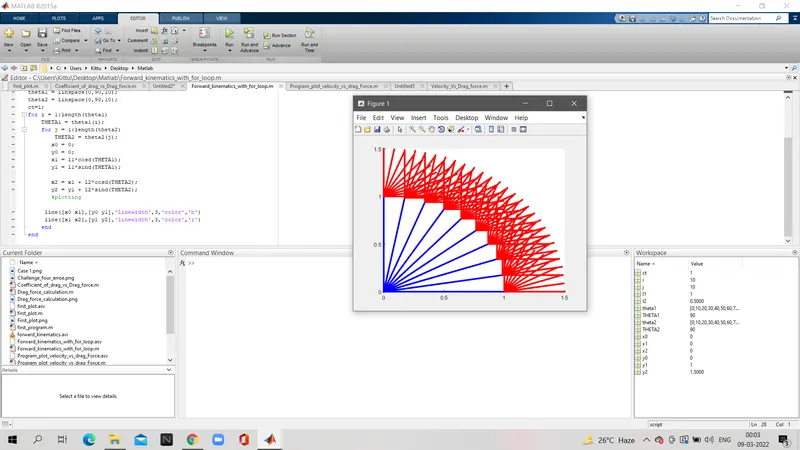
Changing the line command to a single plot command
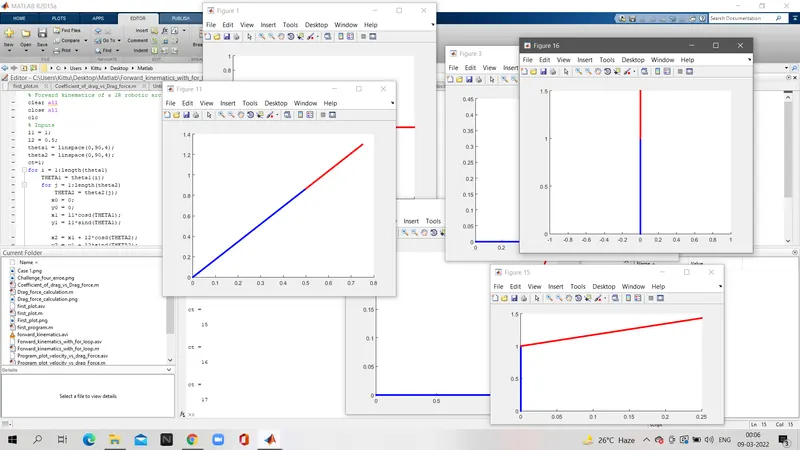
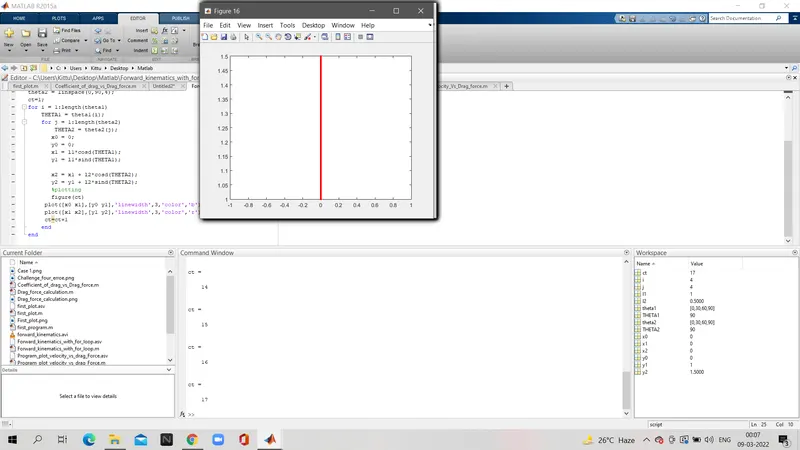
Figure ct command which creats multiple graphs
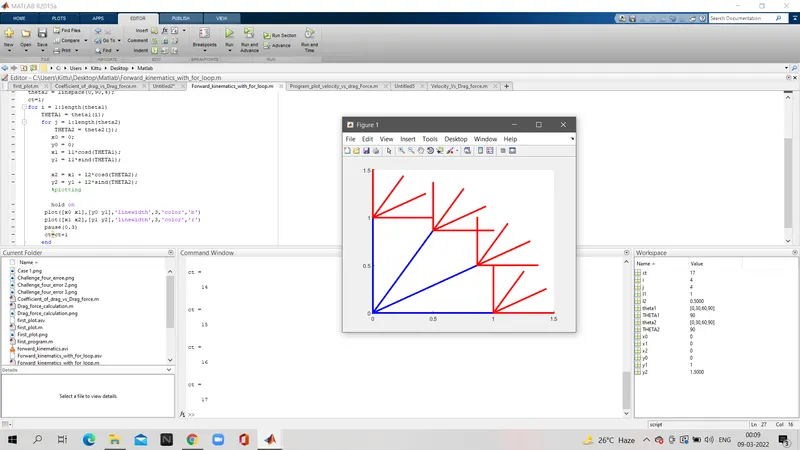
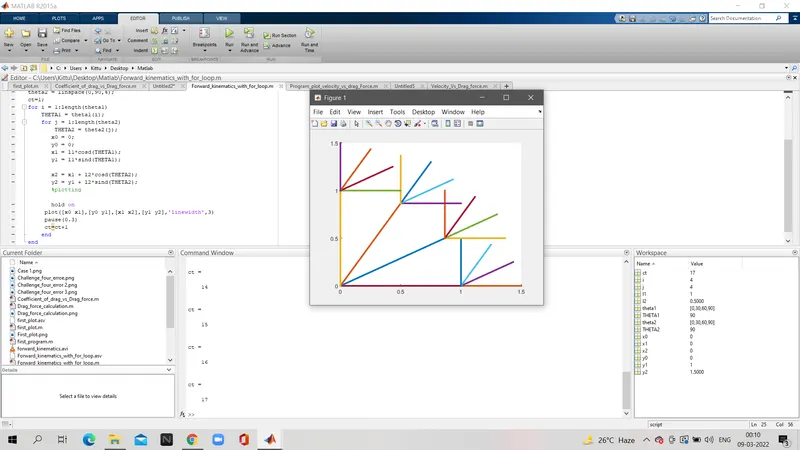
hold on command which creates rgb graph not showing the proper working of a arm
Conclusion:
- Functioning of the robotic arm and its workspace has been experienced by programing of 2R robotic arm.
- How to create a animation or a movie in matlab