Week 3 - Solving second order ODEs
AIM: (Week – 3 Solving second order ODEs)
To solve the second-order ODEs of a simple pendulum and animate how the pendulum will move with respect to end coordinates with respect to time of 20sec.
EQUATIONS/FORMULA:
The governing equation of the pendulum with damping system and load is
`(d^2theta)/dt^2+b/m(d theta)/dt+g/Lsintheta=0`
Converting into first-order ODEs from second-order ODEs
assume `theta = theta_1`
`(d theta)/dt=(d theta_1)/dtrArrtheta_2->(1)`
`(d^2theta)/dt^2=(d^2 theta_1)/dt^2=d/dt((d theta_1)/dt)rArr(d theta_2)/dt`
`(d theta_2)/dt=-b/mtheta_2-g/Lsintheta_1->(2)`
To find the end coordinates of the pendulum, for this case we use
`x_1=Ltimessintheta`
`y_1=-Ltimescostheta`
OBJECTIVES:
To write the program which solves the ODE represents the equation of motion of a simple pendulum with damping.
BODY OF THE CONTENT:
MAIN CODE
%Animation of simple pendulum
clear all
close all
clc

%known inputs
L = 1;
M = 1;
b = 0.05;
g = 9.81;


%initial condition
theta_0 = [0;3];

t_span = linspace(0,20,500);

%solving ode

[t,results] = ode45(@(t,theta) odefun(t,theta,b,g,L,M),t_span, theta_0);

Angular_Displacement = results(:,1);
velocity = results(:,2);
%plotting the Angular_Displacement and Velocity
figure(1)
plot(t,results(:,1))
hold on
plot(t,results(:,2))
xlabel('time')
ylabel('Angular_Displacement & Velocity')
legend('Angular-Displacement','velocity')
hold off


%Animate the pendulum
%origin
x0 = 0;
y0 = 0;

%presetting the counter(c)

c = 1
for i = 1:length(t_span)
    %end coordinates
    x1 = L*sin(results((i),1));
    y1 = -L*cos(results((i),1));
    figure(2)
    %plotting the coordinates with respect to time
    plot([-1,1],[0,0],'linewidth',3,'Color','b')
    hold on
    plot(x0,y0,'o','markerfacecolor','r')
    plot([x0 x1],[y0 y1],'LineWidth',2,'Color','g')
    plot(x1,y1,'o','markers',20,'markerfacecolor','r')
    axis([-2 2 -2 2])
    hold off
    pause(0.03)
    %saving the each frame into the variable(p_m)
    p_m(c)= getframe(gcf)
    c = c+1;

end
movie(p_m)
videofile = VideoWriter('Animarion of simple pendulum.avi','Uncompressed AVI')
open(videofile)
writeVideo(videofile,p_m)
close(videofile)
FUNCTION CODE
function [dtheta_dt] = odefun(t, theta,b, g, L, M)

    theta1 = theta(1)
    theta2 = theta(2)
    dtheta1_dt = theta2;
    dtheta2_dt = -(b/M)*theta2-(g/L)*sin(theta1);
    dtheta_dt = [dtheta1_dt;dtheta2_dt];
end
EXPLANATION OF MY CODE:
MAIN CODE
- From the code lines 1 to 4 - cleared all the previous data.
- From the code lines 6 to 10 - assigned the known value which we going to use.
- From the code lines 13 to 16 - set the initial condition of Angular Displacement, Velocity, and time span of this calculation.
- From the code lines 18 to 23 - solving the ODEs with ode45 operator and 'odefun' function with respect to our initial conditions and time span. After that assigned the variable for our results(Angular Displacement and Velocity).
- From the code lines 24 to 32 - plot graph of time vs Angular Displacement and Velocity.
- From the code lines 35 to 38 - fixed the origin for Animation.
- From the code lines 40 to 61 - code to animate the simple pendulum by using for loop and get each and every frame in a variable called p_m.
- From the code lines 62 to 66 - create an animation file in .avi format and save it in our hard disc.
FUNCTION CODE
- Line 1 - assigning the variable name of the results and the function name 'odefun'.
- Line 3&4 - set the theta value for the theta1 and theta2 from theta(because it's a row vector).
- Line 5 - code the first derived equation.
- Line 6 - code the second derived equation.
- line 7&8 - make these code line 5 and 6 are the result value of our function code and end the function.
RESULTS:
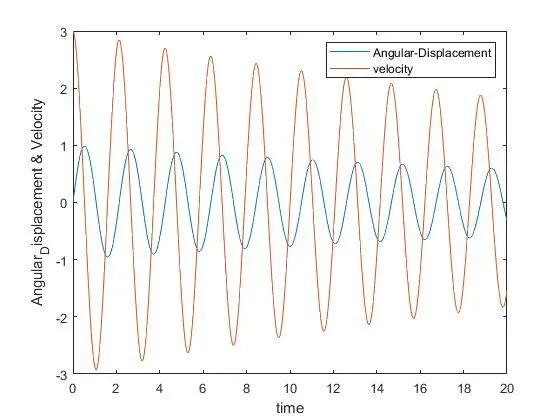
The resultant plot for the Angular Displacement and Velocity are given below:
The animation of the simple pendulum with damping links are given below:
YouTube – https://youtu.be/l_Uis6yVBis
Drive – https://drive.google.com/file/d/1OuLynRGhRG2ggsUrKtwgD3gZkEN6UvYJ/view?usp=sharing
ERROR FACED:
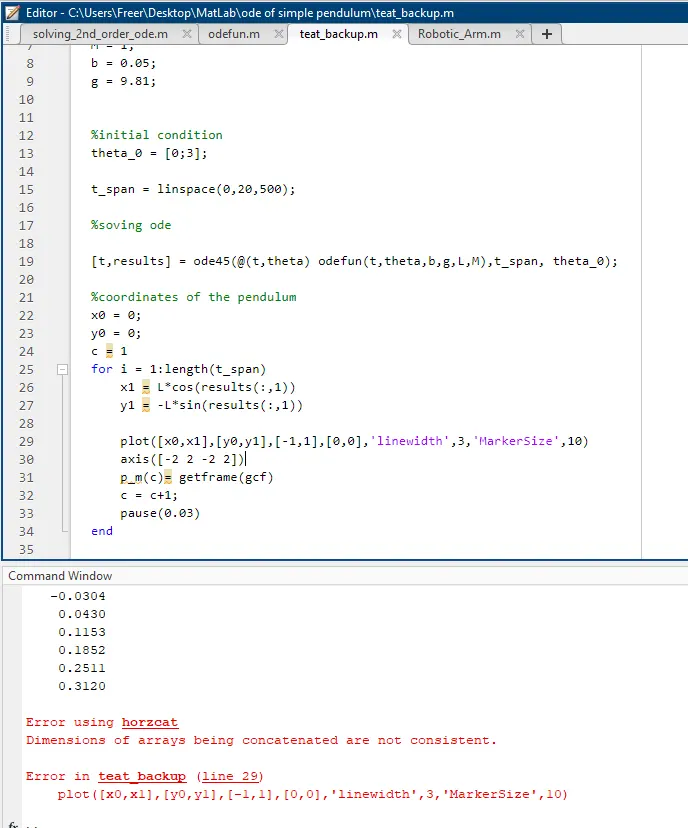
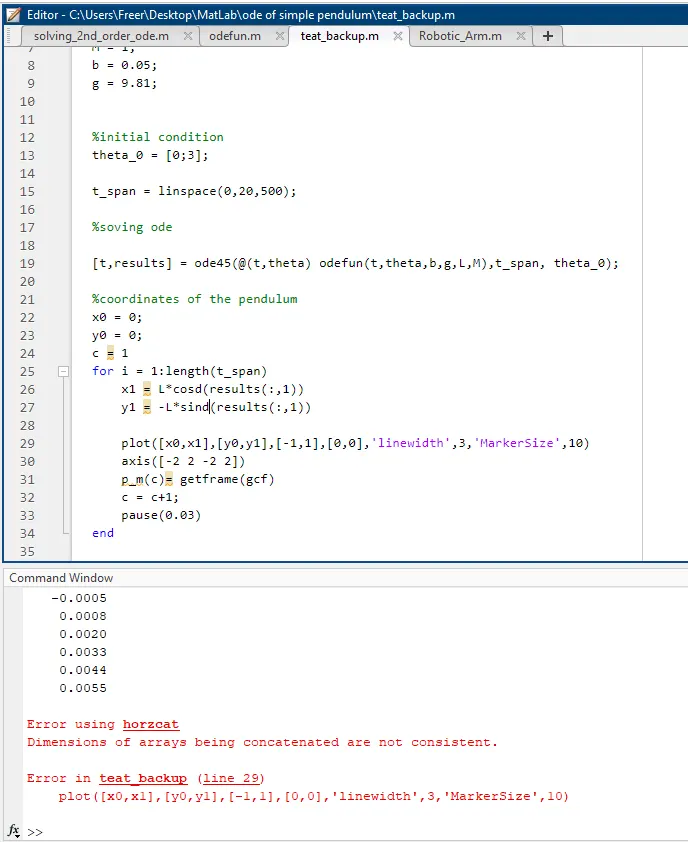
The above error occurred because I made a wrong formula for the end coordinates calculation.
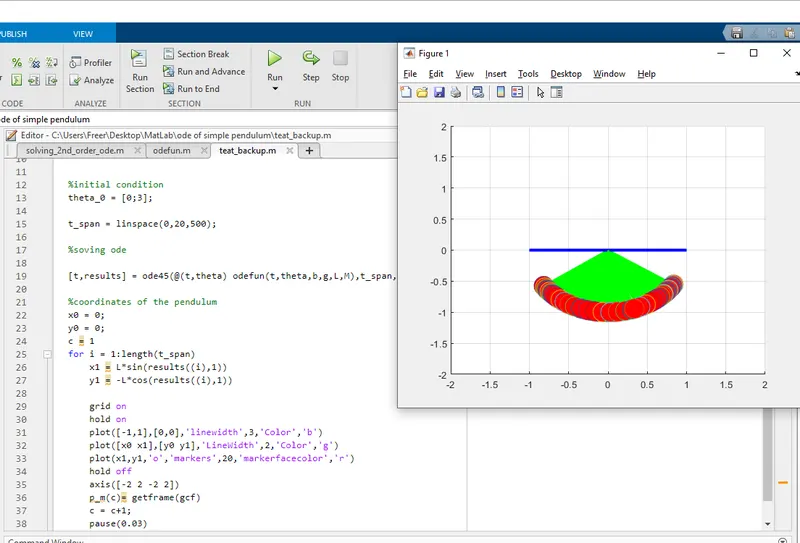
The problem with this error is I put the 'hold on' command above the first plot command, it will hold each and every graph even I put 'hold off' command at the last plot. it nullifies the 'hold off' command which is in the top every time of (i).
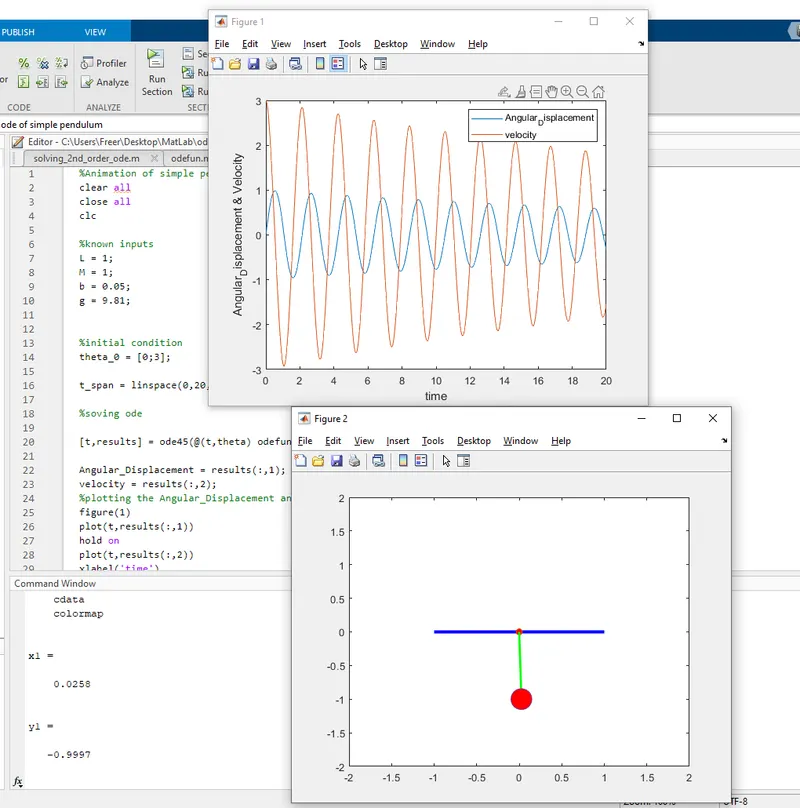
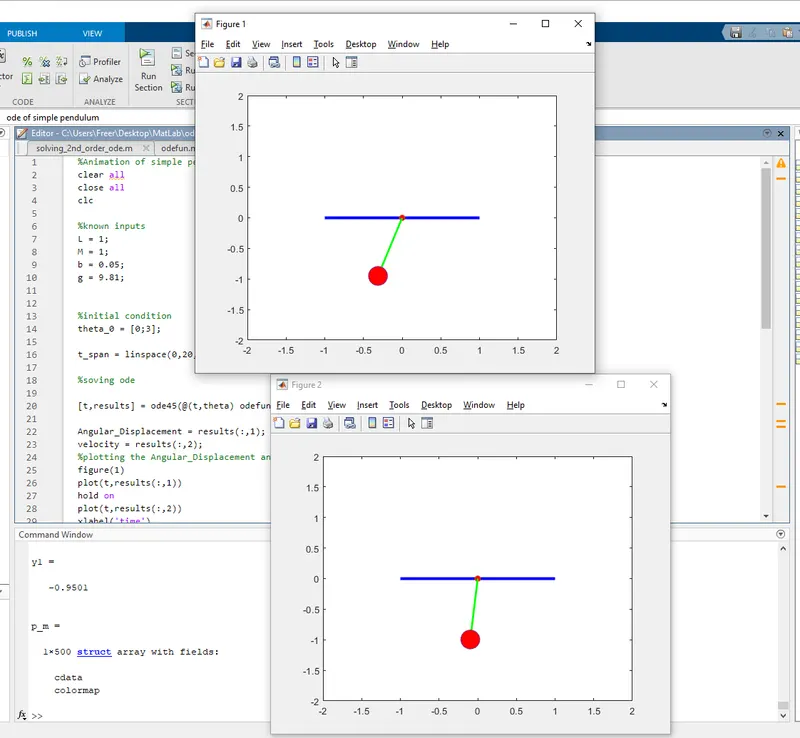
The above error of transformation of frames into another figure while the program is running is due to the wrong placement of figure(2) command
which should be inside the for a loop.
CONCLUSION:
Finally, the animation of the simple pendulum with damping was created successfully. And those errors are corrected by the learning process.