Week 2- 2R Robotic Arm Challenge
AIM: ( Week 2- 2R Robotic Arm Challenge)
To write a program that can simulate an animation of 2R Robotic Arm movement by using MatLab software
EQUATIONS:
The Formula that we used to calculate the co-ordinate of the system is
To find first coordinates
`x_1=l_1timescos(theta_1)`
`y_1=l_1timessin(theta_1)`
To find second coordinates
`x_2=x_1+l_2timescos(theta_2)`
`y_2=y_1+l_2timessin(theta_2)`
OBJECTIVE:
By using the for loop method, we write a code to simulate the animation of the 2R Robotic Arm with help of known data which are the length of each shaft and angle limits of that shaft.
BODY OF CONTENT:
CODE
% animation of 2R Robotic Arm
clear all
close all
clc
%inpuuts(which are assumed)
l1 = 1;
l2 = 2;
x0 = 0;
y0 = 0;

%limits of theta(angle)
theta1 = linspace(0,90,15);
theta2 = linspace(0,90,15);
c = 1;
%code to find end quardinates for both link using for loop
for link_p1 =1:length(theta1)
    Theta1 = theta1(link_p1);
    for link_p2 = 1:length(theta2)
        Theta2 = theta2(link_p2);

        x1 = l1*cosd(Theta1);
        y1 = l1*sind(Theta1);
        x2 = x1 + l2*cosd(Theta2);
        y2 = y1 + l2*sind(Theta2);


        plot([x0 x1],[y0 y1],[x1 x2],[y1 y2],'Linewidth',2)
        axis([-0.1 3.5 0 3.5])
        pause(0.03)
        M(c)=getframe(gcf);
        c = c+1;
    end
end

%to make the animation in .avi format
movie(M)
videofile = VideoWriter('Animation of robotic arm.avi','Uncompressed AVI');
open(videofile)
writeVideo(videofile,M)
close(videofile)
EXPLANATION OF THE CODE:
· from code lines 1 to 4 clear the previous data or result to avoid any problems
· from code line 5 to 13 assigning variables with known values
· from code line 14 assign a count value for figures for the animation
· from code line 15 to 33 by using the for loop function, created the code to perform the action of animation by calculating all the possibilities coordinates that the 2R Robotic Arm moves and create a variable to store the all coordinate plots as frames from MatLab for the animation process
· from code line 35 to 40 creating the animation of 2R Robotic Arm in .avi format and saving it in the hard disc
RESULTS:
The final results of the above code are
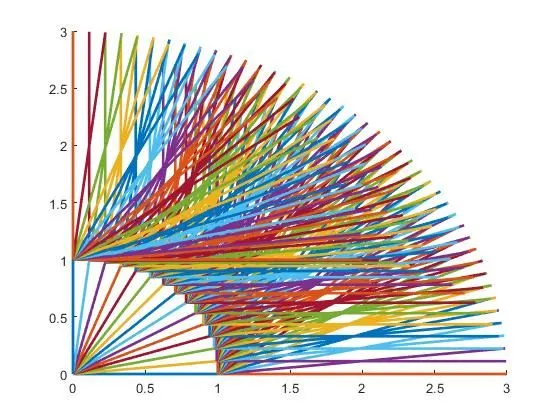
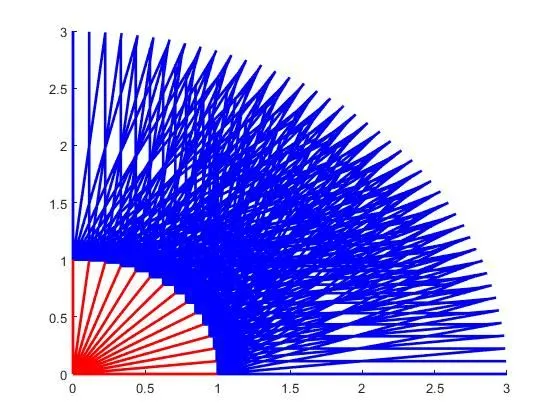
The animation video is uploaded in youtube and provided the link below
LINK: https://youtu.be/l_Uis6yVBis
https://drive.google.com/file/d/16GOm8lTqEka-NagKp52eq-83LITAZq7j/view?usp=sharing
PROBLEM THAT I FACED:
I got so many errors while I run the program code because I tried it in different ways to check whether the how the MatLab functions are work and I got some errors from some spelling mistakes and careless mistakes. Those mistakes are corrected by experimenting with the code format and by watching the video repeatedly
The error pics are given below
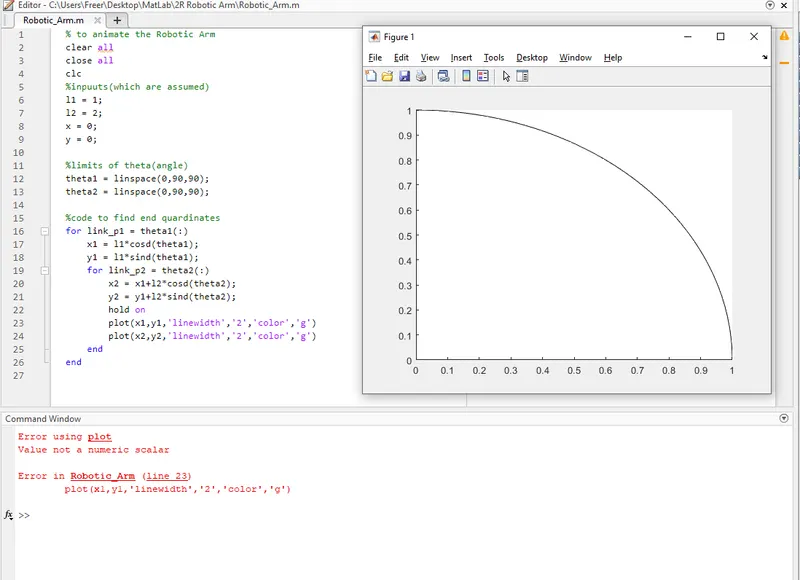
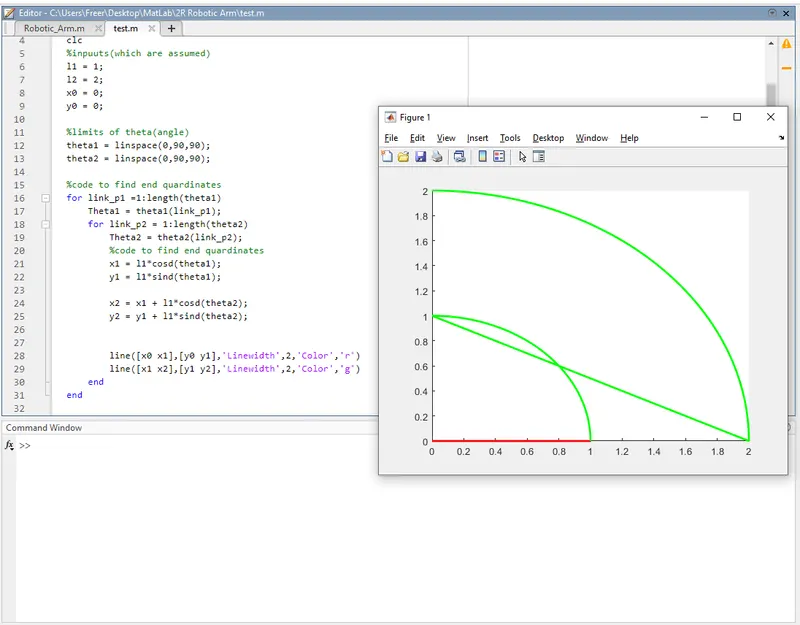
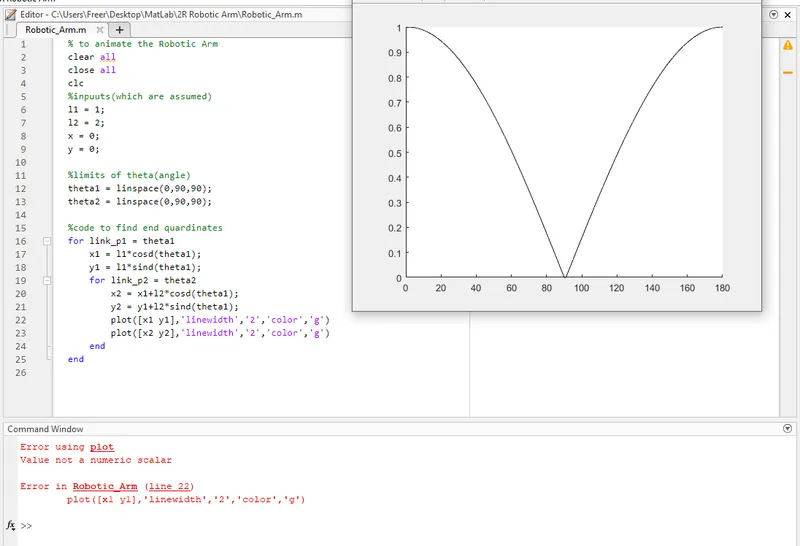
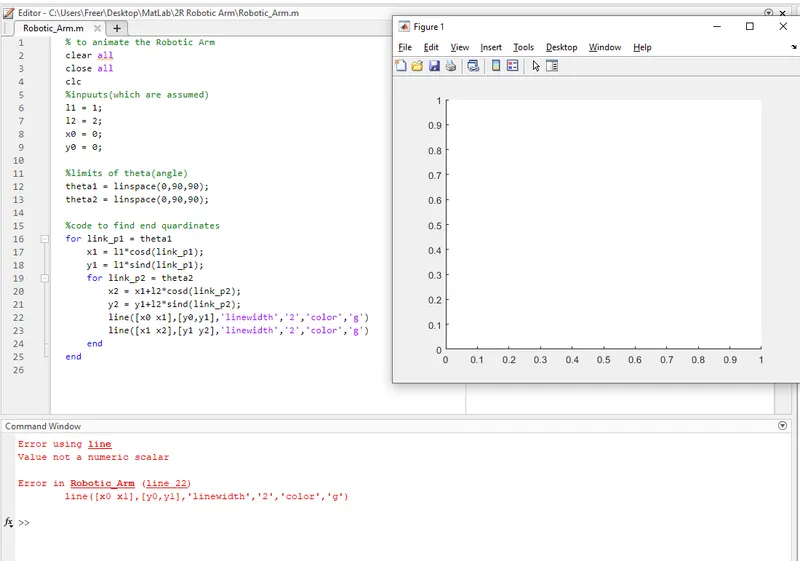
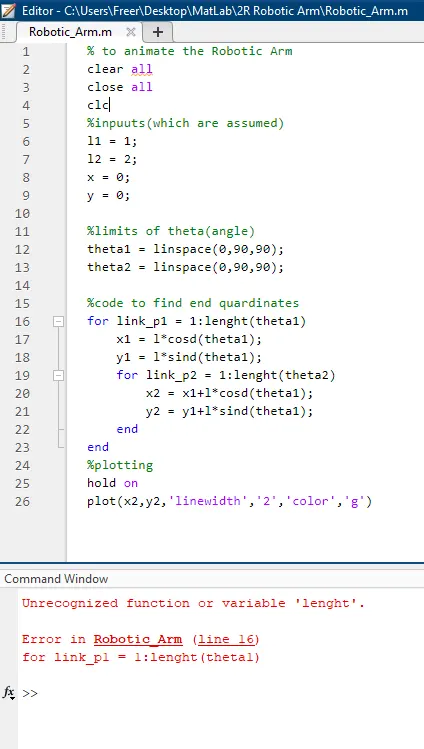
This error occurred because of spelling mistake
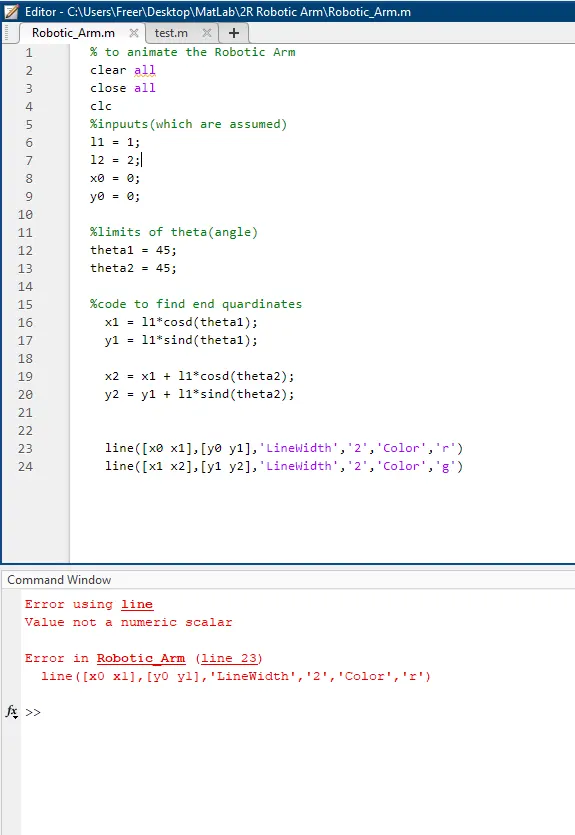
It’s from I used the quotation mark for the linewidth value
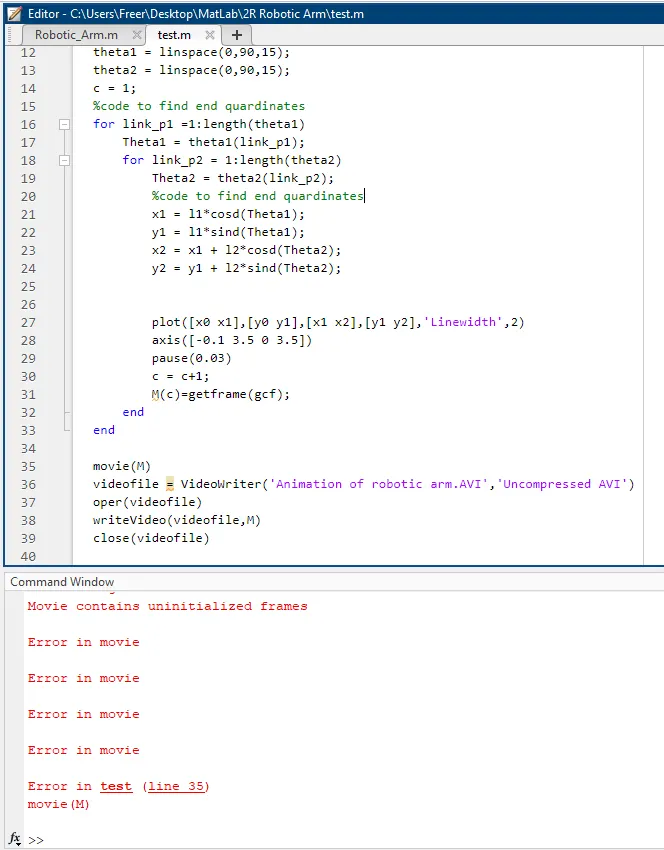
This was caused by misplaced the incrimination of count(c) inside the for loop
CONCLUSION:
Finally, the animation of the 2R Robotic Arm was generated successfully. I learned a lot from this challenge by coded in on my own way and clearing my doubts from each case