Week 3-Meshing of Hood Challenge
Meshing of Hood Challenge
Aim: To extract the midsurface and to generate the Mesh on the given Hood Model
Procedure:
-
To import the given model to Hypermesh in IGES format
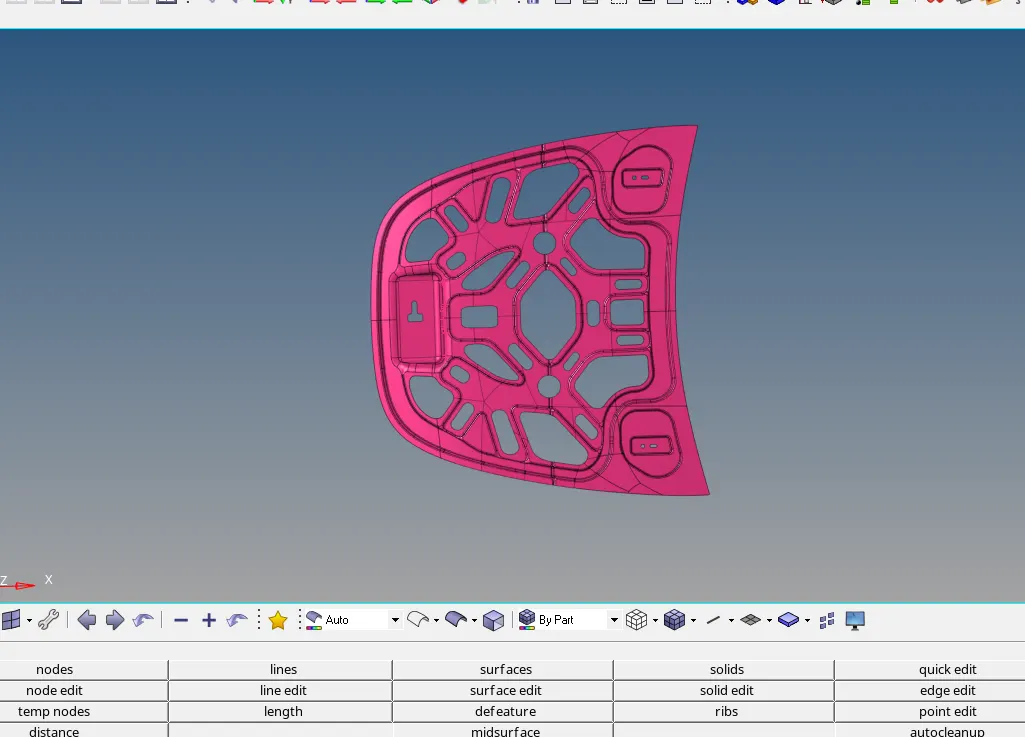
-
Next check for the geometrical errors and toggle them by using delete option
Delete>>>Lines>>> select the unwanted lines>>> Delete entity
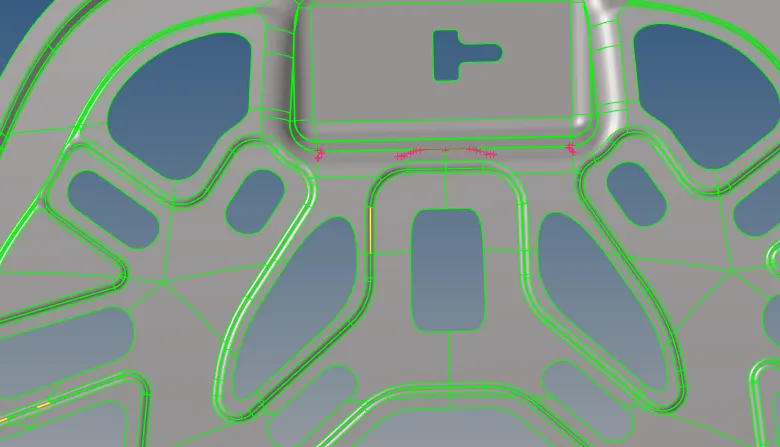
-
After geometry cleanup, Now extract mid surface by using offset option
Geom>>Mid Surface>>Extraction Option>>Offset>>Auto Extraction
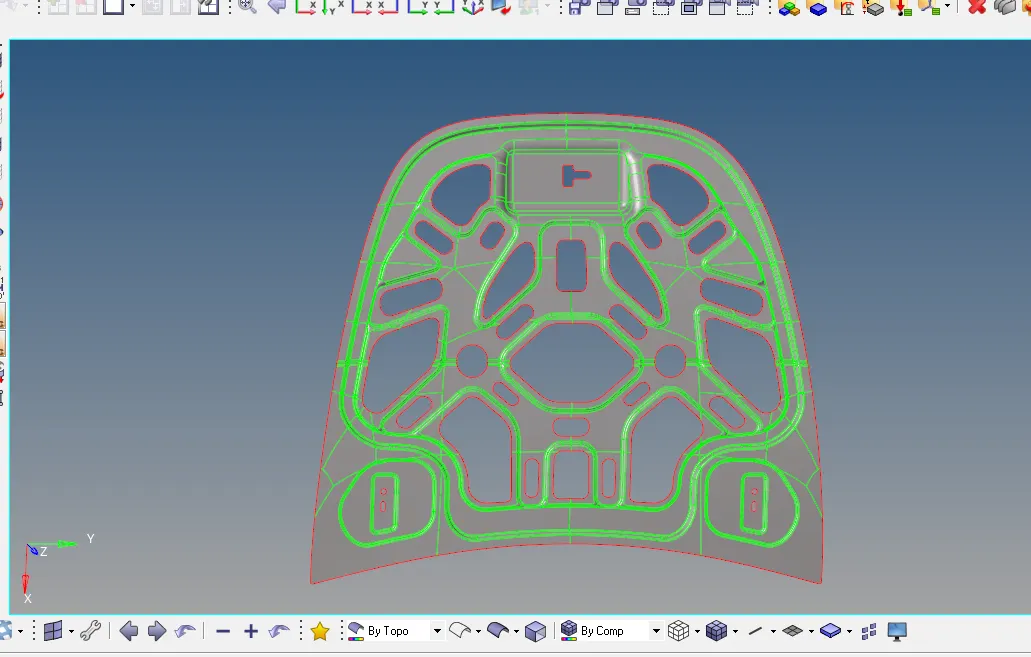
-
Once again check for geometrical errors on the mid surface extracted
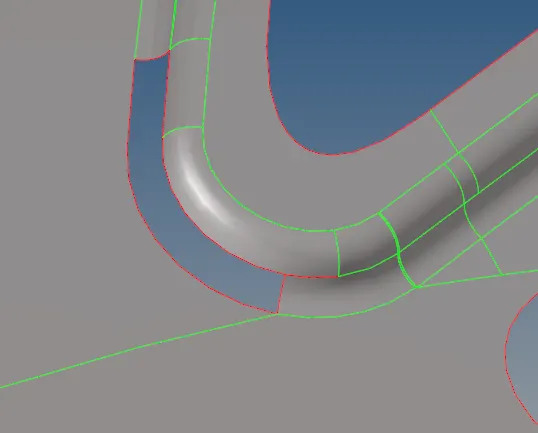
-
In the mid surface the surface has been missing it can be created by using Ruled option or by using filler surf
Surface>>Ruled option
-
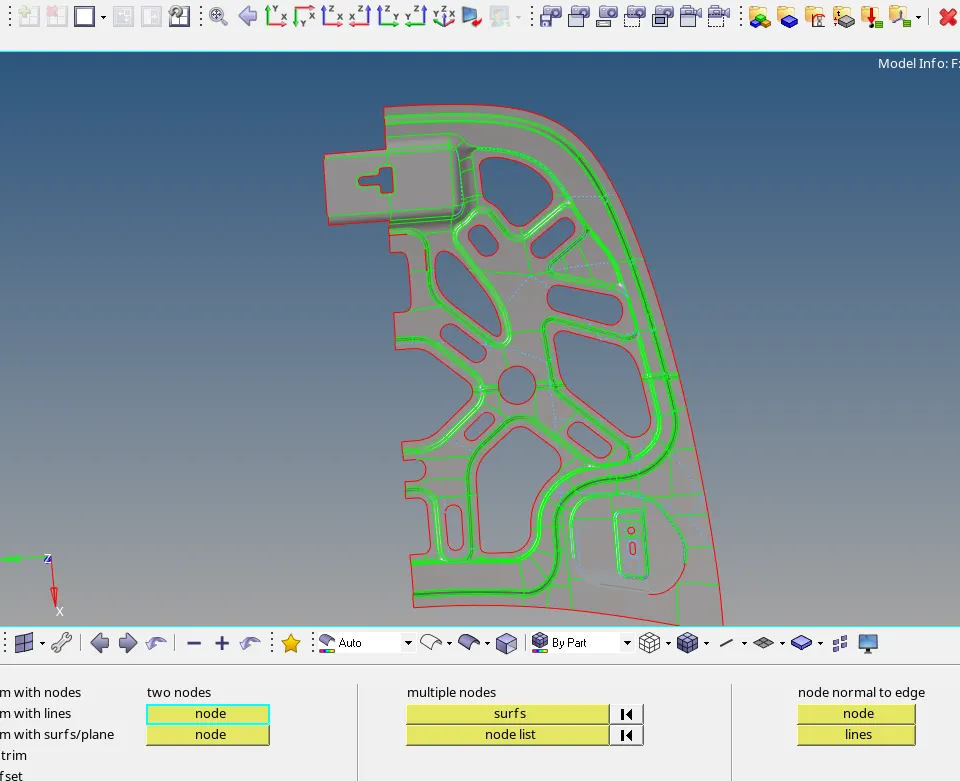
The Hood component is symmetric it can be split into half by using Trim with surf/plane option
Geom>>Surface edit>>Trim with Surf/Plane
-
Delete the other half and start meshing
-
First set the quality parameters as given by using elem cleanup option
2D>>elem cleanup>>edit Parameter
-
Now hide the parent component, keep the midsurface visible
-
Now suppress the unwanted lines by using quick edit option
geom>>quick edit>>toggle edge
-
And start meshing by using Automesh
2D>>automesh>>mesh
-
Set the element size as 5 units
-
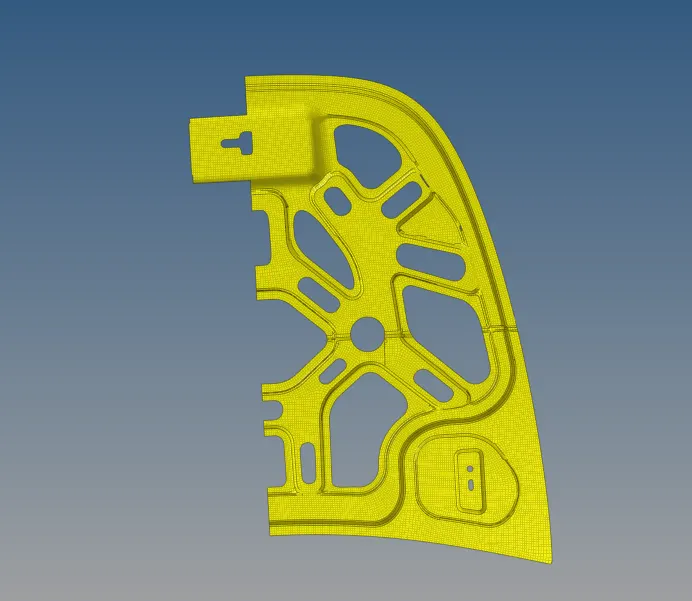
Now mesh surface by surface the given hood model as shown below
-
If the mesh flow is not proper or if there is any quality issues use rebuild mesh option
2D>>rebuild mesh>>rebuild
-
And in filet region two rows of mesh should be maintained for the proper mesh flow
-
If there are any backward trias can be removed by using quality index
-
For quality issues can resolved by using quality index and elem cleanup
-
Next check for quality issues and if any resolve by using split/collapse edge,place node, combine tria element,swap edge and element optimize

-
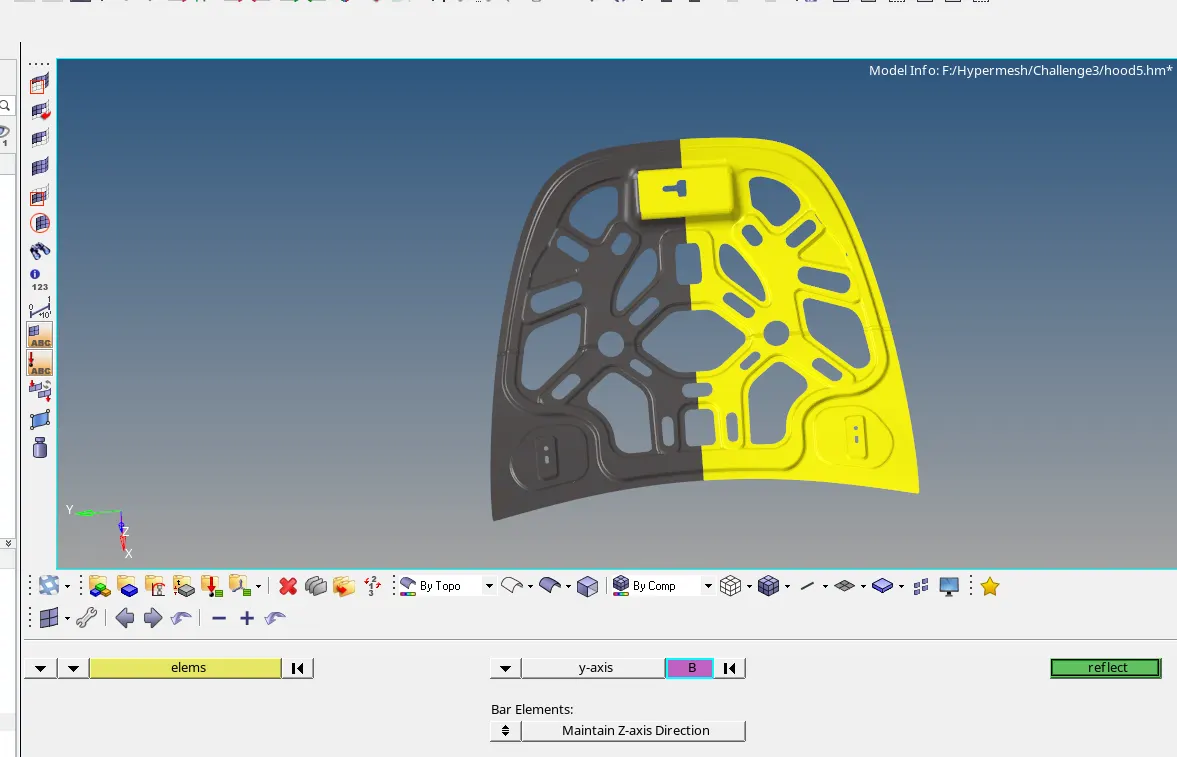
Once all the quality issues are resolved,other half of the model can be refelted as shown below
-
tool>>reflect along the Y-axis
Final model
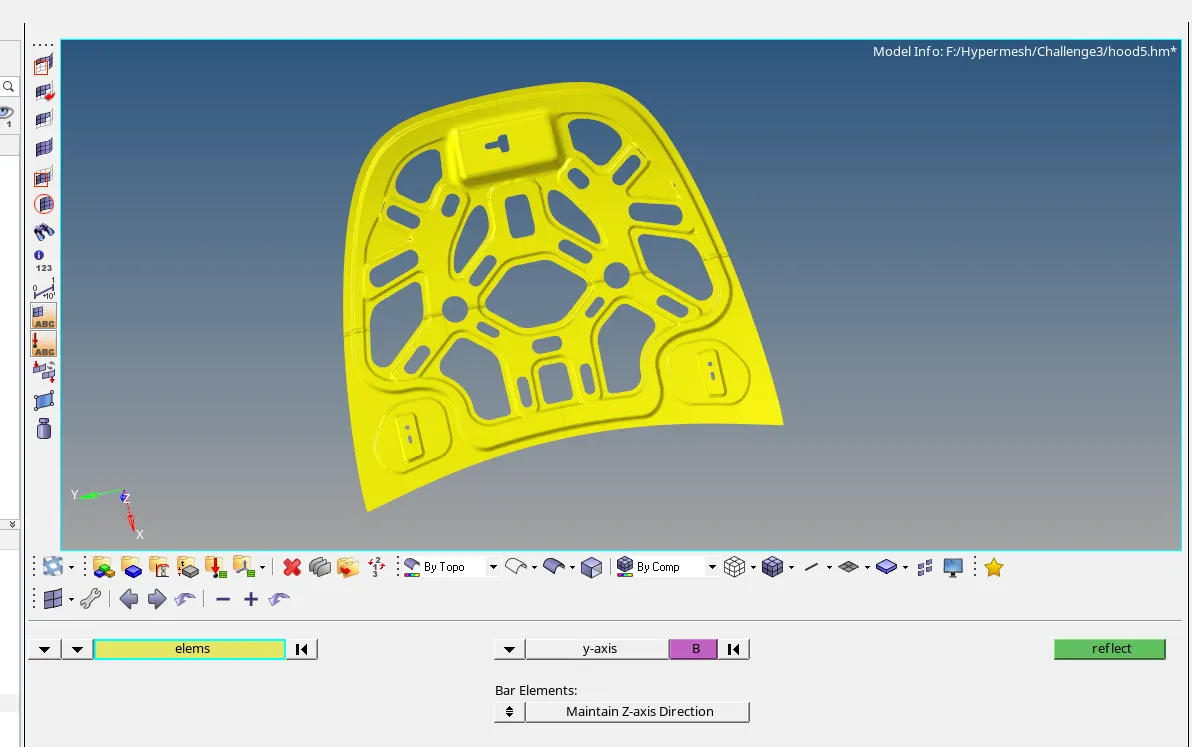
Conclusion : Extracted the mid surface and checked for the element quality criteria for the given Hood model by using hypermesh